
20Paths
Service for quickly creating interactive demos and step-by-step instructions with AI.
Overview
20Paths neural network description
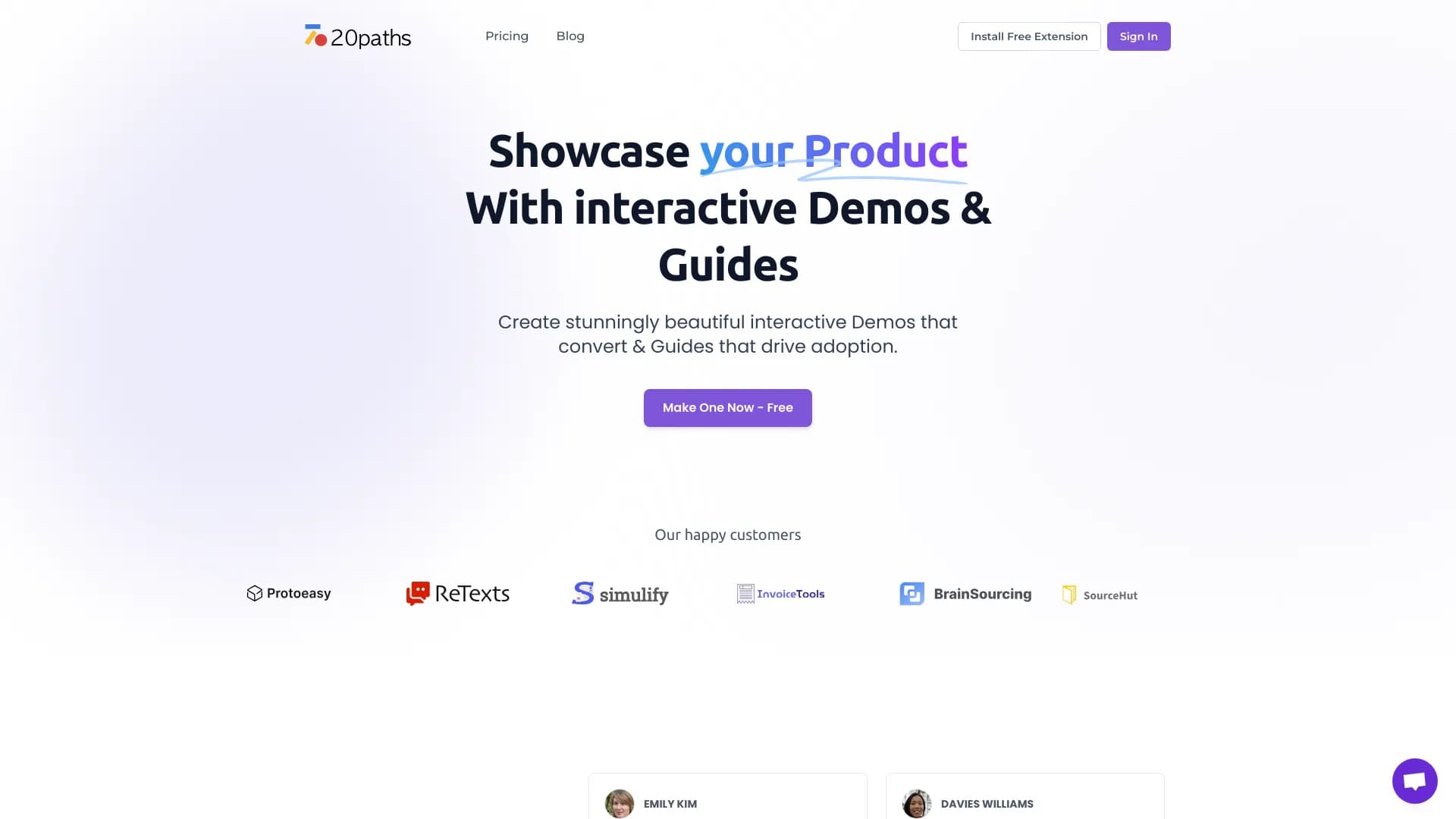
20Paths is a web service that lets you quickly create interactive product demonstrations and step-by-step guides. Instead of manually formatting each step and planning the structure, users can rely on artificial intelligence: it automatically assembles the scenario, highlights key points, and generates text explanations.
The finished material can be styled to match your company's brand and then shared with your audience. The demonstration turns into a clickable guide that can be easily embedded on a website, sent in emails, or published on social media. The service's main goal is to simplify the process of introducing users to a product and help businesses visually showcase the value of their solutions.
20Paths characteristics
| Characteristic | Value |
|---|---|
| Type | AI platform for creating interactive demos and guides |
| Categories | Documentation and comments, Presentations and reports, Miscellaneous |
| Platform | Web service (20paths.com) |
| Developer | 20Paths |
| Publication date | December 31, 2025 |
| Monthly visits | 77.2K |
| Free plan | Yes |
| Access method | Requires installing a browser extension |
Who is the 20Paths neural network suitable for?
Product managers and marketers
For specialists responsible for product launches and promotion, the service helps quickly prepare visual materials for presentations. Instead of static screenshots, you can show a potential client an interactive demo that immediately conveys how the product works.
Technical writers and training specialists
Those who write documentation and develop training programs use 20Paths to create structured step-by-step guides. The AI handles the draft work of formulating steps, while the author focuses on the substantive part.
Support teams and onboarding teams
Employees who help new users get acquainted can use ready-made interactive guides. This reduces the number of recurring support requests and speeds up client adaptation to the product.
How to use the 20Paths neural network?
Installation and action recording
To get started, you need to install the 20Paths extension in your browser. After that, recording begins: the user simply performs the necessary actions in their product, and the extension captures them.
Automatic processing
Once recording is complete, the AI independently analyzes the actions and creates the structure of the future demonstration. It adds visual highlights, inserts explanatory texts, and forms clear steps. No manual configuration is required at this stage — everything happens automatically.
Editing and publishing
After initial processing, you can make edits: change wording, colors, step order, or highlight style. When the material is ready, the service generates a link to the demo or embed code. The finished guide can be placed on a website, in an email newsletter, or on social media.
Key features of 20Paths
Creating clickable interactive demonstrations
The service's core capability is turning action recordings into a full-fledged interactive guide. Users can click on elements, navigate between steps, and explore the product at their own pace.
AI assistant for structuring and texts
Artificial intelligence automatically identifies key steps and suggests wording. This speeds up work and eliminates the need to come up with descriptions from scratch.
Visual customization
Users can change colors, texts, and highlight styles so the demonstration matches the company's brand guidelines. This is important for those who use guides in sales or on their official website.
Generating links and embed code
A finished demo is easy to publish: just copy the link or embed the code into a page, email, or post. This makes the service a versatile tool for different communication channels.
Advantages of 20Paths
Simplicity and speed
Creating a demo takes just a few minutes because the AI does most of the work. The service is suitable even for beginners thanks to its intuitive visual process — no need to deal with complex settings or programming.
Automation of routine tasks
The AI independently assembles the structure, writes texts, and highlights key points. This saves time and allows teams to produce training and sales materials faster.
Flexibility of use
The service is useful in various scenarios: from sales demonstrations and employee onboarding to instructions for support teams. One tool covers the needs of multiple departments.
Reduced support load
Clear interactive guides help users figure out the product on their own, which reduces the number of support requests and makes the product more transparent for the client.
Disadvantages of 20Paths
Limited customization
Options for adjusting branded elements and non-standard scenarios are limited. If a company needs deep brand integration or specific design, the service's capabilities may not be sufficient.
Dependence on internet connection
The service requires a constant network connection to work. This means you cannot create or edit a demo offline.
Risk of content overload
Interactive guides can become overloaded with information, especially if the scenario is long. This can confuse users and reduce the effectiveness of training.
What tasks does 20Paths solve
Demonstrating key product features
The service helps visually show how the main product capabilities work. Instead of describing in words, an interactive scenario is created that can be explored in action.
Explaining complex processes
For products with complex logic, it's important to guide users step by step along the right path. 20Paths allows breaking the process into clear steps and explaining each one.
Preparing materials for sales and onboarding
Marketers use demos to turn interested leads into customers, while onboarding teams use them for rapid adaptation of new users. The service is also suitable for internal employee training.
Increasing audience engagement
The interactive format engages users much more strongly than static instructions or text descriptions. This helps hold attention and speed up familiarization with new tools.
20Paths pricing
The service website lists several pricing plans, but detailed descriptions of each are not publicly disclosed. From available data, it is known that a free plan exists. There is also a Professional plan and a Corporate plan, with pricing calculated upon request.
Specific features included in each plan cannot be determined from public sources.
Terms of use for 20Paths
The terms of use are only partially described in available sources. To get started, registration and installation of the 20Paths browser extension are required. The service operates exclusively online, meaning a constant internet connection is needed. Any usage restrictions, limits on the number of demos, or requirements for recording volume are not mentioned in public data.
Availability of 20Paths
20Paths is a web service available at 20paths.com. It requires an installed extension and an internet connection. Information about supported platforms, interface languages, and regions of availability is absent from available sources. The service is operational as of the data publication date and attracts about 77.2 thousand visitors per month.
How 20Paths differs from alternatives
The main difference of 20Paths is the automation of interactive guide creation using AI. The user doesn't need to manually plan the structure or write texts for each step: the assistant does it in a couple of minutes. Alternatives like NextDocs, Beautiful.ai, or Deliverables AI solve related tasks of creating documentation and presentations, but 20Paths focuses specifically on recording actions and turning them into clickable scenarios.
Another difference is versatility of use. The service suits not only sales demos but also employee training, customer support, and internal documentation. At the same time, competitors such as Blumo AI or Blureasy may offer deeper customization or specialized features, whereas 20Paths is limited in adjusting branded elements. This is an important factor when choosing a tool for companies with strict branding requirements.
Conclusion
20Paths is a practical web tool that uses artificial intelligence to speed up the creation of interactive demonstrations and step-by-step guides. The service is aimed at marketers, product managers, technical writers, and training specialists who need to quickly show users how a product works. Key strengths include ease of use, automation, and the ability to adapt the visual style to your brand. Weaknesses include limited customization and the need for a constant internet connection. Overall, 20Paths is a useful tool for sales, onboarding, and support that helps reduce team workload and make the product clearer for clients.
Frequently asked questions
See also

A presentation creation service that uses multiple AI agents for information gathering, design, and data analysis.


Chrome extension that helps manage tabs, history, and bookmarks with an AI assistant.
AI-powered platform for creating and automatically grading exams and tests.


Online AI tool for creating deepfakes and editing images.


AI platform for creating and editing videos, working directly in the Chrome browser.


AI assistant for quickly creating and editing texts in various formats.


A platform for creating corporate chatbots based on your own documents without coding.

An online service that lets you chat with PDF documents: ask questions and get concise answers with source attribution.