

Remini
Neural network service for improving photo and video quality, enhancing sharpness, and restoring old images.
Overview
Remini
Description of the Remini neural network
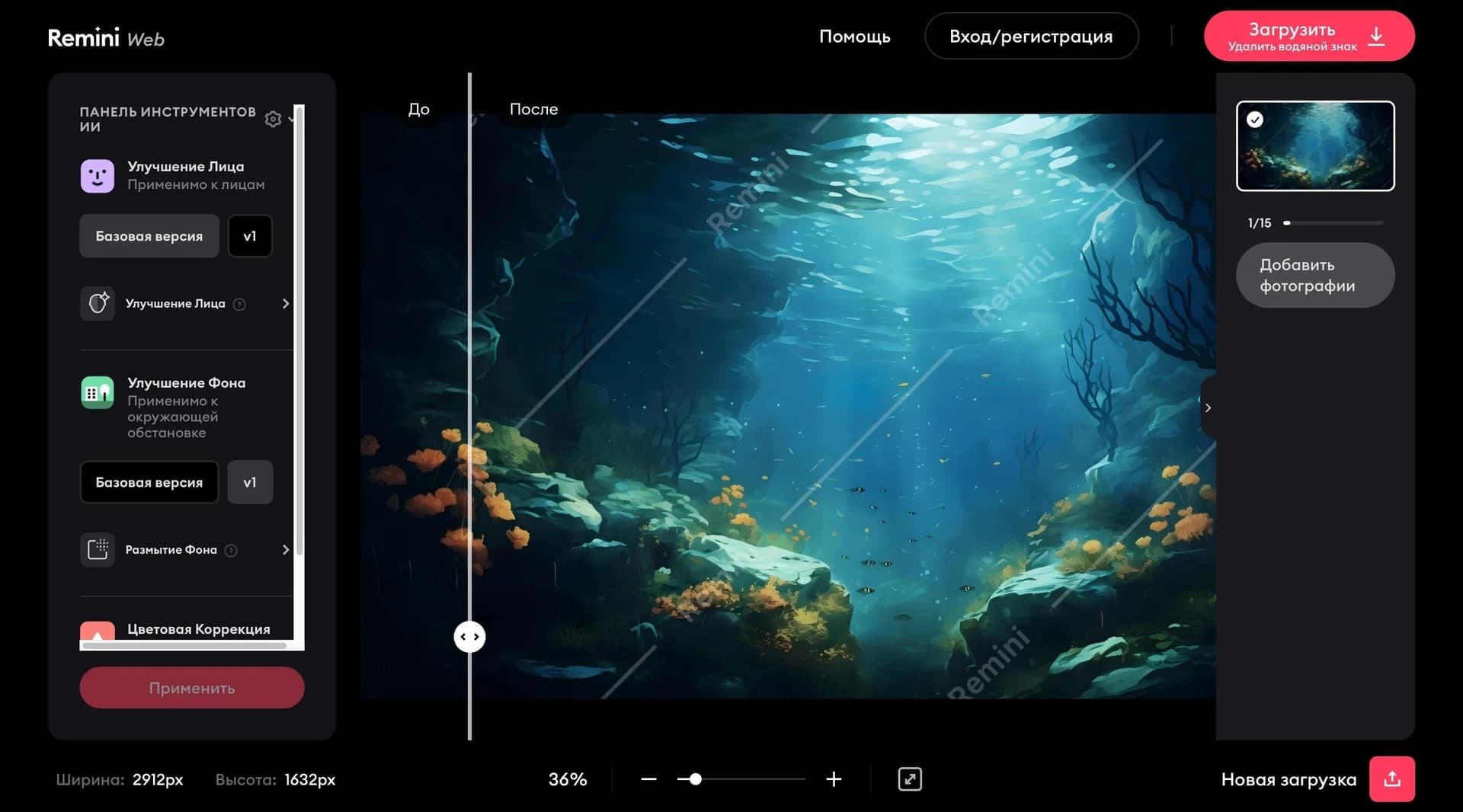
Remini is an AI-based service designed to automatically improve the quality of photos and videos. The neural network can enhance image sharpness and detail, restore old or blurry shots, correct color rendering, and remove visual defects such as scratches or stains. Files are processed on remote servers, so the app requires a constant internet connection. Remini is available as a mobile app for iOS and Android, as well as through a web version in the browser. The service was launched in 2019 by developers Raz Wasserstein and Doron Oded, and today it has more than 102 million active users and 12 million app downloads.
Remini specifications
| Characteristic | Value |
|---|---|
| Type | Service for improving photos and videos, mobile app |
| Category | Quality enhancement (upscaling), photo restoration, video quality enhancement |
| Platforms | iOS, Android, web version |
| Year of launch | 2019 |
| Developers | Raz Wasserstein, Doron Oded |
| Monthly audience | More than 102 million active users |
| Interface languages | Not specified |
| Free plan available | Yes, with limitations and ads |
Who is the Remini neural network for?
Regular users and owners of archives
Remini is useful for people who want to restore old family photos, improve the quality of archived images, or add detail to blurry shots taken with old cameras. The service is suitable for those who do not have professional retouching skills but want a high-quality result without complex training.
Photographers and bloggers
Professional photographers and social media content creators can use Remini to quickly process portraits, improve facial clarity, and enhance the overall quality of images before publishing. Bloggers will appreciate the ability to improve videos for posting online without using bulky software.
Business owners and marketers
For entrepreneurs and marketers, Remini can be a tool for preparing visual content: improving product images, creating high-quality avatars, and retouching employee portraits. The business subscription with batch upload allows large volumes of images to be processed in a short time.
How to use the Remini neural network?
Registration and file upload
To get started, you need to register in the service using Google, Facebook, or Apple. After logging in, the user can upload an image — either a modern digital photo or a scanned old picture.
Automatic processing
After upload, Remini automatically starts improving the image using AI. Processing takes about 30 seconds for photos and from 5 to 60 seconds for videos, depending on complexity. The user does not need to adjust settings manually — the neural network independently determines which improvements are needed.
Additional tools in the paid version
In the paid version, after the main enhancement, additional features become available: Beautify retouching with six intensity levels, background removal with three processing options, and color correction with eight presets. Saving the result requires an active subscription; JPEG, PNG, and TIFF formats are available (the latter for the business plan).
Main Remini features
Photo restoration and enhancement
Remini can restore old family photos, increase the detail of images for social media, and upscale images for printing. The service automatically corrects defects such as scratches, stains, and blur, and restores colors and contrast. There is also a dedicated capability for restoring and colorizing black-and-white photos.
Video enhancement
The service can improve the quality of video recordings, including upscaling to 4K resolution. This allows processed video to be used for online publishing, where requirements for clarity and detail are constantly growing.
AI editor and retouching
The paid version of Remini includes an AI photo editor with portrait retouching, AI image generation, and AI filters. The Beautify feature lets you adjust six retouching levels to improve facial features, while the background removal tool offers three processing options.
Remini advantages
Speed and ease of use
One of the main advantages of Remini is its processing speed: image enhancement takes from 30 seconds, and video enhancement from 5 to 60 seconds. The service does not require the user to have special skills or knowledge of professional photo editors — the entire process is automated. This makes the tool accessible to beginners.
Cinema-quality results
Remini uses technologies similar to those employed in the film industry for restoring old movies and improving the quality of footage. The neural network is based on GAN (generative adversarial network) and face-recognition technologies, allowing high detail in portraits and complex images.
Versatility and archive restoration
The service works equally well with modern digital photos, scanned old images, damaged pictures, and blurry frames. This lets users restore entire family archives without having to buy expensive software.
Remini drawbacks
Free-version limitations
The free plan is significantly limited: the user can process only a certain number of files per day, and each processing step requires watching an ad. In addition, saving processed photos and videos is not possible in the free version — a subscription is required to download the result.
Dependence on the internet and servers
Because all files are processed on Remini's servers, the app requires a constant internet connection. This makes it impossible to use the service in places with unstable connectivity. Processing time may also increase during periods of high server load.
Possible AI artifacts
When processing images, the artificial intelligence can sometimes add nonexistent details or alter facial features. This is especially noticeable with heavily damaged or blurry photos, where the neural network "draws in" missing elements based on its assumptions, which does not always match the original.
What tasks does Remini solve?
Increasing detail in photos and videos
Remini's main task is to improve the sharpness and detail of images and videos. The service increases resolution, removes blur, adds sharpness, and refines small elements that were not visible in the original file.
Restoring old and damaged images
Remini effectively restores old, blurry, or mechanically damaged photos: it removes scratches, stains, and other defects, restores colors and contrast, and can colorize black-and-white images.
Automatic color and lighting correction
The service automatically adjusts tones, saturation, and lighting in images, fixing poor shooting conditions and restoring natural color rendering in old photos.
Remini pricing
Free version
Remini offers a free plan with a limited number of daily processings and a mandatory ad before each operation. This version provides only basic photo enhancement, and saving the result requires a subscription.
Paid subscriptions
Full access to Remini features is available by subscription. The Lite plan costs a small weekly fee and provides access only to photo enhancement. The Pro subscription costs a higher weekly fee and unlocks video enhancement, AI photos, and AI filters. A one-week trial is also available for a nominal fee, after which the weekly price depends on your region. For businesses, a separate subscription with batch upload and TIFF export is available.
Terms of use for Remini
To use the service, registration through Google, Facebook, or Apple is required. Saving processed images and videos is only possible with an active subscription — in the free version, the result can be viewed but not downloaded. The service has no regional restrictions, and there is no information on official pages about needing a VPN.
Remini availability
Remini is available on several platforms: mobile apps for iOS in the App Store and Android in Google Play, as well as a web version that works in a browser. The web interface lets you use the service on a computer without installing additional software. No regional access restrictions are specified.
How Remini differs from alternatives
The main difference between Remini and professional photo editors such as Photopea or Fotor is its high degree of automation. While traditional editors require the user to understand tools and manually adjust settings, Remini improves images fully automatically, with no special skills required. The built-in editing capabilities of Google Photos and iPhone Photos offer only basic functionality, which cannot achieve the same level of instant quality improvement as Remini. The service focuses on speed and simplicity: the user uploads a file and receives an enhanced result 30 seconds later, without having to deal with complex settings.
Conclusion
Remini is a convenient tool for automatically improving images and videos, suitable both for restoring old family photos and for improving the quality of modern shots. The service uses GAN and face-recognition technologies to deliver a noticeable boost in sharpness and detail without the need to master complex photo editors. The main limitations are tied to the free version: ads, a cap on the number of processings, and no way to save results without a subscription. To evaluate the service, start with the free plan, and if you need it regularly, consider a paid subscription.
