FaceApp
AI-powered mobile app for editing portrait photos with realistic effects.
Overview
FaceApp
What is FaceApp?
FaceApp is a mobile app powered by neural networks for editing portrait photos. Using deep-learning technologies, the service lets you change a person’s appearance in a photo: adjust age, change gender, facial expression, hairstyle, and apply makeup. The app processes images in 2–3 seconds while maintaining high quality. FaceApp became popular thanks to viral challenges and is available as a free download in the App Store and Google Play.
Main concept of the app
FaceApp is positioned as a tool for fast, realistic portrait transformations. Unlike classic photo editors, the app relies on trained neural networks that analyze facial features and apply changes based on anatomical characteristics. Basic functionality is free; advanced features are unlocked with a subscription.
How processing works
Image processing happens in the cloud: after you upload a photo, the neural network analyzes the face, identifies key points, skin texture, and lighting. Then it applies the selected effect — for example, aging or de-aging the face, changing the hairstyle, or adding makeup. The finished image is sent back to your device. The app requires a stable internet connection.
FaceApp specifications
| Characteristic | Value |
|---|---|
| Pricing model | Freemium (free + subscription from $9 to $10/month) |
| Category | Image editing, photography, photo enhancement |
| Type | Neural-network mobile app for portrait processing |
| Platforms | iOS, Android (smartphones and tablets) |
| Interface languages | Russian |
| Number of users | More than 1 billion |
| Number of filters and effects | 28 |
| User rating | 4.3 ★★★★★ |
| Editors’ rating | 7.8 out of 10 |
Who is FaceApp for?
Photographers and content creators
FaceApp can be useful for photographers who need to quickly prepare portrait shots for publication: correct skin, add a smile, or slightly change facial expression. The app is suitable for creating a consistent editing style on social media.
General users
The app is aimed at a broad audience that doesn’t require professional editing skills. You can experiment with your appearance, see what you might look like in old age or with a different hairstyle, and create fun content for friends and followers.
Entertainment and marketing professionals
FaceApp is often used for viral campaigns and challenges: for example, the app can mass-produce aged or de-aged versions of faces. This can be useful in advertising campaigns or interactive polls on social networks.
How to use FaceApp?
Installation and first launch
Download the free FaceApp app from the App Store (iOS) or Google Play (Android). After installation, open the app and allow access to photos on your device. On first launch, the interface is displayed in Russian.
Uploading and processing a photo
Select a portrait image from your gallery. The face in the photo should be facing the camera for the neural network to work correctly. The app menu offers 28 filters and effects, grouped by category: aging, de-aging, gender swap, smile, hairstyles, makeup, accessories, and more. Tap the desired effect to apply it.
Adjusting and saving the result
After applying an effect, you can adjust its intensity with a slider. When you are satisfied with the result, save the image in high resolution to your device or share it directly to social media. An internet connection is required for all features.
Core features of FaceApp
Age and gender change
The app can age or de-age a face, and the neural network realistically renders wrinkles, pigmentation, skin texture, and features typical of different age groups. The gender-swap function transforms the portrait by adding or removing masculine/feminine traits.
Facial expression and hairstyle adjustment
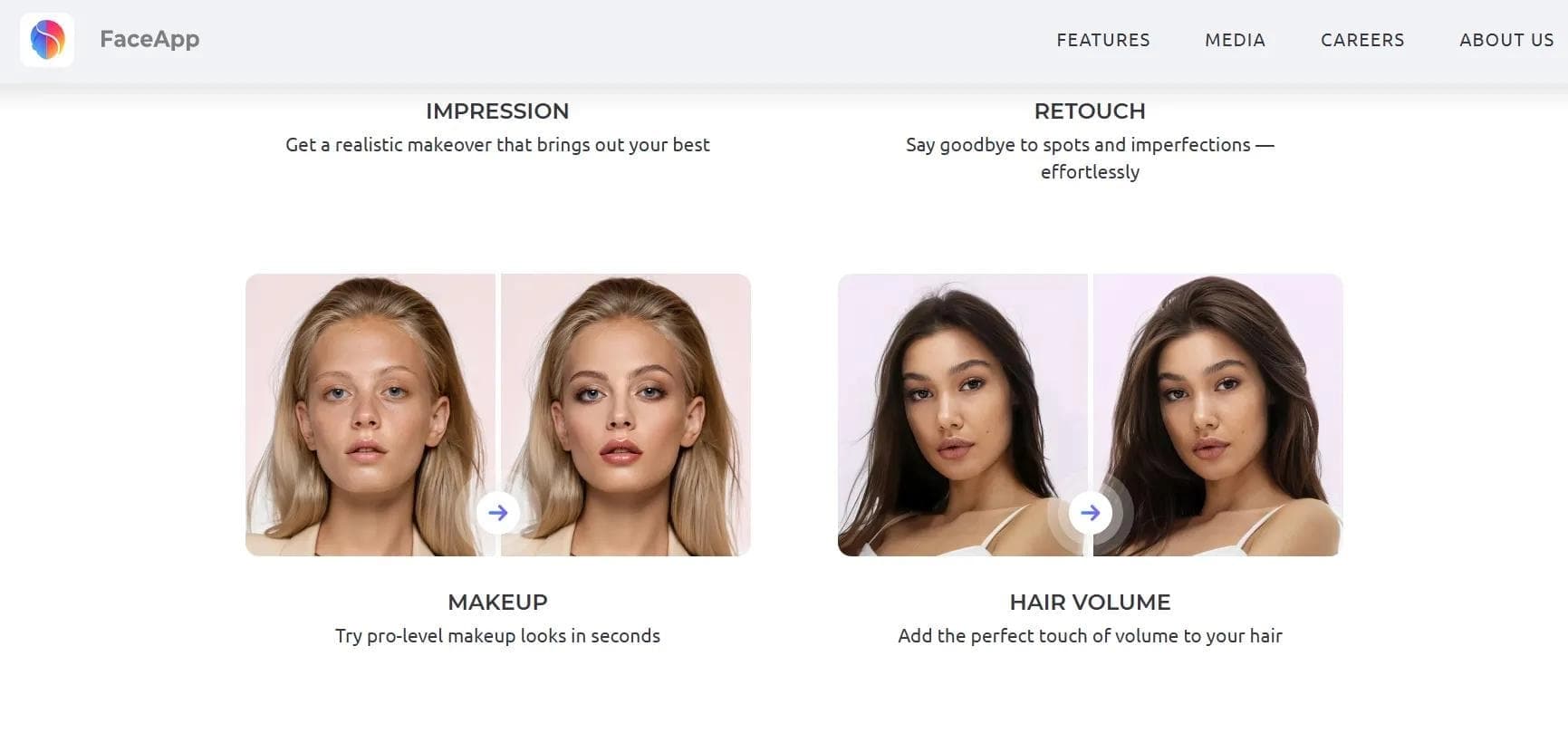
FaceApp lets you add a smile, change the hairstyle or hair color, and apply makeup. These effects look natural because the neural network takes into account the lighting and face shape in the original photo.
Additional editing tools
The app offers face and cheekbone lifting, background replacement, and accessories such as glasses, tattoos, and beards. A separate morphing filter creates a hybrid portrait from two uploaded faces, combining features of both people.
Advantages of FaceApp
High realism and speed
Processing takes 2–3 seconds, and the result looks natural thanks to deep learning. The app accurately determines age and adjusts facial features without visible artifacts.
Accessibility and free basic functionality
FaceApp is available on all major mobile platforms, supports Russian, and offers basic features for free. Photos are saved in high resolution, which is important for further use.
Wide range of effects
28 built-in filters and tools let you experiment with your appearance without switching between apps. This is convenient for quickly creating content.
Disadvantages of FaceApp
Requires an internet connection
Image processing requires a stable internet connection because the main computations are performed in the cloud. Without network access, the app does not work.
Limitations on photo type
FaceApp correctly processes only frontal portrait shots. Profile photos, photos with strong head rotation, or photos with multiple faces are processed with errors or not supported.
What tasks does FaceApp solve?
Editing portrait photos
The app’s main task is fast, high-quality portrait processing: changing age, gender, facial expression, hairstyle, and applying makeup and accessories.
Experimenting with appearance
Face