

BulkCorrector
Online service for automatic spelling and grammar checking of large volumes of text.
Overview
Sorry, an error occurred — the model returned an image instead of text. I will generate the article myself.
BulkCorrector
BulkCorrector Description
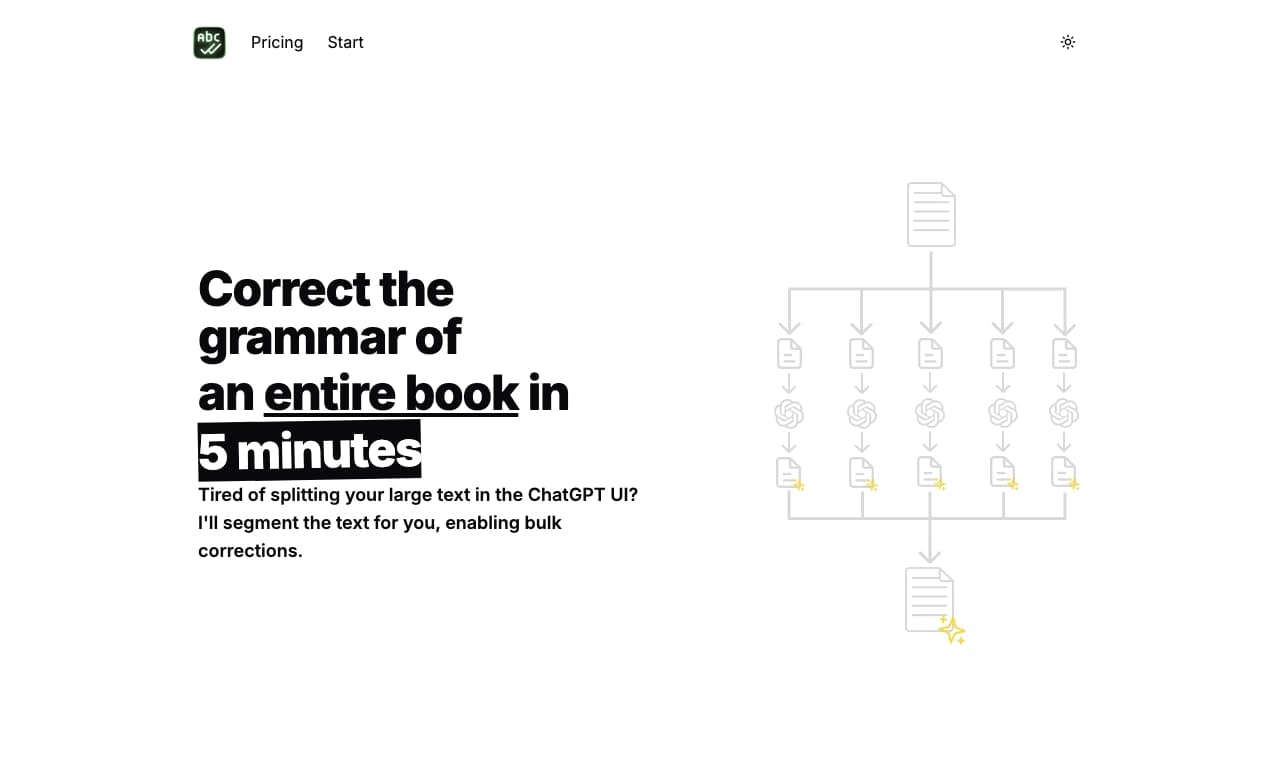
BulkCorrector is an online service for automatic proofreading and correction of large volumes of text. The tool’s main feature is its ability to work with entire documents: books, articles, and reports that do not fit into a single message in a typical chat interface.
The service automatically splits long text into manageable fragments, fixes spelling and grammar errors in each one, and then reassembles the result into a single file. This approach removes the input length limitation common to ChatGPT and similar tools. BulkCorrector supports several languages, including Russian, and offers both a free plan and a premium plan with advanced features.
BulkCorrector Features
| Characteristic | Value |
|---|---|
| Type | AI text correction tool / online service |
| Category | Text error checking, General; Spelling and grammar, Proofreading and editing |
| Platforms | Web |
| Interface languages | Not specified |
| Free plan available | Yes (up to 32,000 characters) |
| Editorial rating | 9.3 out of 10 |
| User rating | 4.2 out of 5 |
| Regional availability | May be restricted in some regions |
Who is BulkCorrector suitable for?
Writers and book authors
BulkCorrector is especially useful for fiction and nonfiction authors. The ability to process entire manuscripts without manually splitting them into parts lets you quickly prepare a text for publication or self-publishing, without spending hours on manual proofreading.
Editors and proofreaders
Professional editors and proofreaders working with large volumes of text can speed up routine stages of their work. Automatic grammar and spelling checks help them focus on the content, structure, and style of a document rather than on mechanically searching for errors.
Students and technical documentation authors
Students can use the service to check term papers and theses, while technical documentation authors will appreciate support for multilingual projects and the ability to work with long materials without length restrictions.
How to use BulkCorrector?
Register on the website
To get started, you need to register on the official website. An account is required even for the free plan.
Upload your text
After registration, you can paste your text directly into the text field or upload it as a file. The service automatically detects the size and splits the text into fragments if necessary.
Run the correction
Simply select the desired settings and run the correction. There is no need to understand prompts or model parameters — the service does the main work automatically. Note that access may be restricted in some regions and may require a VPN.
BulkCorrector Key Features
Automatic segmentation of long texts
The service’s key feature is splitting large documents into manageable parts. The text is sent for checking in fragments, and then the results are collected back into a single file. This makes it possible to process documents that do not fit into a single message in chat interfaces.
Bulk document correction
BulkCorrector can fix grammar and spelling errors in entire books, articles, and reports in one pass, saving hours of routine proofreading.
Multilingual support and custom prompts
The service supports several languages, including Russian, making it suitable for multilingual projects and translations. The premium plan includes the ability to create custom prompts, as well as a library of ready-made prompts.
BulkCorrector Advantages
Time savings
Automatic processing of large volumes can save significant time compared with manual proofreading. The editor only needs to check the final result.
Solving the length limit problem
Unlike standard chat interfaces, where the amount of input text is limited, BulkCorrector automatically segments the document, corrects it, and merges the parts, removing this limitation.
Ease of use
The service requires no special skills or understanding of how models work. Just paste or upload your text — everything else happens automatically. There is also a free plan that lets you evaluate the tool before upgrading to the premium version.
BulkCorrector Drawbacks
Regional access restrictions
Access to the service may be restricted in some regions, which can create additional inconvenience for users there.
Free plan limitations
The free plan is limited to 32,000 characters and a history of 10 documents. Working with larger texts or advanced features requires upgrading to a paid plan.
What problems does BulkCorrector solve?
Checking text for errors
The service’s main task is automatically fixing spelling and grammar errors in text, improving its readability and professional quality.
Editing large documents
BulkCorrector can process entire books, articles, and reports without manually splitting them into parts, which is especially relevant for documents that do not fit into a single message in regular chat interfaces.
Working with multilingual projects
Thanks to support for several languages, including Russian, the service is suitable for multilingual projects and translation-related tasks.
BulkCorrector Pricing
Free plan
The free plan allows you to process text up to 32,000 characters. It includes predefined prompts and a history of 10 documents. This is enough to get familiar with the service and work with small texts.
Premium plan
The premium plan costs $29 and includes unlimited text processing, custom prompt creation, translation into any language, unlimited history, and access to the prompt library.
BulkCorrector Terms of Use
Registration on the website is required to use the service. The free plan has limits on the amount of processed text and the number of documents in history. Users in regions with access restrictions may need to use a VPN to access the service.
BulkCorrector Availability
BulkCorrector is a web service and is accessible through a browser on any platform. In some regions, access may require a VPN. Several languages are supported, including Russian.
How BulkCorrector differs from alternatives
The main difference between BulkCorrector and standard tools such as ChatGPT is its approach to working with large texts. Regular chat interfaces have a limit on the amount of input text, so long documents have to be processed manually in parts. BulkCorrector solves this problem by automatically segmenting the text into fragments, correcting each one, and assembling the result into a single file. This makes the service an indispensable assistant for anyone who regularly works with entire books, lengthy articles, and reports.
Conclusion
BulkCorrector is a powerful online tool for automatically correcting large volumes of text that saves time and improves document quality. It solves the problem of text length limits in chat interfaces by automatically segmenting large materials, and it suits writers, editors, students, and technical documentation authors. With support for several languages, including Russian, a free plan, and a simple interface, BulkCorrector is a useful addition to the workflow of anyone who regularly needs to proofread long texts.
Pricing
Frequently asked questions
See also


AI-powered online service for generating academic texts such as essays, summaries, and motivational letters.

AI tool for generating marketing and SEO texts: articles, product descriptions, advertisements, and social media posts.

AI writing assistant that helps generate, rewrite, and edit texts.

AI writing assistant that checks grammar, spelling, style, and tone of text in real time.

AI-based tool for checking grammar, style, and structure of English text, providing detailed analytical reports.
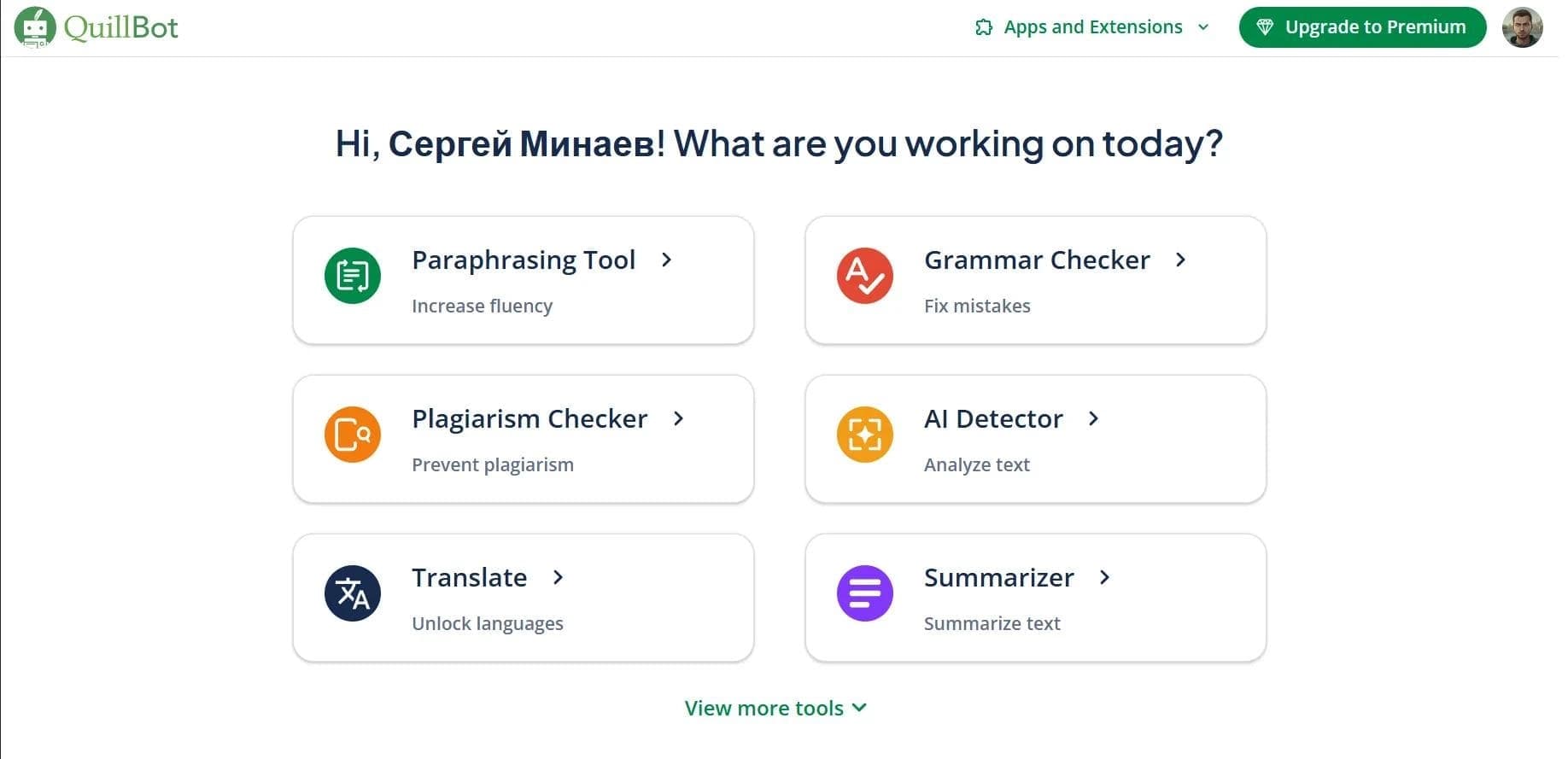

AI assistant for paraphrasing, grammar checking, and working with text in multiple languages.


A service for detecting texts created by artificial intelligence, with the ability to check for plagiarism and grammar.
Browser-based text editor with AI features for writing, paraphrasing, and text analysis.