

Grammarly
AI writing assistant that checks grammar, spelling, style, and tone of text in real time.
Ranked in
Overview
Grammarly
Description of Grammarly
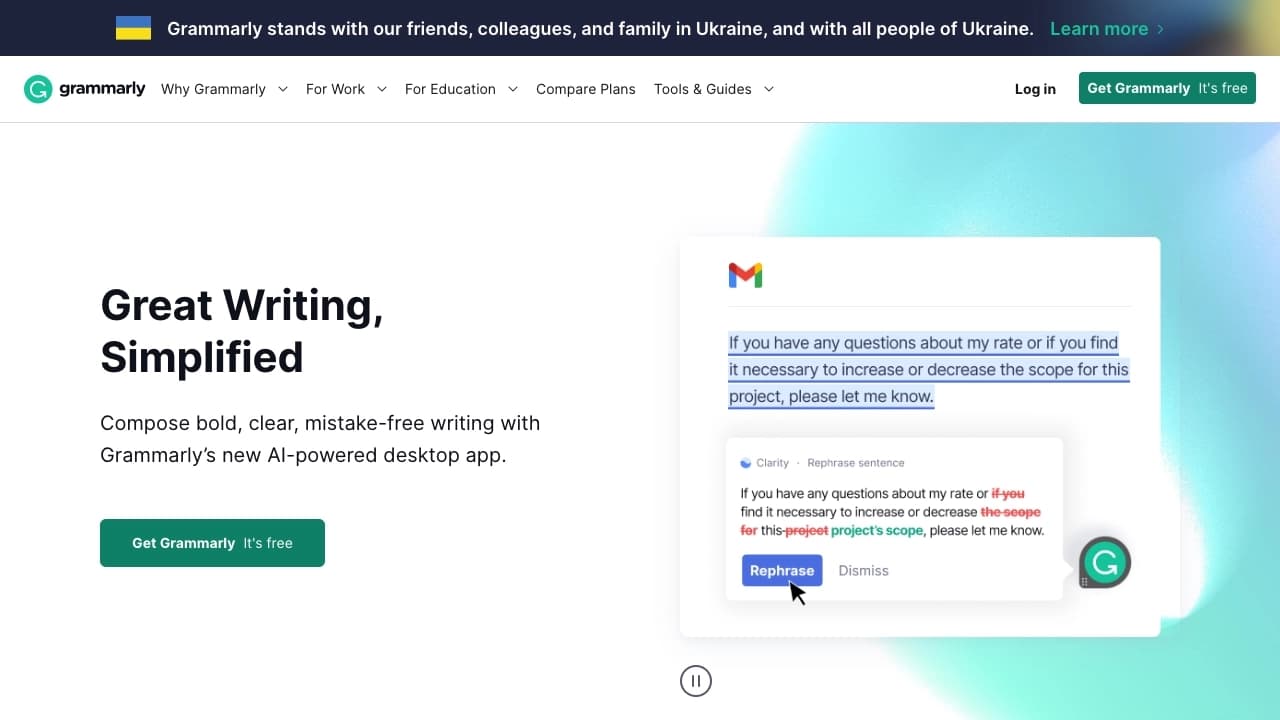
Grammarly is a cloud-based AI writing assistant for English that uses neural networks to analyze and improve text in real time. The service helps users create accurate, clear, and persuasive written materials by automatically correcting grammar, spelling, and punctuation mistakes. In addition to basic checking, Grammarly analyzes style, tone, and sentence structure, adapting its recommendations to the context and target audience.
The platform integrates with browsers, desktop and mobile applications, as well as with Microsoft Office and Google Docs, allowing users to work without having to copy and paste text. Grammarly also offers features such as draft generation, paraphrasing, plagiarism checking, and vocabulary enhancement. The service operates on a freemium model, providing basic capabilities for free and advanced features through a paid subscription.
Grammarly specifications
| Characteristic | Value |
|---|---|
| Business model | Freemium |
| Category | Grammar checking, Copywriting, Text paraphrasing, Text improvement, Plagiarism checking |
| Type | AI writing assistant |
| Platforms | Web, Windows, macOS, iOS, Android, browser extensions (Chrome, Safari, Edge, Firefox) |
| Integrations | Microsoft Office, Google Docs, more than 500,000 websites and platforms |
| Working language | English |
| Date of first publication | 20-05-2024 |
| Date of last edit | 03-06-2026 |
| Editor's rating | 9.0 out of 10 |
| User rating | 4.8 |
Who is Grammarly for?
Individual users
Grammarly is suitable for anyone who regularly writes in English: students, copywriters, writers, teachers, and editors. The service helps improve the quality of personal and academic correspondence, as well as confidence in written communication.
Business and professionals
The platform is in demand among business users and companies seeking to raise their standards of written expression. Grammarly is used by teams and corporations (Business and Enterprise plans are available), including 96% of Fortune 500 companies. More than 30 million users and 70,000 teams already use the service in their work.
How to use Grammarly?
Registration and installation
To get started, register on app.grammarly.com or in the mobile app. After creating an account, you can install the browser extension (Chrome, Safari, Edge, Firefox) or the desktop app for Windows and macOS.
Integration with platforms
Grammarly automatically activates in supported applications and websites after the extension is installed. The service integrates with Microsoft Office and Google Docs, allowing you to check text directly in the editor. Users can also work through the web interface by pasting text manually.
Working with recommendations
While you type, Grammarly underlines errors in real time and suggests fixes for grammar, punctuation, style, and clarity. You can accept or reject each suggestion, and use advanced features such as plagiarism checking and text generation.
Key features of Grammarly
Grammar and spelling checking
Grammarly uses neural networks to detect and correct grammar, spelling, and punctuation errors with context in mind. The service recognizes complex cases, including tense agreement, cases, and word order.
Style and tone analysis
The platform analyzes sentence style and structure, helping to make text more expressive and professional. The tone analysis feature determines how a message is perceived by the reader (friendly, formal, etc.) and offers recommendations to adjust it.
Text generation and paraphrasing
Grammarly offers AI-powered draft generation and rewrites wording to improve clarity and expressiveness. This feature helps overcome writer’s block and find more precise formulations.
Plagiarism checking
The built-in plagiarism checker compares text against millions of web pages and academic sources, identifying non-unique fragments and generating links to source materials.
Benefits of Grammarly
Quality and accuracy
Grammarly provides accurate, personalized grammar and style recommendations tailored to the user’s context and audience. The service helps create professional, clear, and convincing texts in just a few clicks, leading to higher customer satisfaction and better communication quality.
Seamless integration
The platform works across various applications and more than 500,000 websites without the need to copy and paste text. Integration with browsers, Microsoft Office, and Google Docs provides continuous checking as you write.
Privacy and security
Grammarly follows responsible AI practices: user data is not sold or shared with third parties for model training. The platform pays special attention to data security, supported by privacy policies across all plans.
Scalability
The service suits both individual users and teams or large corporations. Multiple pricing plans make it easy to choose the functionality that fits your needs and budget.
Disadvantages of Grammarly
Free plan limitations
Access to all advanced features, including plagiarism checking, vocabulary enhancement, and text generation, requires a paid Premium or Business subscription. The free version only provides basic spelling, grammar, and punctuation checks plus 100 AI prompts per month.
Limited compatibility and availability
Grammarly supports only English, which limits its use for texts in other languages. The service has no open-source versions, and no information about community contributions was found.
What tasks does Grammarly solve?
Correcting mistakes and improving style
Grammarly helps correct grammar, spelling, and punctuation mistakes and improves sentence structure and writing style. The service provides real-time feedback, reducing the time spent on manual editing and improving writing quality.
Tone adaptation and professional communication
The platform analyzes and adjusts message tone depending on the target audience, helping users create formal or friendly texts. This improves professional communication and boosts user confidence in written speech.
Optimizing the writing process
Grammarly saves time and resources by automating text checking and editing. Draft generation and sentence rewriting features help overcome writer’s block and speed up content creation.
Grammarly pricing
Free plan
The free version includes basic spelling, grammar, and punctuation checking, text tone analysis, and 100 AI prompts per month. No credit card is required to sign up.
Premium plan
The Premium plan costs from $12 per year when billed annually and includes advanced style and vocabulary recommendations, sentence rewriting, tone adjustment, unlimited personalized suggestions, plagiarism and AI-text detection, and 2,000 AI prompts per user per month.
Business plan
The Business plan is designed for teams and includes collaboration tools, corporate style guides, and all Premium features with user management capabilities.
Enterprise plan
The Enterprise plan includes everything in Pro plus dedicated support, BYOK encryption, customizable roles and permissions, data loss prevention, and unlimited AI prompts.
Terms of use
To
Pricing
Frequently asked questions
Similar AI tools



















See also

AI agent for automating customer communications and support.


Averi is a marketing platform that brings campaign planning, content creation, and analytics together in a single interface.
Online platform for creating interactive AI twins based on the user's biography, personality, and personal experience.


AI-based service for automatic generation of text content in various formats.

A platform for aggregating world news using AI to analyze and reduce bias.


Platform for automating client acquisition and personalized email campaigns with data enrichment from over 150 sources.


AI tool for automating social media marketing, including content generation, post scheduling, and analytics.

Platform for creating custom AI chats trained on your own business data.