Bing
Microsoft's service for generating images from text descriptions using the DALL-E 3 model.
Overview
Bing
Bing AI Overview
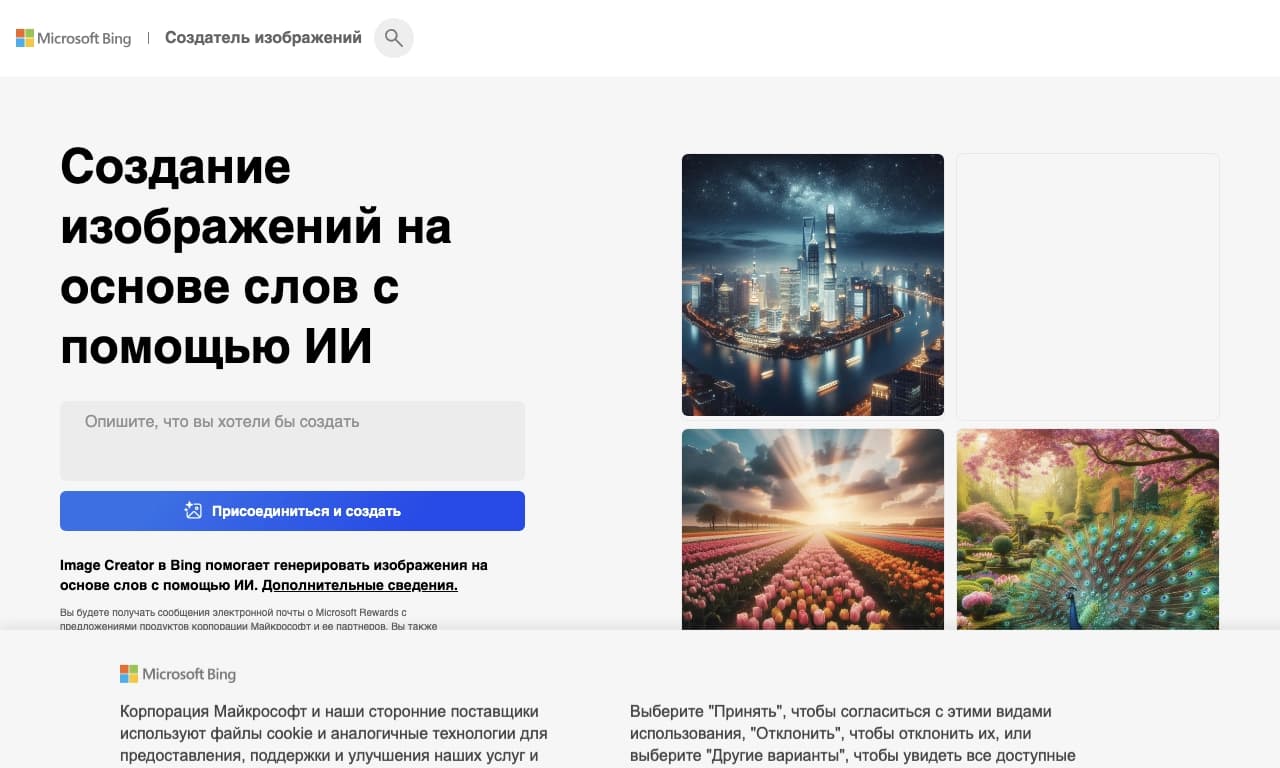
Bing is a Microsoft service for generating images, built on OpenAI's DALL-E 3 model. It lets you create unique illustrations from text descriptions in natural language, without needing to master complex prompting techniques. The service is available in the web version, making it a convenient option for a wide range of users.
The tool is part of Microsoft's product ecosystem and is closely integrated with Bing search and ChatGPT. This makes it possible to use it both as a standalone image generator and as a full-fledged image editor controlled through a dialogue with the AI.
Bing Specifications
| Characteristic | Value |
|---|---|
| Type | Image generation / Image generator |
| Category | Image creation, Image editor, Design generators, Content creation |
| Base | DALL-E 3 from Microsoft/OpenAI |
| Platforms | Web, ChatGPT, Bing, API |
| Interface languages | Russian (supported) |
| Editor's rating | 8.9 out of 10 |
| User rating | 5.0 |
| Free plan | Yes, 3 images per day |
| Distribution model | Freemium |
Who Is Bing AI Suitable For?
Designers and artists
Bing is useful for designers and artists who need a quick way to create concepts and sketches. The service helps visualize ideas in the early stages of work, choose a style, and experiment with different directions.
Content and advertising creators
The tool suits content creators for social media and advertising professionals. With it, you can prepare creative visuals for banners, posters, and key visuals, as well as generate images for posts, stories, and memes.
General audience
Thanks to natural language input and a Russian-language interface, Bing is accessible to users without special training. It fits any activity that requires quickly creating images or illustrations.
How to Use Bing AI?
Through the web version
To get started, simply go to bing.com/images/create and start creating images. The web version is easy to access, which simplifies getting started.
Formulating requests
Requests are made in natural language — you describe the desired illustration, and the AI turns the description into an image. Thanks to GPT-4 integration, no prompting skills are needed: the system itself converts a simple request into a detailed prompt.
Saving and editing
Finished images are easy to save — a download button appears when you hover over the image. You can also edit images through a dialogue with the bot, allowing you to refine generations interactively.
Key Features of Bing
Image generation from text descriptions
The service creates unique illustrations on the basis of DALL-E 3 from text prompts. It understands details and context well, handles complex multi-layer requests, and correctly renders elements such as hands.
Support for different styles and formats
The tool supports various styles — from realistic to cartoon, anime, and the manner of famous artists. Images can be generated in different aspect ratios: square, vertical, and horizontal.
Image editing
In addition to generation, Bing allows you to edit images through a dialogue with the bot. This makes the service a full-fledged tool for refining and adjusting visuals.
Advantages of Bing
Simplicity of use
Thanks to natural language requests, the tool requires no special prompting skills. The system itself expands the request using GPT-4, which lowers the barrier to entry.
High ratings and detail quality
The service received a high editor's rating (8.9 out of 10) and a maximum user rating (5.0). Detail handling, including hands and complex scenes, is done at a solid level.
Disadvantages of Bing
Photorealism limitations
Photorealism is not yet a strong point of the service — Midjourney, for example, surpasses it in this regard. For ultra-realistic images, alternatives are worth considering.
Problems with text in images
Creating text in images is not DALL-E's strongest feature. There may be extra or missing letters, and mainly English text is rendered correctly.
Content restrictions
The service does not generate images of popular people or copyright-protected objects.
What Tasks Does Bing Solve?
Creating concepts and sketches
The tool is suitable for developing concepts and sketches in design, allowing you to quickly test ideas and directions before working out final solutions.
Preparing advertising visuals
Bing helps create creative visuals for advertising — banners, posters, and key visuals — saving time on selecting and editing images.
Generating content for social media
The service handles creating unique images for social media: memes, posts, stories, and Reels. It can also be used to generate and edit images as part of broader content creation tasks.
Bing Pricing
The service works on a freemium model. A limited number of generations is available for free — 3 images per day. Full functionality is unlocked through a paid ChatGPT subscription.
Bing Terms of Use
Access is provided on a freemium model: 3 images per day are available for free, and the full set of features is available through a ChatGPT subscription.
Bing Availability
The service is available on Web, Bing, and ChatGPT platforms, as well as through the API. A Russian-language interface is supported.
How Bing Differs from Alternatives
The main difference between Bing and alternatives like Midjourney is ease of use. Thanks to GPT-4 integration, requests are made in natural language and no prompting skills are required — while many competing services require learning specific commands and parameters.
At the same time, Bing lags behind alternatives in two important aspects: Midjourney is noticeably stronger in photorealism, and text generation in images remains DALL-E's weak point. Thus, the choice between Bing and alternatives depends on your priorities: simplicity versus maximum photorealism quality.
Conclusion
Bing is a Microsoft service based on DALL-E 3 for generating and editing images, noted for high ratings from editors and users. Its main strengths are easy natural-language operation, style flexibility, and good detail. At the same time, the tool lags behind alternatives in photorealism and text generation in images, and full functionality requires a paid ChatGPT subscription. The service is a good choice for designers, artists, and content creators who need an accessible and convenient image generator.