

Bardeen
A no-code platform for automating routine workflows, combining web applications and services into unified scenarios.
Overview
Bardeen
About Bardeen AI
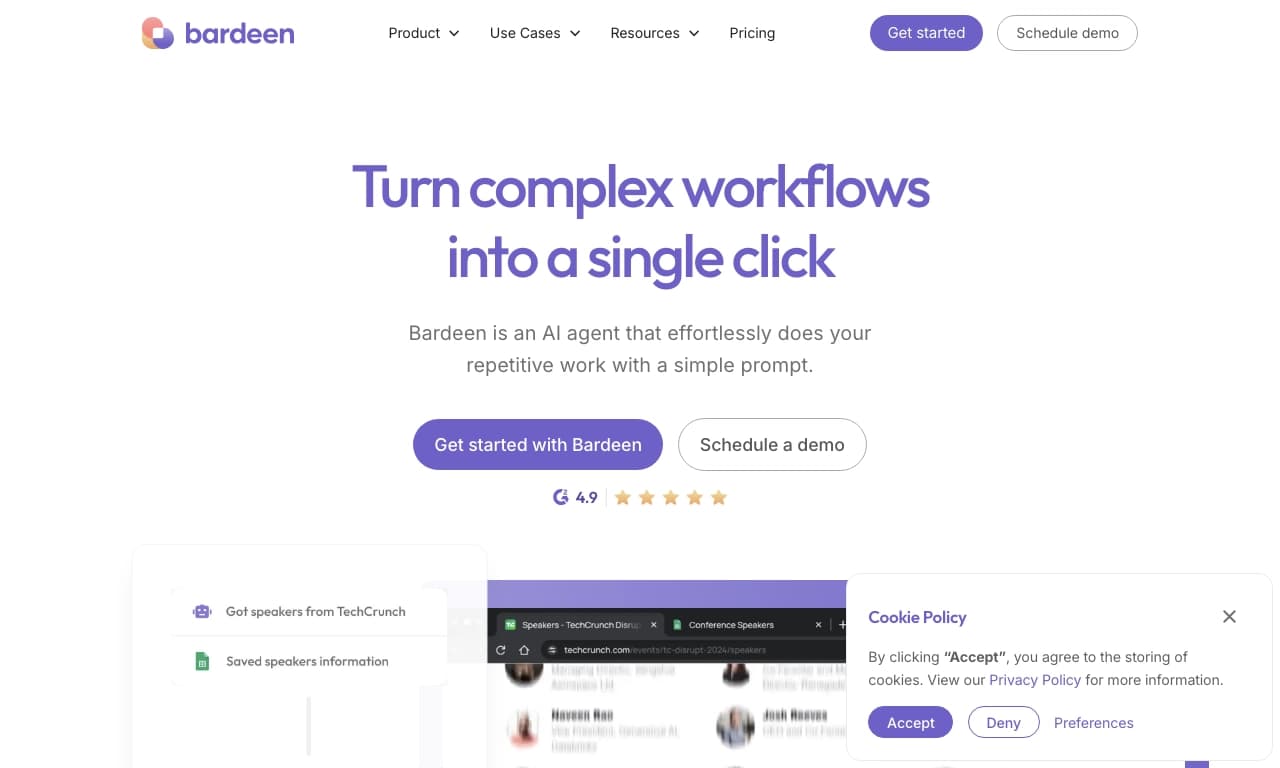
Bardeen is a platform for automating routine workflows without writing code. The tool connects various web applications and services into unified scenarios, helping you avoid constantly switching between programs, manually copying data, and other repetitive tasks.
Users can create automations in two ways: build them from ready-made blocks like a constructor, or simply describe in words what they want to automate — the system will build the necessary scenario on its own. Bardeen can extract data from web pages, transfer it to Google Sheets, send messages to colleagues, and automate email and project management workflows.
Built-in AI features help create personalized emails based on contact profiles, generate tweets, summarize meetings, and gather data on competitors. The tool is available on a freemium model: there is a free plan with limitations and paid plans with extended capabilities, including 24/7 cloud-based automations.
Bardeen Characteristics
| Characteristic | Value |
|---|---|
| Type | AI-powered automation tool / AI platform for task automation |
| Categories | Productivity, Automation, No Code / Low-code, Business, AI assistants |
| Platforms | Web |
| Developer | Bardeen |
| Distribution model | Freemium (free plan available) |
| User rating | 4.5 / 5.0 |
| Editor's rating | 8.6 / 10 (NeuroFolder) |
| Monthly visits | ~30.3K |
| Editorial review date | 06.10.2024 |
Who Is Bardeen Suitable For?
Beginners with no automation experience
Bardeen suits users without deep knowledge of automation and programming. Thanks to a library of ready-made scenarios (playbooks and autobooks), you can start working almost immediately after registration without getting into technical details. The platform also lets you describe the desired automation in words, and the AI will build the scenario on its own.
Advanced users and specialists
Those who want to speed up routine processes and avoid wasting time on repetitive tasks will appreciate the ability to build their own automations from ready-made blocks. The tool is especially useful for people who work with large amounts of data daily, switch between apps, and perform repetitive manual operations.
How to Use Bardeen?
Building automations from blocks
The main way to work is to assemble an automated process from ready-made blocks, like using a constructor. You select the scenario elements you need, connect them together, and run the automation you created. This approach requires no programming skills and lets you quickly set up a process for your tasks.
Extracting data from websites
Data from web pages can be pulled using the built-in Scraper. The collected information is transferred directly to Google Sheets or another selected app, eliminating the need to copy and paste data manually.
Using ready-made scenarios
The service offers a library of ready-made scenarios (playbooks and autobooks) that you can customize and launch right away. This is a convenient way to start using the platform quickly without building automations from scratch.
Key Features of Bardeen
Automation creator
This feature observes the user's manual workflow, generates custom automations, and helps activate them with one click. There is also a "Type to Create" mode: you simply write what you want to automate, and Bardeen creates the appropriate scenario.
Data collection and processing
The tool includes a Scraper for extracting data from websites into spreadsheets or other apps. An automated competitive researcher allows you to collect and analyze data from competitors' websites without manually browsing pages.
Email, meetings, and content
The meeting assistant automatically summarizes notes, decisions, and action items and adds them to Notion, Asana, or ClickUp. A personalized AI email writer generates messages using a contact's Twitter or LinkedIn profiles. There is also an AI tweet writer and an action catcher that creates tasks from emails inside project management systems.
Bardeen Advantages
Time savings and faster work
The main benefit of the service is speeding up routine tasks. By automating repetitive operations, users free up a significant amount of time and avoid spending it on monotonous actions across different apps.
Easy service integration
Bardeen easily connects various web applications, eliminating the need to constantly switch between them and transfer data manually. Ready-made scenarios allow you to start working right after registration, making the tool accessible to beginners.
Bardeen Disadvantages
Limitations with non-standard tasks
Non-standard tasks may require additional configuration, and in some cases ready-made scenarios may not be sufficient. Automation also depends on the stability of the external services the platform interacts with.
Data security concerns
During automation, data is transferred to the cloud, which may raise security concerns. This should be considered when working with confidential information, especially when using the free plan.
What Tasks Does Bardeen Solve?
Automating repetitive tasks and integrations
Bardeen automates repetitive tasks and provides integration between applications. The tool handles routine operations as well as collecting and processing data from websites, saving users from manually copying information.
Sales and marketing tasks
In sales, the service helps build client databases, integrate with CRM, and launch email campaigns. For marketing, there are ready-made solutions, including generating personalized emails and social media content.
Recruiting and HR tasks
In recruiting, Bardeen automates candidate search and filtering, as well as monitoring of LinkedIn and GitHub. Overall, the catalog includes ready-made solutions for marketing, HR, analytics, and personal productivity.
Bardeen Pricing
Free plan
A free plan is available with basic automation and a limited number of integrations. It is suitable for getting familiar with the platform and completing simple tasks, but it has significant limitations on features and the number of services that can be integrated.
Paid plans
The service offers paid plans with expanded capabilities. The starter plan gives access to a wider set of scenarios and integrations, while the professional plan provides unlimited access to features and support. Paid plans also include 24/7 cloud-based automations and premium integrations.
Bardeen Terms of Use
Registration is required to use the service. The free plan has limitations on the number of integrations and available features — if you need more functionality, you will need to upgrade to a paid plan. It is important to note that during automation, data is transferred to the cloud, so users should assess for themselves whether such conditions are acceptable for their tasks.
Bardeen Availability
The product is available as a web service and works in the browser. Information about supported languages and regions is not provided on the service page.
How Is Bardeen Different from Alternatives?
The key difference between Bardeen and many similar tools is the combination of a no-code approach with the ability to control automations through text descriptions. Users can both build scenarios from ready-made blocks and simply describe what needs to be automated, with the system assembling the process on its own.
Another distinguishing feature is the wide set of built-in AI functions: automatic generation of personalized emails based on contact profiles, tweet generation, meeting summaries, and competitive research. This combination of capabilities within a single platform is not found in all alternatives. At the same time, like many competing productivity and workflow management services, Bardeen focuses on saving time on routine tasks, but may require additional setup for non-standard scenarios.
Conclusion
Bardeen is a practical tool for automating routine work, suitable for both beginners and advanced users. Thanks to ready-made templates, the ability to build custom scenarios from blocks, and describing automations in words, the service helps save significant time on repetitive tasks and easily connect different web applications. At the same time, the platform has limitations: non-standard tasks may require additional setup, operation depends on the stability of external services, and transferring data to the cloud may raise security concerns. Overall, Bardeen is a convenient solution for those who want to speed up their daily work with data, email, meetings, and projects without writing code.
Pricing
Frequently asked questions


See also


Free online platform with over 150 AI tools for working with PDFs, images, videos, and text.
A sales automation platform that combines customer prospecting, deal management, and AI-powered forecasting.
AI editor for creating, editing, and publishing content with templates and prompts.

Financial platform with an AI assistant for managing accounting, taxes, and budgets.

Platform for interview preparation with AI mock interviews and real-time support.
Enterprise language model platform focused on privacy and on-premise deployment.


AI assistant for creating short summaries of videos, PDF documents, and web pages.

A workflow automation platform that connects thousands of apps without requiring coding.