

Vimeo AI
Набор AI-инструментов для ускоренного создания и редактирования видео через текстовое управление.
Обзор
Vimeo AI
Описание нейросети Vimeo AI
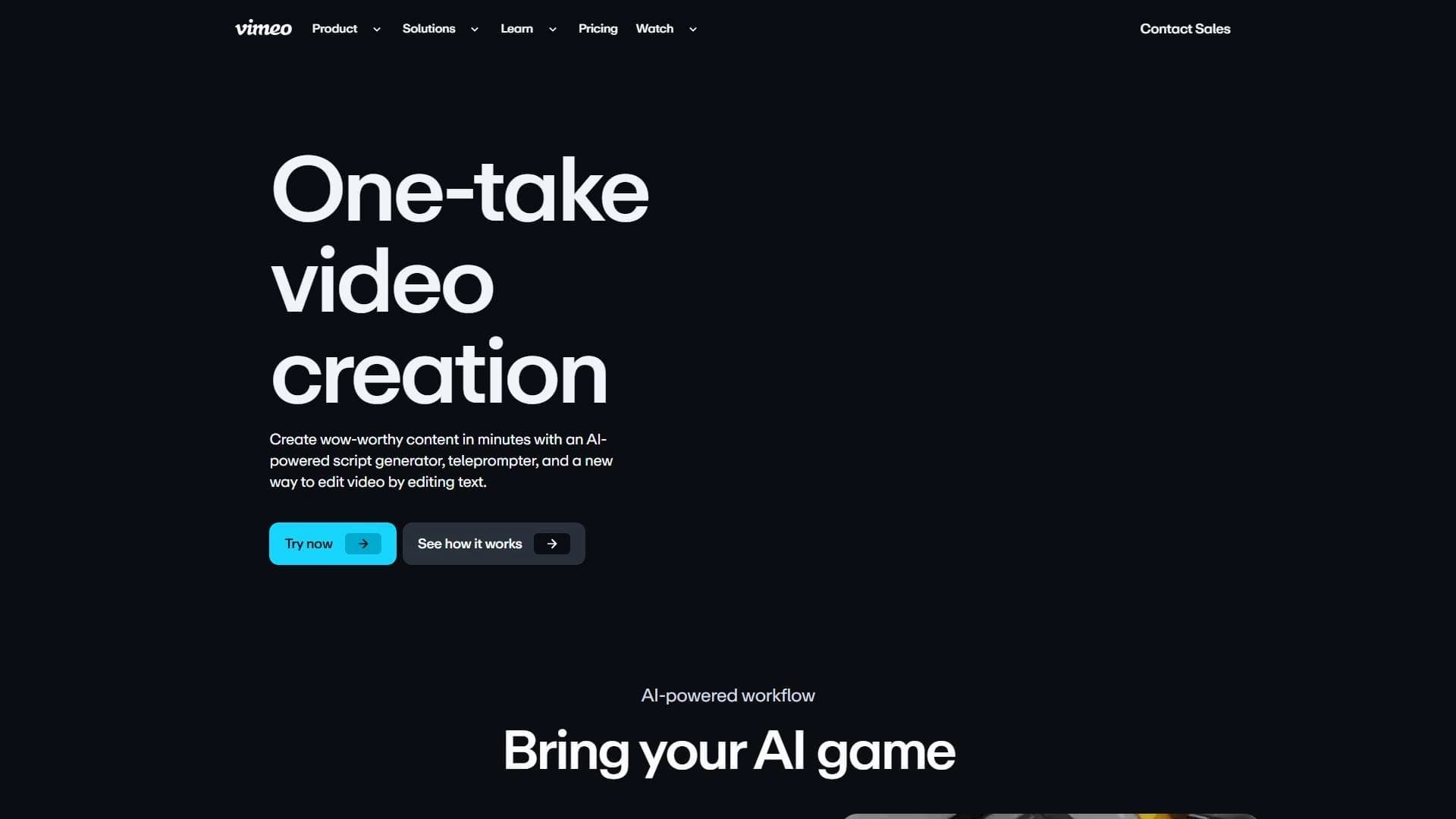
Vimeo AI представляет собой набор инструментов на базе искусственного интеллекта, предназначенный для ускоренного создания и редактирования видео. Платформа объединяет генератор сценариев, онлайн-телесуфлер и текстовый редактор видео, который позволяет монтировать ролики, редактируя текстовую расшифровку. Основная идея сервиса — преобразовать способ создания, редактирования и обмена видео, делая эти процессы доступными для пользователей без глубоких навыков монтажа.
Vimeo AI использует возможности искусственного интеллекта для автоматизации ключевых этапов производства видео. Пользователь может написать сценарий, отрепетировать выступление с помощью телесуфлера, а затем смонтировать готовый ролик, просто исправляя текст расшифровки — нейросеть синхронизирует изменения с видеорядом.
Характеристики Vimeo AI
| Характеристика | Значение |
|---|---|
| Тип | Набор AI-инструментов для создания видео |
| Категория | Монтаж и редактирование, Текст → Видео, Сценарии и видео-идеи |
| Платформы | Веб, мобильное приложение |
| Основные модули | Генератор сценариев, онлайн-телесуфлер, редактор через текстовую расшифровку |
| Модель распространения | Freemium |
Для кого подходит нейросеть Vimeo AI?
Маркетологи и компании
Vimeo AI ориентирован на специалистов по маркетингу, которым требуется быстро создавать профессиональные видеоролики для рекламных кампаний, корпоративных презентаций и маркетинговых материалов. Инструмент позволяет сократить время от разработки идеи до финального монтажа, что особенно важно при частом обновлении контента.
Преподаватели и образовательные учреждения
Платформа подходит для создания обучающих видео, инструкций и учебных материалов. Преподаватели могут записывать лекции, а затем быстро редактировать их, удаляя оговорки или лишние паузы через правку текстовой расшифровки, без необходимости переснимать материал.
Создатели контента
Авторы YouTube-каналов, блогеры и инфлюенсеры могут использовать Vimeo AI для ускорения производства видео. Генератор сценариев помогает с идеями и структурой роликов, а текстовый редактор упрощает постобработку.
Как использовать нейросеть Vimeo AI?
Работа с текстовой расшифровкой
Основной способ взаимодействия с Vimeo AI — редактирование видео через правку текстовой расшифровки. Пользователь загружает видеозапись, нейросеть автоматически создает текстовую версию произнесенного. Затем можно удалять, переставлять или исправлять фрагменты текста — AI синхронизирует эти изменения с видеорядом, вырезая соответствующие участки или перестраивая последовательность кадров.
Сценарий и телесуфлер
Перед записью видео можно воспользоваться генератором сценариев для создания структуры ролика. Готовый текст отображается в онлайн-телесуфлере, который помогает выступающему читать его естественно, без запинок. Это упрощает процесс записи и снижает количество дублей.
Основные функции Vimeo AI
Генератор сценариев
Инструмент помогает создавать текстовые сценарии для видео различного назначения — от маркетинговых роликов до обучающих материалов. Пользователь задает тему и ключевые моменты, а нейросеть формирует структурированный текст.
Онлайн-телесуфлер
Встроенный телесуфлер отображает сценарий на экране во время записи. Это позволяет выступающему сохранять зрительный контакт с аудиторией и читать текст без бумажных подсказок.
Редактирование видео через правку текстовой расшифровки
Ключевая функция платформы: пользователь редактирует текстовую версию видео, а нейросеть автоматически применяет изменения к видеоряду. Можно удалять оговорки, переставлять фрагменты, добавлять или сокращать длительность отдельных частей.
Преимущества Vimeo AI
Ускорение производственного цикла
Платформа объединяет несколько этапов создания видео — от написания сценария до финального монтажа. Это сокращает общее время работы, особенно для стандартных форматов роликов, где не требуется сложная постобработка.
Доступность для пользователей без навыков монтажа
Текстовый интерфейс редактирования не требует знания видеоредакторов. Пользователь работает со знакомым форматом — текстом, а нейросеть берет на себя техническую часть синхронизации с видео.
Интеграция с мобильным приложением
Vimeo AI доступен не только в веб-версии, но и через мобильное приложение. Это позволяет работать над проектами на любых устройствах, продолжая редактирование в дороге или на съемочной площадке.
Недостатки Vimeo AI
Зависимость от интернет-соединения
Для работы с платформой требуется стабильное интернет-соединение. Обработка видео и расшифровка происходят на серверах Vimeo, поэтому при слабом сигнале возможны задержки или ошибки при загрузке.
Сложности на начальном этапе
Несмотря на ориентированность на новичков, освоение всех функций может потребовать времени. Пользователю нужно привыкнуть к логике редактирования через текст и понять возможности каждого инструмента в наборе.
Какие задачи решает Vimeo AI
Платформа решает широкий спектр задач по созданию видеоконтента:
- Создание обучающих видео и курсов
- Разработка маркетинговых роликов
- Производство корпоративных видео
- Создание инструкций и презентаций
- Быстрый запуск видеокампаний
- Обновление существующего контента
Цены Vimeo AI
Информация о конкретных тарифах и ценах в исходных данных отсутствует. Vimeo AI работает по модели freemium, что предполагает наличие бесплатного базового функционала и платных расширенных возможностей. Для получения точной информации о стоимости подписки рекомендуется обратиться к официальному сайту сервиса.
Условия использования Vimeo AI
Для начала работы с Vimeo AI требуется регистрация на платформе. После регистрации пользователю предлагается оплатить подписку для доступа к полному функционалу. Конкретные условия использования, включая лицензионные ограничения и политику конфиденциальности, определяются соглашением, доступным на сайте сервиса.
Доступность Vimeo AI
Vimeo AI доступен в двух форматах: веб-версия для работы через браузер на компьютере и мобильное приложение для устройств на iOS и Android. Веб-версия обеспечивает полный функционал платформы, а мобильное приложение позволяет загружать и редактировать видео в дороге. Сервис ориентирован на международную аудиторию, точный список доступных регионов в исходных данных не указан.
Чем отличается Vimeo AI от аналогов
Основное отличие Vimeo AI от аналогичных решений, таких как Virality Predictor, AI Video Generator, MeiGen, Google Flow и Ytzolo, заключается в интеграции нескольких инструментов в единую платформу. Vimeo AI объединяет генератор сценариев, телесуфлер и редактор через текстовую расшифровку, что позволяет не переключаться между разными сервисами в процессе создания видео.
Кроме того, подход с редактированием видеоряда через правку текста — относительно редкая функция на рынке, которая делает платформу особенно привлекательной для пользователей, не знакомых с традиционными видеоредакторами. В то время как многие аналоги фокусируются на генерации видео с нуля или на отдельных этапах производства, Vimeo AI предлагает сквозной цикл работы.
Заключение
Vimeo AI — это набор инструментов, который делает создание видео доступным для пользователей с любым уровнем технической подготовки. Благодаря возможности редактировать видеоряд через текстовую расшифровку, генератору сценариев и онлайн-телесуфлеру платформа ускоряет процесс от идеи до готового ролика. Сервис ориентирован на маркетологов, преподавателей и создателей контента, которым требуется регулярно производить профессиональные видео без глубоких навыков монтажа. При этом для полноценного использования необходим стабильный интернет и время на освоение всех функций.
Часто задаваемые вопросы


Смотрите также


Сервис для виртуальной примерки одежды с помощью ИИ.


Платформа для организации живого чата и общения с посетителями сайта, предоставляющая бесплатный чат-виджет для службы поддержки клиентов.


AI-инструмент для автоматизации маркетинга в социальных сетях, включающий генерацию контента, планирование публикаций и аналитику.


AI-платформа для автоматического планирования рабочего дня, управления задачами и приоритезации дел.

Онлайн-инструмент для быстрой загрузки видео и замены лиц в роликах с помощью ИИ.

Cabina AI — это единая платформа для работы с разными генеративными нейросетями, позволяющая создавать тексты, изображения и видео.

AI-инструмент для обработки изображений товаров и генерации профессиональных фотографий с виртуальными моделями.


Bleepify автоматически находит и заглушает нецензурные слова в видео и аудио.