

Topaz DeNoise AI
Программа для удаления цифрового шума на фотографиях с помощью искусственного интеллекта.
Место в рейтингах
Обзор
Topaz DeNoise AI
Описание нейросети Topaz DeNoise AI
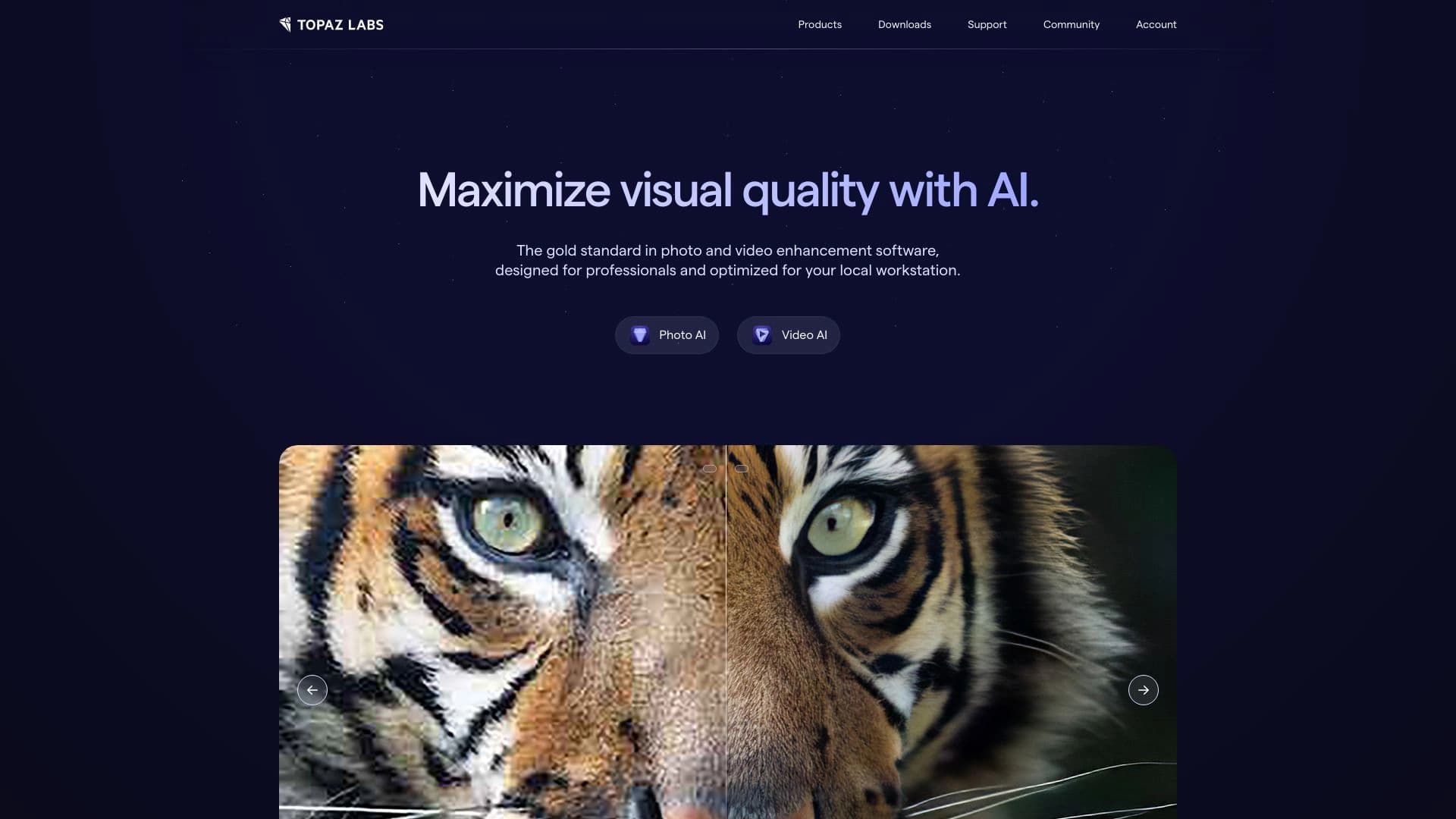
Topaz DeNoise AI — это программа для шумоподавления на основе искусственного интеллекта, предназначенная для обработки фотографий. Инструмент использует технологии глубокого обучения, чтобы эффективно удалять цифровой шум с изображений, сделанных при высоких значениях ISO или в условиях слабого освещения. В отличие от традиционных методов шумоподавления, которые просто размывают проблемные участки, Topaz DeNoise AI стремится восстановить исходную детализацию снимка, сохраняя текстуры и мелкие элементы. Программа совместима с Adobe Photoshop и Lightroom, что позволяет встраивать её в существующий рабочий процесс фотографа, и подходит для различных жанров съёмки — от портретов до пейзажей.
Характеристики Topaz DeNoise AI
| Характеристика | Значение |
|---|---|
| Тип | Программное обеспечение для шумоподавления на базе ИИ |
| Категория | Изображения, Редактирование изображений, Универсальные |
| Платформы | Web |
| Технология | Глубокое обучение |
| Совместимость | Adobe Lightroom, Adobe Photoshop |
| Оценка редакции | 9.1 из 10 |
| Рейтинг пользователей | 4.8 / 5 |
| Доступ из России | Только с VPN |
| Модель распространения | Paid (платная) |
Для кого подходит нейросеть Topaz DeNoise AI?
Для профессиональных фотографов
Topaz DeNoise AI в первую очередь ориентирован на фотографов, которые часто снимают в сложных условиях освещения. Репортажные и свадебные фотографы, снимающие в помещениях без вспышки,使用者 ночной уличной съёмки — все они получают возможность «спасать» кадры, которые раньше пришлось бы отбраковать из-за сильного шума.
Для фотолюбителей и полупрофессионалов
Инструмент также подходит для всех, кто занимается фотографией на непрофессиональном уровне, но хочет получать качественные снимки. Встроенная автоматика и простота использования делают программу доступной для пользователей без глубоких навыков постобработки.
Для ретушёров и специалистов по обработке изображений
Благодаря совместимости с Adobe Photoshop и Lightroom, Topaz DeNoise AI легко интегрируется в рабочие процессы ретушёров, позволяя быстро обрабатывать большие объёмы снимков без потери качества.
Как использовать нейросеть Topaz DeNoise AI?
Работа как самостоятельное приложение
Topaz DeNoise AI может использоваться как отдельная программа. Пользователю достаточно загрузить фотографию в интерфейс, выбрать один из режимов шумоподавления и применить обработку. Программа автоматически анализирует изображение и предлагает оптимальные настройки, которые при желании можно откорректировать вручную.
Интеграция с Adobe Photoshop и Lightroom
Одним из ключевых преимуществ является совместимость с популярными редакторами. В Lightroom и Photoshop Topaz DeNoise AI подключается как плагин: фотограф может отправить снимок на обработку прямо из рабочей среды, не переключаясь между программами. После обработки результат автоматически возвращается в исходный редактор.
Пакетная обработка
Для серий однотипных снимков (например, съёмка мероприятия в одинаковых условиях) предусмотрена возможность пакетной обработки, что значительно ускоряет рабочий процесс при большом объёме материала.
Основные функции Topaz DeNoise AI
Шумоподавление на базе ИИ
Главная функция программы — интеллектуальное удаление цифрового шума. Нейросеть анализирует каждый участок изображения и определяет, где находится шум, а где — полезная деталь, после чего выборочно подавляет шум, не затрагивая текстуры.
Улучшение детализации изображений
В отличие от простых фильтров размытия, Topaz DeNoise AI восстанавливает мелкие детали: волосы, текстуру кожи, фактуру тканей, листву и другие элементы, которые обычно страдают при шумоподавлении.
Работа с высоким ISO и слабым освещением
Инструмент специально разработан для обработки снимков, сделанных при высоких значениях ISO (1600, 3200 и выше) или в условиях недостаточной освещённости — именно там, где традиционные методы дают наихудший результат.
Преимущества Topaz DeNoise AI
Интеллектуальное шумоподавление без потери деталей
В отличие от стандартных инструментов шумоподавления, Topaz DeNoise AI не просто размывает шум, а распознаёт и восстанавливает утраченные детали. Результат выглядит естественно: изображение остаётся резким, а текстуры — читаемыми.
Совместимость с профессиональным ПО
Возможность работы в связке с Adobe Photoshop и Lightroom делает программу удобным дополнением к существующему набору инструментов фотографа, не требующим кардинальной смены рабочего процесса.
Высокая оценка пользователей и редакции
Рейтинг пользователей 4.8 из 5 и оценка редакции 9.1 из 10 подтверждают качество работы программы и доверие со стороны профессионального сообщества.
Недостатки Topaz DeNoise AI
Платная модель распространения
Topaz DeNoise AI распространяется по платной модели (paid), что может стать барьером для пользователей, которые ищут бесплатные решения для эпизодической обработки фотографий.
Ограничения доступа для пользователей из России
Для использования программы из России требуется подключение через VPN, что создаёт дополнительные неудобства и может повлиять на скорость работы или стабильность соединения.
Требовательность к ресурсам
Как и большинство инструментов на базе глубокого обучения, Topaz DeNoise AI может предъявлять повышенные требования к вычислительным мощностям компьютера, особенно при обработке снимков высокого разрешения или при пакетной обработке.
Какие задачи решает Topaz DeNoise AI
Шумоподавление на фотографиях с высоким ISO
Основная задача инструмента — удаление цифрового шума с изображений, снятых при высоких значениях ISO. Это позволяет фотографам использовать более высокую чувствительность без опасения испортить кадр.
Улучшение детализации изображений при слабом освещении
Программа восстанавливает чёткость и проработку деталей на снимках, сделанных в сумерках, в помещении или ночью. Тени становятся более чистыми, а объекты на тёмных участках — различимыми.
Редактирование изображений в общем рабочем процессе
Topaz DeNoise AI решает задачу качественной постобработки, выступая как самостоятельный инструмент или как часть конвейера в связке с Adobe Photoshop и Lightroom для профессиональной обработки фотографий.
Цены Topaz DeNoise AI
Topaz DeNoise AI распространяется по платной модели (paid). Точные цифры и варианты лицензий в предоставленных данных не указаны. Для получения актуальной информации о ценах, доступных тарифах и возможных скидках рекомендуется обратиться к официальному сайту разработчика.
Условия использования Topaz DeNoise AI
Инструмент является коммерческим продуктом, для использования которого требуется приобретение лицензии. Подробные условия использования, включая правила распространения, количество активаций и поддержку, устанавливаются разработчиком. В предоставленных данных детальные условия лицензионного соглашения не раскрываются, поэтому для ознакомления с ними необходимо посетить официальный сайт Topaz Labs.
Доступность Topaz DeNoise AI
Topaz DeNoise AI доступен на платформе Web. Пользователям из России для доступа к инструменту требуется использовать VPN. Программа совместима с Adobe Lightroom и Photoshop, что расширяет её доступность для пользователей этих редакторов. Официальный сайт и документация доступны на английском языке.
Чем отличается Topaz DeNoise AI от аналогов
Специализация на шумоподавлении
В отличие от универсальных инструментов, таких как Genroom, Claid AI или PhotoAiD, которые решают более широкий круг задач (от генерации изображений до создания аватаров), Topaz DeNoise AI сфокусирован именно на удалении шума и восстановлении деталей. Это позволяет добиться более качественного результата в своей нише.
Технология глубокого обучения
Программа использует нейросети, обученные на тысячах пар «зашумлённое изображение — чистое изображение». Это отличает её от классических алгоритмов шумоподавления, работающих по математическим формулам, и даёт более естественный результат без артефактов.
Интеграция с профессиональным ПО
Среди аналогов, таких как Nero AI Image Upscaler или Magicly, не все предлагают прямую интеграцию с Adobe Photoshop и Lightroom. Topaz DeNoise AI выигрывает за счёт возможности работать как плагин внутри привычной среды фотографа.
Заключение
Topaz DeNoise AI — специализированное программное обеспечение на базе искусственного интеллекта для удаления цифрового шума с фотографий. Инструмент использует глубокое обучение для восстановления деталей на снимках, сделанных при высоком ISO или слабом освещении, и совместим с Adobe Photoshop и Lightroom. Высокие оценки пользователей (4.8 из 5) и редакции (9.1 из 10) подтверждают эффективность решения. К недостаткам можно отнести платную модель распространения и ограниченный доступ для пользователей из России. В целом Topaz DeNoise AI остаётся одним из ведущих инструментов в своей категории, подходящим как для профессиональных фотографов, так и для всех, кто стремится к максимальному качеству изображений.
Часто задаваемые вопросы





Смотрите также


Онлайн-редактор для удаления лишних объектов, текста и дефектов с фотографий с помощью нейросети.


Онлайн-инструмент для создания дипфейков и редактирования изображений с помощью ИИ.


ИИ-ассистент для создания текстового контента, изображений и работы с голосом, ориентированный на русскоязычных пользователей.

Набор мультимедийных AI-инструментов для редактирования и улучшения фото, видео и PDF-документов.

Облачная платформа для создания видео с помощью ИИ-аватаров, синтезированной речи и автоматического перевода роликов на десятки языков.


Онлайн-сервис, который распознаёт текст на страницах манги и манхвы, переводит его на разные языки и встраивает обратно в изображение без повреждения оригинального рисунка.

Сервис для создания персонализированных аватаров и фотосессий с помощью ИИ на основе загруженных селфи.


Онлайн-сервис на основе нейросети для превращения обычных фотографий в стилизованные художественные портреты и аватары.