

Tilda
Конструктор сайтов с поддержкой искусственного интеллекта, позволяющий создавать лендинги, интернет-магазины, блоги и портфолио без навыков программирования.
Место в рейтингах
Обзор
Tilda
Описание нейросети Tilda
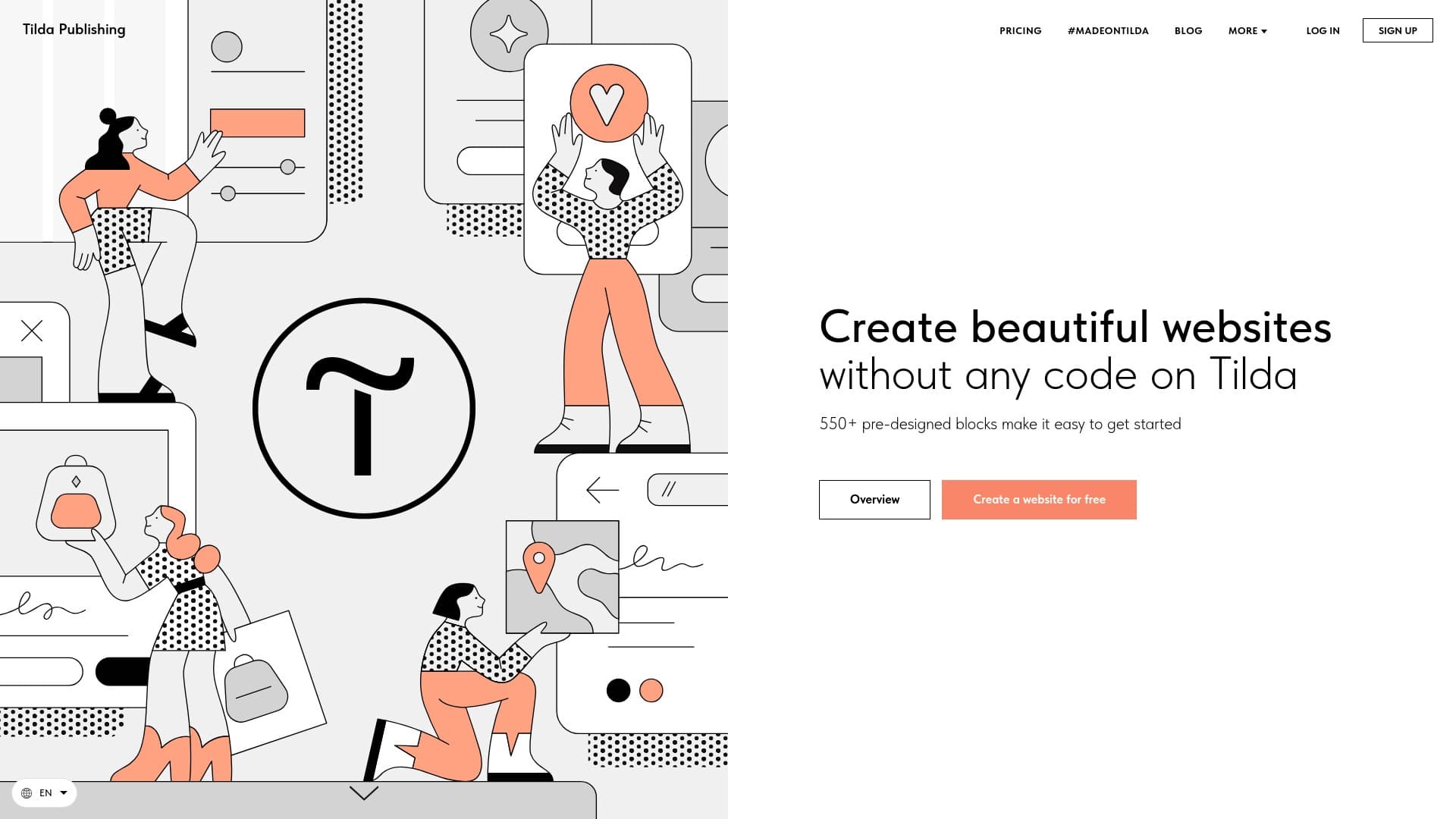
Tilda — это конструктор сайтов, в котором реализована поддержка искусственного интеллекта для упрощения процессов вёрстки и наполнения контентом. Сервис работает по принципу drag-and-drop: пользователь выбирает готовые блоки из библиотеки и настраивает их под задачи конкретного проекта. Tilda подходит для создания лендингов, интернет-магазинов, блогов и портфолио без необходимости владеть навыками программирования. Платформа ориентирована на пользователей, которые хотят быстро запустить сайт с минимальными трудозатратами, но при этом получить качественный результат с возможностью кастомизации.
Характеристики Tilda
| Характеристика | Значение |
|---|---|
| Тип | AI-конструктор сайтов |
| Категория | Конструкторы сайтов и лендингов, Конструкторы сайтов и интерфейсов, SEO-инструменты |
| Язык интерфейса | Русский |
| Наличие бесплатного тарифа | Не указано напрямую, но сервис позволяет создавать сайты с нуля, доступен домен Tilda |
| Модель распространения | Freemium |
Для кого подходит нейросеть Tilda?
Дизайнеры и маркетологи
Tilda будет полезна дизайнерам, которые хотят быстро собирать лендинги и презентационные страницы без погружения в код, а также маркетологам, которым необходимо оперативно запускать посадочные страницы под рекламные кампании и отслеживать их эффективность через встроенную аналитику.
Фрилансеры и владельцы малого бизнеса
Сервис подходит фрилансерам, создающим сайты на заказ, и представителям малого бизнеса, которым нужен собственный сайт без найма веб-разработчика. Tilda позволяет самостоятельно управлять контентом и вносить изменения по мере необходимости.
Как использовать нейросеть Tilda?
Регистрация и выбор шаблона
Для начала работы необходимо зарегистрироваться в сервисе. После регистрации можно выбрать готовый шаблон из библиотеки либо начать создание сайта с нуля, используя пустую страницу и добавляя блоки по своему усмотрению.
Наполнение и настройка контента
Пользователь наполняет сайт готовыми блоками из библиотеки — текстовыми, графическими, видео и анимационными. В процессе настройки можно менять шрифты, цвета, изображения и стили отдельных элементов. После завершения вёрстки подключаются аналитика, формы обратной связи и онлайн-оплата.
Публикация сайта
Готовый сайт можно опубликовать на домене Tilda или подключить собственный домен. После публикации сайт становится доступен для посетителей, а владелец может продолжать вносить правки в любой момент.
Основные функции Tilda
Создание сайтов разных типов
Платформа позволяет создавать лендинги, интернет-магазины, блоги и портфолио без программирования. Все типы сайтов собираются из одних и тех же готовых блоков с возможностью настройки под конкретную задачу.
Drag-and-drop интерфейс и библиотека блоков
В основе Tilda лежит интерфейс перетаскивания, с помощью которого пользователь выбирает блоки из обширной библиотеки и располагает их на странице в нужном порядке. Доступна настройка шрифтов, цветов, изображений, видео и анимации.
SEO-инструменты и аналитика
В конструктор встроены инструменты для SEO: чистые URL, мета-теги и адаптивная вёрстка. Также предусмотрено подключение внешних систем аналитики, форм обратной связи и приём онлайн-платежей. Публикация возможна как на домене Tilda, так и на собственном домене.
Преимущества Tilda
Отсутствие необходимости в программировании
Для работы с Tilda не нужно знать языки программирования. Весь процесс создания сайта строится на визуальном редактировании и выборе готовых блоков, что делает сервис доступным для пользователей без технического бэкграунда.
Интуитивно понятный интерфейс
Drag-and-drop интерфейс построен таким образом, чтобы новичок мог разобраться в нём за короткое время. Блоки группированы по типам и назначению, что упрощает навигацию по библиотеке.
Встроенные SEO-инструменты
Tilda предоставляет базовые возможности для поисковой оптимизации: настройку мета-тегов, формирование чистых URL и адаптивную вёрстку, что положительно сказывается на ранжировании сайта в поисковых системах.
Недостатки Tilda
Ограниченный выбор внешних интеграций
Список доступных для подключения сторонних сервисов и инструментов в Tilda относительно невелик. Это может стать проблемой для проектов, которым требуется глубокая интеграция с узкоспециализированными платформами.
Зависимость от шаблонов
При всём разнообразии готовых блоков пользователь ограничен возможностями, заложенными разработчиками. Создание уникальных нестандартных решений может потребовать обходных путей или дополнительных инструментов.
Время на освоение новичками
Несмотря на интуитивность интерфейса, новым пользователям может потребоваться время, чтобы изучить все функции сервиса и научиться эффективно комбинировать блоки, настраивать стили и работать с SEO-опциями.
Какие задачи решает Tilda
Создание сайтов без написания кода
Tilda решает основную задачу — позволяет создавать лендинги, интернет-магазины, блоги и портфолио без необходимости писать код вручную. Весь процесс строится на визуальном конструировании из готовых элементов.
Настройка и кастомизация внешнего вида
Платформа даёт возможность настраивать оформление сайта: подбирать шрифты, цвета, изображения, видео и анимацию. Пользователь может адаптировать внешний вид под фирменный стиль или конкретные требования проекта.
SEO-оптимизация сайта
Tilda включает инструменты для базовой поисковой оптимизации. Пользователь может задавать мета-теги, управлять URL-адресами страниц и рассчитывать на корректное отображение сайта на мобильных устройствах благодаря адаптивной вёрстке.
Цены Tilda
На основании доступных данных информация о стоимости тарифов Tilda не указана. Сервис работает по модели freemium, что подразумевает наличие как бесплатных возможностей, так и платных тарифов с расширенным функционалом. Для получения актуальной информации о ценах рекомендуется обратиться к официальному сайту сервиса.
Условия использования Tilda
Для начала работы с Tilda необходима регистрация в сервисе. На сайте не указаны дополнительные требования или ограничения, которые существенно влияли бы на возможность использования платформы. Более детальные условия следует уточнять в официальной документации сервиса или в пользовательском соглашении.
Доступность Tilda
Интерфейс Tilda полностью переведён на русский язык. Сервис доступен по адресу tilda.cc. Сведений о необходимости использования VPN для доступа к платформе нет.
Чем отличается Tilda от аналогов
Прямое сравнение Tilda с аналогами на доступных страницах-источниках не приводится. Среди сервисов, которые можно рассматривать как альтернативы, упоминаются Wron, UX Audit Tool, ТекстЗавод, CatDoes, Base44 и StoreClaw. Ключевое отличие Tilda — ориентация на русскоязычную аудиторию с полностью локализованным интерфейсом и сочетание AI-функций с классическим блочным конструктором.
Заключение
Tilda — это AI-конструктор сайтов, который позволяет создавать лендинги, интернет-магазины, блоги и портфолио без навыков программирования с помощью готовых блоков и встроенных SEO-инструментов. Сервис ориентирован на дизайнеров, маркетологов, фрилансеров и владельцев малого бизнеса. К преимуществам платформы можно отнести отсутствие необходимости писать код, интуитивно понятный интерфейс и наличие базовых SEO-возможностей. Среди ограничений — небольшой выбор внешних интеграций, зависимость от шаблонной структуры и необходимость времени на освоение всех функций новичками.
Часто задаваемые вопросы
Похожие нейросети

Смотрите также
Сервис для генерации видео из текстовых описаний и изображений с использованием современных нейросетей.

Генерация рекламных UGC-роликов с виртуальными актерами без реальных съемок.


Онлайн-платформа на базе ИИ для быстрого создания текстового контента, включая блоги, статьи и посты для соцсетей.


Нейросеть, которая генерирует изображения и иллюстрации на основе текстового описания.

Облачная платформа для создания видео с помощью ИИ-аватаров, синтезированной речи и автоматического перевода роликов на десятки языков.

AI-инструмент для автоматического удаления фона с изображений прямо в браузере.


Чат-бот на базе ИИ для автоматизации общения с клиентами и квалификации лидов.


AI-инструмент для автоматизации маркетинга в социальных сетях, включающий генерацию контента, планирование публикаций и аналитику.