
SlidesGPT
AI-powered service for automatically creating presentations in PowerPoint and Google Slides formats.
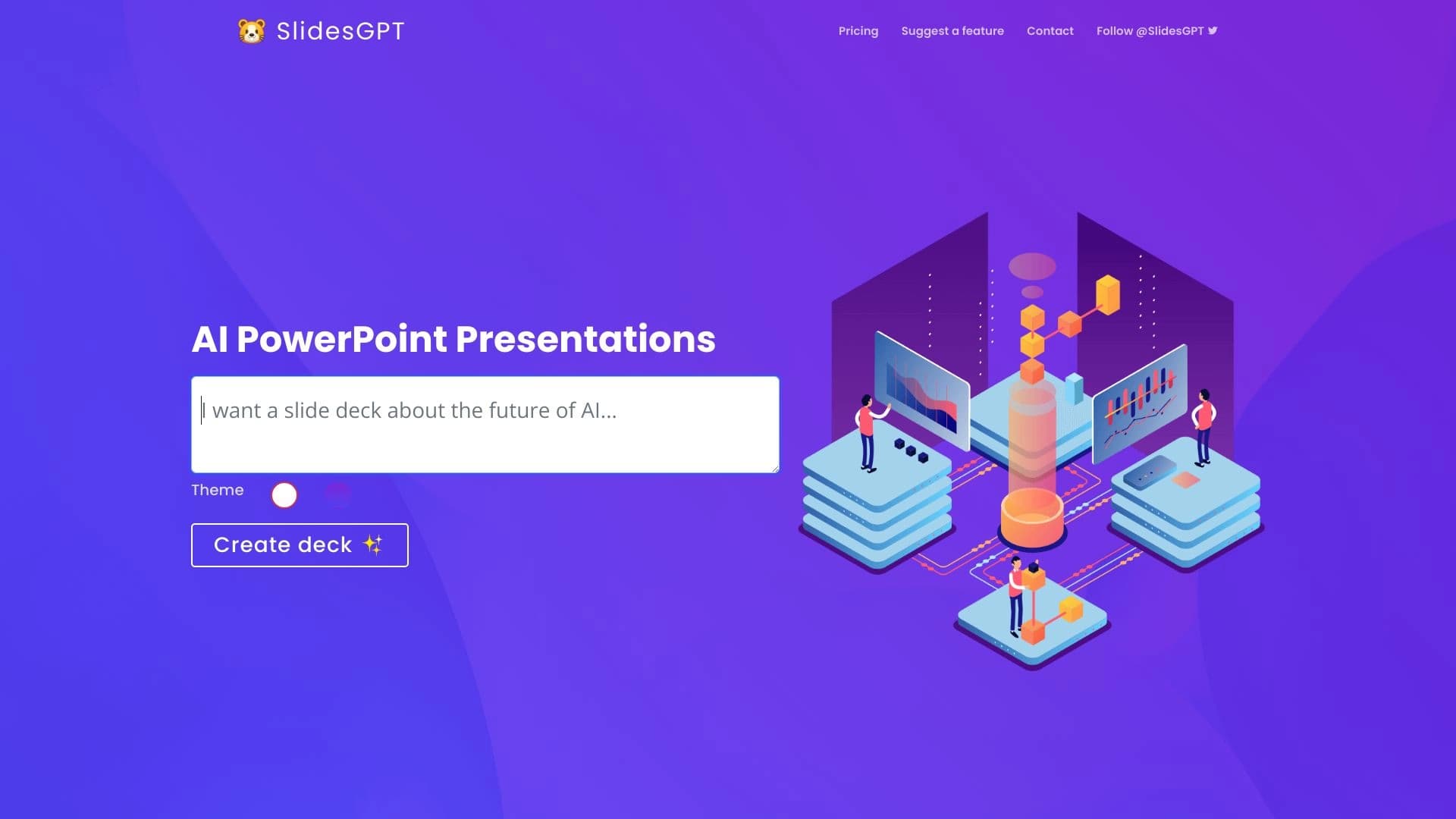
Overview
SlidesGPT is a web service that automates presentation creation using artificial intelligence technologies. The tool is built on the ChatGPT API, allowing the AI to independently generate the structure and content of slides based on a user-provided topic. The service works with two popular formats: PowerPoint and Google Slides.
The main goal of SlidesGPT is to speed up the preparation of materials for presentations, lectures, or business meetings. Instead of manually planning the structure and writing text, users receive a ready-made draft set of slides that can be edited as needed. The tool is positioned as a solution for quickly creating content, not as a replacement for a professional designer or copywriter.
SlidesGPT Features
| Feature | Value |
|---|---|
| Type | AI tool for creating presentations |
| Category | Presentation creation, Create presentation from text, Universal |
| Platforms | Web |
| Editorial rating | 8.3 out of 10 |
| User rating | 4.3 (★★★★☆) |
| Distribution model | Freemium |
Who is SlidesGPT suitable for?
Professionals working with large amounts of content
The tool will be useful for those who regularly need to prepare presentations: managers, marketers, analysts, and educators. SlidesGPT handles the routine part of the work — filling slides with textual content — allowing users to focus on the meaning and delivery of the material.
Users without design skills
If you find it difficult to structure information and come up with wording, the AI will help create a logical presentation structure. The service requires no special knowledge of design or layout — just formulate a topic and get ready-made slides.
Teams working with PowerPoint and Google Slides
Since the service supports both popular formats, it can be integrated into the workflow of most companies. Created presentations can be exported to familiar tools for further refinement and collaborative editing.
How to use SlidesGPT?
Formulating a topic
To get started, users need to specify the topic of the future presentation. The more precise and specific the request, the more relevant the result the AI will provide. Additionally, you can specify the desired number of slides or key aspects to cover.
Generation and export
After processing the request, the service creates a presentation with textual content. The finished result can be saved in PowerPoint format or exported to Google Slides. The materials can then be easily edited — changing wording, adding visual elements, and adapting them to your needs.
Key features of SlidesGPT
Using the ChatGPT API
The key feature of the service is its integration with the ChatGPT API. The AI analyzes the entered topic and generates slide content based on the data received. This automates the content creation process and reduces the time spent preparing materials.
Working with PowerPoint and Google Slides
SlidesGPT supports the two most common presentation formats. Users can choose the appropriate option depending on which tool they prefer to work with. This provides flexibility and convenience during the export stage.
Fast content creation
The service is focused on speed: instead of several hours of manual work, users get a ready-made structure in minutes. This is especially important when you need to quickly prepare a draft version for discussion or an urgent meeting.
Advantages of SlidesGPT
Increased productivity
By automating the content creation process, users save a significant amount of time. SlidesGPT allows you to move from idea to finished material faster, which is especially relevant with a busy schedule and tight deadlines.
Easy integration into workflow
The tool requires no complex training or restructuring of existing processes. Since the result is exported to PowerPoint and Google Slides, it can be immediately used in existing workflows without the need to learn new platforms.
Seamless AI adoption
The service integrates artificial intelligence directly into the presentation creation process without forcing users to change their familiar tools. This makes the transition to using AI comfortable and straightforward.
Disadvantages of SlidesGPT
Limited design capabilities
The service focuses primarily on generating textual content, so the visual design of slides remains basic. Users who need polished, visually appealing presentations will need to invest additional effort in design or use other tools for this purpose.
What tasks does SlidesGPT solve?
Creating presentations
The main task of the service is generating presentations on a given topic. Users receive a ready-made set of slides with textual content structured according to the logic of the presentation.
Creating a presentation from text
In addition to working with a topic, SlidesGPT can be used to turn text materials into a presentation. This allows you to quickly convert existing content into a visual format for presentations or reports.
SlidesGPT Pricing
The tool operates on a freemium model — basic features are available for free, while extended functionality requires a paid subscription. Exact pricing and the set of available features in the free version are not fully disclosed on the official website. It is recommended to visit the service's website for up-to-date information on pricing and subscription terms.
Terms of Use for SlidesGPT
To use the service, you need access to the web platform and a stable internet connection. The freemium model implies limitations in the free version; however, the exact list of restrictions and requirements should be clarified on the official website of the service.
SlidesGPT Availability
SlidesGPT is available as a web platform that works through a browser. This means no additional software installation is required to use it.
How SlidesGPT differs from alternatives
Competitive alternatives
There are several similar tools on the market, including Tome AI, Gamma App, Canva AI, and Presentacium. Each of these services offers its own approach to creating presentations — from using different generation algorithms to design customization.
Key difference
The main difference between SlidesGPT and its competitors is its close integration with the ChatGPT API and its focus on textual content. While other services may emphasize visual design or offer unique templates, SlidesGPT concentrates specifically on generating slide content, leaving design to the user's discretion.
Conclusion
SlidesGPT is a practical tool for automating presentation preparation, leveraging ChatGPT's capabilities for content generation. The service will be useful for professionals who need to quickly create structured draft materials for PowerPoint and Google Slides. It is worth considering the need for subsequent refinement of the generated content. For users looking to reduce time spent on routine work with slide text, SlidesGPT represents a solid solution with convenient integration into familiar workflows.
Frequently asked questions
See also
Online AI-powered platform for generating and processing images.

Chrome extension that helps you win in the educational game Blooket by suggesting answers and automating actions.

Browser extension and web service with AI assistant features: answering queries, summarizing videos and documents, and translating text.


Service for converting long video in short vertical videos with Automatic subtitles and voiceover text.
Corporate AI assistant for data analysis and business task automation, trainable on a company's own data.

Shakespeare is a universal AI platform for creating content and websites. eh also for building applications without programming.

AI news aggregator that collects materials from various sources and creates brief summaries by keywords.


AI-based platform for creating and editing product images and videos for e-commerce sellers.