

Seedance
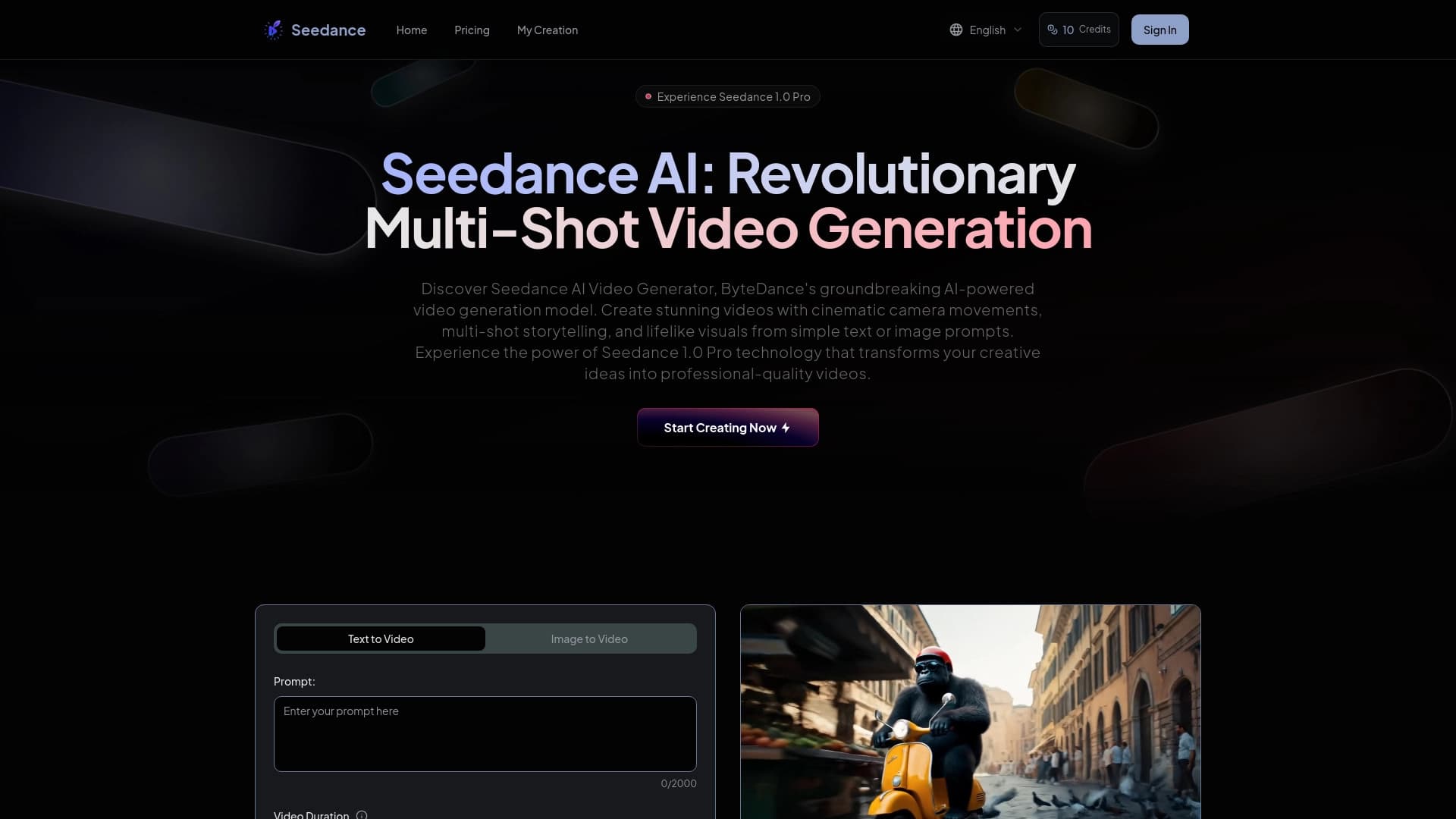
Neural network from ByteDance for generating short cinematic videos from text, images, audio, or video references.
Overview
Seedance
Seedance Overview
Seedance is a video generation model from ByteDance designed to create short cinematic videos based on a text description, image, audio, or video references. The model understands complex prompts written in natural language and supports control over camera movement, lighting, and scene composition.
Version 2.0 added several important capabilities: built-in sound generated together with the video, character consistency across different scenes, and multi-shot editing from a single prompt. The model is notable for smooth motion, physical plausibility, and a wide variety of styles—from photorealism and cyberpunk to illustration and textured effects.
Today, Seedance 2.0 ranks first in the Artificial Analysis Video Arena both in text-to-video (Elo 1269) and image-to-video (Elo 1351), surpassing competitors such as Kling, Veo, and Runway in quality.
Seedance specifications
| Specification | Value |
|---|---|
| Type | Video model (video generation) |
| Developer | ByteDance |
| Categories | Video generation, Text → Video, Image → Video, Video → Video |
| Supported inputs | Text, images, audio, video |
| Clip duration | From 4 to 15 seconds |
| Maximum resolution | 1080p |
| Aspect ratios | 16:9, 9:16, 1:1, 4:3, 3:4, 21:9, adaptive |
| Audio | Built-in sound, generated in the same pass as the video |
| Lip-sync | 8+ languages |
| Distribution model | Freemium |
Who is Seedance for?
Content creators
The tool suits those who regularly publish short videos for TikTok, Reels, and other platforms. Seedance helps quickly turn an idea or text description into a ready-made video clip with cinematic quality, saving time on shooting and post-production.
Advertising agencies and production studios
For teams creating ad previews and promo materials, Seedance allows generating individual scenes with control over lighting, camera, and performance. It is also convenient for building storyboards and visual prototypes before a full shoot.
Designers and freelancers
Seedance is useful for those working with photo animation, music scenes, and visual concepts. The ability to set style, mood, character, or scene rhythm through multimodal references makes the tool flexible for both commercial and creative tasks.
How to use Seedance?
Where to start
To get started, go to the official ByteDance page (seed.bytedance.com/en/seedance2_0) or use the tool through Dreamina and CapCut, which offer limited free access. The model is also available through a global API on third-party platforms such as fal.ai, Segmind, and PiAPI.
How to write prompts
It is recommended to write prompts like a mini-scene: describe the frame format, subject, motion, camera style, lighting, duration, sound, and final action. This detailed approach helps the model reproduce the intention more accurately and deliver results close to what you expect.
Working specifics
If you need
Pricing
Frequently asked questions
Similar AI tools



See also


Aimi is a service that automatically creates music and voiceovers for videos by analyzing the video footage.


AI toolkit for video generation and editing, including avatars, lip-sync, and voice cloning.


Free web tool from Google that uses machine learning to turn rough sketches into neat icons and illustrations.


Online service with artificial intelligence that automatically creates presentations on a given topic.


AI platform for automating video editing, including face replacement, video translation, and avatar creation.


AI tool for creating presentations, documents, and web pages from a text description.


Online AI-powered service for quickly creating presentations based on a given topic or an uploaded document.

Cloud platform for creating videos using AI avatars, synthesized speech, and automatic translation of clips into dozens of languages.