

PowerDirector
Программа для видеомонтажа с функциями на базе искусственного интеллекта.
Обзор
PowerDirector
Описание нейросети PowerDirector
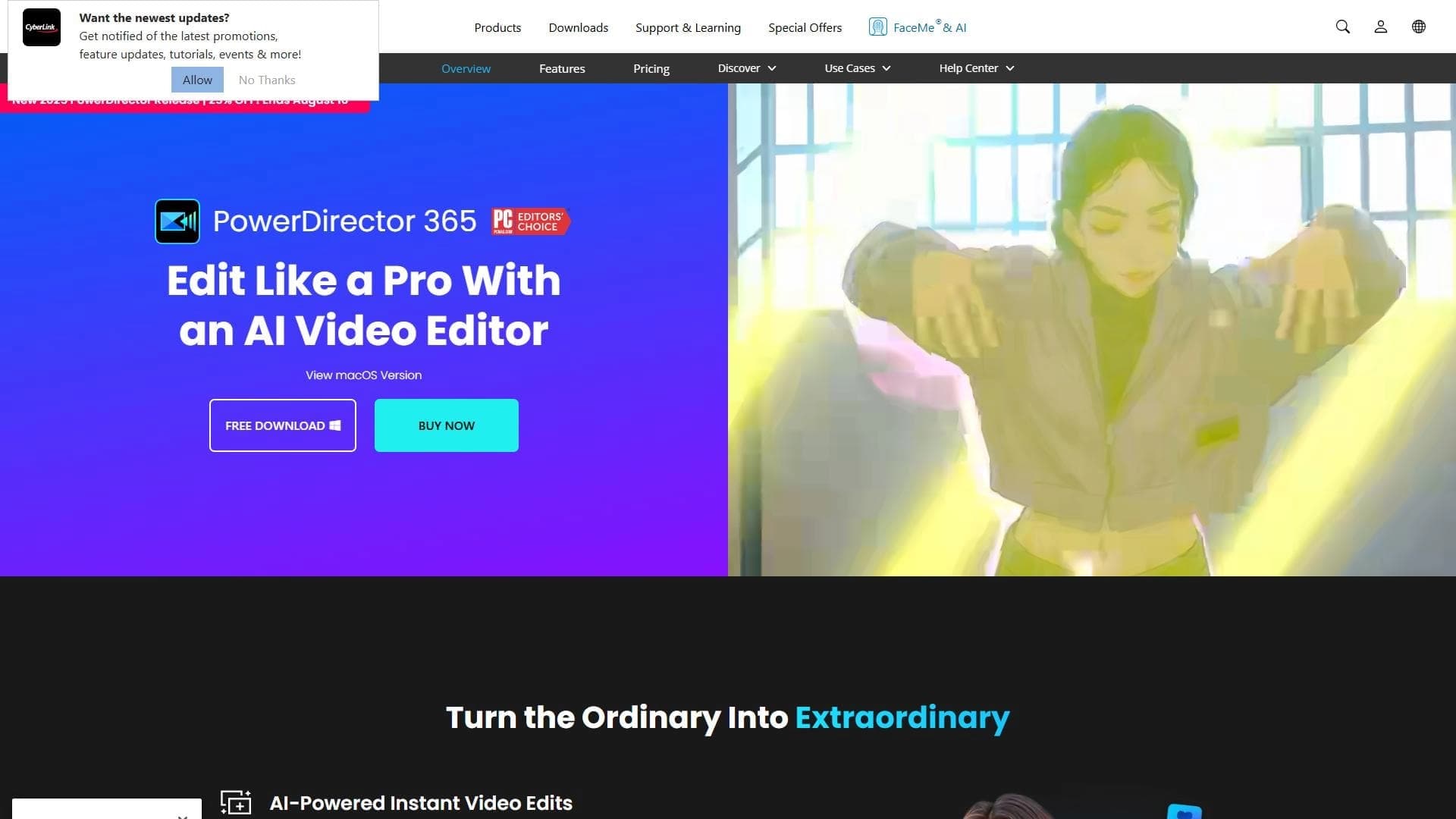
PowerDirector — это программа для видеомонтажа, которая интегрирует технологии искусственного интеллекта для автоматизации ключевых этапов обработки видео. ИИ-алгоритмы берут на себя такие задачи, как стабилизация изображения, очистка аудиодорожки от шума и распознавание речи с преобразованием её в текст. Инструмент ориентирован на широкую аудиторию: от новичков, делающих первые шаги в монтаже, до опытных пользователей, которым важна скорость работы. Программа доступна на Windows, macOS и мобильных устройствах, а также имеет бесплатную версию с функциональными ограничениями.
Характеристики PowerDirector
| Характеристика | Значение |
|---|---|
| Тип | Программа для видеомонтажа с ИИ-функциями |
| Платформы | Windows, macOS, мобильные устройства |
| Бесплатная версия | Да (с ограничениями) |
| Категории | Монтаж и редактирование, распознавание речи, улучшение качества видео |
Для кого подходит нейросеть PowerDirector?
Начинающие пользователи
Для тех, кто только осваивает видеомонтаж, PowerDirector предлагает интуитивно понятный интерфейс и готовые шаблоны. Новичкам не придётся разбираться в сложных настройках — многие операции, такие как стабилизация или шумоподавление, выполняются автоматически.
Опытные пользователи
Профессионалы ценят PowerDirector за скорость выполнения рутинных задач. ИИ-функции позволяют сократить время на обработку видео, а возможность экспорта в различные форматы и разрешения даёт гибкость при подготовке материала для разных платформ.
Как использовать нейросеть PowerDirector?
Освоение интерфейса
Интерфейс программы построен так, чтобы его можно было освоить за короткое время. Основные функции вынесены в меню и панели инструментов, а для ускорения работы рекомендуется изучить горячие клавиши.
Работа с шаблонами и автоматическими функциями
Встроенные шаблоны для социальных сетей позволяют быстро подготовить видео под требования конкретной платформы. Автоматические функции, такие как стабилизация и удаление шума, запускаются в один клик.
Обновления и дополнительная настройка
Разработчики регулярно выпускают обновления, которые добавляют новые возможности и улучшают существующие алгоритмы. Следить за ними стоит, чтобы всегда иметь доступ к актуальному функционалу.
Основные функции PowerDirector
Автоматическая стабилизация видео
ИИ анализирует дрожание камеры и выравнивает картинку без потери качества. Это особенно полезно при монтаже динамичных сцен или съёмке с рук.
Распознавание голоса и преобразование речи в текст
Нейросеть обрабатывает аудиодорожку и автоматически создаёт текстовую расшифровку. Это упрощает создание субтитров и поиск нужных фрагментов в длинных видео.
Удаление шума с помощью ИИ
Алгоритмы фильтруют посторонние звуки — фоновый гул, ветер, шум улицы, оставляя чистую речь или основной звуковой ряд.
Отслеживание объектов на видео
Функция трекинга позволяет автоматически отслеживать движение выбранного объекта и применять к нему эффекты или маски.
Быстрая обрезка, склейка и наложение эффектов
Базовые операции монтажа выполняются без лишних действий. ИИ помогает ускорить процесс, предлагая оптимальные точки склейки или автоматически подбирая переходы.
Поддержка шаблонов для соцсетей и экспорт в разные форматы
Готовые пресеты для Instagram, TikTok, YouTube и других платформ экономят время на настройке экспорта. Программа поддерживает широкий спектр форматов и разрешений.
Преимущества PowerDirector
Быстрое освоение благодаря простому интерфейсу
Программа не требует длительного обучения. Большинство функций доступны визуально и не заставляют пользователя углубляться в технические детали.
Автоматизация многих задач с помощью ИИ
Искусственный интеллект берёт на себя трудоёмкие процессы — от стабилизации до распознавания речи. Это значительно ускоряет рабочий процесс.
Недостатки PowerDirector
Требования к оборудованию
Для работы со сложными проектами и высоким разрешением нужен мощный компьютер. Слабое железо может не справляться с обработкой в реальном времени.
Ограничения бесплатной версии
Бесплатный тариф включает не все функции программы. Чтобы получить полный доступ к возможностям, потребуется оформить подписку.
Какие задачи решает PowerDirector
Монтаж роликов для YouTube
Подготовка полноценных видео для видеохостинга включает резку, склейку, наложение титров и эффектов. PowerDirector справляется с этим за счёт автоматических инструментов и шаблонов.
Создание презентаций
Видеопрезентации с переходными эффектами, текстом и фоновой музыкой можно собрать быстро, используя готовые шаблоны и автогенерацию субтитров.
Быстрая обработка видео для соцсетей
Короткие форматы для Instagram, TikTok или Facebook требуют минимального монтажа. ИИ-функции позволяют обрабатывать их почти мгновенно.
Улучшение качества видеоархивов
Старые или некачественные записи можно обработать: убрать шум, стабилизировать картинку и повысить чёткость силами нейросети.
Цены PowerDirector
Программа распространяется по модели freemium. Есть бесплатная версия с ограниченным функционалом. Подробные тарифы и стоимость подписки на официальном сайте не указаны в рамках доступных источников.
Условия использования PowerDirector
Бесплатная версия позволяет ознакомиться с базовыми возможностями. Для полного доступа ко всем функциям, включая продвинутые ИИ-инструменты, потребуется оформление платной подписки. Точные условия лицензирования и ограничения следует уточнять на официальном сайте разработчика.
Доступность PowerDirector
Поддерживаемые платформы
Программа работает на операционных системах Windows и macOS, а также доступна на мобильных устройствах под управлением iOS и Android.
Импорт файлов
Источниками для импорта могут служить локальные папки на компьютере, облачные хранилища и подключённые камеры. Это даёт гибкость при работе с разными типами исходного материала.
Чем отличается PowerDirector от аналогов
Главное отличие PowerDirector — глубокая интеграция ИИ в повседневные операции монтажа. В то время как многие видеоредакторы предлагают базовый набор инструментов, PowerDirector автоматизирует стабилизацию, шумоподавление и распознавание речи, делая их доступными в один клик. Простой интерфейс и готовые шаблоны для соцсетей ориентируют продукт на широкую аудиторию, включая тех, кто не имеет опыта в видеомонтаже. При этом наличие продвинутых функций и поддержка нескольких платформ сохраняют интерес профессиональных пользователей.
Заключение
PowerDirector — видеоредактор с ИИ-функциями, который подходит как новичкам, так и опытным пользователям. Программа автоматизирует стабилизацию видео, распознавание речи и удаление шума. Доступна на Windows, macOS и мобильных устройствах, имеет бесплатную версию с ограничениями, но для сложных задач требует мощного компьютера.
Часто задаваемые вопросы

Смотрите также
Платформа для профессиональной обработки аудио с AI-функциями разделения треков, мастеринга и изменения голоса.


Сервис для автоматической расшифровки аудио и видео в текст с поддержкой более 100 языков.


Сервис для виртуальной примерки одежды с помощью ИИ.


AI-помощник для быстрого создания и редактирования текстов в различных форматах.


Онлайн-инструмент для создания дипфейков и редактирования изображений с помощью ИИ.

Онлайн-сервис для создания реалистичного клона голоса по короткой аудиозаписи и озвучивания текста.

Сервис для создания презентаций, использующий несколько ИИ-агентов для сбора информации, дизайна и анализа данных.


Бесплатный веб-инструмент от Google, который с помощью машинного обучения превращает грубые наброски в аккуратные иконки и иллюстрации.