
Pollo AI
Веб-сервис для генерации и редактирования видео с помощью ИИ, объединяющий несколько популярных моделей в едином интерфейсе.
Место в рейтингах
Обзор
Pollo AI
Описание нейросети Pollo AI
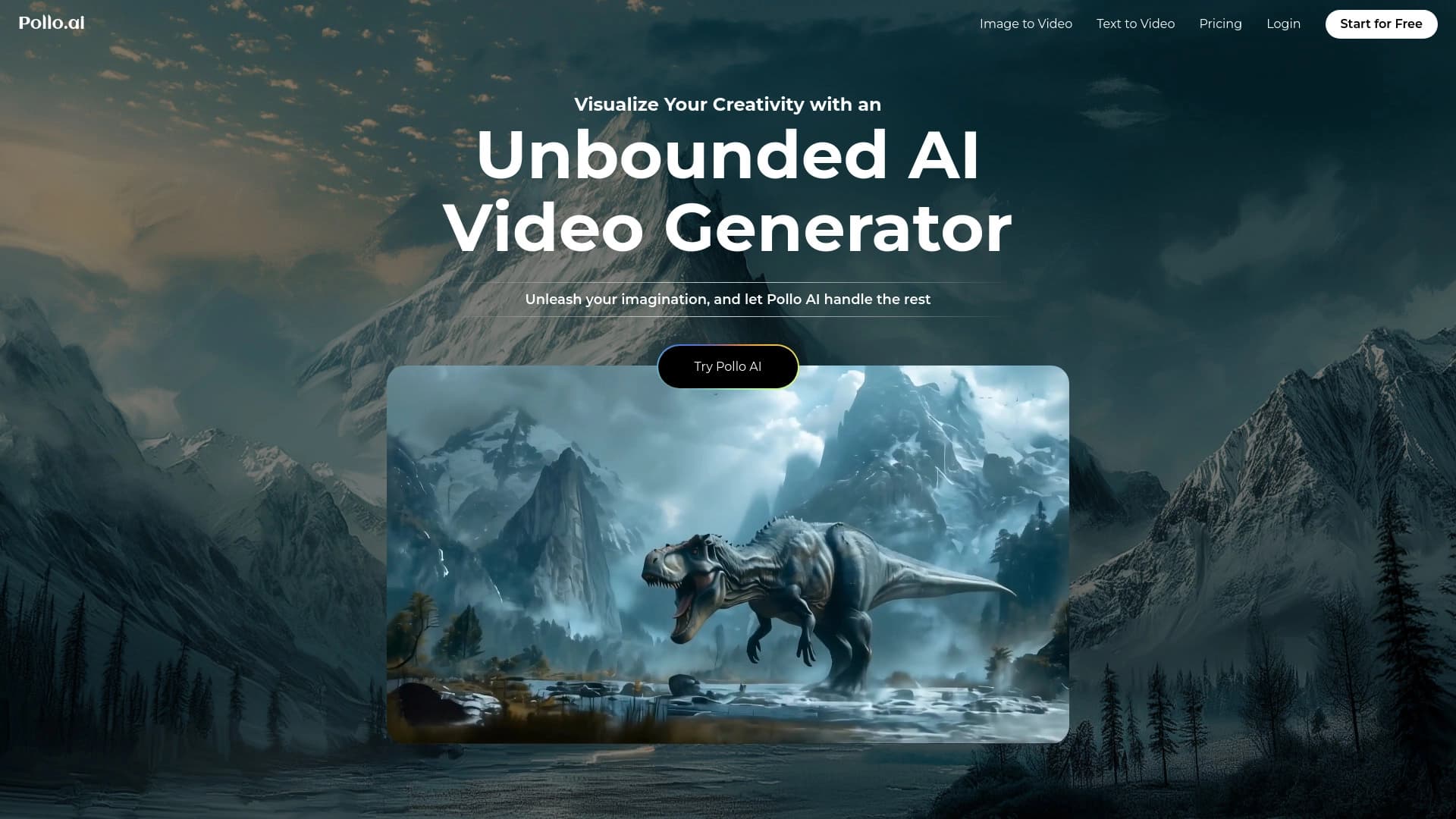
Pollo AI — это мультимодальная веб-платформа для генерации и редактирования видео с помощью искусственного интеллекта, разработанная сингапурской командой HIX.AI (основана в 2021 году). Сервис объединяет несколько ведущих AI-моделей в едином интерфейсе, включая Kling AI, Runway, Hailuo AI, Luma AI, Pika AI, PixVerse AI, Google Veo 3, Vidu Q1 и другие. Пользователи могут создавать видео из текстовых описаний, анимировать статичные изображения, стилизовать готовые ролики и редактировать их с помощью встроенных AI-эффектов. Платформа работает в браузере, поддерживает русский язык интерфейса и не требует навыков видеомонтажа. Модель распространения — freemium: доступен как бесплатный план с ограничениями, так и платные подписки.
Характеристики Pollo AI
| Характеристика | Значение |
|---|---|
| Тип | Мультимодальная платформа для генерации видео и изображений, агрегатор нейросетей |
| Категории | Генерация видео, Текст в видео, Изображение в видео, Редактирование видео |
| Платформы | Web (браузерная версия) |
| Языки интерфейса | Русский, английский и другие |
| Разработчик | HIX.AI (Сингапур, основана в 2021) |
| Модель распространения | Freemium |
| Наличие бесплатного тарифа | Да |
| Необходимость VPN | По данным разных источников — не требуется; по некоторым данным — требуется для доступа из России |
| Поддерживаемые модели | Pollo 1.6, Google Veo 3, Kling 2.1, PixVerse 4.5, Hailuo 02, Vidu Q1, Runway Gen-4 Turbo, Runway Gen-3 и другие |
| Оценка редакции | 8.6 из 10 |
| Рейтинг пользователей | 4.8 |
Для кого подходит нейросеть Pollo AI?
Маркетологи и контент-мейкеры
Pollo AI позволяет быстро создавать рекламные креативы, тизеры, промо-материалы и контент для социальных сетей без привлечения видеопродакшна и больших бюджетов. Сервис подходит для создания коротких роликов, шортов и видео для презентаций.
Дизайнеры и художники
Платформа даёт возможность визуализировать идеи, анимировать иллюстрации, создавать концепт-арт в движении и работать с устойчивыми AI-персонажами, что особенно важно для серийных проектов и брендовых героев.
Новички без опыта видеомонтажа
Инструмент ориентирован на пользователей без навыков видеомонтажа. Интуитивный интерфейс с поддержкой русского языка и пошаговый процесс создания видео позволяют начать работу сразу после регистрации.
Профессиональные создатели контента и рассказчики
Платформа даёт доступ к нескольким передовым AI-моделям в одном окне, а также к продвинутым функциям вроде Motion Brush, генерации аудио и настройки параметров сида, что полезно для более сложных творческих задач.
Как использовать нейросеть Pollo AI?
Регистрация и вход
Для начала работы необходимо зайти на официальный сайт pollo.ai и создать учётную запись. Регистрация обязательна для использования сервиса. Скачивать и устанавливать дополнительное программное обеспечение не требуется — платформа работает в браузере.
Выбор функции и настройка параметров
После входа в аккаунт нужно выбрать нужную функцию: генерация видео из текста (Text-to-Video), анимация изображения (Image-to-Video), оживление фотографий, создание AI-аватаров или редактирование существующего видео. Пользователь может настроить разрешение (до 1080p), соотношение сторон (16:9, 9:16, 1:1 и другие), длительность ролика и количество вариантов на выходе. Также доступна встроенная генерация звукового сопровождения и управление сидом.
Генерация и скачивание результата
Для запуска генерации необходимо ввести текстовое описание (промт) или загрузить исходное изображение либо видео. После нажатия на кнопку «Создать» система обрабатывает запрос за несколько минут. Готовый ролик можно предпросмотреть и скачать. Для функции Pollo AI Kissing нужно загрузить одну или две фотографии, при необходимости добавить текстовый запрос или использовать стандартный, а затем скачать результат.
Основные функции Pollo AI
Генерация видео из текста (Text-to-Video)
Функция преобразует текстовые описания в видеоролики с использованием улучшенного семантического понимания. Пользователь вводит текстовый промт, настраивает параметры и получает готовое видео. Поддерживается выбор из нескольких AI-моделей (Kling, Runway, Hailuo, Vidu и других), что позволяет добиться разного стиля и качества результата.
Анимация изображений (Image-to-Video)
Статичные фотографии и иллюстрации превращаются в динамичные видеоролики. Пользователь может загрузить одно или несколько референсных изображений, добавить текстовое описание желаемого движения, и система сгенерирует видео, сохраняя черты лица, одежду и общий стиль персонажа. Возможно указание начального и конечного кадров.
Редактирование и стилизация видео
Платформа позволяет редактировать уже готовые видеоклипы: применять более 40 AI-эффектов (поцелуй, объятие, взрыв, плавление и другие), преобразовывать видео в более чем 30 творческих стилей (японское аниме, Disney Pixar, пластилиновая анимация и др.), а также улучшать качество с помощью встроенных ИИ-улучшателей.
Создание AI-аватаров и Motion Brush
Функция AI-аватаров позволяет анимировать обычные фотографии, создавая видео-аватары длительностью до 2 минут. Инструмент Motion Brush даёт возможность управлять движением объектов в кадре, задавая направление и характер анимации. Также доступно последовательное создание видео с устойчивыми AI-персонажами по референсам (Ref2Vid).
Преимущества Pollo AI
Доступ к нескольким моделям в одном интерфейсе
Pollo AI объединяет популярные AI-модели (Kling, Runway, Hailuo, Luma, Pika, PixVerse, Google Veo, Vidu и другие), что избавляет пользователя от необходимости регистрироваться на нескольких платформах и переключаться между ними. Все инструменты доступны в едином окне.
Русскоязычный интерфейс и простота использования
Интерфейс сервиса переведён на русский язык, что значительно упрощает работу для русскоязычных пользователей. Процесс создания видео занимает всего несколько минут и не требует специальных навыков видеомонтажа. Платформа работает в браузере без установки ПО.
Бесплатный план для тестирования
Сервис предоставляет бесплатный тарифный план, который позволяет познакомиться с функционалом и оценить качество результатов перед покупкой подписки. Ежедневно начисляется 20 кредитов, а также предусмотрен бонус за ежедневный вход.
Недостатки Pollo AI
Ограничения бесплатного тарифа
Бесплатный план имеет существенные ограничения — всего 20 кредитов в день, что может быть недостаточно для регулярной работы. Полноценное использование всех функций требует перехода на платную подписку или пополнения баланса.
Необходимость VPN для пользователей из России
По данным некоторых источников, для доступа к сервису с территории России может потребоваться использование VPN. Это создаёт дополнительные неудобства для русскоязычных пользователей, хотя в других источниках указано, что VPN не требуется.
Кредитная система оплаты
Нейросеть работает по системе кредитов, которые можно купить или получить за реферальные приглашения и ежедневный вход. При этом «бесплатно» нейросеть не работает — любой функционал требует расходования кредитов, даже на бесплатном тарифе.
Какие задачи решает Pollo AI
Быстрая визуализация идей
Платформа позволяет превращать текстовые описания и статичные изображения в готовые видеоролики за несколько минут. Это решает задачу быстрой визуализации идей без необходимости привлекать видеографов, дизайнеров монтажа или использовать профессиональное ПО.
Создание контента для социальных сетей и рекламы
Pollo AI подходит для генерации шортов, музыкальных клипов, рекламных креативов, тизеров и промо-материалов. Сервис позволяет создавать серийные ролики с устойчивыми персонажами и сценами, что востребовано для брендовых героев и анимации иллюстраций.
Оживление статичных изображений
Функция анимации изображений решает задачу превращения статичных фотографий, концепт-арта и иллюстраций в динамичные видеоролики. Это полезно для дизайнеров, художников и маркетологов, работающих с визуальным контентом.
Автоматизация видеопроизводства
Для пользователей без навыков видеомонтажа Pollo AI автоматизирует процесс создания видео: достаточно ввести текстовое описание или загрузить изображение, настроить параметры и получить готовый ролик. Это существенно сокращает время и ресурсы на производство контента.
Цены Pollo AI
Бесплатный план
Сервис работает по модели freemium. Бесплатный план включает 20 кредитов в день, которые можно тратить на генерацию видео. Дополнительно предусмотрен бонус за ежедневный вход на сайт. Также кредиты можно получить, приглашая пользователей по реферальной ссылке. На бесплатном тарифе генерируются видео с водяными знаками.
Платные тарифы
Доступны платные подписки «Лайт» и «Профи» стоимостью от 10–15 долларов в месяц. При годовой оплате предоставляется скидка 14%. Тариф «Лайт» включает 300 кредитов в месяц, до 60 изображений в месяц, возможность запускать 2 параллельные задачи и выход без водяных знаков. Для пользователей из РФ доступна оплата российскими банковскими картами, электронными кошельками и криптовалютой через посреднический сервис.
Условия использования Pollo AI
Для использования сервиса требуется регистрация на официальном сайте. Платформа работает по кредитной системе: все операции (генерация видео, анимация изображений, применение эффектов) расходуют кредиты. Кредиты можно приобрести в рамках подписки, пополнить отдельно или получить бесплатно — за ежедневный вход и приглашение пользователей по реферальной ссылке. Детали оплаты и доступов для пользователей из РФ приходят на электронную почту с инструкцией. Скачивать и устанавливать дополнительное ПО не требуется — весь функционал доступен через веб-браузер.
Доступность Pollo AI
Сервис доступен через веб-браузер на официальном сайте pollo.ai. Платформа работает на всех устройствах с доступом в интернет, установка приложения не требуется. Интерфейс переведён на русский язык. Разработчик — компания HIX.AI, зарегистрированная в Сингапуре. Данные о доступности в разных регионах различаются: одни источники указывают, что VPN не требуется, другие сообщают, что для использования из России необходим VPN. По состоянию на апрель 2025 года некоторые источники подтверждают необходимость VPN для доступа с территории РФ.
Чем отличается Pollo AI от аналогов
Главное отличие Pollo AI от большинства аналогов — мультимодельная архитектура. Вместо того чтобы использовать одну модель генерации, платформа объединяет под одним интерфейсом несколько ведущих AI-движков: Kling, Runway, Hailuo, Luma, Pika, PixVerse, Google Veo 3, Vidu Q1 и другие. Пользователь может выбирать, какая модель лучше подходит для конкретной задачи, и переключаться между ними без смены сервиса.
Второе важное отличие — поддержка русского языка интерфейса, что делает сервис более доступным для русскоязычной аудитории по сравнению с англоязычными платформами вроде Runway или Pika.
Третье отличие — широкий набор функций в одном месте: генерация текста в видео, анимация изображений, создание AI-аватаров, стилизация видео, Motion Brush, более 40 AI-эффектов и встроенная генерация аудио. Это выделяет сервис на фоне узкоспециализированных инструментов.
Среди российских альтернатив, не требующих VPN и поддерживающих оплату картами РФ, выделяются Designs.ai, Joineo, Visper, Charla, Wunjo AI и AIR. Прямыми зарубежными аналогами Pollo AI считаются yVEO AI, ZeusGPT, WAN Video, Yes Ai Bot, а также Please AI и Polycam.
Заключение
Pollo AI — это мультимодальная веб-платформа для генерации и редактирования видео с помощью искусственного интеллекта, разработанная сингапурской командой HIX.AI. Сервис объединяет такие популярные AI-модели, как Kling, Runway, Hailuo, Luma, Pika, PixVerse, Google Veo и Vidu, предоставляя пользователю выбор подходящего движка для каждой задачи. Платформа поддерживает генерацию видео из текста, анимацию изображений, создание AI-аватаров, стилизацию видео и применение более 40 AI-эффектов. Интерфейс переведён на русский язык, работа происходит в браузере без установки ПО. Модель распространения — freemium: есть бесплатный план с 20 кредитами в день и платные подписки от 10–15 долларов в месяц. Pollo AI подходит как профессионалам (маркетологи, дизайнеры, контент-мейкеры), так и новичкам без опыта видеомонтажа. Основные ограничения: кредитная система оплаты, лимиты бесплатного тарифа и возможная необходимость использования VPN для доступа из России.
Тарифы
Часто задаваемые вопросы

Смотрите также

Платформа-сообщество для поиска, публикации и обмена открытыми моделями генерации изображений на основе ИИ.


Онлайн-редактор изображений с функциями на базе ИИ для обработки фото, дизайна и генерации контента.
Веб-сервис для превращения текстов, созданных нейросетями, в более естественный и человеческий вид.


Нейросеть для генерации коротких видео по текстовым описаниям или изображениям.


Платформа на основе ИИ для создания и редактирования изображений и видео товаров для продавцов в электронной коммерции.
Интеллектуальный помощник от Microsoft, встроенный в поисковую систему Bing и браузер Edge на базе GPT-4.

Генератор диаграмм и графиков из загруженных данных по текстовому описанию на естественном языке.


Русскоязычный ИИ-чат-бот на основе GPT для поиска информации и генерации текстов.