
Photor AI
Облачный сервис для автоматического улучшения и обработки фотографий с помощью нейросетей.
Обзор
Photor AI
Описание нейросети Photor AI
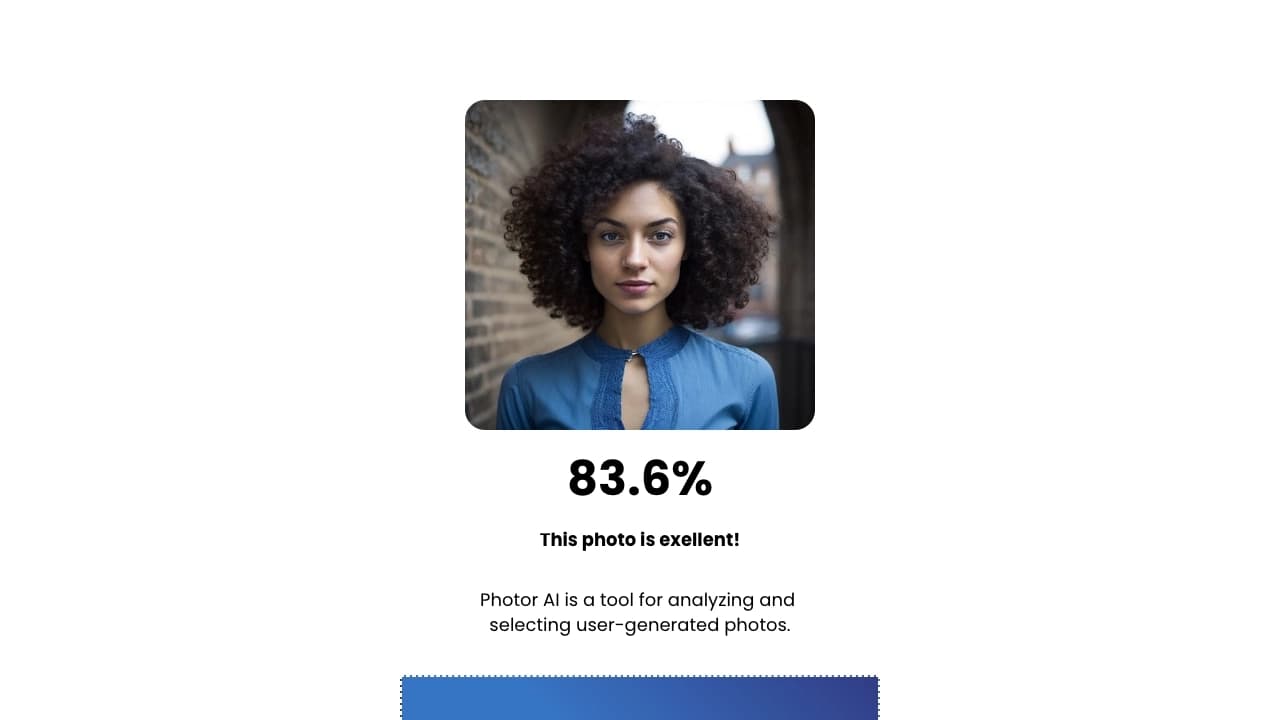
Photor AI — это облачный сервис, который использует технологии распознавания изображений и машинного обучения для автоматической обработки фотографий. Вместо того чтобы вручную настраивать параметры каждого снимка, пользователь загружает изображения в сервис, а нейросеть самостоятельно анализирует их и принимает решения об улучшении.
Система оценивает композицию, техническое качество и содержание кадра, а затем автоматически корректирует ключевые параметры: цветовой баланс, резкость, экспозицию и детализацию. Благодаря этому отпадает необходимость вручную подбирать настройки для каждого фото — сервис делает это за пользователя в автоматическом режиме.
Основная задача Photor AI — упростить процесс обработки большого количества изображений. Это makes сервис удобным для ситуаций, когда нужно быстро привести в порядок целую серию снимков, не углубляясь в профессиональные инструменты редактирования.
Характеристики Photor AI
| Характеристика | Значение |
|---|---|
| Тип | Облачная нейросеть для обработки фотографий |
| Категория | Обработка фото, улучшение качества (апскейл), редактирование фона |
| Платформы | Веб-сервис (онлайн) |
| Бесплатный тариф | Не указан |
| Сайт | photor.io |
Для кого подходит нейросеть Photor AI?
Photor AI будет полезна трем основным группам пользователей. Рассмотрим каждую из них подробнее.
Фотографы, работающие с большими объемами
Профессиональным фотографам часто приходится обрабатывать сотни снимков после одной съемки. Photor AI позволяет автоматизировать рутинные операции по улучшению качества, что значительно экономит время. Вместо того чтобы поочередно редактировать каждый кадр редактировать вручную, фотограф может загрузить целую серию в сервис и получить обработанные изображения без лишних усилий.
Маркетологи и специалисты по контенту
Для создания визуального контента в социальных сетях, рекламных кампаниях и на сайтах требуется много качественных изображений. Photor AI помогает маркетологам быстро приводить фотографии к единому профессиональному виду, не прибегая к помощи дизайнера. Это особенно актуально при массовой подготовке материалов для публикации.
Обычные пользователи с личными архивами
Любительские фотоархивы часто содержат снимки с неудачной экспозицией, нечеткие кадры или изображения с неправильной цветопередачей. Photor AI позволяет улучшить такие фотографии без необходимости осваивать сложные программы редактирования. Достаточно загрузить изображение в сервис, и нейросеть исправит основные проблемы автоматически.
Как использовать нейросеть Photor AI?
Простота начала работы
Для использования Photor AI не требуется специальных знаний или опыта в обработке изображений. Интерфейс сервиса спроектирован таким образом, чтобы даже неподготовленный пользователь мог быстро разобраться в процессе. Все основные действия выполняются в несколько кликов.
Требования к использованию
Поскольку сервис полностью работает в облаке, единственное жесткое требование — стабильное интернет-соединение. Все вычисления выполняются на удаленных серверах, поэтому мощность вашего компьютера не влияет на скорость обработки. Для загрузки фотографий и получения результата необходим только браузер.
Обучение для сложных функций
Хотя базовые функции Photor AI интуитивно понятны, для освоения некоторых продвинутых возможностей сервиса может потребоваться дополнительное обучение. Разработчики предусмотрели обучающие материалы, которые помогают пользователям разобраться в более сложных аспектах работы с нейросетью.
Основные функции Photor AI
Автоматическая облачная обработка
Весь процесс улучшения фотографий происходит на стороне сервиса, а не на устройстве пользователя. Это позволяет обрабатывать изображения без затрат вычислительных ресурсов локального компьютера и обеспечивает единообразное качество результатов.
Улучшение технических параметров кадра
Нейросеть автоматически работает с резкостью изображения, делая его более четким, корректирует цветовой баланс и насыщенность, исправляет экспозицию и прорабатывает детали. Все эти операции выполняются без участия пользователя — сервис сам определяет, какие параметры требуют улучшения в каждом конкретном случае.
Работа без ручного вмешательства
Ключевая особенность Photor AI — полная автоматизация процесса. Пользователю не нужно разбираться в тонкостях регулировки яркости, контраста или насыщенности. Достаточно загрузить фотографию, а нейросеть сделает всю работу самостоятельно.
Преимущества Photor AI
Высокая скорость обработки
Облачная архитектура позволяет обрабатывать изображения существенно быстрее, чем при ручном редактировании. Это делает сервис идеальным инструментом для ситуаций, когда нужно получить результат в кратчайшие сроки.
Простота использования
Отсутствие необходимости разбираться в сложных настройках делает Photor AI доступной для людей без профессиональной подготовки. Любой пользователь может получить качественный результат, просто загрузив фотографию.
Профессиональное качество без опыта
Автоматические алгоритмы, основанные на машинном обучении, способны улучшать фотографии до уровня, сопоставимого с работой профессионального редактора. При этом пользователю не требуется иметь опыт ретуши или знания о теории цвета и композиции.
Недостатки Photor AI
Зависимость от интернет-соединения
Поскольку Photor AI — полностью облачный сервис, он не работает без стабильного доступа к сети. При плохом соединении загрузка изображений и получение результата могут занимать значительное время, а в некоторых случаях обработка становится вовсе невозможной.
Ограниченные возможности ручной настройки
В отличие от профессиональных редакторов, Photor AI предоставляет мало инструментов для тонкой ручной коррекции. Пользователи, которым требуется точный контроль над каждым параметром изображения, могут столкнуться с ограничениями сервиса.
Необходимость обучения для сложных функций
Хотя базовые возможности сервиса просты, некоторые сложные функции требуют изучения дополнительных материалов. Это может стать небольшим барьером для пользователей, которые хотят использовать весь потенциал инструмента.
Какие задачи решает Photor AI
Автоматическое улучшение качества фотографий
Главная задача сервиса — повышение визуального качества изображений. Нейросеть самостоятельно находит и исправляет недостатки кадра, делая фотографии более привлекательными и профессиональными.
Коррекция параметров без ручного вмешательства
Photor AI берет на себя всю работу по настройке основных характеристик изображения: выдержки, цветовой температуры, резкости и других параметров. Пользователю достаточно загрузить файл и дождаться готового результата.
Массовая обработка изображений
Сервис создан для работы с большими объемами фотографий. Это позволяет быстро подготовить целые серии снимков для публикации в социальных сетях, на сайтах или в печатных материалах, не тратя часы на ручное редактирование.
Цены Photor AI
На момент написания статьи официальная информация о стоимости использования Photor AI не раскрыта. На сайте сервиса не указан бесплатный тариф, однако точные данные о цене подписки или разовых платежей также отсутствуют. Рекомендуем посетить официальный сайт photor.io для получения актуальной информации о тарифах.
Условия использования Photor AI
Подробные условия использования сервиса не были найдены в доступных источниках. Известно, что Photor AI работает как полностью онлайн-инструмент, что подразумевает необходимость передачи загружаемых изображений на облачные серверы для обработки. Пользователям стоит учитывать этот фактор при работе с чувствительными или конфиденциальными фотографиями. Возможно, на официальном сайте photor.io размещена более детальная информация об условиях использования сервиса.
Доступность Photor AI
Photor AI — это веб-сервис, доступ к которому осуществляется через браузер. Для работы с ним требуется стабильное интернет-соединение. Информация о поддерживаемых языках интерфейса и географических ограничениях в доступных источниках не указана. Также отсутствуют сведения о наличии мобильных приложений или десктопных клиентов — судя по всему, сервис работает только через веб-интерфейс.
Чем отличается Photor AI от аналогов
Отличие от Adobe Photoshop
В отличие от Adobe Photoshop, который требует глубоких знаний и ручной настройки множества параметров, Photor AI полностью автоматизирует процесс улучшения фотографий. Пользователю не нужно изучать панели инструментов, слои и маски — достаточно загрузить изображение и получить результат.
Отличие от Luminar AI
Luminar AI также использует искусственный интеллект для обработки фотографий, но Photor AI делает больший акцент на автоматизации и скорости выполнения задач. Сервис жертвует возможностями глубокой кастомизации в пользу простоты и быстроты обработки больших объемов изображений.
Отличие от Fotor
Fotor представляет собой более универсальный инструмент, сочетающий автоматическую и ручную обработку. Photor AI в свою очередь фокусируется именно на автоматическом улучшении без ручного вмешательства, что делает его более узкоспециализированным и простым в использовании решением для массовой обработки фотографий.
Заключение
Photor AI — это облачный сервис, предназначенный для автоматического улучшения качества фотографий с помощью технологий машинного обучения. Его главные преимущества — скорость, простота использования и отсутствие необходимости в ручной настройке параметров. Сервис подходит для фотографов, маркетологов и обычных пользователей, которым требуется быстро обрабатывать большие объемы изображений без профессиональных навыков редактирования. Однако пользователям, которым нужен тонкий контроль над каждым аспектом обработки, может не хватить возможностей ручной настройки, а также стоит учитывать требование стабильного интернет-соединения для работы с сервисом.
Часто задаваемые вопросы


Смотрите также


Платформа на основе ИИ для создания и редактирования изображений и видео товаров для продавцов в электронной коммерции.


Нейросеть для генерации SEO-оптимизированных статей и автоматизации ведения блогов.


Генератор диаграмм и графиков из загруженных данных по текстовому описанию на естественном языке.

Генерация рекламных UGC-роликов с виртуальными актерами без реальных съемок.

Сервис для генерации коротких вертикальных видео с помощью нейросети через API или мобильное приложение.


BannsAi — сервис с использованием ИИ для быстрого создания рекламных баннеров по текстовому описанию или референсу.
Сервис для автоматизации первого контакта с клиентами в продажах.

AI-помощник для автоматизации задач розничной торговли и оптимизации работы колл-центров.