

Notta
AI-сервис для автоматической расшифровки встреч, интервью, лекций и аудио- или видеофайлов в текст.
Место в рейтингах
Обзор
Notta
Описание нейросети Notta
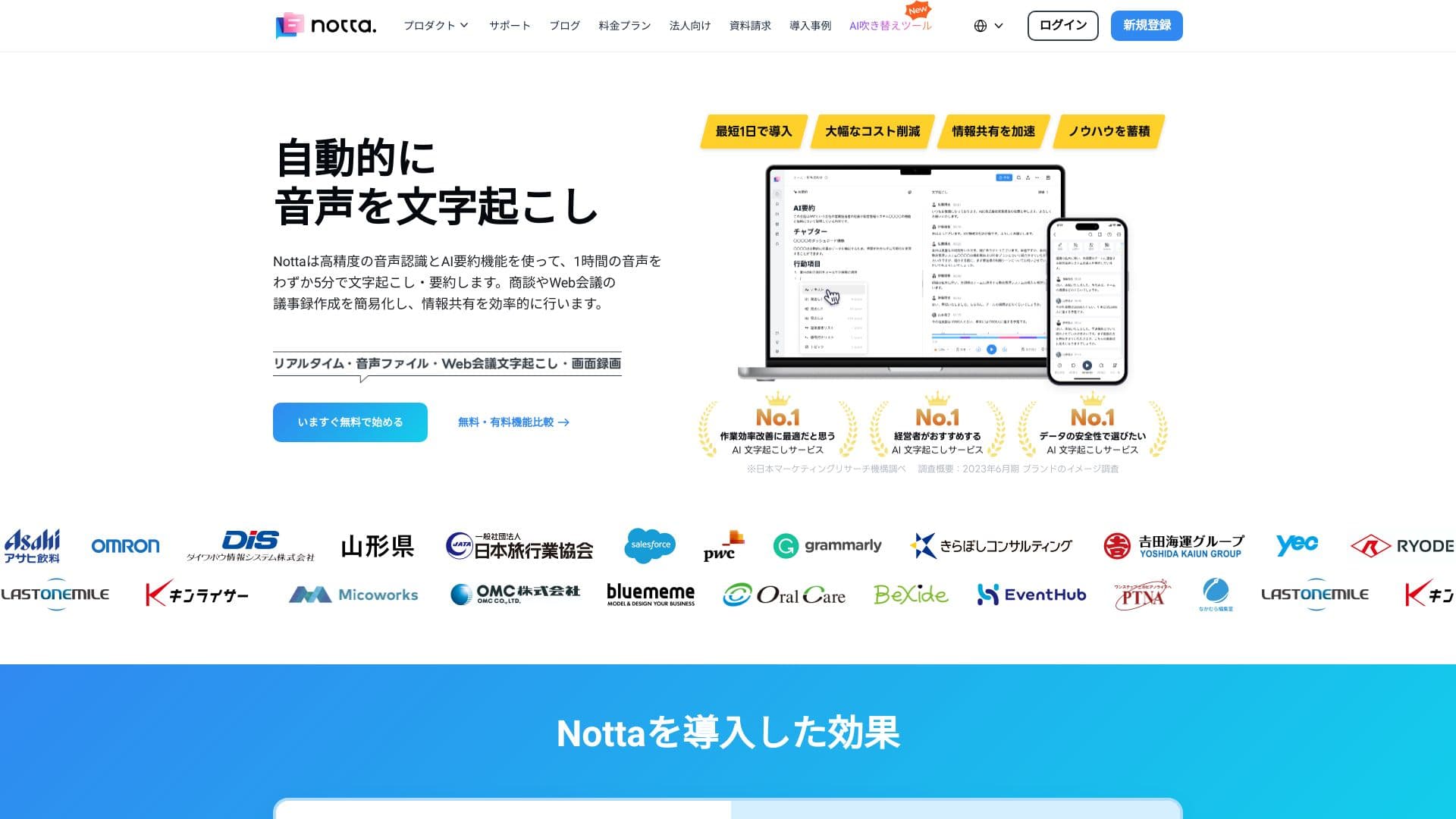
Notta — это AI-сервис для транскрибации, который автоматически превращает устную речь в редактируемый текст. Он подходит для расшифровки встреч, интервью, лекций, а также загруженных аудио- и видеофайлов. После обработки записи сервис выделяет ключевые мысли и помогает быстро собрать конспект без необходимости вручную прослушивать материал.
Два направления работы
Notta решает две схожие, но разные задачи: с одной стороны, это инструмент для транскрибации и ведения заметок на встречах, а с другой — сервис Notta Showcase, который превращает обычные видео в структурированные пошаговые руководства. Оба направления используют ИИ для автоматической обработки контента и экономии времени пользователя.
Работа с видеоконференциями
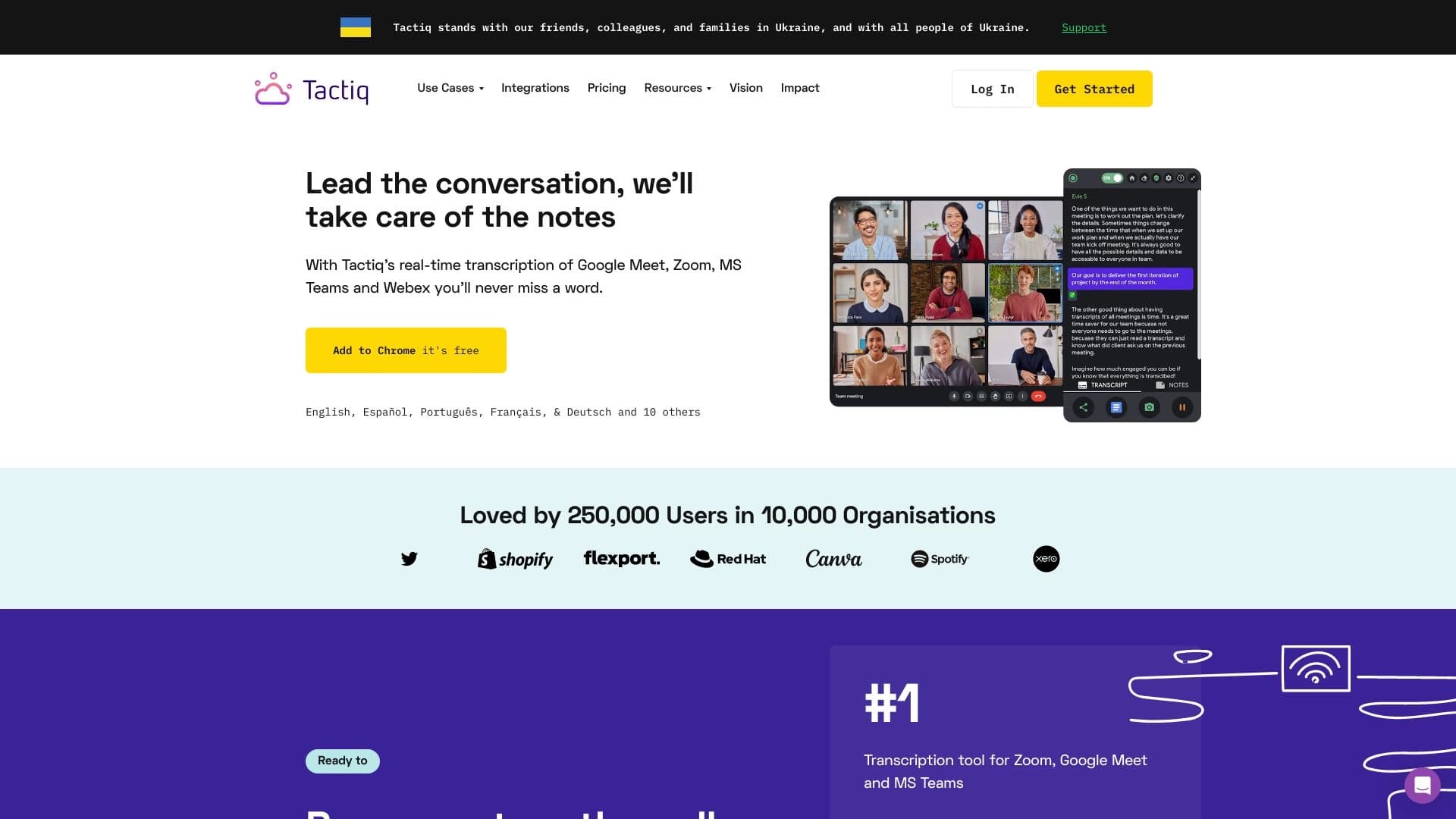
Сервис интегрируется с популярными платформами видеосвязи — Zoom, Google Meet и Teams. Это позволяет автоматически записывать и расшифровывать созвоны прямо во время их проведения, а для команд — формировать саммари с задачами и ключевыми решениями.
Превращение в текст
Вся произнесённая информация конвертируется в удобный для поиска и редактирования текст. Пользователь получает доступ к расшифровкам, которые можно легко сохранять, редактировать и делиться с коллегами.
Характеристики Notta
| Характеристика | Значение |
|---|---|
| Тип | AI-сервис для транскрибации и создания пошаговых видеоинструкций |
| Категории | Транскрибация, распознавание речи, речь в текст, суммаризация, продуктивность |
| Модель распространения | Freemium |
| Веб-сайт | www.notta.ai |
| Поддерживаемые форматы | Аудио- и видеофайлы, записи встреч |
| Интеграции | Zoom, Google Meet, Teams |
| Дополнительные функции | Выделение ключевых мыслей, саммари встреч, создание пошаговых гайдов, субтитры, озвучка |
Для кого подходит нейросеть Notta?
Продуктовые команды
Разработчики и менеджеры продуктов могут использовать Notta для фиксации рабочих процессов и создания повторяемой документации. Это особенно полезно, когда нужно один раз записать процесс, а затем получать готовые инструкции без ручной вёрстки.
Специалисты по обучению и создатели туториалов
Для тех, кто готовит обучающие материалы и инструкции, Notta упрощает превращение видео в структурированные руководства с шагами, скриншотами и текстовыми описаниями.
Сотрудники поддержки
Команды поддержки могут быстро создавать справочные гайды и стандартные операционные процедуры, а также использовать транскрибацию для фиксации взаимодействий с пользователями.
Профессионалы, работающие с встречами и интервью
Журналисты, исследователи, менеджеры и все, кто регулярно проводит встречи, интервью и лекции, получают аккуратные расшифровки и конспекты без ручного прослушивания записей.
Как использовать нейросеть Notta?
Транскрибация записей
Для начала достаточно загрузить аудио- или видеофайл в сервис. ИИ самостоятельно расшифрует запись, превращая её в редактируемый текст. При необходимости можно выделить ключевые моменты, чтобы быстрее ориентироваться в материале.
Работа с видеоконференциями
Подключив Notta к Zoom, Google Meet или Teams, можно автоматически записывать и транскрибировать созвоны. После встречи сервис сформирует саммари с задачами и ключевыми решениями, которые команда сможет быстро просмотреть.
Создание пошаговых руководств
В режиме Notta Showcase пользователь загружает или записывает видео и при необходимости отмечает ключевые моменты. ИИ разбивает процесс на шаги, добавляет текст, скриншоты и мультимедиа. Дополнительно доступно браузерное расширение для захвата экрана и создания гайдов прямо во время работы с веб-приложениями.
Основные функции Notta
Транскрибация и суммаризация
Сервис превращает записи встреч, интервью, лекций и загруженных файлов в текст, выделяет ключевые мысли и помогает быстро составить конспект. Для команд формируются саммари с задачами и важными решениями.
Интеграции с видеоконференциями
Встроенная поддержка Zoom, Google Meet и Teams позволяет автоматически записывать и расшифровывать созвоны без дополнительных ручных действий.
Создание пошаговых руководств
Notta Showcase автоматически превращает видео в структурированные мануалы: ИИ распознаёт язык, генерирует описания действий на экране, добавляет скриншоты, создаёт субтитры и озвучку на основе синтеза речи.
Браузерное расширение
Расширение для браузера позволяет захватывать экран и создавать пошаговые гайды прямо во время работы с веб-приложениями, что особенно удобно для фиксации рабочих процессов.
Преимущества Notta
Экономия времени
Сервис избавляет от ручной вёрстки документации и прослушивания длинных записей. Вместо того чтобы вручную расшифровывать минуты аудио, пользователь получает готовый текст и конспект автоматически.
Повторяемая документация
Notta позволяет один раз зафиксировать рабочий процесс и в дальнейшем получать стандартизированные инструкции, справочные гайды и обучающие материалы без повторной подготовки.
Доступность информации
Все расшифровки сохраняются в удобном для поиска и редактирования виде, что делает критически важную информацию легко доступной для всей команды или отдельных пользователей.
Недостатки Notta
Точных данных о недостатках сервиса в исходных материалах не приводится. Можно предположить, что, как и любой freemium-сервис, Notta, вероятно, ограничивает часть функций или объём транскрибации в бесплатном тарифе, однако конкретные ограничения в доступных источниках не раскрыты.
Какие задачи решает Notta
Расшифровка и конспектирование
Notta решает задачи расшифровки встреч, интервью и лекций, превращения аудио- и видеофайлов в текст, а также составления конспектов без ручного прослушивания материала.
Работа с командными встречами
Для команд сервис формирует саммари с задачами и ключевыми решениями, что упрощает контроль над результатами созвонов и отслеживание договорённостей.
Создание обучающих и справочных материалов
Notta помогает создавать продуктовые туториалы, стандартные операционные процедуры (SOP), обучающие материалы, скрипты продаж и справочные гайды для поддержки.
Цены Notta
Notta работает по модели freemium, то есть предлагает бесплатную версию с базовыми возможностями и платные тарифы с расширенным функционалом. Конкретные цифры, объёмы транскрибации и доступный набор функций в каждом тарифе в исходных данных не указаны, поэтому точную информацию о стоимости лучше уточнять на официальном сайте сервиса.
Условия использования Notta
Сервис доступен через веб-сайт www.notta.ai и не требует установки специального ПО для основной работы. Для захвата экрана и создания гайдов предусмотрено браузерное расширение. Подробные условия использования, политика конфиденциальности и ограничения в исходных материалах не раскрываются.
Доступность Notta
Notta работает как веб-сервис, доступный через официальный сайт. Сервис поддерживает интеграции с популярными платформами видеоконференций — Zoom, Google Meet и Teams. Дополнительно предлагается браузерное расширение для захвата экрана. Какие именно платформы и устройства поддерживаются помимо веба, в исходных данных не уточняется.
Чем отличается Notta от аналогов
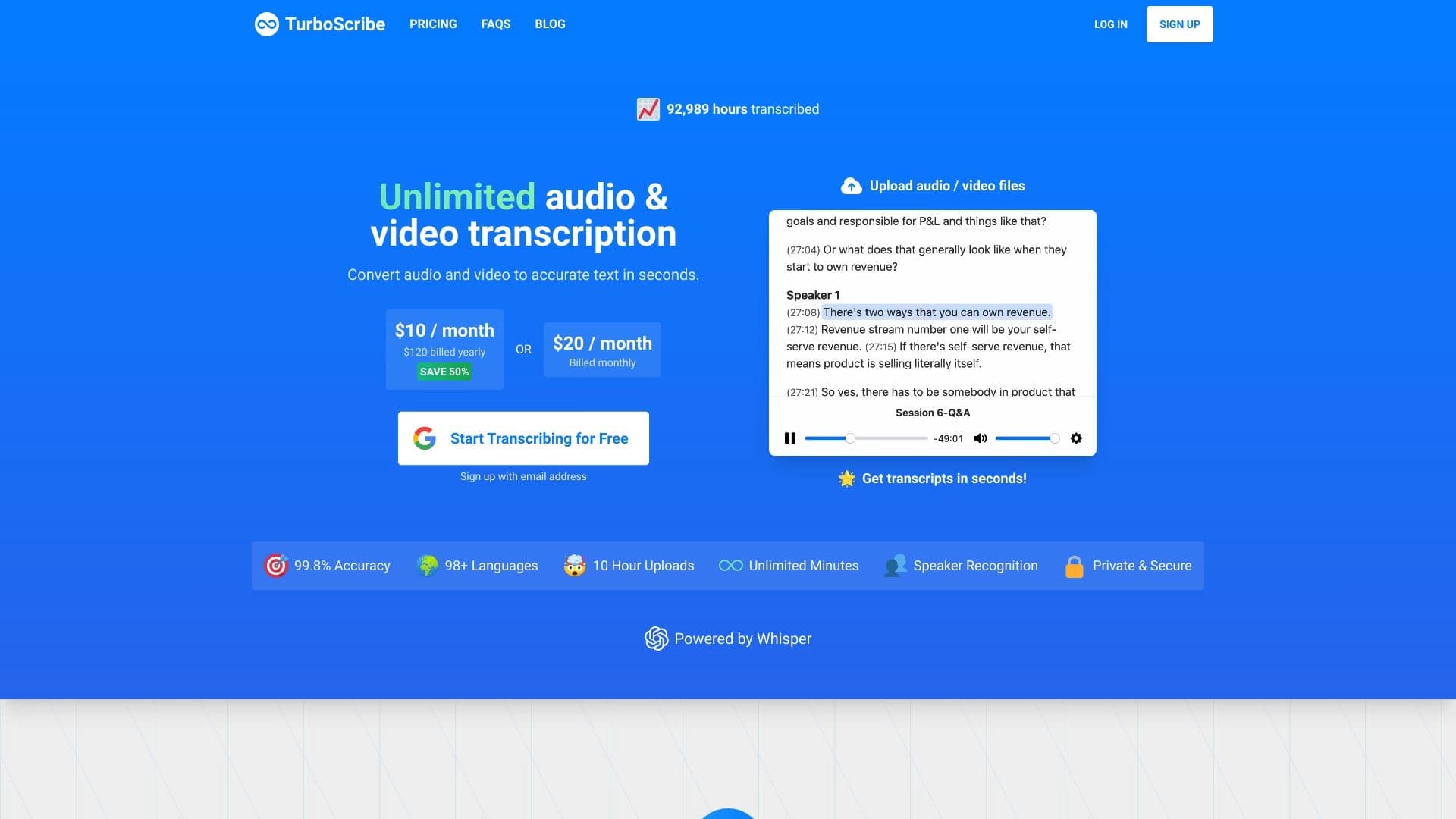
К основным аналогам Notta в области транскрибации относятся Fireflies AI и TurboScribe, а для создания пошаговых руководств — такие инструменты, как Doctective, Swift Product, Plotdot, ScriptBot и 20paths.
Главное отличие Notta в том, что она совмещает в одном сервисе сразу два направления: классическую транскрибацию встреч и записей с интегрированными саммари для команд, а также функцию Notta Showcase, которая превращает видео в структурированные пошаговые руководства с субтитрами и озвучкой. Большинство аналогов специализируются на чём-то одном — либо только на расшифровке, либо только на создании видеоинструкций. Такое сочетание делает Notta универсальным решением для команд, которым нужны и конспекты созвонов, и готовая документация по рабочим процессам.
Заключение
Notta — это многофункциональный AI-сервис, который решает две задачи: превращает аудио- и видеозаписи в редактируемый текст с выделением ключевых мыслей и создаёт структурированные пошаговые руководства из видео. Благодаря интеграциям с Zoom, Google Meet и Teams сервис автоматически фиксирует созвоны и формирует командные саммари, а функция Notta Showcase помогает быстро готовить обучающие материалы и документацию. Для команд, ценящих экономию времени на рутинных операциях, Notta предлагает удобное сочетание транскрибации, суммаризации и создания инструкций в одном месте.
Часто задаваемые вопросы
Похожие нейросети



Смотрите также

Платформа для создателей контента, объединяющая управление ссылками, email-маркетинг, онлайн-магазин и аналитику в одном визуальном редакторе без программирования.


AI-помощник для проверки грамматики, орфографии и стиля английского текста, доступный как браузерное расширение и веб-редактор.


ИИ-платформа для быстрого создания сайтов и управления процессами малого бизнеса.


Сервис для живых диалогов с ИИ, включающий генерацию текста, голоса и распознавание речи.


AI-ассистент для создания кратких конспектов видео, PDF-документов и веб-страниц.


AI-агент для помощи в программировании и оптимизации рабочего процесса разработки.

Облачная платформа для создания видео с помощью ИИ-аватаров, синтезированной речи и автоматического перевода роликов на десятки языков.


AI-платформа для автоматического планирования рабочего дня, управления задачами и приоритезации дел.