

Kive
AI-платформа для создания визуального контента и бренд-материалов, включая изображения, видео и презентации.
Место в рейтингах
Обзор
Kive
Описание нейросети Kive
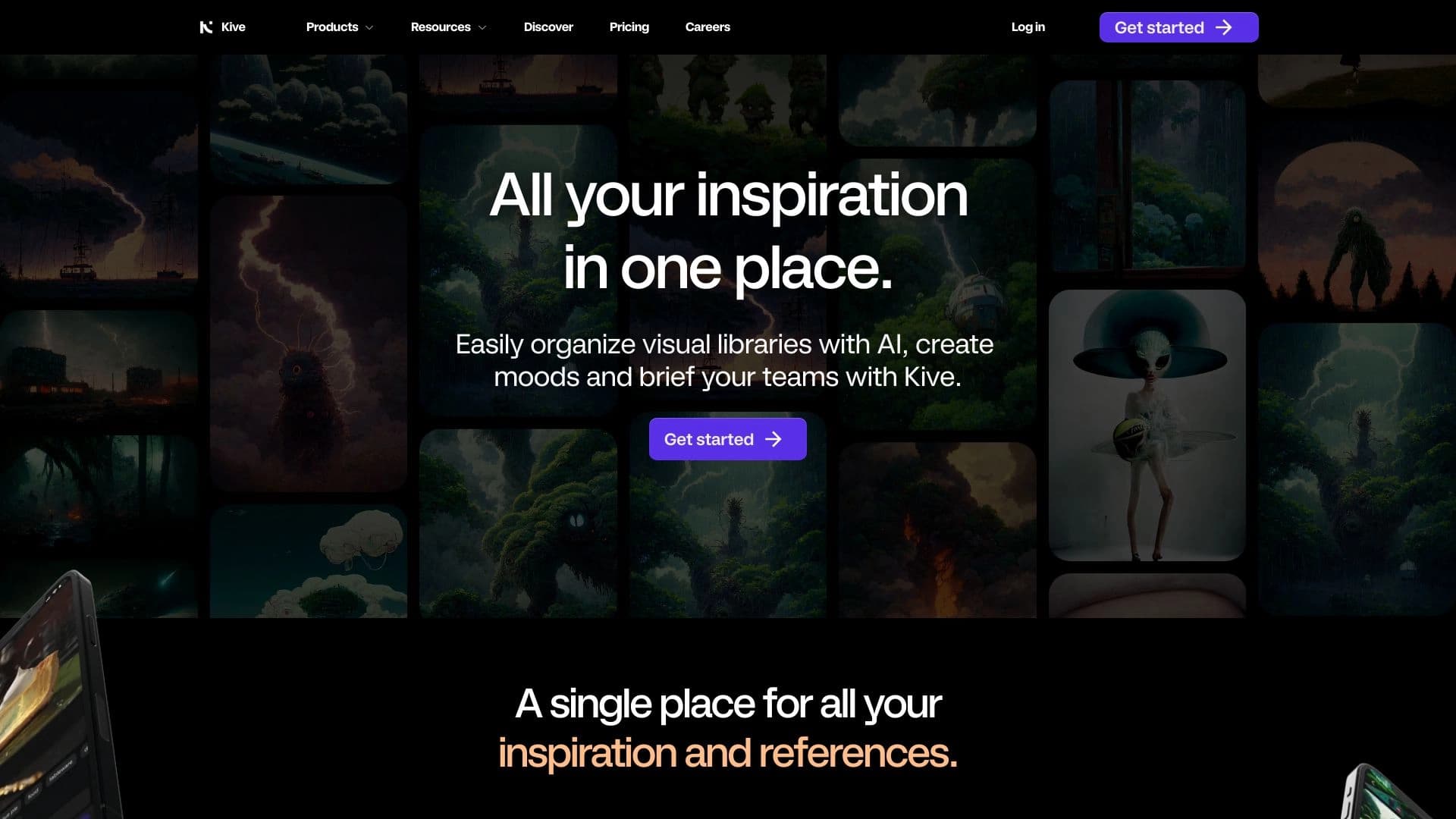
Kive — это AI-платформа, созданная в 2018 году в Стокгольме (Швеция), которая помогает брендам, маркетологам и креаторам быстро создавать профессиональный визуальный контент. Главная особенность сервиса — функция Multi-Product Shots, позволяющая собирать изображения и видео с несколькими товарами в одном кадре без студийной съёмки.
Платформа также поддерживает создание мудбордов, поиск изображений по обширной базе и подготовку презентаций. Kive упрощает процесс генерации идей, совместной работы и визуализации концепций, позволяя пользователям быстро воплощать свои идеи и поддерживать единый фирменный стиль во всех материалах. Кроме того, сервис помогает автоматизировать создание и публикацию контента для разных площадок без потери качества.
Характеристики Kive
| Характеристика | Значение |
|---|---|
| Тип | AI-платформа для создания визуального контента |
| Категория | Графика |
| Платформы | WEB (браузер) |
| Языки интерфейса | Только английский |
| Русский язык | Нет (не понимает русские промпты) |
| Наличие бесплатного тарифа | Стартовая проба (25 кредитов после регистрации) |
| Страна разработчика | Швеция (основан в 2018 году в Стокгольме) |
| Нужен VPN | Нет |
| Модель распространения | Freemium |
Для кого подходит нейросеть Kive?
Малый и средний бизнес
Kive отлично подходит малому и среднему бизнесу, которому важно быстро и без больших затрат получать качественный визуальный контент. Платформа позволяет создавать профессиональные материалы без необходимости нанимать дизайнеров или арендовать студию.
Маркетологи и бренды
Сервис ориентирован на маркетологов и бренды, которым критично соблюдать единый фирменный стиль во всех материалах. Kive автоматически помогает поддерживать бренд-стандарт и масштабировать контент для разных площадок.
Фрилансеры, агентства и креаторы
Фрилансеры, агентства и креаторы, ценящие скорость, стиль и эффективность, также найдут в Kive полезный инструмент. Платформа централизует весь рабочий процесс, что удобно для команд и тех, кто работает с большими объёмами контента.
Как использовать нейросеть Kive?
Начало работы с платформой
Интерфейс Kive интуитивно понятен и подходит даже пользователям без опыта работы с нейросетями. Для начала работы достаточно зарегистрироваться на сайте и получить стартовую пробу в 25 кредитов.
Работа со снимками товаров
Чтобы создать визуал, нужно загрузить снимки товаров на холст, расставить их с помощью функции drag&drop, выбрать стиль оформления (готовые пресеты или собственную настройку) и получить готовое изображение или видео.
Встроенные подсказки и обучение
Видеоинструкции встроены прямо в интерфейс, что позволяет быстро освоиться даже новичкам. Это значительно упрощает процесс обучения и сокращает время на разбирательство с инструментом.
Основные функции Kive
Генерация изображений и видео
Kive поддерживает генерацию как изображений, так и видео с продуктами, включая создание динамичных витрин и рекламных роликов. Это делает платформу универсальным инструментом для визуального контента.
Multi-Product Shots
Ключевая функция платформы — сборка изображений и видео с несколькими товарами в одном кадре без студийной съёмки. Это главное отличие Kive и одна из самых востребованных возможностей сервиса.
Работа с фоном, мокапами и стилями
Сервис позволяет добавлять и удалять фон, создавать мокапы и накладывать различные стили оформления. Доступны как готовые пресеты, так и ручная настройка под фирменный стиль бренда.
Преимущества Kive
Создание визуалов с несколькими продуктами
Главное преимущество — генерация качественных изображений и видео с несколькими товарами в одном кадре. Это экономит время и ресурсы, заменяя дорогостоящую студийную съёмку.
Быстрая настройка без навыков дизайна
Для работы не требуются специальные знания в дизайне. Студийное качество достигается без студии, а быстрая настройка через пресеты и drag&drop делает процесс максимально простым.
Централизация рабочего процесса и поддержка стиля
Kive централизует весь рабочий процесс создания контента и автоматически соблюдает бренд-стандарт, в отличие от многих конкурентов. Встроенные видеоинструкции и понятный интерфейс дополнительно облегчают работу.
Недостатки Kive
Ограниченный бесплатный тариф
Полноценного бесплатного тарифа нет — стартовая проба в 25 кредитов сильно ограничена. Ключевые функции, такие как Product Shots и кастомные стили, доступны только в платных тарифах.
Отсутствие русскоязычной поддержки
Русский язык не поддерживается: генерация не понимает русские промпты, а языковая поддержка ограничена только английским. Это создаёт неудобства для русскоязычных пользователей.
Возможная перегруженность для новичков
Функциональность платформы широкая, что может привести к некоторой перегруженности для новичков по сравнению с более простыми аналогами. Поддержка сторонних сервисов также может быть неполной.
Какие задачи решает Kive
Создание карточек товаров и баннеров
Платформа отлично подходит для генерации карточек товаров и рекламных баннеров, позволяя быстро получать готовые визуалы для интернет-магазинов и рекламных кампаний.
Визуализация коллекций и оформление подборок для соцсетей
Kive помогает визуализировать целые коллекции продуктов и оформлять подборки для социальных сетей, поддерживая единый стиль бренда.
Автоматизация контент-процессов
Сервис автоматизирует рутинные процессы создания, корректировки, согласования и публикации контента, а также масштабирует материалы для разных платформ без потери качества и фирменной идентичности.
Цены Kive
Тариф Basic
Тариф Basic стоит $20 в месяц или $15 в месяц при годовой оплате. Он включает 1000 кредитов и доступ до 3 пользователей.
Тариф Pro
Тариф Pro обойдётся в $100 в месяц или $75 в месяц при годовой оплате. В него входят 5000 кредитов, функции Multi-Product Shots, возможность видеоаплоада и доступ до 10 пользователей.
Тариф Enterprise и стартовая проба
Для крупных компаний предусмотрен тариф Enterprise, условия которого обсуждаются индивидуально. После регистрации сервис выдаёт 25 кредитов для стартовой пробы.
Условия использования Kive
Для работы с платформой необходима регистрация. После неё пользователь получает стартовую пробу в 25 кредитов для знакомства с сервисом. Полноценного бесплатного тарифа нет, а ключевые функции, включая Multi-Product Shots и кастомные стили, доступны только в платных тарифах. Сервис предполагает платную подписку для полноценного использования.
Доступность Kive
Kive доступен как веб-платформа и работает в браузере. Использовать сервис можно без VPN. Интерфейс и генерация поддерживают только английский язык, а из региональных ограничений, существенных для пользователя, отсутствие русскоязычной поддержки является основным фактором.
Чем отличается Kive от аналогов
Акцент на соблюдении бренд-стандарта
В отличие от таких конкурентов, как Copy.ai и Jasper, Kive делает акцент на автоматическом соблюдении фирменного стиля бренда во всех материалах. Это ключевое отличие платформы от текстовых и контентных инструментов.
Более простой интерфейс и универсальность
Интерфейс Kive проще, чем у многих конкурентов, при этом функционал шире. Среди схожих инструментов также выделяются такие AI-сервисы, как Kittl AI и KLING, однако Kive уникален благодаря функции Multi-Product Shots, позволяющей собирать несколько товаров в одном кадре.
Заключение
Kive — это функциональная AI-платформа для создания визуального контента, главной сильной стороной которой является возможность собирать изображения и видео с несколькими товарами в одном кадре без студийной съёмки. Сервис помогает брендам, маркетологам и креаторам экономить время и ресурсы, поддерживая единый фирменный стиль во всех материалах. Платформа не бесплатна, но вложения оправданы, особенно для малого бизнеса и маркетологов, которым важны скорость, стиль и эффективность. Основным ограничением можно считать отсутствие русскоязычной поддержки и ограниченную стартовую пробу.
Тарифы
Часто задаваемые вопросы
Похожие нейросети



Смотрите также


AI-платформа для автоматизации видеоредактирования, включая замену лиц, перевод видео и создание аватаров.

AI-инструмент для автоматического извлечения данных из финансовых документов и интеграции с бухгалтерскими системами.


Нейросеть Google для генерации и редактирования изображений по текстовому описанию на базе моделей Gemini.

Онлайн-инструмент для быстрой загрузки видео и замены лиц в роликах с помощью ИИ.

AI-инструмент для обработки изображений товаров и генерации профессиональных фотографий с виртуальными моделями.


Онлайн-редактор изображений с функциями на базе ИИ для обработки фото, дизайна и генерации контента.

Cabina AI — это единая платформа для работы с разными генеративными нейросетями, позволяющая создавать тексты, изображения и видео.


Набор из более чем 200 готовых промптов для бизнеса и SEO, адаптируемых под ChatGPT, Claude и Gemini.