
Julius AI
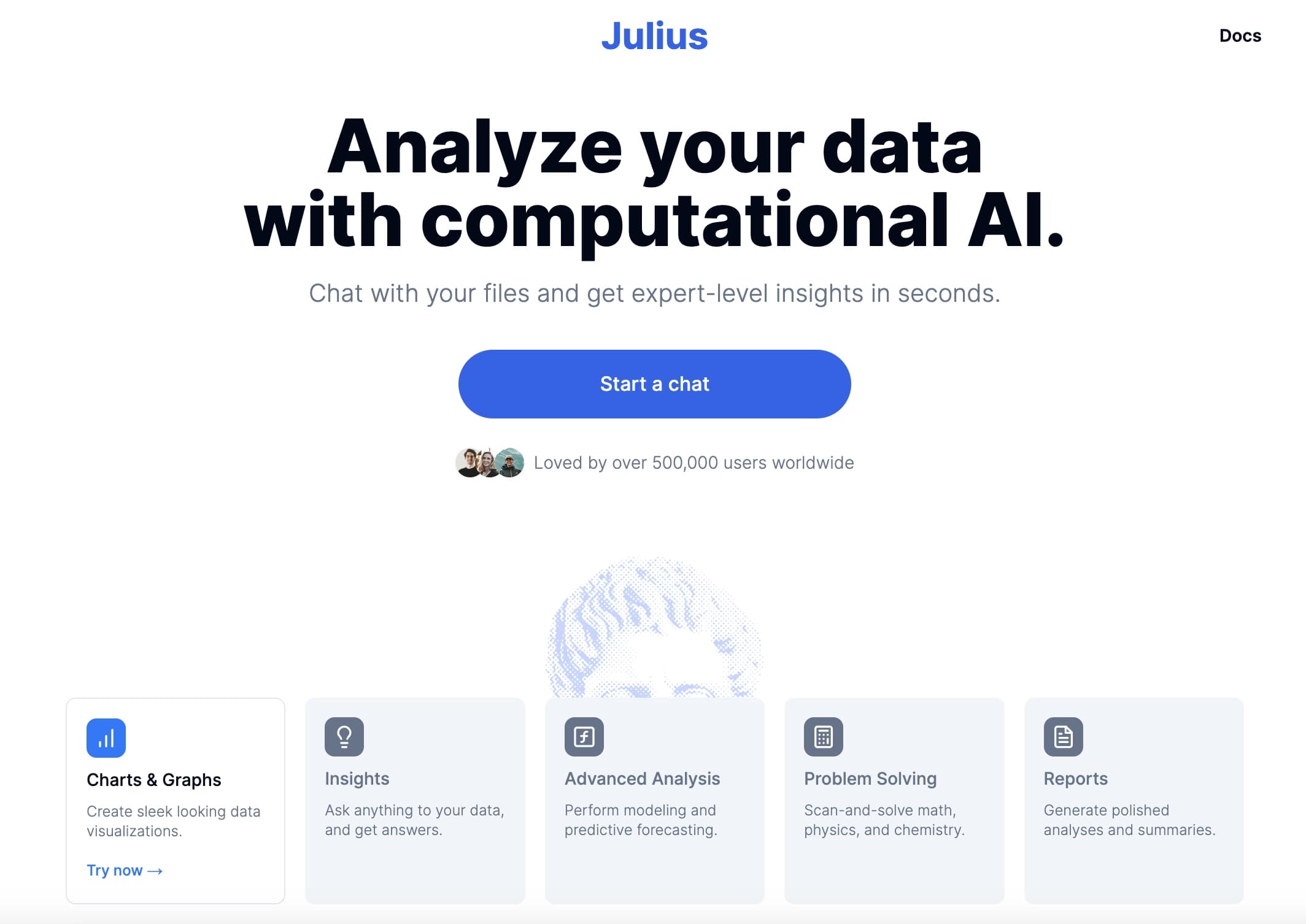
A data analysis tool that lets you ask questions in plain language and get charts, tables, and insights without writing code.
Ranked in
Overview
Julius AI
About Julius AI
Julius AI is an intelligent data analysis tool that lets users work with structured information without writing code. Users upload files in CSV, Excel, or PDF formats or connect Google Sheets, and then ask questions in plain language. Julius AI writes code in Python, R, or SQL on its own, processes the data, and produces ready-made charts, tables, and analytical insights. The service is designed for anyone who wants to get insights from data quickly without hiring a dedicated analyst or learning complex BI systems.
Julius AI features
| Feature | Value |
|---|---|
| Tool type | AI tool for data analysis |
| Developer | Caesar Labs, Inc. |
| Monthly visits | 1.9M |
| Supported data formats | CSV, Excel, Google Sheets, PDF, JSON, Parquet, SQLite, images, files via link |
| Database connections | Postgres, Snowflake, BigQuery |
| Supported programming languages | Python, R, SQL |
| Jupyter Notebook support | Yes |
| Free plan | Yes (Free — 15 messages per month) |
| Categories | AI assistants, Spreadsheets, Productivity, Marketing analytics |
| Website | julius.ai |
Who is Julius AI suitable for?
Marketers and product managers
Specialists who need to regularly analyze advertising campaign performance, compare conversion by channel, and prepare reports. Julius AI lets them do this without developers or complex Excel formulas.
Business owners without an in-house analyst
Entrepreneurs who want to understand revenue dynamics, find dips in sales, or test hypotheses but cannot afford a dedicated analyst. The tool handles the technical side of the work.
Agency teams and students
Agencies use Julius AI to quickly prepare client reports with charts. Students use it to analyze study data, test hypotheses, and visualize results without deep programming knowledge.
How to use Julius AI
Uploading data
Start by uploading a file in a supported format: CSV, Excel, PDF, Google Sheets, or a file via link. You can also connect to a database (Postgres, Snowflake, BigQuery) to work with real sources.
Asking a question
Write your request in natural language. For example: “show revenue by month,” “compare conversion by channel for the last quarter,” or “find a trend in the data.” Julius AI interprets the question itself and determines what type of analysis is needed.
Getting the result
The service writes code in the background, processes the data, and produces a ready-made chart or table with explanations. You can export the result, share it with colleagues, or use it for further analysis. You can also open the generated Python code if you want, but that is optional.
Key features of Julius AI
Natural-language data analysis
The user asks questions in text, and the system independently builds the query, performs calculations, and returns an answer. No knowledge of SQL, Python, or R is required — Julius AI works in the background.
Visualization and reports
The tool automatically creates line charts, bar charts, scatter plots, and other types of visualizations. It can also prepare summaries and reports with conclusions explained in plain language.
Connecting to external sources
In addition to standard files (CSV, Excel, PDF), Julius AI supports Google Sheets, files via link (with viewing access), and Postgres, Snowflake, and BigQuery databases. This lets you work with real data without copying it upfront.
Teamwork and automated reports
You can set up regular report delivery via Slack or email. The system also suggests follow-up questions, helping users find new insights in the data.
Advantages of Julius AI
Handling “dirty” data
Julius AI handles poorly structured data: it automatically processes different date formats, mixed data types, and extra columns. No need to clean files before uploading.
Saving time
Instead of building charts and writing formulas manually, the user gets a finished result in seconds. This is especially valuable for ad hoc questions and urgent requests.
Low barrier to entry
You don’t need to know programming or be an analyst. Just phrase the question clearly in plain language. You can view the generated code if you like, but that is optional.
Connecting to real databases
Unlike many alternatives, Julius AI can connect directly to Postgres, Snowflake, and BigQuery, allowing you to work with up-to-date data without exporting it to CSV.
Disadvantages of Julius AI
Free plan limitations
The free plan includes only 15 messages per month, which is a nearly symbolic limit. Full-scale work requires a paid subscription.
No live dashboards
Julius AI does not replace a full BI system. There are no live auto-updating dashboards — it is a tool for one-off or session-based queries.
Context is lost between sessions
Every time you revisit the site, you need to upload the file again. The context of the previous session is not preserved, which is inconvenient when working with the same dataset over a long period.
Complex forecasts may be inaccurate
Complex forecasts and multi-factor calculations are better double-checked manually. Results can be inaccurate, especially on skewed or incomplete data.
Price increases with scaling
The service has already raised prices, and with heavy use the cost can be high for small teams or individual users.
What tasks does Julius AI solve?
Analyzing advertising campaign performance
Marketers use Julius AI to evaluate return on ad spend, break down budgets by channel, and compare periods.
Comparing conversion by channel
The tool makes it easy to compare conversion from different traffic sources over any period and identify leaders and laggards.
Preparing client reports
Based on uploaded data, Julius AI creates reports with charts that can be exported and sent to clients or management.
Checking revenue trends
Business owners check revenue trends and find dips without writing Excel formulas. The tool also helps find outliers, group data, and test hypotheses.
Julius AI pricing
The following plans are available at the time of publication:
- Free — free, 15 messages per month.
- Plus — paid subscription; current pricing is available on the developer’s website.
- Pro — paid subscription with annual billing; current pricing is available on the developer’s website.
- Max — pricing is available on the developer’s website.
- Enterprise — price on request for corporate clients.
Specific prices and plan contents may change; we recommend checking the current pricing on the official website julius.ai.
Julius AI terms of use
Registration is required to use the service. The free plan has a limit of 15 messages per month. Access to advanced features requires a paid subscription. On the free plan, uploaded files are deleted after a period of inactivity. Before uploading work data, it is recommended to check the current storage terms, access rights, and plan to avoid confidential information leaks.
Julius AI availability
Julius AI is available as a web service at julius.ai. Information about supported interface languages and regions is not specified on the source pages. A stable internet connection is required.
How Julius AI differs from alternatives
Julius AI vs. ChatGPT
ChatGPT is a general-purpose tool not designed for table analysis. Julius AI is built specifically for working with structured data: it remembers the context of uploaded files during a session, suggests follow-up questions, and produces neat charts. ChatGPT can provide text-based analysis, but it does not create visualizations or work directly with CSV files or databases.
Julius AI vs. other analytics tools
Unlike full BI systems (Tableau, Power BI), Julius AI does not require setting up dashboards or learning an interface. It solves focused tasks faster but does not provide live auto-updating dashboards. Compared with Consensus, which focuses on scientific sources, Julius AI is geared toward tabular data and business reports.
Unique features
Julius AI automatically handles “dirty” data — different date formats, extra columns, and mixed types. Users don’t need to program but can view the generated Python code if they want. The service connects to real databases (Postgres, Snowflake, BigQuery), which is rare among simple AI assistants.
Conclusion
Julius AI is a convenient data analysis tool that doesn’t require programming, especially useful for marketers, business owners, and teams without a dedicated analyst. It handles “dirty” data well, quickly answers ad hoc questions, and builds neat charts. However, the limitations should be considered: a symbolic free plan, no live dashboards, loss of context between sessions, and the possible inaccuracy of complex forecasts. For one-off or regular but not overly complex tasks, Julius AI is an effective solution that saves hours of routine work.
Pricing
Frequently asked questions
Similar AI tools










See also


AI assistant for checking grammar, spelling, and style of English text, available as a browser extension and web editor.

Platform for creating custom AI chats trained on your own business data.


AI assistant for quickly creating and editing texts in various formats.

AI assistant for business that helps manage tasks and automate routine through dialogue.


AI tool for creating presentations, documents, and web pages from a text description.


Averi is a marketing platform that brings campaign planning, content creation, and analytics together in a single interface.


Online service with artificial intelligence that automatically creates presentations on a given topic.


AI agent for assisting with programming and optimizing the development workflow.