

Handy
Free open-source desktop application for voice input, fully offline.
Overview
Handy.
Description of the neural network Handy
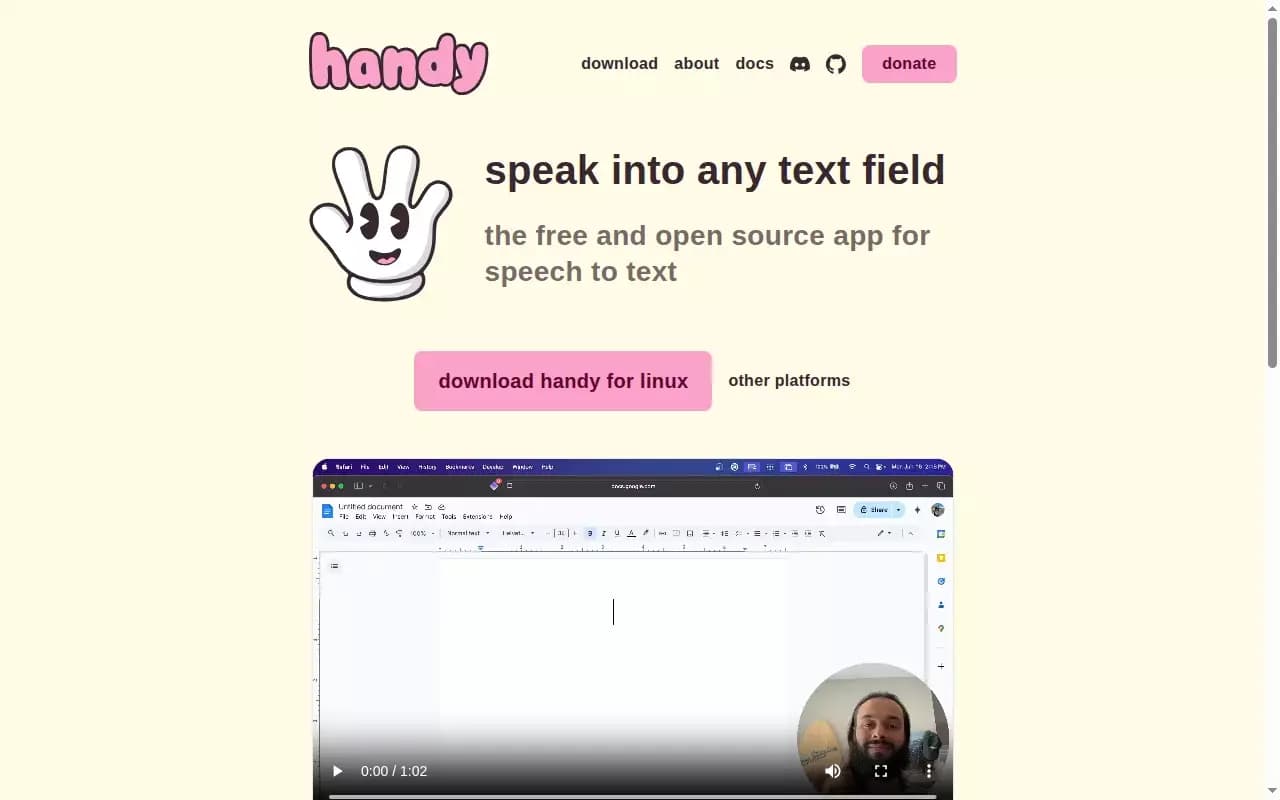
Handy is a free open source desktop application intended for voice input of text . Its main feature is completely offline work. : Speech recognition is performed Right on the computer, Voice data is not sent to the cloud. Pressed. The user dictates the text, and it instantly appears. in an active text field.
The application supports many recognition models , including Russian-language GigaAM from Sber Maintains a history of records and allows you to adjust flexibly key combinations and method of input . Handy is conceived as an open foundation which, if desired, can be adapted to its own tasks.
Handy characteristics
| Characteristics | Value |
|---|---|
| Type | Voice input tool / audio transcription |
| Categories | Speech recognition speech-in-text , developer tools |
| Platforms | macOS (Intel) Apple Silicon, Windows (x64, ARM) Linux (x64, ARM) ), CLI |
| Russian language | Yes |
| Russian interface | Yes |
| Need a VPN | No |
| License | MIT open-ended reference code) |
| The Last Release | v0.9.4, 21 July 2026 |
| Repository | GitHub 27.2 thousand stars, 2.4 thousand forks |
| Business model | Free, no subscriptions |
| Data processing | Local , on the user device |
For whom is the Handy neural network suitable?
People who find it difficult to print with their hands
The tool will be useful to people. by which Uncomfortable or temporarily impossible to print due to hand injuries or carpal tunnel syndrome (RSI) ). Dictatorship allows you to continue working even then. when Normal typing is difficult.
Developers and authors of texts
Handy will come in handy. developers for quick prompt dictation tools like Claude Code, and journalists and authors People who want to create voices in high-speed.
Privacy advocates
The application is suitable for everyone who are looking for a local alternative to cloud-based transcription services and don’t want to send their voice to the public Third-party servers.
How to use the Handy neural network?
##Setting up before starting work
To start, you need to select a recognition model. from integrated catalogue ( GigaAM is recommended for Russian language, set up the microphone and determine the way to insert text - through the clipboard or direct input.
Activation modes
Two modes available : you can press the set-up key combination and talk press the key once to start and stop recording. Maintained and push-to-talk.
Enter the text
After pronouncing the phrase and releasing the keys, Handy inserts the recognized text into any text field where the cursor is located - in browser , code editor or messenger.
Main functions of Handy
Offline recognition and text entry
The program recognizes speech completely locally and enters text into any active field using a push-to-talk. Management is under way customizable keyboards.
Recognition model catalog
Built-in catalogue contains many models : Whisper, Parakeet Nemotron, Voxtral Qwen3-ASR, Cohere Transcribe, Canary and GigaAM. They compare. precisely speed supported Languages and size.
Additional possibility
Silero VAD filter cuts silence and pauses Record history is provided with an audio player and storage and autodeletion settings, and User dictionary allows you to correct recognition errors. Interface translated to Russian language, and CLI-flags allow you to control the application from scripts.
Benefits of Handy
Privacy and full offline work
The sound does not leave the computer: all recognition is performed locally, without the Internet and sending voice to Third-party servers.
##Freedom and open source
Annex circulates free of charge . The MIT license allows you to fork and modify the code to your needs.
Support Russian
For Russian in the catalog there is GigaAM from Sber with box-on eh The interface itself is fully translated into Russian . A wide range of models – from lightweight Parakeet to multilingual Whisper – covers different scenarios.
##Active development
The project is developing : Releases are issued regularly, conducted public list famous problems.
Handy's flaws
##Entry threshold for beginners
On the first run, the program does not offer a default model. And the newcomer has to. Choose one and a half dozen options.
Instability and features of platforms
Whisper models periodically fall on Windows and Linux – this is a recognized bug. On Linux with Wayland, you need to install wtype or dotool to insert text correctly.
Language restrictions
GigaAM can only recognize Russian Therefore, for mixed Russian-English texture manually switch to another model.
What tasks does Handy solve
##Introduction of text by voice
The tool converts voice into text and pastes it into any field – a browser, code editor or messenger.
Local transcription
Handy allows you to transcribe audio completely locally, without sending data The cloud.
####Support for workers processes
The app helps Create drafts of texts using voice and dictate prompts for developer tools such Like Claude Code.
Handy prices
Handy spreads totally free. Paid tariff , subscriptions or restrictions No time of use. The project exists. sponsored support and voluntary donates via Stripe GitHub Sponsors, PayPal , Buy Me a Coffee and Ko-fi.
Terms of use of Handy
Registration No need. The tool spreads. open source under the MIT license, which gives freedom to learn , use and refine it. All data. processed locally on the user's device.
Handy availability
Handy works. on macOS (Intel and Apple Silicon), Windows (x64 and ARM) and Linux (x64 and ARM, in) AppImage format , deb and rpm. On macOS, the application is installed via Homebrew On Windows, via winget. VPN is not needed The interface is translated into Russian. A CLI version for management is also available. from scripts and autoplay.
What distinguishes Handy from analogues
Handy's here. because what The author didn't find a ready vocal insertion which It would be open and easy to refine. . Unlike closed ones. products, Handy is conceived as the basis for a fork Thanks to the MIT license, users can customize it for their own tasks. The main differences are full offline work without sending voice to the cloud, free of charge. embedded Russian-language support GigaAM models.
Conclusion
Handy is free. Offline open source voice input tool which especially convenient for Russian speakers Users supported by GigaAM and fully Russian interface . He'll be fine. Who appreciates privacy and is willing to deal with settings sometimes but not suitable for users Those who want to get “working” from box “Service without any setup action.”.
Frequently asked questions
Similar AI tools




See also

AI tool for automated code review that analyzes changes in real time and suggests fixes.


Free web tool from Google that uses machine learning to turn rough sketches into neat icons and illustrations.


Bleepify automatically detects and bleeps out profanity in video and audio.


AI-powered online platform for quickly creating text content, including blogs, articles, and social media posts.


AI anime image generator from text descriptions with template selection.

AI assistant for automating retail tasks and optimizing call center operations.

Online service for creating a realistic voice clone from a short audio recording and text-to-speech.

AI keyboard for Apple devices that speeds up typing with corrections, translation, and response generation.