

Google Cloud Speech to Text
Cloud service for converting audio and speech to text using AI.
Overview
Google Cloud Speech to Text
Description of the Google Cloud Speech to Text neural network
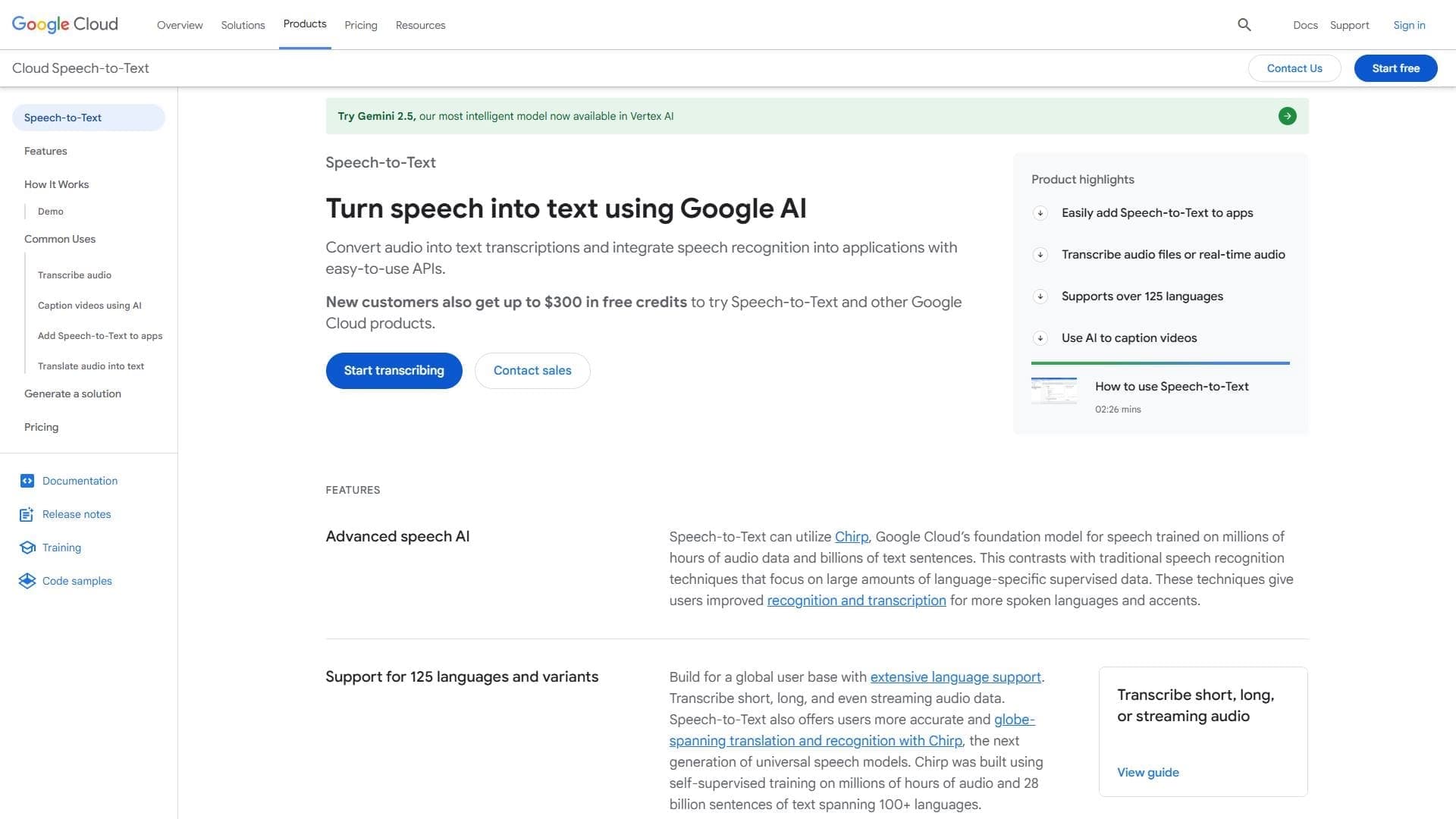
Google Cloud Speech to Text is a cloud-based automatic speech recognition (ASR) service from Google built on deep learning neural network algorithms. The service converts audio and voice data into written text, working both in real time and with pre-recorded files. The solution is based on the Chirp foundation model, trained on extensive arrays of audio data and text sentences. The service is available via an API, allowing it to be integrated into applications, contact centers, call processing systems, and other business processes.
Google Cloud Speech to Text characteristics
| Characteristic | Value |
|---|---|
| Type | Cloud service for automatic speech recognition |
| Developer | Google DeepMind |
| Base AI model | Chirp |
| Supported languages | More than 125 languages and dialects |
| Format | API, cloud service |
| Categories | Speech recognition, Audio transcription, API and integrations |
Who is the Google Cloud Speech to Text neural network suitable for?
Companies and contact centers
Google Cloud Speech to Text is suitable for companies that want to improve their customer service system, implement interactive voice response (IVR), and gain analytics on agent conversations. The service allows you to analyze calls, identify key communication patterns, and improve service quality.
Application developers
The service is intended for developers who need to integrate speech recognition into mobile and web applications. API support and the ability to run algorithms locally on the device make it suitable for building voice-controlled products.
Support services
Technical support teams can use Speech to Text to automatically transcribe calls, create real-time subtitles, and analyze customer inquiries.
How to use the Google Cloud Speech to Text neural network?
Working through the API
The main way to interact with the service is through the REST API. You need to register in Google Cloud, create a project, and enable the Speech-to-Text service. After that, you can send audio files or streaming data for processing and receive transcription text in response.
Using the web interface
Google Cloud Speech to Text provides a user interface through which you can experiment with settings, create custom resources, and compare recognition quality under different configurations. This is useful for preliminary testing and tuning for specific tasks.
Local processing
To ensure data privacy, the service supports running speech algorithms locally on the device without an internet connection. This allows voice data to be processed without sending it to the cloud.
Key features of Google Cloud Speech to Text
Real-time speech-to-text conversion
The service supports streaming speech recognition, allowing you to receive transcription text almost instantly. This is critical for applications that require low latency, such as live subtitles or voice assistants.
Support for more than 125 languages and dialects
Google Cloud Speech to Text recognizes speech in more than 125 languages, including rare dialects. This makes it a global solution for international companies and products.
Customization for specific terminology
The speech adaptation feature improves transcription accuracy for rare or domain-specific words and phrases. You can create hints for names, terms, addresses, currencies, and other elements.
Pre-trained models for industry-specific tasks
The service offers a set of pre-trained models optimized for voice control, phone calls, and video transcription. This allows you to choose the most suitable model for specific tasks without the need to train your own.
Advantages of Google Cloud Speech to Text
High recognition accuracy
Thanks to advanced neural network algorithms and the Chirp foundation model, the service provides high transcription accuracy even in background noise, with accents, and non-standard pronunciation.
Flexible configuration and adaptation
The user interface and API make it easy to create custom models, add hints for rare words, and tune recognition for specific domains. The quality comparison feature helps optimize the configuration.
Data privacy
The ability to run speech algorithms locally ensures that voice data stays on the user's device. This is especially important for companies with strict security and information confidentiality requirements.
Scalability
The service scales easily from small tasks to enterprise solutions. It is suitable both for processing individual requests and for streaming large volumes of calls in contact centers.
Disadvantages of Google Cloud Speech to Text
Requirement for a stable internet connection
Cloud operation requires a constant internet connection. With an unstable connection, recognition quality may degrade, and with no connection at all, cloud processing becomes unavailable.
Complexity of setting up custom models
Although the interface simplifies the process, creating and configuring custom models still requires certain technical knowledge and time for experimentation. For novice users, this step can be difficult.
Possible cost growth
With large volumes of processed audio data, the cost of using the service can increase significantly. You need to monitor usage and choose a suitable pricing plan.
What tasks does Google Cloud Speech to Text solve?
Automatic audio and video transcription
The service converts recordings of meetings, lectures, interviews, and videos into text. This simplifies content search, note-taking, and information archiving.
Integrating voice control into applications
Google Cloud Speech to Text makes it possible to implement voice commands and voice search in mobile applications, web services, and Internet of Things (IoT) devices, making interaction with the product more natural.
Call analysis in contact centers
The service provides conversation analytics: you can gain insights into customer behavior, common problems, agent performance, and other metrics by analyzing transcription text.
Real-time subtitle generation
Streaming speech recognition makes it possible to generate subtitles for live broadcasts, video conferences, and webinars almost instantly, improving content accessibility for people with hearing impairments.
Google Cloud Speech to Text pricing
Google Cloud Speech to Text is a paid service. Exact pricing depends on the usage model (streaming recognition or batch processing), the chosen model, and the volume of data. The detailed cost is calculated based on the number of audio seconds or minutes processed. New users may be eligible for a free limit to try the service. Specific figures should be checked on the official Google Cloud pricing page.
Terms of use of Google Cloud Speech to Text
To use the service, you need to register in Google Cloud and create a project. You must accept the Google Cloud Platform terms of use and activate the Speech-to-Text API. By default, a free limit may be provided for a certain amount of processing, but once the limit is exceeded, a fee is charged according to the selected plan. It is recommended to monitor usage to avoid unexpected costs.
Availability of Google Cloud Speech to Text
The service runs on Google Cloud infrastructure and is available via the API. A web interface for management and testing is also provided in the cloud. The specific regions where the service is available, the interface languages of the admin panel, and the need to use a VPN are not specified in official sources.
How does Google Cloud Speech to Text differ from its alternatives?
The main difference between Google Cloud Speech to Text and alternative solutions (NeatScribe, Voice Gecko, Willow Voice) is the use of Google's advanced deep learning neural network algorithms and the Chirp foundation model, which deliver the highest recognition accuracy even in difficult acoustic conditions. An additional advantage is the ability to choose pre-trained models for specific domains (phone calls, video transcription, voice control), as well as flexible tuning for specific terminology through speech adaptation. In addition, local processing on the device is supported to ensure data privacy, which is not available in all alternatives.
Conclusion
Google Cloud Speech to Text is a powerful cloud speech recognition service from Google built on neural network algorithms and the Chirp foundation model. It supports more than 125 languages, provides high transcription accuracy, works in real time, and scales from small tasks to enterprise solutions. Key advantages include flexible tuning for industry-specific vocabulary, the ability to process locally for data privacy, and the availability of pre-trained models. The service is suitable for companies, developers, and support teams that need to integrate speech recognition into applications, contact centers, and analytics systems. Despite some limitations (dependence on an internet connection and possible cost growth with large volumes), Google Cloud Speech to Text remains one of the leading solutions in the automatic speech recognition market.
Frequently asked questions

See also

A platform for aggregating world news using AI to analyze and reduce bias.


Service for automatic transcription of audio and video into text with support for over 100 languages.

AI platform for voice synthesis and cloning that converts text into realistic speech.

Cabina AI is a unified platform for working with various generative neural networks, enabling you to create texts, images, and videos.

Platform for creating custom AI chats trained on your own business data.

AI keyboard for Apple devices that speeds up typing with corrections, translation, and response generation.

AI-powered online service for automatically generating video subtitles.

Cloud platform for creating videos using AI avatars, synthesized speech, and automatic translation of clips into dozens of languages.