
FocuSee
Screen recorder with automatic editing that adds zoom and cursor tracking effects for creating tutorial videos.
Overview
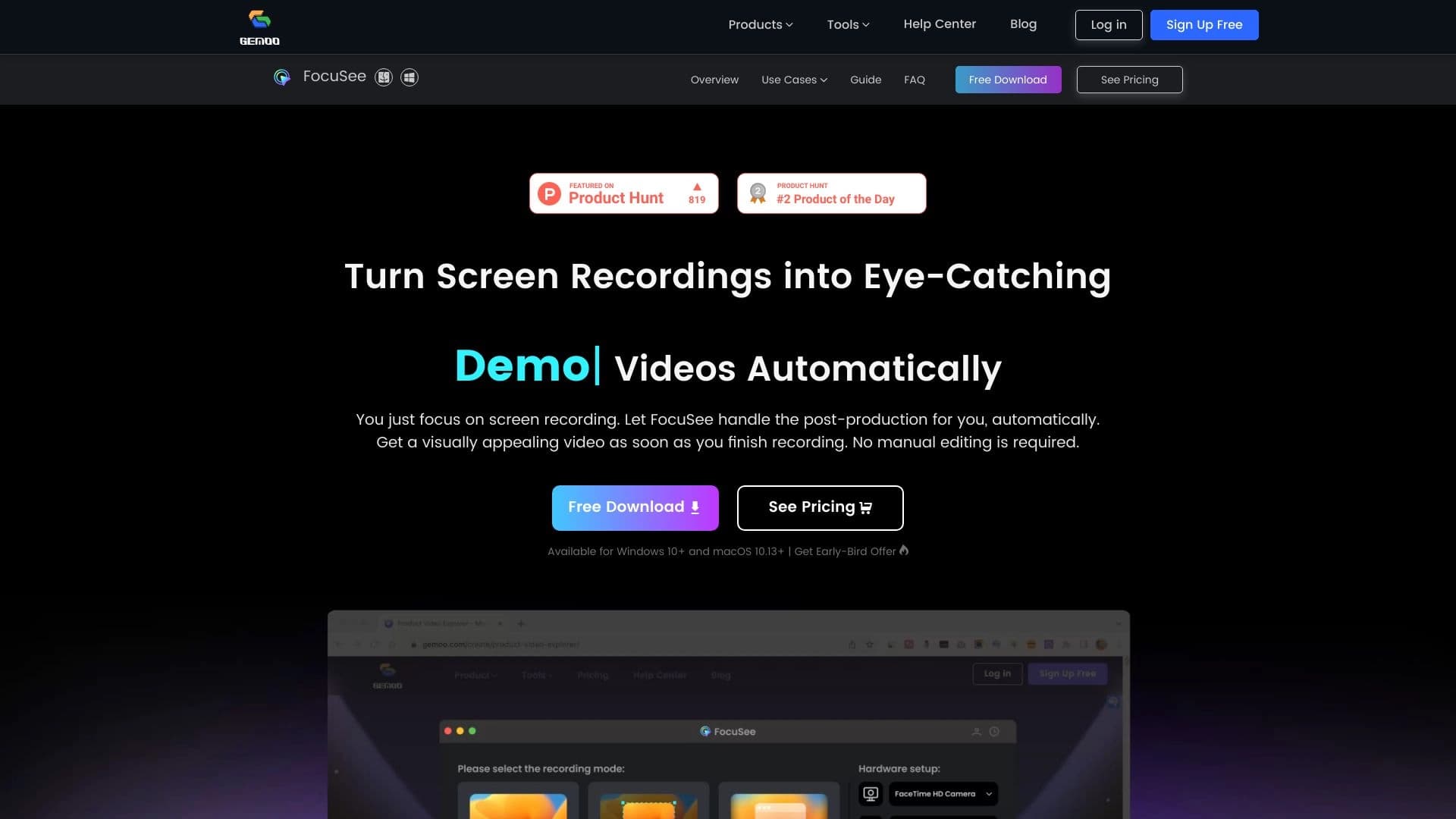
FocuSee is a specialized screen recorder that handles the video editing for you. Instead of manually cutting out bad takes, adding emphasis, and choosing camera angles, you simply record what's happening on your screen, and the algorithm automatically turns the raw footage into a video ready for publication.
The tool solves the main problem for content creators: the time spent on post-production. The neural network analyzes the video stream itself, determines where the cursor is or which area of the screen is most important at any given moment, and builds a dynamic picture with zoom and panning effects. Additionally, the service enhances the audio track and offers background customization so the final video looks professional without requiring deep editing knowledge.
How It Works
The working principle is built on automating routine tasks. After you stop recording, FocuSee begins analyzing the frames. It tracks mouse movements, identifies active windows and interface elements, and then generates a sequence of shots that mimics the work of a professional video editor. This ensures the viewer always sees the relevant part of the image in close-up without losing context.
The Core Idea
The main goal of the service is to reduce the path from screen recording to publication to just a few minutes. FocuSee is aimed at those who regularly create training materials, product demonstrations, or internal instructions where picture and sound quality matter, but manual editing takes an unacceptably long time. The result of the algorithm's work is a video with emphasized highlights, a clean audio track, and neat visual styling.
FocuSee Features
| Feature | Value |
|---|---|
| Type | Screen recorder with automatic editing and AI focus |
| Category | Editing and post-production, video quality enhancement |
| Platform | Web-based (focusee.imobie.com) |
| Primary Use | Creating tutorial videos, how-tos, and demonstrations without manual editing |
| Key Technology | Automatic screen analysis with cursor and active area tracking |
| Distribution Model | Paid (commercial license) |
Who Is FocuSee For?
FocuSee meets the needs of a wide range of professionals whose work involves creating video content based on screen recordings. This audience can be roughly divided into several groups.
Educational Content Creators
Trainers, online course authors, and educators often need to record lectures, interface demonstrations, and step-by-step instructions. FocuSee allows them to focus on the content of the material rather than the technical aspects of editing. The service eliminates the tedious work of cutting tracks and placing zooms so that every action is clearly visible to the student.
Product Teams and Marketers
Product managers and marketers use video to present new features, demonstrate service capabilities, and record onboarding sessions. Automatic cursor tracking ensures the viewer sees exactly the interface elements being discussed, which is critical for creating high-quality product demos.
Support Teams and Instruction Authors
Technical support specialists and authors of internal documentation can quickly create short video responses to common user questions. For them, the speed of video creation is valuable: record the screen and get a finished video with improved audio and a clean background. This is especially relevant for corporate training and knowledge base creation.
How to Use FocuSee
The workflow with FocuSee is designed to be as simple and intuitive as possible for someone without video editing experience. All actions fit into a few basic steps.
Screen Recording
The first stage is directly recording what's happening on your screen. The user starts the capture function and performs the actions they want to show in the video: opening applications, clicking buttons, entering text. At this stage, there's no need to think about changing shots or adding effects — FocuSee will handle that later.
Automatic Processing
Immediately after stopping the recording, the editing algorithm kicks in. The neural network analyzes the video and automatically adds pans, zooms, and effects that follow the cursor's movement. The system itself determines which part of the screen is key at any given moment and frames the shot accordingly. Additionally, audio enhancement and the specified background settings are applied.
Publishing the Finished Video
The final step is getting the finished file. Since editing happens automatically, the video is ready to use right after processing completes. The user doesn't need to open a timeline editor, cut clips, or sync audio — the algorithm's output is already the final product, suitable for publishing on YouTube, in an LMS, or sending to colleagues.
Key FocuSee Features
The service's functionality is aimed at creating dynamic, visually high-quality video from a simple screen recording. Let's look at the key capabilities in more detail.
Smart Editing and Dynamic Framing
Instead of a static image, which often looks boring, FocuSee creates the effect of live video. The algorithm automatically adds smooth pans across the screen and zooms into important areas. This helps hold the viewer's attention and emphasizes details that are important for understanding the material. The auto-zoom adapts to the active area, so the user doesn't need to manually zoom in during recording.
Engagement Tools
To make the video clearer, the service offers cursor style customization. You can change its appearance so it's more visible in the recording. The system tracks mouse movement and automatically highlights the cursor with a visual focus, ensuring the viewer doesn't lose sight of it, even when the peripheral image is zoomed in.
Audio and Background Quality
FocuSee includes AI audio enhancement that cleans up the voice and makes it more intelligible. This is useful when recording with a low-quality microphone or in the presence of background noise. To give the video a neat appearance, the user can customize the background design. This creates a consistent, professional look without needing complex video editor settings.
FocuSee Advantages
Using FocuSee provides users with several important benefits that directly impact the speed and quality of content creation.
- Fast video production without manual timeline editing: You spend minimal time on technical work. Automatic editing eliminates the need to learn complex programs and manually fine-tune every second of video.
- Dynamic framing for publication-ready video: The video looks professional thanks to automatic zooms and pans. This increases viewer engagement and makes the material more illustrative.
- Improved voice clarity: Built-in AI audio processing solves the problem of quiet or unclear recordings. Viewers absorb information better when they can clearly hear every word.
- Clean and consistent background: Background customization allows you to create a tidy picture without distracting elements. This gives the video a polished look typical of professional studio recordings.
FocuSee Limitations
Despite its wide range of useful features, FocuSee has limitations worth considering when choosing a tool.
- Lack of full control over editing: Since the editing process is fully automated, the user has limited ability to make fine manual adjustments to each frame. Requirements for precise shot placement on the timeline may not be met, which isn't suitable for all scenarios.
- Dependence on source material quality: The algorithm works with whatever was captured in the recording. If the screen was chaotic or the cursor moved erratically, the final result may reflect these flaws, as the user has few tools to correct them.
- Paid distribution model: Full access to the service's features requires payment. Unlike free basic recorders, using FocuSee is an investment in a tool that needs to be justified by regular use.
What Problems Does FocuSee Solve?
FocuSee's primary task is reducing the time from screen recording to a finished video. This is the main value for busy professionals who need speed in content creation.
Creating Tutorials and Demonstrations
The service is excellent for recording step-by-step instructional videos and software demonstrations. Thanks to automatic zooming, every action becomes visually clear, and cursor tracking keeps the viewer from losing the narrative thread. The user simply needs to perform the necessary actions, and the neural network handles the rest.
Training and Internal Communications
FocuSee solves the problem of quickly creating instructions for colleagues or clients. Instead of writing long texts describing actions, a specialist can record a short video that conveys information more effectively. Improved audio quality and a clean background make such videos more professional and easier to digest.
FocuSee Pricing
Current information about subscription costs and available pricing plans for FocuSee is limited. It is known that the service operates on a paid model, meaning a license purchase is required for full access to all features. For accurate pricing details and available payment options, users are advised to visit the developer's official website (focusee.imobie.com), where commercial offer details are published.
Terms of Use for FocuSee
FocuSee is a web-based service accessed through an internet browser. The main requirement to get started is a stable network connection and the ability to open focusee.imobie.com in a browser. As a paid product, FocuSee requires compliance with the terms of its license agreement, which defines the rules for using the software. Users should review the official terms published on the developer's website before purchasing.
FocuSee Availability
FocuSee is a web application, making it accessible from any device with a browser and internet connection. This could be a desktop computer, laptop, or tablet. The main entry point for users is the official website: focusee.imobie.com. On this resource, you can learn more about the product, explore its functionality, and gain access to the service to get started.
How FocuSee Differs from Alternatives
The main difference between FocuSee and standard screen recorders is its built-in artificial intelligence that performs the functions of a video editor. Traditional tools like OBS Studio or built-in Zoom recordings can capture the screen, but the resulting footage requires subsequent processing in a separate editing program. The user has to manually cut the track, place zoom effects, and ensure cursor visibility.
FocuSee bridges this gap. Unlike the "recorder + editor" combination, this service merges both stages into a single automated process. Instead of learning the complex interfaces of professional editing software (such as Adobe Premiere Pro or DaVinci Resolve), the user gets a finished result based on the "record and get it done" principle. This shifts the focus from technical skills to content, which is especially valuable for creators without specialized training.
Conclusion
FocuSee is a practical solution for creators of educational and product videos that minimizes manual work and speeds up the creation of finished videos. The tool combines screen recording, automatic editing, audio enhancement, and background customization into one process. For teams that regularly produce tutorials and demonstrations, the service offers an effective way to cut post-production time and focus on content, resulting in dynamic, professional-looking video.
Frequently asked questions
See also

Web platform for AI-powered image and cinematic video generation, featuring studio-grade editing tools.

Anakin.ai is a low-code platform that combines various AI models for content creation and workflow automation without coding.


Service for quickly generating e-books on a given topic.


AI-powered platform for automated video clip creation, editing, and translation.


Service for tracking brand mentions in generative AI responses.
Web service for making AI-generated texts look more natural and human.


Free web tool from Google that uses machine learning to turn rough sketches into neat icons and illustrations.


A neural network for generating short videos from text descriptions or images.