

Edit in PPT
Online tool for converting images into editable PowerPoint presentations.
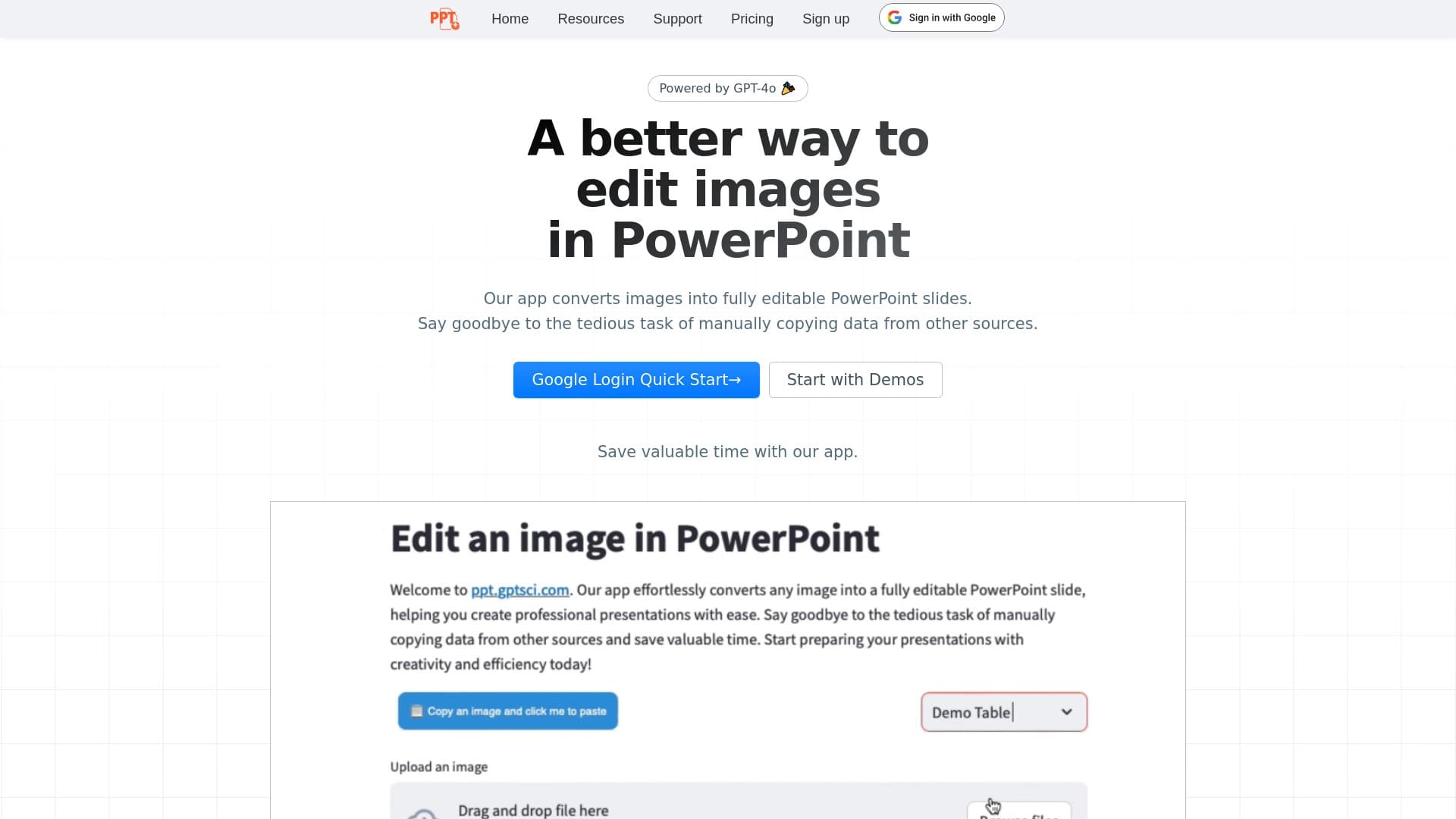
Overview
Edit in PPT is a specialized online tool that automates the transfer of visual content into PowerPoint format. Instead of manually creating slides by copying elements from an image, users simply upload a file, and the system converts it into a set of editable slides. The service is designed for those who regularly work with presentations and want to reduce time spent on routine layout tasks while maintaining control over the final result.
The tool's mechanics are based on recognizing the contents of a graphic file and then arranging elements across slides. This makes it possible to turn diagrams, infographics, screenshots, or other visual materials into a PowerPoint structure that can then be edited using standard tools. This approach is especially useful in scenarios where the source image already contains a ready-made logic that only needs to be adapted to the slide format.
Edit in PPT Characteristics
| Characteristic | Value |
|---|---|
| Tool type | Online image-to-presentation converter |
| Input format | Graphic files and images |
| Output format | Editable PowerPoint files |
| Key function | Automatic recognition and transfer of content to slides |
| Distribution model | Not specified |
| Target audience | Educational, marketing, and business scenarios |
Who Is Edit in PPT Suitable For?
Educators and Lecturers
Teachers and lecturers often need to convert educational diagrams, tables, and graphic materials into presentation format. Edit in PPT allows them to quickly adapt existing visual aids without spending time redrawing elements in PowerPoint. This is convenient when preparing for classes or converting old teaching materials into a modern format.
Marketers and Product Managers
Professionals working with advertising layouts, banners, and analytical reports can use the tool to transform ready-made visualizations into presentations for internal meetings or client pitches. An image with data or a concept quickly becomes a basis for discussion, and the presentation can be immediately edited for a specific audience.
Business Users
Managers and employees who need to present work results or strategy will appreciate the ability to transfer existing images (charts, diagrams, process flows) into PowerPoint without manual recreation. This shortens the preparation phase and allows them to focus on the substantive part of the presentation.
How to Use Edit in PPT?
Uploading a Source Image
Getting started is simple: select and upload the image you want to convert into a presentation. The service accepts graphic files and handles the subsequent content recognition steps. It's important that the source image is high-quality and contains clear elements that need to be transferred to slides.
Automatic Conversion and Editing
After uploading, the tool processes the image and creates a PowerPoint slide structure. The user receives a result that can be further refined in the standard way: changing text, moving objects, adjusting design. The editing process is no different from working with any other PowerPoint presentation, making the tool intuitive to use.
Key Features of Edit in PPT
Converting Images to Slides
The service's main function is transferring the contents of a graphic file into PowerPoint format. The system recognizes visual elements and structures them across slides, creating a foundation for further work.
Preserving Editability
Unlike simply inserting a picture onto a slide, the tool keeps all elements editable. This means that after conversion, you can freely modify text blocks, move components, and adjust the visual design without restrictions.
Advantages of Edit in PPT
Time Savings on Preparation
The approach significantly reduces the time spent creating a presentation from scratch. Instead of copying elements and manually arranging them, the user gets a ready-made structure in a few clicks, which is especially valuable under tight deadlines.
Ease of Use
The tool requires no special technical skills. The interface is designed so that the conversion process is sequential and clear: upload, process, download the result. This makes the service accessible to users of any skill level.
Versatility of Application
Suitable for working with various types of images: from educational materials to business graphics and marketing layouts. The ability to quickly transfer visual information into an editable format opens up a wide range of use cases.
Disadvantages of Edit in PPT
Possible Need for Manual Refinement
Like any automatic recognition tool, Edit in PPT may require result adjustments. Complex or non-standard images may not be recognized perfectly, so users may need to spend time manually refining slides to the desired state.
Limited Source Information
Since information about the service is limited, some characteristics remain undisclosed. For example, details about supported formats, file size limits, or recognition accuracy for different image types are not specified. This may affect the predictability of results when working with atypical source materials.
What Tasks Does Edit in PPT Solve?
The tool addresses the need to quickly transfer visual information into an editable presentation format. If a user has a ready-made image — a diagram, infographic, a slide from another program, or a report screenshot — and needs to include it in a PowerPoint presentation with the ability to make changes, the service automates this process. The tool is especially valuable in routine scenarios where manually creating slides would take significant time and the final result doesn't require a high degree of creative input.
Edit in PPT Pricing
Specific information about usage costs and pricing plans is not available in public sources. It is not specified whether the service is fully free, has a trial period, or operates on a subscription model. For up-to-date pricing information, it is recommended to visit the official website or check the terms directly in the tool's interface before getting started.
Edit in PPT Terms of Use
Detailed terms of service, including license agreements, restrictions on commercial use, and data processing policies, are not disclosed in available materials. Given the online distribution model, it can be assumed that users need internet access and registration or an account to save their work results. Exact requirements for uploaded files and allowable volumes also remain unspecified.
Edit in PPT Availability
The service is positioned as an online tool accessible through a web browser. This means it can be used on any device with internet access — desktop computers, laptops, or tablets. There is no information about mobile apps or an offline version. Specific requirements for operating systems or particular browsers are not mentioned in the sources.
How Edit in PPT Differs from Alternatives
The main difference of the tool lies in its narrow specialization: it converts images specifically into editable PowerPoint files, not into PDFs or graphical slide representations. The key emphasis is on preserving the ability to edit all elements after conversion. This makes the service especially valuable for those who need not just slide display but full-fledged work with content in PowerPoint.
Additionally, Edit in PPT focuses on a maximally simple workflow: upload — convert — further editing. The emphasis on automating content transfer without the need to configure complex parameters sets this tool apart from universal presentation builders, where slide creation usually starts with a template rather than an image.
Conclusion
Edit in PPT is a convenient online service for quickly turning images into editable PowerPoint slides. The tool will be useful for anyone who regularly needs to adapt visual materials to presentation formats and values their time. Ease of use and a clear working principle make the service accessible even to beginners, while automation eliminates routine content layout tasks. At the same time, it's important to note that automatic recognition may require manual refinement, especially when working with complex or non-standard images. For complete information about pricing and terms, please refer to the official website of the tool.
Frequently asked questions
See also


AI toolkit for video generation and editing, including avatars, lip-sync, and voice cloning.


AI platform for fast website creation and small business process management.

Online service for creating and customizing birthday invitations and congratulations using artificial intelligence.


Bleepify automatically detects and bleeps out profanity in video and audio.

Cloud platform for creating videos using AI avatars, synthesized speech, and automatic translation of clips into dozens of languages.

Multifunctional AI platform for content creation, combining speech synthesis, text generation, avatar creation, and video editing.

AI agent for automating customer communications and support.


Online AI tool for creating deepfakes and editing images.