
EbSynth
Desktop application for transferring style from an image to video, allowing you to animate characters from a single reference frame.
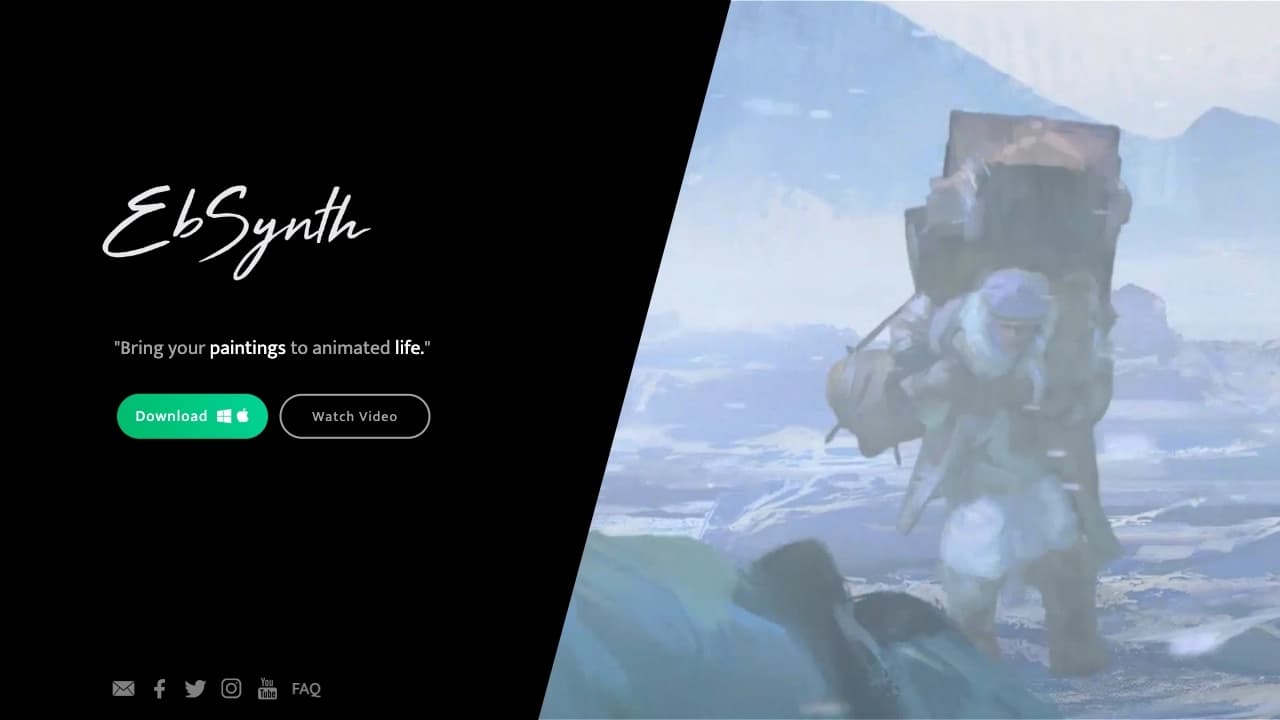
Overview
EbSynth
EbSynth Overview
EbSynth is a desktop application for image synthesis that transfers style, textures, and vector fields from one image to other video frames. The tool is built around the idea of controlled visual feature transfer: you provide a reference image, and the program spreads its style across the entire video sequence.
The tool is most often used by animators to stylize video according to a given keyframe. This approach simplifies frame-by-frame animation: instead of drawing every frame by hand, you only need to prepare one painted reference and apply it to a motion video reference. The program can also convert images into video using AI.
How it works
EbSynth is based on the principle of transferring style from one frame to the rest. You upload a motion video reference and an image of a character or creature, and the tool transfers the reference style to all frames of the clip while preserving the dynamics of the original video.
Key use idea
The main value of the tool is the ability to animate characters and creatures from a single painted frame. Instead of labor-intensive frame-by-frame drawing, you get stylized video based on a single visual reference.
EbSynth features
| Feature | Value |
|---|---|
| Type | Image synthesis tool |
| Category | Video, Art, Animation, General-purpose; Animation, Design, Illustration, Film Production, Game Development |
| Platform | Desktop application (web version) |
| Use cases | Design, illustration, e-commerce, advertising and SMM, animation, game development, film production, real-time production, compositing, concept art, storyboarding |
| Editorial rating | 8.4 out of 10 |
| User rating | 4.3 stars |
| Regional availability | Depends on the region |
| Distribution model | Freemium |
Who is EbSynth for?
EbSynth is primarily useful for animators working with frame-by-frame animation and video stylization. However, the tool is versatile and suits a wide range of art and animation tasks.
Animators and artists
For animators, the program simplifies the routine process of transferring style across many frames, letting them focus on the artistic side instead of mechanical repetition.
Designers and illustrators
The tool is in demand in design, illustration, and concept art, where you need to quickly stylize video or animate characters with a consistent visual style.
Film and game industry professionals
The program is used in film production, game development, storyboarding, and compositing, where the style of a reference frame needs to be transferred to motion.
How to use EbSynth?
Working with EbSynth follows a simple “video reference + reference image” scheme.
Step 1: Prepare a motion video reference
Upload a video that sets the motion of an object or character. It will serve as the basis for the future animated clip.
Step 2: Upload a character image
Prepare a painted reference frame whose style you want to transfer to all video frames. This can be an image of a character or creature.
Step 3: Run the style transfer
The tool transfers the textures and style of the reference to the entire video sequence while preserving the motion of the original reference. The result is a stylized video animated from a single painted frame.
Key features of EbSynth
EbSynth provides a set of functions related to controlled image synthesis and video stylization.
Character and creature animation
The tool lets you animate characters and creatures by uploading a motion video reference and an image of the hero. Motion comes from the video, while appearance comes from the painted reference.
Video style transfer
The program controllably transfers style from one image to other frames, which is used to stylize entire videos according to a given keyframe.
Image-to-video conversion
Using AI, EbSynth can turn images into video by applying motion and style from a selected reference.
EbSynth advantages
Simplified frame-by-frame animation
Instead of drawing every frame by hand, you only need to prepare one reference, which significantly speeds up and simplifies the animation process.
Flexible, controllable transfer
The program offers controlled synthesis of textures and vector fields, giving users control over how style is transferred to video.
Versatility
The tool is used in many fields, from animation and design to film production, game development, and storyboarding.
EbSynth disadvantages
Regional availability
Access may be restricted in some regions, creating additional inconvenience for some users.
Specific use case
The program is primarily focused on style transfer and animation from a reference frame, so it has fewer options for other kinds of video processing.
What tasks does EbSynth solve?
EbSynth helps create video, art, and animation, and also processes video by performing “video-to-video” conversion.
Video creation and stylization
The tool handles video creation, style transfer to clips, and video stylization to match a given keyframe.
Character and creature animation
The program lets you animate characters using a motion video reference and a separate character image, which is useful in animation, design, and film production.
EbSynth pricing
EbSynth follows a freemium model. This means some features are available for free, while advanced features require payment. Exact plans and feature prices are not specified in the source data.
EbSynth terms of use
The tool is offered as a desktop application (a web version is available). Full use requires registration; availability depends on region. Detailed terms of paid plans and functionality are not disclosed in the source data.
EbSynth availability
EbSynth is available as a desktop application — the source data mentions the web version. Access may depend on the user's region, since direct availability can be restricted in some locations.
How EbSynth differs from alternatives
EbSynth stands out from other tools due to its focus on controlled synthesis of textures and vector fields, as well as style transfer from a single reference frame to the entire video sequence. This solution is designed for video stylization and keyframe-based frame-by-frame animation — a task that many general-purpose video editors are not designed for.
Unlike more general-purpose solutions, EbSynth is aimed specifically at animators and artists who work with transferring artistic style to motion. Possible alternatives include services such as Wunjo AI, InShot, DubAI, and BlipCut, but none of them handles controlled style transfer from an image to video in the same way as EbSynth.
Conclusion
EbSynth is a specialized desktop tool for transferring style from an image to video, helping animators and artists quickly stylize video sequences around a single painted reference frame. Thanks to controlled synthesis of textures and vector fields, the program greatly simplifies frame-by-frame animation and finds use in design, film production, and game development. At the same time, regional availability restrictions and the freemium distribution model should be taken into account. For anyone working with video stylization and keyframe-based character animation, EbSynth will be a useful and practical solution.
Frequently asked questions


See also

Browser-based video editor with automatic subtitles in 50+ languages and content translation.

A platform for generating images, videos, and audio using artificial intelligence from text descriptions.


Online AI tool for creating deepfakes and editing images.


Aimi is a service that automatically creates music and voiceovers for videos by analyzing the video footage.


Generator of personalized invitation texts and designs for various events.

Online service for creating a realistic voice clone from a short audio recording and text-to-speech.
Online service for creating music and songs from a text description with the ability to download tracks.


AI-powered platform for automatically generating ad banners, texts, and videos optimized for conversion.