
Dzine
AI-платформа для генерации и редактирования изображений с широким набором инструментов для дизайна.
Место в рейтингах
Обзор
Dzine
Описание нейросети Dzine
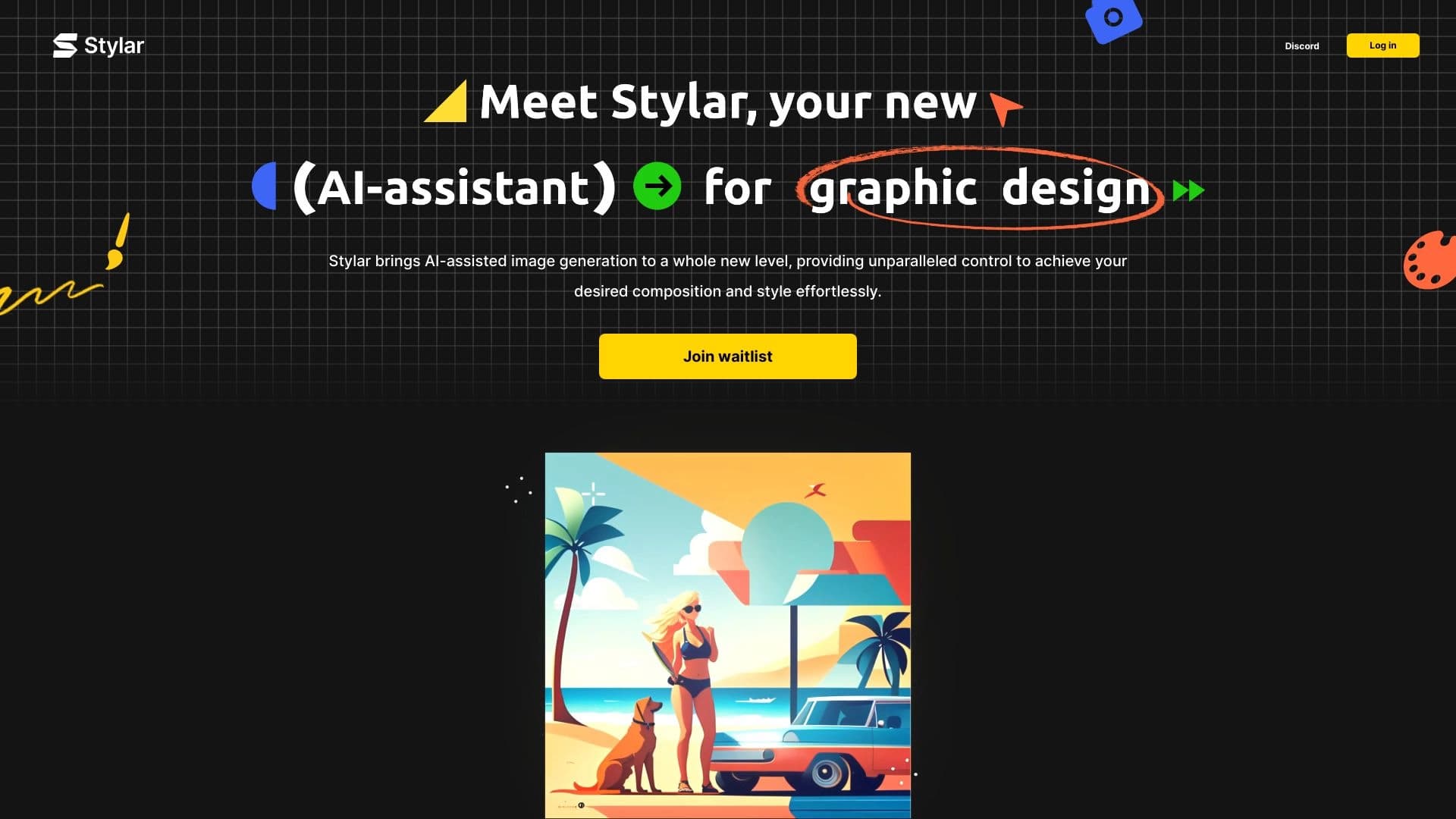
Dzine (ранее известная как Stylar) — это AI-платформа для создания и редактирования изображений. Нейросеть позволяет генерировать картинки по текстовым описаниям, а также редактировать уже готовые изображения: накладывать фильтры, менять стили, удалять или добавлять объекты с помощью генеративной заливки и убирать фон.
Инструмент охватывает широкий круг задач графического дизайна — от создания логотипов и иллюстраций до подготовки рекламных макетов и преобразования 2D-изображений в 3D-модели. Платформа сочетает простоту нейросетевой генерации с контролем компоновки, характерным для традиционных графических редакторов: здесь есть слои, перетаскивание элементов и режим набросков. Готовые работы можно экспортировать в высоком разрешении — до 4608 пикселей (по некоторым данным, до 6K).
Что делает Dzine уникальной
Главная особенность сервиса — возможность точно управлять композицией изображения без многократного переписывания промпта. Работа строится примерно так же, как в графическом редакторе: элементы можно двигать мышкой по холсту, распределять по слоям и менять стиль всей композиции в один клик.
Ключевые возможности
Платформа предлагает набор инструментов для генерации, редактирования и стилизации. Среди них — создание изображений с нуля по текстовому описанию, обработка фото фильтрами, объединение нескольких изображений в едином стиле, удаление фона и объектов, а также генерация текстур для текста и логотипов.
Для кого создан сервис
Dzine ориентирована как на новичков, которые впервые открывают AI-генератор, так и на профессиональных дизайнеров, которым нужен быстрый контроль над компоновкой без сложных промптов. Также инструмент полезен маркетологам и контент-креаторам.
Характеристики Dzine
| Характеристика | Значение |
|---|---|
| Тип | Нейросеть для создания и редактирования изображений, инструмент графического дизайна |
| Категории | Генерация изображений, редактирование изображений, стилизация и фильтры, графический дизайн |
| Платформы | Веб-версия |
| Форматы вывода | PNG, JPG, SVG |
| Максимальное разрешение экспорта | до 4608 пикселей (по отдельным данным — до 6K) |
| Модель распространения | Freemium |
| Бесплатный тариф | Есть (ограничен по функционалу; 30 кредитов ежедневно) |
| Русский язык и интерфейс | Нет |
| Необходимость VPN | Нет |
| Регистрация | Требуется (email или социальные сети) |
Для кого подходит нейросеть Dzine?
Дизайнерам
Dzine подходит профессионалам, которым нужен контроль над композицией изображения. Слоевая система, перетаскивание элементов и режим набросков позволяют управлять расположением объектов так же, как в классических графических редакторах, но быстрее и без сложных текстовых описаний.
Маркетологам и контент-креаторам
Инструмент удобен для подготовки креативов для соцсетей и рекламных материалов. С его помощью можно быстро создавать баннеры, иллюстрации для блогов и презентаций, а также редактировать и стилизовать готовые фото.
Новичкам
Тем, кто впервые открыл AI-генератор, Dzine может показаться более понятной. Встроенный виртуальный ассистент помогает сформулировать промпт обычными словами, а коллекция предустановленных стилей избавляет от необходимости разбираться в тонкостях промпт-инжиниринга.
Как использовать нейросеть Dzine?
Регистрация и вход
Сервис доступен только через веб-версию на официальном сайте. Для начала работы необходимо зарегистрироваться — войти можно через email или социальные сети.
Выбор режима работы
После входа нужно выбрать один из двух основных режимов: генерацию изображения с нуля по текстовому запросу или редактирование уже загруженного изображения. Дальше настраиваются параметры — стиль, цветовая гамма и уровень детализации.
Управление композицией
Работа в Dzine строится по принципу графического редактора. Можно загрузить изображение или создать холст, а затем управлять объектами через drag-and-drop: перемещать элементы мышкой, работать со слоями и рисовать наброски. Доступен виртуальный ассистент Dzine Assistant, которому можно описать задачу обычными словами. Готовый результат сохраняется в нужном формате (PNG, JPG или SVG).
Основные функции Dzine
Генерация и редактирование
Платформа позволяет создавать изображения по текстовым запросам, обрабатывать фото нейросетевыми фильтрами и превращать портреты или снимки в мультипликационные образы. Функция Combine Images объединяет несколько элементов в одно изображение с единым стилем.
Генеративная заливка и удаление объектов
С помощью Generative Fill and Modify можно добавлять и изменять объекты по текстовому описанию. Функция Remove Object удаляет ненужные элементы, водяные знаки и людей выделением, а Remove Background убирает фон, включая сложные детали вроде волос или меха.
Стили и эффекты для текста
Доступна генерация текстур для текста и логотипов (AI Text Effects and Logo Maker). Также есть коллекция из примерно 50 предустановленных стилей — при выборе стиля все элементы композиции автоматически адаптируются под него.
Композиция и улучшение качества
Слоевая система и автовыделение позволяют разбивать изображение на слои за пару кликов и перемещать объекты по холсту. Режим скетчинга превращает набросок схемы расположения объектов в готовое изображение. Функция Enhance автоматически исправляет артефакты генерации (кривые руки, размытые лица) и улучшает детализацию, а функция Generate перегенерирует материалы в новом стиле без потери композиции.
Преимущества Dzine
Точный контроль композиции
Главное преимущество — возможность точно управлять расположением объектов, не прибегая к множественным правкам промпта. Слоевая система и режим скетчинга дают контроль, сравнимый с традиционными графическими редакторами, но быстрее.
Простота и экономия времени
Интерфейс с drag-and-drop и понятными иконками не требует навыков промпт-инжиниринга — помогают виртуальный ассистент и пресеты стилей. Это экономит время на сборку коллажей, комбинирование изображений и ручное редактирование в Photoshop.
Высокое качество и разрешение экспорта
Функция Enhance в один клик исправляет типичные дефекты генерации (искажённые лица и руки), а экспорт поддерживает высокое разрешение — до 4608 пикселей (по отдельным данным, до 6K).
Доступный бесплатный тариф
Freemium-модель даёт возможность начать работу бесплатно: ежедневно начисляется 30 кредитов, которых достаточно для тестирования основных функций.
Недостатки Dzine
Ограничения бесплатной версии
Бесплатный тариф ограничен по функционалу и разрешению, а для полного доступа ко всем возможностям требуется подписка.
Зависимость от качества промптов
Результат генерации сильно зависит от того, насколько точным был текстовый запрос. Неточный или слишком короткий промпт может привести к неожиданным изображениям.
Отсутствие русского языка
У сервиса нет русского языка и русского интерфейса, что может быть неудобно для части пользователей, не владеющих английским.
Какие задачи решает Dzine
- Создание изображений с нуля по текстовым описаниям.
- Редактирование и стилизация фотографий, применение нейросетевых фильтров.
- Дизайн логотипов, баннеров и упаковки.
- Подготовка креативов для соцсетей и рекламных материалов.
- Создание уникальных иллюстраций для блогов и презентаций.
- Удаление фона, объектов, водяных знаков и людей.
- Генерация текстур для текста и логотипов.
- Объединение нескольких изображений в едином стиле.
- Быстрое комбинирование изображений в коллаж.
- Смена стиля готового изображения без потери композиции.
- Исправление артефактов (искажённые руки, лица) в сгенерированных изображениях.
- Визуализация интерьеров и 3D-объектов.
- Создание изображений для печати и детальной графики (экспорт в высоком разрешении).
Цены Dzine
Dzine работает по модели Freemium — есть бесплатная версия с ограничениями по функционалу и разрешению. Бесплатный тариф предоставляет 30 кредитов ежедневно, а при регистрации по специальной ссылке с партнёрского сайта можно получить 150 кредитов вместо стандартных 30.
Для полного доступа ко всем функциям требуется платная подписка, однако конкретные цены платных тарифов в исходных данных не указаны. Полную информацию о стоимости стоит уточнять на официальном сайте сервиса.
Условия использования Dzine
Для работы с сервисом обязательна регистрация — войти можно через email или социальные сети. Других явных ограничений в исходных данных не описано. Модель распространения — Freemium: базовые возможности доступны бесплатно с ежедневным лимитом кредитов, а расширенный функционал открывается при оформлении подписки.
Доступность Dzine
Dzine доступна как веб-сервис через браузер на официальном сайте. Использование VPN не требуется. Информация о региональных ограничениях в исходных данных не указана. При этом у сервиса отсутствует русский язык и русский интерфейс — платформа ориентирована преимущественно на англоязычных пользователей.
Чем отличается Dzine от аналогов
Dzine является эволюцией Stylar.ai: сервис получил новые функции и сместил акцент на универсальность, выступая одновременно генератором, редактором, вдохновителем и соавтором. В отличие от большинства AI-генераторов изображений, главная особенность Dzine — продвинутый контроль композиции через слоевую систему и режим скетчинга, напоминающий работу в Photoshop. Это избавляет от многократного переписывания промпта для достижения нужного расположения объектов.
При этом платформа сохраняет простоту нейросетевой генерации: предустановленные стили, виртуальный ассистент и функция автоматического исправления артефактов делают её доступной даже для новичков без опыта промпт-инжиниринга. Такое сочетание точного ручного контроля с удобством AI-инструментов отличает Dzine от как чистых генераторов, так и от классических редакторов.
Заключение
Dzine — это универсальная AI-платформа для генерации и редактирования изображений, которая сочетает удобство нейросетевых инструментов с точным контролем композиции, характерным для традиционных графических редакторов. Слоевая система, режим скетчинга, генеративная заливка, удаление фона и объектов, эффекты для текста и логотипов, а также экспорт в высоком разрешении делают её полезной как для новичков, так и для профессиональных дизайнеров, маркетологов и контент-креаторов. Доступность бесплатного тарифа с ежедневными кредитами позволяет познакомиться с сервисом без вложений, однако набор функций ограничен, а у платформы пока отсутствует русская поддержка.
Часто задаваемые вопросы
Похожие нейросети




Смотрите также


Онлайн-редактор изображений с функциями на базе ИИ для обработки фото, дизайна и генерации контента.


Платформа на основе ИИ для создания и редактирования изображений и видео товаров для продавцов в электронной коммерции.


Нейросеть Google для генерации и редактирования изображений по текстовому описанию на базе моделей Gemini.

AI-инструмент для обработки изображений товаров и генерации профессиональных фотографий с виртуальными моделями.


AI-платформа для автоматизации видеоредактирования, включая замену лиц, перевод видео и создание аватаров.


Набор из более чем 200 готовых промптов для бизнеса и SEO, адаптируемых под ChatGPT, Claude и Gemini.

Cabina AI — это единая платформа для работы с разными генеративными нейросетями, позволяющая создавать тексты, изображения и видео.


Bleepify автоматически находит и заглушает нецензурные слова в видео и аудио.