
Dream Up (Deviant Art)
Генератор изображений по текстовому описанию, встроенный в платформу DeviantArt.
Обзор
Dream Up (Deviant Art)
Описание нейросети Dream Up (Deviant Art)
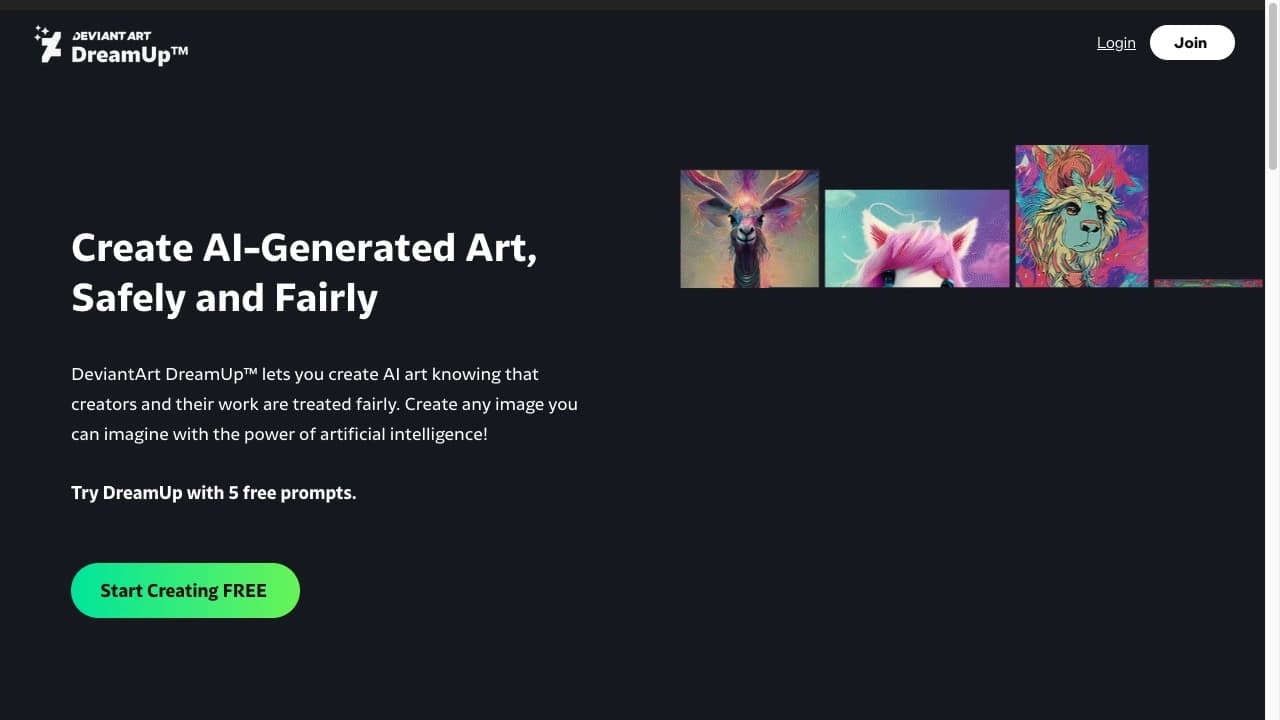
DreamUp — это генератор изображений на основе искусственного интеллекта, встроенный непосредственно в платформу DeviantArt. Инструмент позволяет создавать картинки по текстовому описанию, используя набор предустановленных стилей, и сразу же публиковать их в галерее крупнейшего арт-сообщества. После генерации работа становится доступна для просмотра, комментирования и оценки другими участниками DeviantArt. DreamUp работает по модели freemium: бесплатный тариф предоставляет 30 генераций в месяц, а платные подписки расширяют лимиты и функционал.
Характеристики Dream Up (Deviant Art)
| Характеристика | Значение |
|---|---|
| Тип | Генератор изображений |
| Категория | Арт, Поиск и поисковые системы |
| Бизнес-модель | Freemium |
| Дата первой публикации | 07-03-2023 |
Для кого подходит нейросеть Dream Up (Deviant Art)?
Художники и иллюстраторы
DreamUp будет полезен художникам, которые хотят быстро создавать референсы, концепт-арты или экспериментальные работы, а затем дорабатывать их вручную или использовать как основу для дальнейшего творчества.
Дизайнеры и креаторы
Дизайнеры могут применять DreamUp для генерации идей, поиска визуальных решений и создания иллюстраций для проектов. Инструмент помогает быстро получать несколько вариантов изображения по одному запросу.
Пользователи DeviantArt, желающие публиковать AI-арт
Платформа DeviantArt имеет лояльное отношение к качественному AI-арту, поэтому пользователи, целенаправленно занимающиеся созданием изображений с помощью нейросетей, могут найти здесь аудиторию, получить обратную связь и даже продавать принты сгенерированных работ.
Как использовать нейросеть Dream Up (Deviant Art)?
Создание промпта и выбор стиля
Для начала работы достаточно написать текстовое описание того, что вы хотите увидеть на изображении. Затем нужно выбрать один из доступных стилей — аниме, 3D, кинематографичный, оригами, пиксель-арт, глиняная анимация и другие. Стили задают общее визуальное направление генерации.
Настройка параметров генерации
Перед запуском можно отрегулировать дополнительные параметры: соотношение сторон будущего изображения, силу влияния текстового промпта, а также добавить негативные промпты — описание того, чего на картинке быть не должно. Это даёт более точный контроль над результатом.
Получение результата и публикация
После настройки нейросеть генерирует до четырёх вариантов изображения. Понравившуюся работу можно сразу опубликовать в галерее DeviantArt, чтобы показать её сообществу, получить комментарии, участвовать в челленджах или настроить продажу принтов и комиссионные заказы.
Основные функции Dream Up (Deviant Art)
Генерация изображений по текстовому описанию
Ключевая функция DreamUp — создание картинки из текстового запроса. Пользователь описывает желаемое изображение, а нейросеть преобразует описание в визуальный результат.
Предустановленные стили
Инструмент предлагает несколько готовых стилей генерации: аниме, 3D, кинематографичный, оригами, пиксель-арт, глиняная анимация и другие. Это позволяет быстро менять визуальную эстетику без дополнительных настроек.
Настройка генерации
DreamUp поддерживает регулировку соотношения сторон, силы влияния промпта и использование негативных промптов. Эти параметры помогают точнее управлять результатом и избегать нежелательных элементов.
Прямая публикация в DeviantArt
После генерации изображение можно мгновенно опубликовать в личной галерее на DeviantArt. Это даёт доступ к функциям платформы: участие в челленджах сообщества, продажа принтов и получение комиссионных заказов.
Преимущества Dream Up (Deviant Art)
Интеграция с крупным арт-сообществом
DreamUp встроен в DeviantArt — одну из крупнейших платформ для художников. Это означает, что AI-арт можно сразу показать миллионам пользователей, не покидая экосистему.
Быстрая обратная связь
Публикация работы в галерее DeviantArt даёт возможность оперативно получить комментарии, оценки и советы от других художников и зрителей. Это помогает быстрее оценить качество сгенерированного изображения.
Бесплатный стартовый тариф
DreamUp доступен в бесплатной версии, которая предоставляет 30 генераций в месяц. Этого достаточно, чтобы познакомиться с инструментом и оценить его возможности без финансовых вложений.
Недостатки Dream Up (Deviant Art)
Ограничения бесплатного тарифа
Бесплатный план даёт только 30 изображений в месяц, при этом действует дополнительное ограничение — не более 10 промптов в неделю. Для активного использования этих лимитов может быть недостаточно, что побуждает переходить на платные подписки.
Какие задачи решает Dream Up (Deviant Art)
Создание изображений по текстовому описанию
Основная задача инструмента — быстрая генерация визуального контента на основе текста. Пользователь формулирует запрос и получает готовое изображение без необходимости рисовать вручную.
Генерация концепт-артов и референсов
DreamUp подходит для создания концепт-артов, которые в дальнейшем можно дорабатывать вручную или использовать как визуальную основу для более сложных проектов.
Поиск вдохновения
С помощью генерации случайных или целенаправленных изображений художники могут находить новые идеи, цветовые решения и композиции, которые затем применяют в собственном творчестве.
Публикация и продвижение AI-арта
Благодаря встроенной публикации в DeviantArt пользователи могут не только создавать, но и продвигать свои AI-работы внутри крупного арт-сообщества, участвовать в его активности и монетизировать творчество.
Цены Dream Up (Deviant Art)
Бесплатный тариф
Dream Up (Deviant Art) работает по модели freemium. Бесплатный тариф включает 30 изображений в месяц с лимитом не более 10 промптов в неделю. Этого объёма достаточно для ознакомления с инструментом и периодического использования.
Платные планы
Платные подписки расширяют лимиты на генерацию и число промптов, а также добавляют дополнительные функции. Точные цены и наполнение платных тарифов могут меняться, поэтому актуальную информацию рекомендуется уточнять на официальной странице инструмента.
Условия использования Dream Up (Deviant Art)
DreamUp является частью экосистемы DeviantArt, поэтому его использование регулируется общими правилами и политикой платформы. При публикации сгенерированных изображений в галерее пользователь соглашается с условиями DeviantArt, включая правила относительно AI-арта. Инструмент предназначен для создания изображений, которые затем могут быть опубликованы, проданы в виде принтов или предложены как комиссионные работы в рамках сообщества.
Доступность Dream Up (Deviant Art)
DreamUp доступен пользователям DeviantArt. Для начала работы достаточно иметь аккаунт на платформе. Инструмент работает через веб-интерфейс, не требует установки дополнительного программного обеспечения и доступен с любого устройства с выходом в интернет.
Чем отличается Dream Up (Deviant Art) от аналогов
Главное отличие DreamUp от других генераторов изображений — это глубокая интеграция с DeviantArt. В отличие от автономных решений (например, OnSpace.AI, GeoVista, Aihere.ru или Reface AI), DreamUp позволяет не просто создать изображение, а сразу же опубликовать его в крупнейшем арт-сообществе, получить обратную связь, участвовать в челленджах и продавать принты. Конкуренты чаще предлагают только генерацию и скачивание файла, не предоставляя встроенной социальной платформы для демонстрации и обсуждения работ.
Заключение
DreamUp — это генератор изображений, встроенный в экосистему DeviantArt. Он позволяет создавать AI-арт по текстовому описанию с использованием предустановленных стилей и сразу делиться им с большим сообществом художников. Благодаря интеграции с платформой пользователи могут не только генерировать картинки, но и получать обратную связь, участвовать в челленджах, продавать принты и принимать комиссионные заказы. Бесплатный тариф с 30 генерациями в месяц даёт возможность оценить инструмент перед переходом на платные планы с расширенными лимитами.
Тарифы
Часто задаваемые вопросы
Смотрите также


Многофункциональный AI-ассистент для генерации текстов, изображений и аудио.


ИИ-ассистент для создания текстового контента, изображений и работы с голосом, ориентированный на русскоязычных пользователей.

Набор мультимедийных AI-инструментов для редактирования и улучшения фото, видео и PDF-документов.

Онлайн-сервис для создания и настройки приглашений на дни рождения и поздравлений с помощью искусственного интеллекта.

Cabina AI — это единая платформа для работы с разными генеративными нейросетями, позволяющая создавать тексты, изображения и видео.

Облачная платформа для создания видео с помощью ИИ-аватаров, синтезированной речи и автоматического перевода роликов на десятки языков.

Сервис для создания персонализированных аватаров и фотосессий с помощью ИИ на основе загруженных селфи.


Онлайн-редактор для удаления лишних объектов, текста и дефектов с фотографий с помощью нейросети.