

Do Anything Machine
Personal AI assistant for task management with customizable priorities and plugin support.
Overview
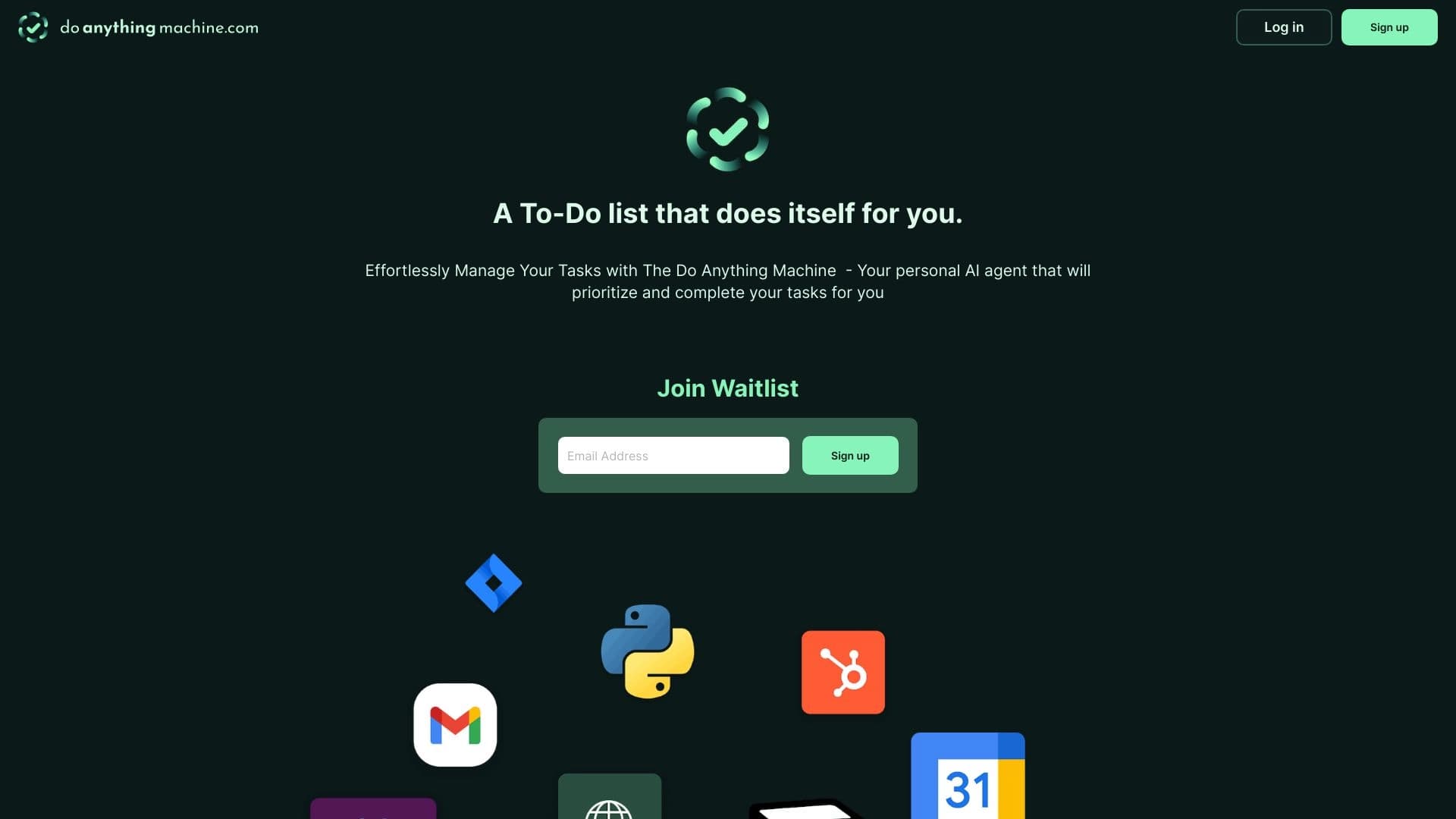
Do Anything Machine is a personal artificial intelligence that works as an assistant for managing everyday and work tasks. The tool's key feature is its ability to build task context: the AI analyzes task details and strives to understand what exactly is needed to complete it more accurately. Instead of a static to-do list, the service offers a dynamic system where the neural network takes on part of the organizational work.
The tool's interface is implemented as an intuitive to-do list that allows you to quickly add new items and track progress. The system supports both simple daily planning and more complex projects that require task decomposition and priority management. Thanks to its flexible architecture, users can adapt the assistant to their own workflows by setting the importance of specific tasks and adding additional mini-applications.
Do Anything Machine Features
| Feature | Value |
|---|---|
| Type | Personal artificial intelligence for task management |
| Categories | Productivity, Task Management, Universal |
| Platforms | Web |
| Editorial Rating | 8.0 out of 10 |
| User Rating | 4.6 |
| Availability | Web-based |
Who is Do Anything Machine suitable for?
For professionals working with a large flow of tasks
The tool will be useful for managers, marketers, and anyone who deals with dozens of diverse assignments daily. The smart prioritization system helps you avoid drowning in routine and focus on key tasks.
For supporters of a personalized approach
Since the platform supports plugin integration, it suits those who find the basic functionality of classic task managers insufficient. Users can load additional modules to extend standard capabilities: from scenario automation to adding specific workspaces.
For those who value platform flexibility
The web version means the service can be used from any device with a browser and internet access. This is convenient for freelancers and remote teams working on different operating systems.
How to use Do Anything Machine?
Initial setup for your needs
After logging in, the user is prompted to perform a simple setup. At this stage, the parameters for future interaction with the AI are established, allowing the assistant to be adapted to current work processes.
Creating a to-do list and working with context
In the interface, you need to record tasks using context building. Instead of short one-word phrases, the neural network perceives a detailed description of the assignment with details that are important for correct understanding. This approach allows the assistant to decompose work into subtasks more accurately.
Expanding functionality through plugins
To gain additional capabilities, the user can integrate plugins. This allows the system to be tailored to the specifics of particular projects by connecting the necessary scenario types or additional control options.
Key Features of Do Anything Machine
- Intelligent task management: The AI doesn't just save notes but processes the entered data for subsequent effective work organization.
- Context builder: A function responsible for consistently "explaining" task details to the assistant for accurate execution.
- Flexible prioritization: Allows you to configure the degree of importance and urgency for each specific entry.
- Plugin integration: Provides the ability to add additional modules to extend the service's basic functions.
- Intuitive to-do list: A visual structure for quickly adding new items and monitoring the current state of projects.
Advantages of Do Anything Machine
Accurate understanding of assignments
The main advantage is the use of contextual building. The neural network remembers the conditions and nuances of a task, which reduces the number of clarifying questions and improves accuracy.
Adaptability through plugins
The ability to install additional plugins sets this service apart from basic to-do lists. The user scales the tool by adding exactly the functions needed in daily work.
High user ratings
A fairly high user rating (4.6 out of 10) and a positive catalog editorial rating (8.0 out of 10) testify to the service's practicality and reliability.
Disadvantages of Do Anything Machine
Limited availability
The main drawback noted in reviews is the service's limited availability in certain regions without additional workarounds. This creates an additional barrier to entry for some users.
Runtime environment
The tool is currently only available in a web version. The lack of a mobile app or desktop client may be inconvenient for users accustomed to standalone applications not tied to a browser.
What tasks does Do Anything Machine solve?
The service's primary task is increasing productivity. The tool takes on the function of an organizer, sorting incoming assignments and setting their priority.
The second direction is comprehensive task management. Do Anything Machine doesn't just record tasks but helps structure project work: breaking down large goals into individual steps, tracking their completion, and maintaining visual order. This is achieved through adaptive workspace organization mechanisms.
Do Anything Machine Pricing
Currently, there is no information in open sources about the service's fixed cost. The distribution model is marked as unknown, which may imply both a free mode for basic use and paid plans with extended features. It is recommended to check current pricing terms directly in the service's personal account.
Terms of Use for Do Anything Machine
The tool works as a web application, so to start using it, you need a device with internet access and a modern web browser. The terms of plugin integration and their maximum number directly depend on the limits set by the service itself. The full operating rules and legal aspects of the user agreement are specified on the product's official website.
Do Anything Machine Availability
The service is presented exclusively as a web version — no standalone application for operating systems is provided. This model allows using the assistant on laptops, desktop computers, and tablets through a browser.
How is Do Anything Machine different from alternatives?
There are several solutions on the market that can be considered alternatives. Among them are ChatGPT and ClickUp Brain — universal assistants with planning functions. Victor AI and Command AI are also focused on helping organize task grids.
The key difference of Do Anything Machine is its emphasis on contextual building. While standard task managers accept a command and simply create a note, this AI pays more attention to analyzing the embedded meaning. Additional filtering of task importance combined with extending functionality through plugins makes the system noticeably more flexible compared to classic to-do lists. At the same time, unlike powerful ecosystems like ChatGPT, modularity and focus on specific tasks allow avoiding "bloated" universalism in favor of simplicity and organization.
Conclusion
Do Anything Machine is a practical and well-thought-out task management tool with an emphasis on flexibility and accurate assignment processing. The smart context builder and plugin support provide a personalized experience that favorably distinguishes it from standard list organization methods. The neural network will be a reliable assistant for those who value structure and are ready to customize their environment. However, availability only through a web interface may be a limiting factor for some potential users. If these limitations are not critical, the service definitely deserves attention as a solid tool for getting things in order.
Frequently asked questions
See also
App for creating and customizing virtual AI companions with different personalities and communication styles.


Neural network for generating SEO-optimized articles and automating blog management.


Online service with artificial intelligence that automatically creates presentations on a given topic.


AI agent for assisting with programming and optimizing the development workflow.

Anakin.ai is a low-code platform that combines various AI models for content creation and workflow automation without coding.

Platform for creating custom AI chats trained on your own business data.


Web service for generating images from text descriptions and communicating with virtual characters.

AI keyboard for Apple devices that speeds up typing with corrections, translation, and response generation.