

Digiface AI
Service for creating a digital clone of your face and voice from a short video.
Overview
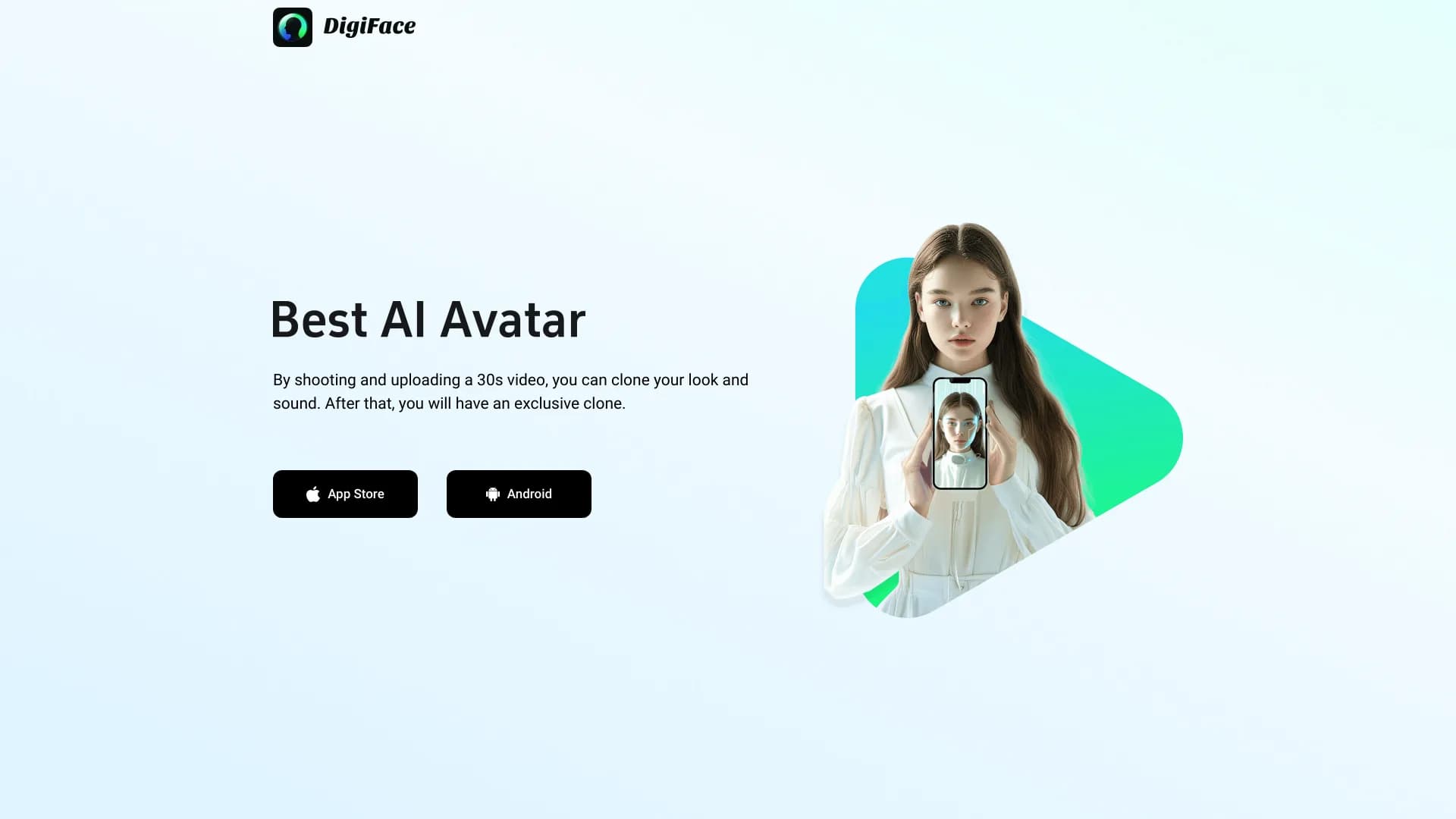
Digiface AI is a service that creates a digital twin of a person based on a short video clip. A recording of about 30 seconds is sufficient: the algorithm analyzes facial expressions, facial features, and vocal characteristics, then generates an avatar ready for use in content. A key feature is its mobile-first approach: the app is available on the App Store and Google Play, and also works through a web version.
How it works and its purpose
The tool solves a practical problem: it eliminates the need for repeated filming and voice recording. After processing the video, the user gets a digital clone that can be integrated into presentations, social media videos, or other formats. The service creates an avatar that visually replicates the original, which is important for bloggers and experts aiming for a consistent visual identity.
Target audience and use cases
The project is designed for those who regularly create media content and want to reduce production costs. The technology is useful for preparing educational materials, corporate communications, or personal videos. Importantly, no studio equipment is required — shooting on a regular smartphone is considered sufficient.
Digiface AI Features
| Feature | Value |
|---|---|
| Primary function | Creating a digital clone of face and voice from video |
| Category | Avatars and portraits, voice cloning |
| Platforms | Web, iOS, Android |
| Input data | Video of about 30 seconds |
| Output data | Digital avatar replicating appearance and voice |
| Catalog publication date | December 18, 2025 |
| Rating (catalog) | 0 |
Who is Digiface AI suitable for?
Bloggers and content creators
For those who regularly publish videos on social media, the service helps reduce filming time. By recording a clip once, you can use the resulting avatar in future posts, maintaining recognizability and style without being physically present in front of the camera.
Experts and companies
For organizations that need to maintain a corporate style and a consistent visual image of employees, Digiface AI allows creating presentations and communications with digital twins. This is convenient for internal communications, staff training, or client newsletters, where individual video recording for each employee would be an excessive burden.
How to use Digiface AI?
Preparation and filming
The process begins with recording a short video of approximately 30 seconds. At this stage, it's important to ensure good lighting and quality sound so the algorithm can accurately capture facial features and voice. No special studio equipment is needed — a regular smartphone will do.
Upload and processing
The recording is uploaded to the app or through the web version. The service then automatically analyzes the material, extracting facial expression parameters, face geometry, and speech characteristics. The user just needs to wait for processing to complete, after which the generated avatar can be used in their projects.
Key features of Digiface AI
- Digital clone creation: generating an avatar with the user's face and voice from a short video.
- Deep analysis of source data: recognizing facial expressions, facial features, and intonational speech patterns.
- Cross-platform support: works on iOS and Android smartphones, as well as through a web interface.
- Mobile integration: filming and processing without studio equipment — the device's built-in camera is sufficient.
Advantages of Digiface AI
- No studio requirements: professional cameras, microphones, and lighting are not needed to create an avatar — a smartphone is enough.
- Resource savings: reduced need for multiple shoots and repeated voice recording for each new video.
- Ease of use: the mobile format and availability across multiple platforms allow working with the service from anywhere.
Disadvantages of Digiface AI
As of the time of catalog publication, detailed information about disadvantages is unavailable. Based on the source data, a potential dependence of result quality on the original recording can be assumed: lighting and sound requirements may limit use in less-than-ideal conditions. The full set of limitations and weaknesses will become clearer as user experience accumulates.
What problems does Digiface AI solve?
- Creating personal avatars: generating a digital copy for videos, presentations, and social media.
- Reducing the burden of live shoots: fewer takes and repeated recordings thanks to the ability to reuse a single avatar multiple times.
- Maintaining a consistent visual identity: ensuring content and communication consistency without requiring a person to appear in every new video.
Digiface AI Pricing
Pricing information for the service is not disclosed in the source materials. The availability of a web version and apps on the App Store and Google Play suggests various pricing options, but exact pricing or subscription models are currently unavailable. It is recommended to check current rates on the official website digiface.ai.
Digiface AI Terms of Use
Specific terms of use, including licensing rules for generated avatars, data storage, and restrictions on commercial use, are not described in available sources. For complete information on data processing policies and legal aspects, users should refer to the service's official documentation.
Digiface AI Availability
The service is available on multiple platforms:
- Web version — official website digiface.ai.
- Mobile apps — versions for iOS (App Store) and Android (Google Play).
Thanks to this cross-platform approach, users can work with the service both on desktop computers and mobile devices, using the built-in camera to record the source video.
How Digiface AI differs from alternatives
Several tools with similar functionality are available on the market. Alternatives include Fish Audio, PixReunion, TogetherShot, FamilyGen, AI Age Checker, and Face Age Detector. Digiface AI stands out with its comprehensive approach: it combines face and voice cloning in a single product, whereas competitors often focus on individual aspects. For example, Fish Audio specializes in speech and audio synthesis, while Face Age Detector solves the task of age estimation from photos. The key difference of Digiface AI is the combination of two technologies (visual and voice) with an emphasis on mobile use and the ability to work without studio equipment, which is not always available in narrowly specialized services.
Conclusion
Digiface AI is a cross-platform service for creating a digital twin of a person based on a short video. It is aimed at mobile users and allows generating an avatar with face and voice without studio equipment, making the tool valuable for bloggers, experts, and companies seeking to optimize content creation and maintain a consistent visual identity. Information on pricing and terms of use requires verification on official resources.
Frequently asked questions
See also

AI platform for voice synthesis and cloning that converts text into realistic speech.

Service for animating photos and creating videos with digital avatars using artificial intelligence.


A tool for automated SEO content creation with keyword research and long-form text generation.


AI service for automatically selecting music to match the mood of videos, images, or text, with legal licenses.


Web service for generating images from text descriptions and communicating with virtual characters.

AI platform for creating text and visual content, oriented toward marketing tasks.


Online service with artificial intelligence that automatically creates presentations on a given topic.

Web service for generating images from text prompts and converting photos and videos into artistic artworks.