

ContentIn
AI tool for creating LinkedIn content with text generation in the user's unique style.
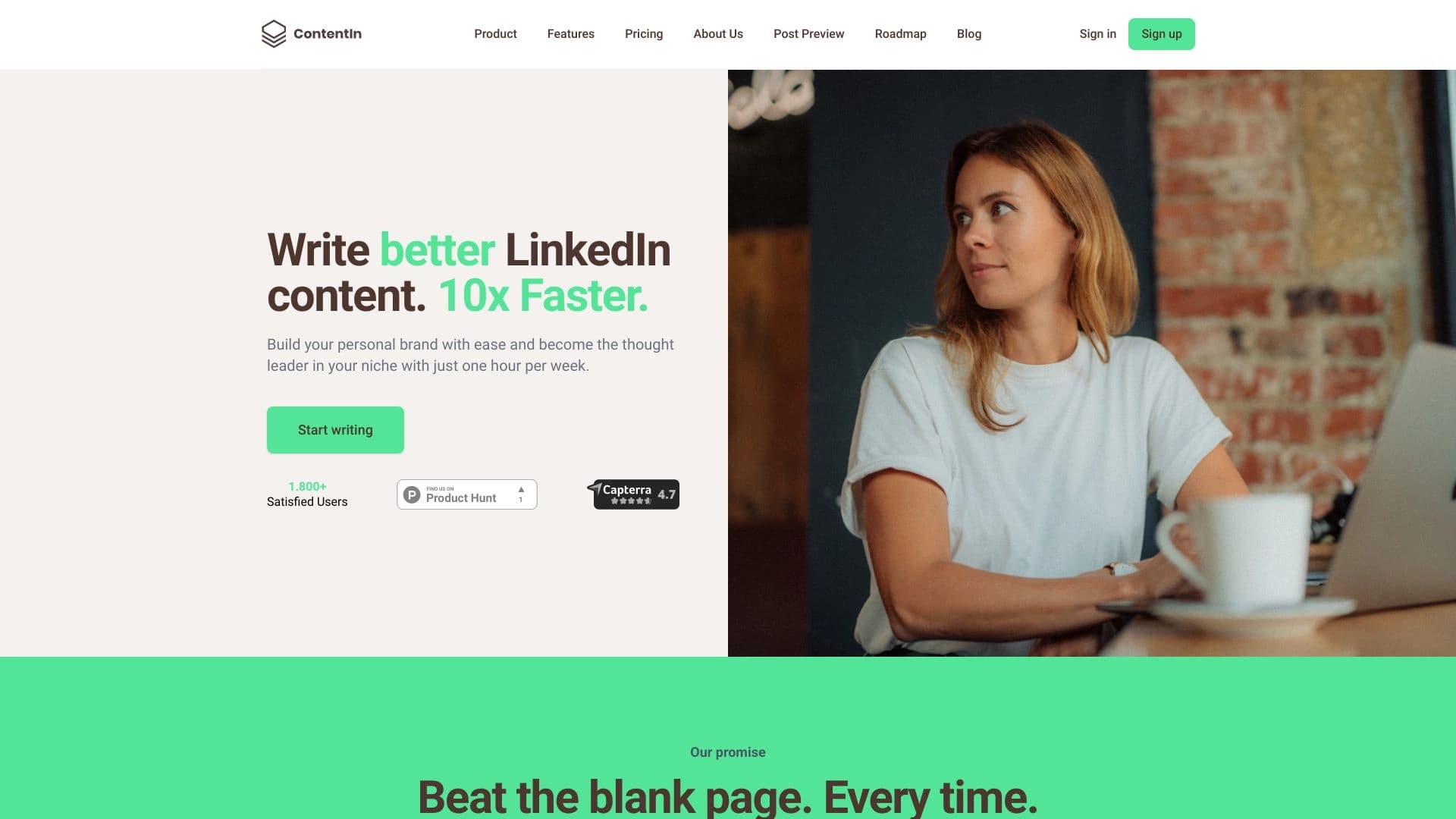
Overview
ContentIn is a specialized AI tool designed to speed up and simplify content generation for LinkedIn. Instead of offering generic texts, the service first asks the user a series of targeted questions to understand their individual style, tone of voice, and preferences. Based on the answers received, the neural network generates posts that closely match the specific author's communication style.
Working with the service is not limited to just writing text. ContentIn also includes post scheduling features and provides analytics to evaluate the performance of the created content. This makes the tool a comprehensive solution for managing a personal brand on LinkedIn, aimed at bloggers, marketers, entrepreneurs, and anyone who wants to regularly publish quality content without lengthy preparation.
ContentIn Features
Below are the main technical and functional characteristics of the service, compiled from public sources.
| Characteristic | Value |
|---|---|
| Type | AI tool for content creation |
| Category | AI Content Generator, AI Copywriting, AI Content Detector, AI Linkedin Headshot |
| Platform | Web version |
| Free plan available | Yes (Free Trial) |
| Pricing | From $32.5 per month |
| Payment method | Monthly subscription |
| Interface language | English |
Who Is ContentIn For?
The tool is designed for a wide range of professionals whose work involves managing a LinkedIn profile.
LinkedIn Influencers and Content Creators
For those who earn money from their name or create content on demand, consistency of posting is crucial. ContentIn allows you to quickly generate new posts without spending hours thinking about wording, which is especially important when working under heavy load.
Marketers, SMM Managers, and Entrepreneurs
For promotion specialists and business owners, the service helps maintain activity on the social network, communicate expertise to the audience, and build trusting relationships with clients. The tool is also useful for sales teams to create material that generates interest among potential customers.
How to Use ContentIn?
The workflow is built on step-by-step interaction between the user and the AI. The interface is intuitive, so getting started is easy.
Step 1: Registration and Information Gathering
First, you need to register on the ContentIn website. The service then asks a series of targeted questions about your experience, goals, communication preferences, and blog topics. These answers form the basis for training the AI to match your unique style.
Step 2: Content Generation and Customization
After collecting the data, the neural network will suggest ready-made post options. You can review the generated text, make necessary edits, or completely change its structure. The customization options allow you to adapt the draft to a specific situation or mood.
Step 3: Scheduling and Analytics
The final stage includes setting the publication time so that posts go out at the optimal time for your audience. After publishing, you can track the performance of your content through built-in analytics, evaluating reach and engagement.
Key Features of ContentIn
The service's functionality covers the full content workflow — from idea to performance analysis.
- AI-powered content generation: Creating post texts based on input data.
- Targeted questions for information gathering: Interviewing the user to understand their voice and style.
- Content customization options: Manual editing of generated materials.
- Analytics for tracking performance: Evaluating reach, engagement, and other metrics.
- Post scheduling: Building a schedule for posts and comments.
ContentIn Advantages
The service has several strengths that set it apart from competitors.
- Content in the user's voice and style: The AI learns from your answers, creating texts that are indistinguishable from those written by you manually.
- Comprehensive scheduling tools: You can schedule not only posts but also comments.
- Large template library: Over 100 viral LinkedIn templates are available that can be adapted to your needs.
- Multimedia integration: The ability to add images, GIFs, or videos to your posts.
- Idea management: The service allows you to store ideas and rewrite viral posts while preserving your style.
- AI comment generation: Helps boost engagement by automatically creating replies under other users' posts.
- Simple and clear interface: No special technical knowledge required.
- Help during creative blocks: Relieves content fatigue by offering ready-made solutions.
ContentIn Disadvantages
Despite its extensive functionality, the service has certain limitations.
- No open source code: Users cannot modify the product's code.
- Cost of some plans: Pricing for higher-tier plans may seem high for individual users.
- Web-only platform: No GitHub links or mobile apps are available, which reduces flexibility of use.
- Limited customization: Some users may find the text generation settings lack flexibility.
What Problems Does ContentIn Solve?
The main goal of the service is to meet the user's need for regularly creating quality content without burnout. The tool handles the following scenarios:
- Creating LinkedIn posts: Quickly writing texts on any topic, ready to publish.
- Personal brand development: Building a recognizable style and maintaining profile activity.
- Content marketing: Promoting products or services through valuable content.
- Client communication: Maintaining dialogue with the audience through comments and publications.
- Social media management: Centralized control over content and analytics.
ContentIn Pricing
The service operates on a subscription model with several plans and offers a free trial period that does not require entering a bank card.
- Starter (from $32.5/month): Includes an AI assistant, access to a library of 100+ templates, a database of headlines and calls to action (CTAs), unlimited AI-generated ideas, and 10 AI images per month.
- Growth ($49.16/month): Combines all Starter plan features, plus access to AI trained on your voice, analytics, company management, content rewriting, idea generation from external sites, automatic commenting, and 50 AI images.
- Ghostwriter/Agency: Designed for agencies and managing multiple profiles. Pricing is not specified and assumes custom integrations.
Please note that a 20% discount applies when paying annually.
Terms of Use for ContentIn
To start using the service, simply register on the official website. No credit card is required for the free trial period. Access terms are standard for cloud services; customer support information is not disclosed on the product page.
ContentIn Availability
The product is available exclusively as a web version, allowing you to work with it from any device with a browser. Although the interface is available only in English, the service's user base is geographically diverse, including countries such as India, the United States, Germany, the United Kingdom, and Brazil. This confirms the tool's global accessibility.
How ContentIn Differs from Alternatives
There are many social media management tools on the market, such as Hootsuite, Buffer, or Loomly. However, ContentIn differs fundamentally in its approach to content creation.
The main difference is the focus on the user's unique voice. Most aggregators or schedulers only help publish ready-made content or provide generic templates. ContentIn, on the other hand, first "studies" the author through questions and then writes text the way the person themselves would. This makes the content more natural.
Additionally, the built-in AI comment generation and the ability to rewrite viral posts while preserving individual style are features rarely found among direct competitors, which primarily focus on API integration and universal scheduling.
Conclusion
ContentIn is a highly specialized AI tool for working with LinkedIn that solves the main problem of content creators — lack of time and ideas. The service doesn't just generate text; it does so in the author's style, preserving their uniqueness. Built-in scheduling tools and analytics allow you to manage your profile systematically.
Despite the fact that the service only supports LinkedIn and has no mobile version, its functionality fully covers the needs of the target audience. The free trial period without requiring a card allows you to evaluate the tool's capabilities before purchasing a subscription. For those seriously committed to growing their personal brand on LinkedIn, ContentIn will be a reliable assistant in daily routine.
Frequently asked questions
See also
A catalog that organizes AI tools and services by category for quick search.


A multifunctional platform for creating and editing media content using artificial intelligence.


ComicLLM is an AI tool for creating comics from text descriptions or ready-made templates.

AI-powered online ASMR video generator that creates relaxing clips from a text description.

Catalog of neural networks and online tools for generating images, animations, and videos.


Platform for creating anime art, comics, and videos with AI.


AI anime image generator from text descriptions with template selection.


AI assistant for checking grammar, spelling, and style of English text, available as a browser extension and web editor.