

ChatHub
Neural network aggregator that brings multiple chatbots into one interface for parallel conversations and comparing answers.
Overview
ChatHub
Description of the ChatHub neural network
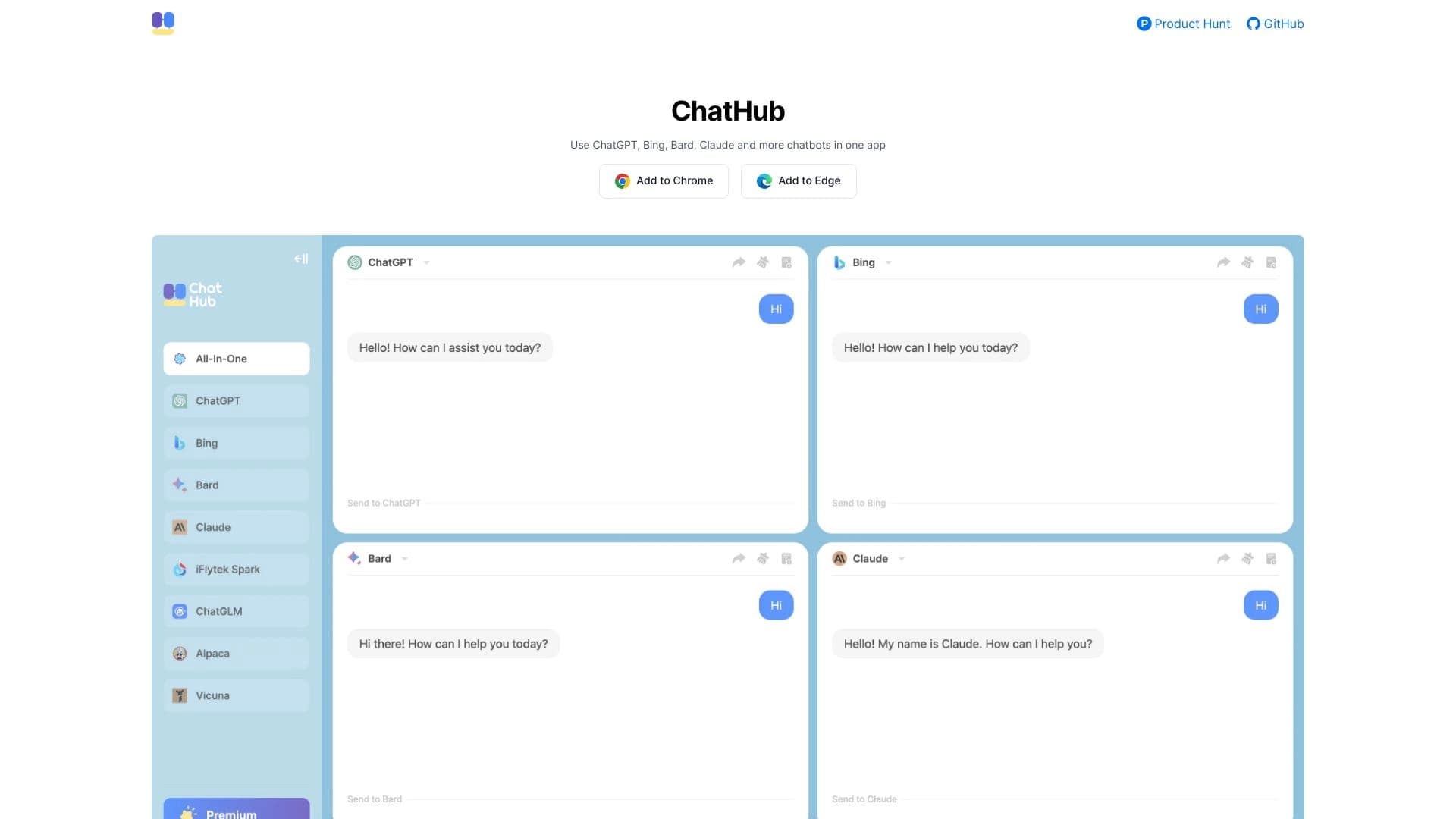
ChatHub is a browser extension that solves a common problem for AI users: the need to switch between dozens of open tabs with different chatbots. Instead, the service brings several neural networks together in one convenient interface. You can ask a question to one bot, get an answer from another right away, and compare the results immediately — all on a single page.
The tool is especially useful for those who regularly work with different AI models and want to see their answers side by side rather than separately. ChatHub essentially acts as a bridge between you and popular neural networks, letting you build your own workflows without extra steps. Instead of copying questions and moving them from one window to another, you work in a single space.
The core idea of the service
Simplicity and centralization. Instead of many open tabs, you get one window where all the assistants you need are collected. This saves time and effort.
How it works
The extension integrates with the interfaces of supported chatbots and lets you send the same prompt to all selected models at once. Responses appear in neighboring columns for easy comparison.
ChatHub characteristics
| Characteristic | Value |
|---|---|
| Type | Neural network, browser extension |
| Categories | AI aggregators, Chatbots, AI assistants, Browser extensions, Productivity, Project management, Universal |
| Platforms | Web (browser extension) |
| Distribution model | Free |
| Editor's rating | 8.7 out of 10 |
| Site rating | 4.4 (★★★★☆) |
Who is ChatHub suitable for?
ChatHub is useful for a fairly wide audience whose work or daily tasks are in some way connected to artificial intelligence.
Researchers and analysts
You often need to compare data from different sources. ChatHub lets you query several AI assistants at once and instantly see where their opinions converge and where they diverge. This can help uncover non-obvious facts or assess how thoroughly a topic is covered.
Content specialists
Copywriters and marketers can use several chatbots to generate ideas. By asking one question, you get not one answer option but several different styles and approaches from different models, which enriches the selection.
Ordinary users
If you are not ready to choose a single favorite among neural networks and prefer to use the strengths of different models at the same time, ChatHub saves you from constantly switching between services.
How to use ChatHub?
Working with ChatHub is built on the principle of “install and use.” There is no detailed technical guide in open sources, but the logic is clear from the service description.
Step 1: Install the extension
To get started, you need to install the ChatHub extension in your browser.
Step 2: Connect chatbots
After installing the extension, you need to log in to the chatbots you want to use (for example, ChatGPT, GigaChat, or others). You need active accounts for these services.
Step 3: Send a request
In the ChatHub panel, you enter your question. The service distributes it to all connected bots, and the responses appear next to each other. You can watch the process in real time and then simply copy the best answer into your work.
Main features of ChatHub
The service offers a set of features focused on organizing work with multiple AI models.
All chatbots in one place
The main function of the tool. You don't need to keep tabs with different neural networks open. All connected bots work within a single interface, allowing you to compare their answers side by side.
Chat management
ChatHub lets you build a system of conversations. You can return to past requests, track your communication history, and organize your sessions, turning an ordinary chat into something like a workspace for project work.
Parallel launching
Another important feature is the ability to ask a question to several bots at the same time. This is not sequential switching but simultaneous work, which saves a significant amount of time.
Advantages of ChatHub
Using an aggregator gives users several significant advantages in daily work with AI.
- Time saving. Forget copying questions from one chat to another. Send a request to all bots at once.
- Easy comparison. Seeing responses from different models side by side makes it easier to evaluate the quality and depth of topic coverage.
- Convenient workflow. A unified interface simplifies navigation and prevents you from getting lost in dozens of tabs.
- Free distribution model. The basic aggregation features are available without payment.
Disadvantages of ChatHub
Despite all the advantages, the service also has limitations worth knowing about in advance.
- Platform-agnostic. ChatHub is only a shell. You still need separate accounts and subscriptions to the neural networks you want to use.
- Dependence on external services. The extension's operation directly depends on the stability and availability of third-party chatbot APIs.
What tasks does ChatHub solve?
The tool is positioned as a universal assistant for a wide range of scenarios related to text and information.
Aggregation of AI tools
Instead of searching for the “ideal” bot, you use their synergy. You take the best from each response, combine it, and get a more complete result.
Project management and assistant work
Thanks to parallel querying, you can use several bots as a brainstorming tool for planning tasks, generating ideas, and finding solutions within project work.
Chatbots and assistants
ChatHub turns your work with AI into a single, continuous process. You no longer need to figure out which service is best for asking about code and which is best for text. Ask everyone.
ChatHub pricing
Currently, there is no information about paid plans in open sources. According to data from the source site, ChatHub's distribution model is free.
This means the aggregator's basic functionality is provided free of charge. Keep in mind that while the extension itself is free, you may pay for subscriptions to the neural networks you connect to it. Current pricing and terms are best checked on the service's official website.
ChatHub terms of use
The exact and detailed terms of use are not disclosed in the provided data. In general, when working with the extension, you should keep in mind that you will be bound by the user agreements of both the aggregator itself and the neural network services you connect.
Since the service operates on a free model, it is assumed that the basic functionality is available to everyone. However, as with many similar extensions, there may be limits on usage intensity or on the set of connectable bots without registration or payment. It is recommended to review the terms on the official website before starting.
How ChatHub differs from alternatives
The key difference between ChatHub and regular chatbots, as well as its difference from other aggregators, is worth examining separately.
Multibot approach instead of a single bot
Unlike classic solutions such as ChatGPT or GigaChat, which work on the principle of “one model, one window,” ChatHub is designed for multitasking from the start. You don't tie yourself to a single neural network; instead, you create your own ecosystem of AI assistants.
The role of workflow organizer
There are several services on the market positioned as AI aggregators. However, ChatHub stands out for its focus on chat management. It is not just a “window for questions” but a tool for organizing a workspace.
Distribution model
Many aggregators offer paid plans for access to extended functionality. ChatHub's basic model is free, which makes it accessible to a wide range of users from the start.
Conclusion
ChatHub is a practical browser extension for those who want to take their work with artificial intelligence to a new level of efficiency. Instead of routinely switching between tabs, you get a single space where several neural networks work for you at the same time. The tool does not try to replace chatbots; it makes their use more convenient and productive by acting as a connecting link. Despite the obvious benefits for comparing responses and aggregating information, it is worth considering the free distribution model, which may have its own limitations. For those looking for a universal productivity tool for working with AI, ChatHub is a reliable and convenient solution.
Frequently asked questions

See also
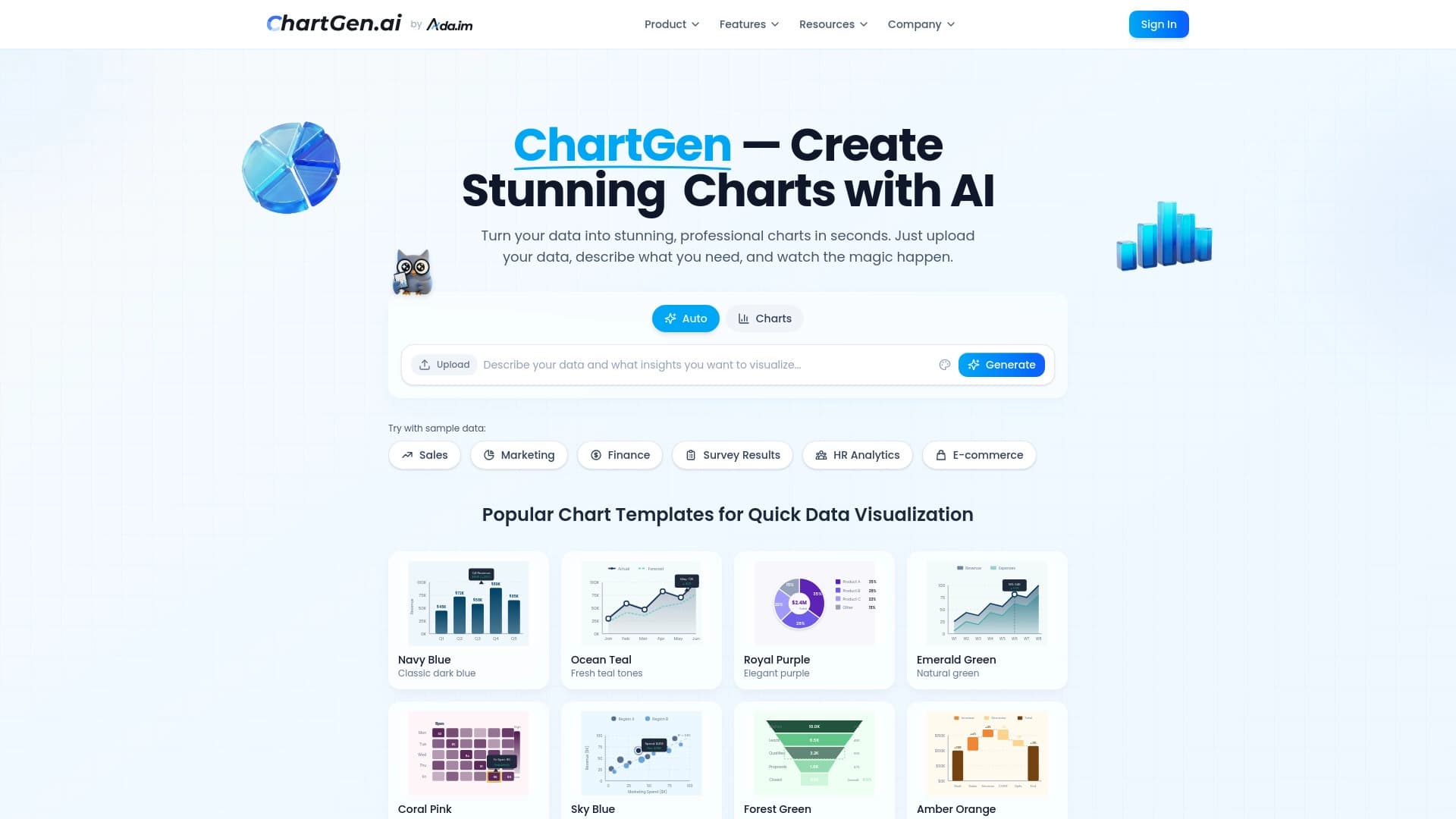

Diagram and chart generator from uploaded data based on a natural language text description.


Platform for creating multi-agent AI systems and chatbots to automate customer support and lead generation.


Google's neural network for generating and editing images from text descriptions, based on Gemini models.


A platform for chatting with virtual AI characters with image generation during the conversation.

AI travel planner that creates personalized itineraries and helps you choose flights, accommodation, and activities in a chat.


AI-powered platform for generating and editing images and videos.

A customer support automation platform that analyzes inquiries and helps operators respond faster.

A community platform for discovering, publishing, and sharing open AI image generation models.