
ChatBox
Universal chatbot combining multiple AI models for working with text, code, and images.
Overview
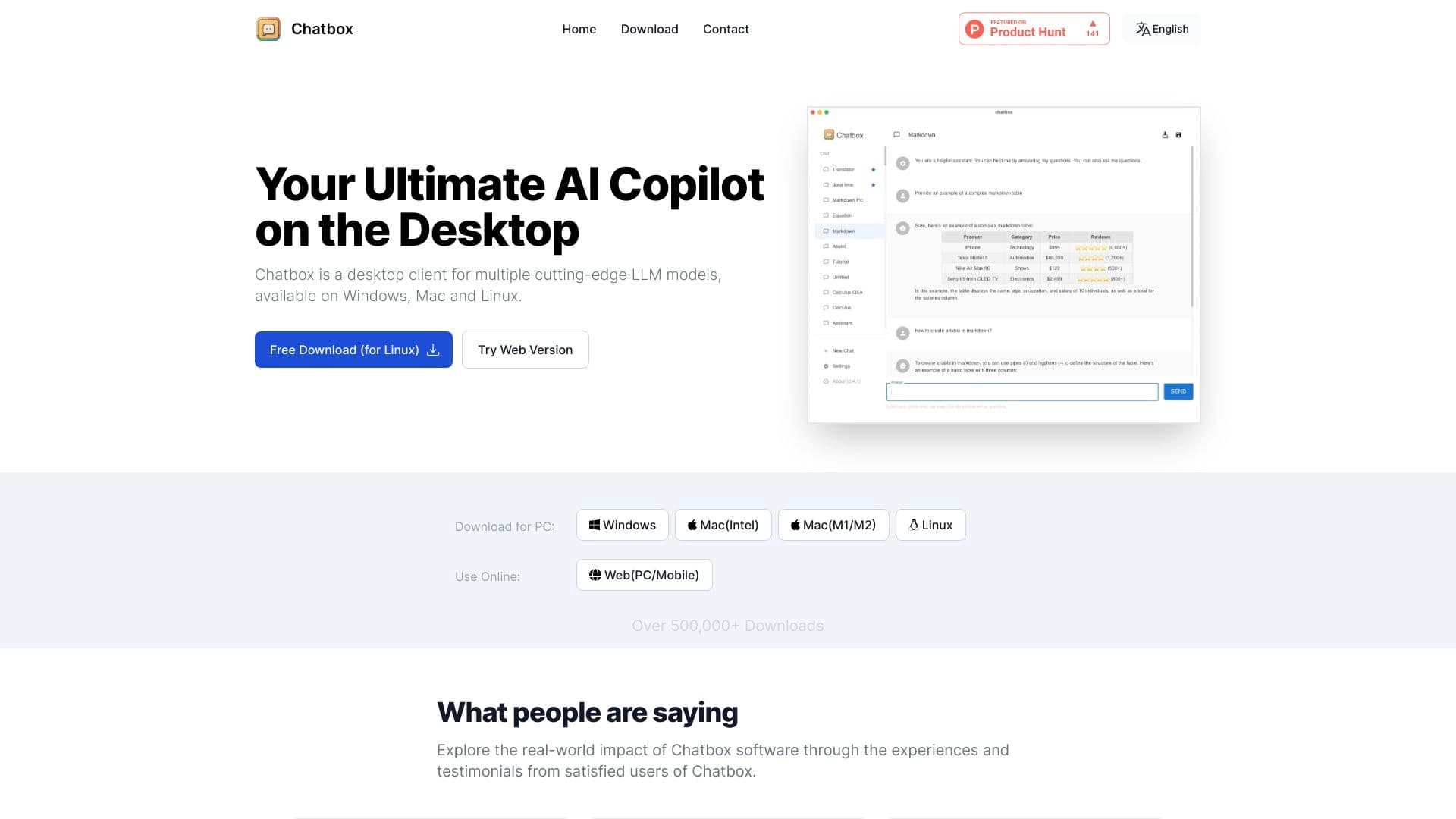
ChatBox AI Description
ChatBox is a versatile chatbot designed to handle a wide range of tasks in a single window. Instead of switching between a dozen services, you get access to several powerful language models at once: DeepSeek V3, GPT-4o, and Claude. In total, the platform supports integration with 15 models. It includes over 25 tools for working with text, images, code, and analytical data.
The main difference between ChatBox and simple chat interfaces is its approach to privacy. All your data and conversation history are stored locally on your device, not on company servers. This makes the service attractive to those who work with confidential information.
The service is available on all major platforms: Windows, macOS, Linux, iOS, Android, and through a browser. There is a free tier with a limit of 50 requests per day, which is enough to get familiar with the features.
ChatBox Features
| Feature | Value |
|---|---|
| Type | Universal chatbot |
| Supported models | DeepSeek V3, GPT-4o, Gemini, Claude, and 11 more models |
| Core functionality | Text, code, visualization, analytics |
| Number of tools | 25+ |
| Platforms | Windows, macOS, Linux, iOS, Android, web version |
| Interface languages | Russian, English, and 20 more languages |
| Free tier | Yes, 50 requests per day |
| SuperChatBox subscription | $9.99/month |
| Generation volume | 10 million text responses per month |
| Data storage | Local on the user's device |
| Synchronization | Real-time across devices |
| Format support | LaTeX, Markdown |
Who is ChatBox AI for?
For freelancers and content creatorsChatBox helps you prepare texts for blogs, social media posts, emails, and essays faster. Task templates in the main menu reduce the time spent on formulating requests. Markdown and LaTeX support simplifies preparing materials for publication.
For programmers and analystsDevelopers can use the chatbot to write and debug code, including automatic generation of Python scripts. Analysts will find the document and data upload feature useful for subsequent analysis — the neural network can analyze file contents and generate summaries.
For everyday usersIf you need a universal assistant for daily tasks — planning a route, creating a schedule, translating foreign text, or finding information online — ChatBox covers these needs in a single app. A simple interface and Russian language support make it accessible to a wide audience.
How to use ChatBox AI?
Installation and loginDownload the app for your platform (Windows, macOS, Linux, iOS, or Android) or open the web version in your browser. To get started, you'll need to register with your email. After confirming your email, you'll land in the main menu.
Choosing a taskIn the main menu, select the type of task from the list — writing text, generating images, programming, document analysis, or information search. This approach simplifies getting started, as the system already knows which AI model and output settings to apply.
Formulating a requestEnter your request text and, if needed, adjust output parameters — length, style, tone. Press the send button to get results. All conversations are saved in local storage, and you can return to a previous request at any time.
Core ChatBox features
Text and content workChatBox generates emails, posts, essays, and other text materials in multiple languages. Built-in translation and rewriting tools help adapt content for the right audience. Web search covering up to 500 sites lets you find up-to-date information without leaving the app.
Image generation and analysisThrough DALL-E-3 integration, the neural network creates images from text descriptions. Analysis of uploaded images is also supported — the bot can describe contents or find specific elements in an image.
Programming and analyticsChatBox can write code in various languages, optimize existing code, and automatically generate Python scripts. The document analysis feature lets you upload files to the app and receive structured processing — from extracting key points to checking code for errors.
Planning and everyday tasksBuilt-in planning tools help create travel routes, diets, and schedules. LaTeX and Markdown support is useful for students and researchers formatting academic papers.
ChatBox advantages
VersatilityOne tool replaces a whole set of disparate services. Instead of subscribing to multiple apps for text, code, and analytics, you get 25+ tools in a single interface.
PrivacyLocal data storage is a key advantage. Your conversations and uploaded files never leave your device, which is critical for business users and people working with sensitive information.
Available on all devicesDesktop apps for Windows, macOS, and Linux, mobile versions for iOS and Android, plus a web interface let you work anywhere. Real-time synchronization preserves conversation context when switching between platforms.
Free to startThe tier with 50 requests per day requires no payment and lets you fully evaluate the service before purchasing a subscription.
ChatBox drawbacks
Free tier limitationThe 50-request-per-day limit may be insufficient for active users working with the neural network throughout the day. Removing restrictions requires upgrading to a paid subscription costing $9.99 per month.
Lack of reliability informationPublic sources contain no detailed data on service uptime, response speed, or data processing volume on the free tier. Before critical use, it's worth testing the service on real tasks.
Dependence on third-party modelsResponse quality directly depends on the models integrated into ChatBox. If a model provider (e.g., GPT-4o or Claude) changes access terms, this may affect app functionality.
What tasks does ChatBox solve?
Content and textsWriting articles, emails, social media posts, essays, and advertising copy. Translating and rewriting existing materials. Generating headlines and content ideas.
Programming and technical tasksWriting code from scratch, optimizing existing scripts, automatically generating Python programs, finding bugs, and explaining how someone else's code works.
Document and data analysisProcessing uploaded files to extract key information, analyzing document structure, visualizing data, and preparing summaries.
Everyday tasksCreating travel routes, meal plans, and work schedules. Finding answers to questions online with coverage of up to 500 sites in a single request.
EducationPreparing learning materials, explaining complex concepts in simple language, and helping format academic papers thanks to LaTeX support.
ChatBox pricing
Free tierChatBox offers free access with a limit of 50 requests per day. This is enough to explore the interface and core features. All you need is email registration.
SuperChatBox subscriptionThe paid subscription costs $9.99 per month and removes the request limit. For active users working with the neural network daily, the subscription pays off by removing limits and providing full access to all 25+ tools.
ChatBox terms of use
Registration with an email is required to start using the service. After creating an account, access opens on all platforms — account data is unified across desktop, mobile, and web versions. The service operates on a freemium model: the free tier requires no payment details, and the subscription is activated when you want to remove limits. Local data storage remains in place — even on the paid tier, your conversation history stays on your device.
ChatBox availability
PlatformsChatBox is available on Windows, macOS, and Linux for desktops, and on iOS and Android for mobile devices. For those who prefer working in a browser, a fully functional web version is available. Synchronization between devices happens in real time.
Language supportThe interface is translated into Russian, English, and 20 more languages. This makes the service accessible to an international audience, and the in-chat text translation feature lets you work with materials in almost any language.
How ChatBox differs from alternatives
Multi-model approach instead of being tied to one AI systemMost chatbots rely on a single language model. ChatBox combines DeepSeek V3, GPT-4o, Gemini, and Claude simultaneously, letting you choose the optimal model for a specific task. This provides flexibility: one model for code, another for creative writing.
Local data storageCompetitors mostly store conversation history on their own servers. ChatBox stands out because all data remains on the user's device. This is a fundamental difference for those who care about privacy.
Tools, not just a chatInstead of a single messaging window, ChatBox offers 25+ tools with clearly defined tasks: image generation via DALL-E-3, document analysis, route planning, and search across 500 sites. Users don't need to formulate complex prompts themselves — just pick a ready-made task from the menu.
Affordable priceThe $9.99-per-month subscription sits in the lower price segment among similar universal services. At the same time, the free tier with 50 requests per day is a nice bonus for those not ready to pay right away.
Conclusion
ChatBox is a universal AI assistant that brings together several leading language models and over 25 tools for working with text, code, analytics, and images under one roof. Its key features are local data storage for privacy and availability on all popular platforms. The free tier with 50 requests per day lets you try the service without financial commitment, while the SuperChatBox subscription at $9.99 per month removes limits for daily use. ChatBox is a sensible choice for those looking to replace several disparate tools with a single app.
Pricing
Frequently asked questions
See also


Russian-language GPT-based AI chatbot for information retrieval and text generation.


Online neural network service that transforms ordinary photos into stylized artistic portraits and avatars.

AI-powered platform for automatically generating ad banners, texts, and videos optimized for conversion.

AI business name generator with domain availability checking.

A tool for creating diagrams and mind maps from text descriptions in natural language.


Neural network for generating images and short videos from text descriptions.


AI tool for automating social media marketing, including content generation, post scheduling, and analytics.

Catalog of neural networks and online tools for generating images, animations, and videos.