
Chat4Data
Browser extension that extracts data from web pages based on a text description without writing code.
Overview
Chat4Data Neural Network Description
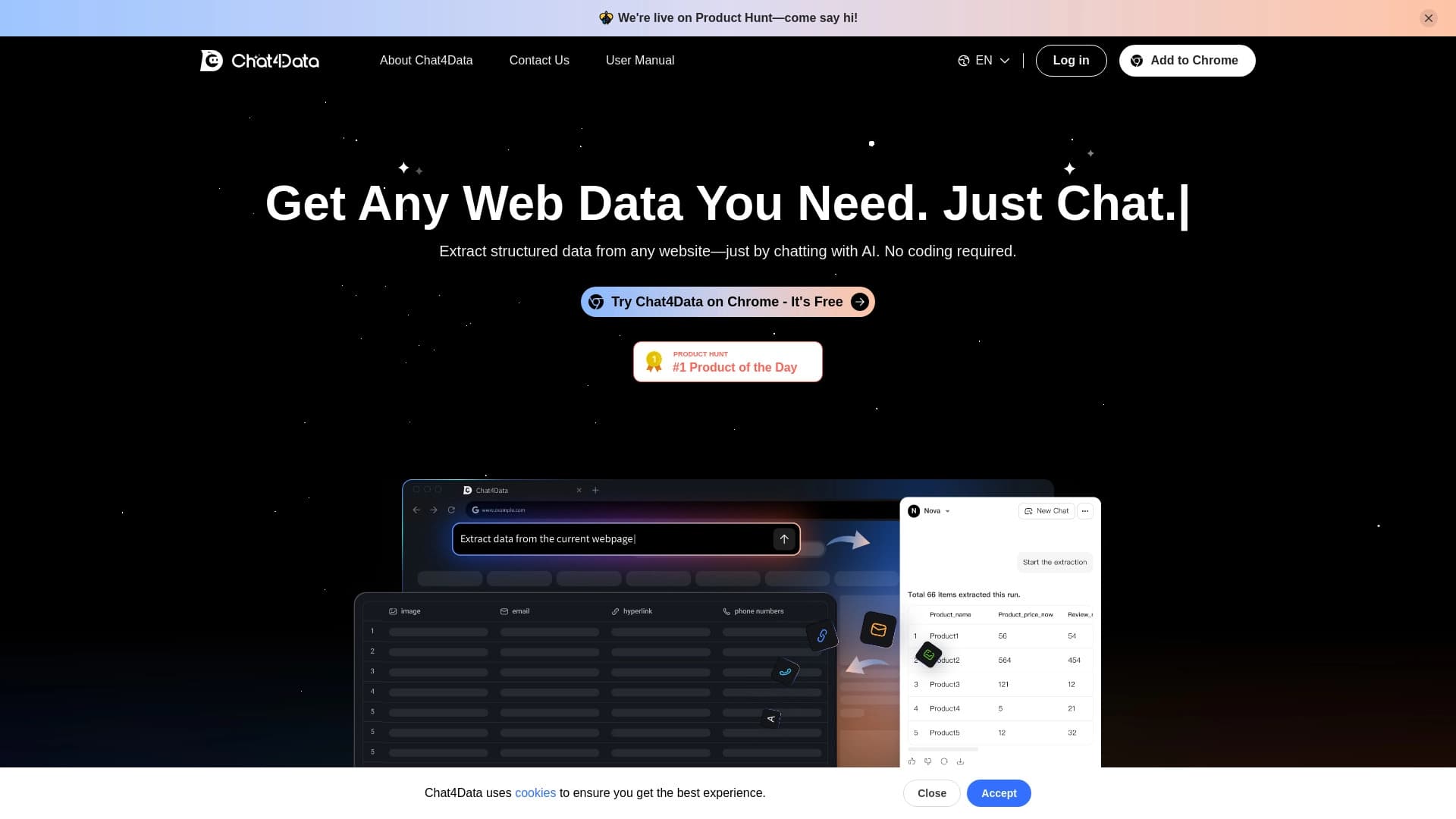
Chat4Data is a Chrome browser extension that automates data collection from web pages. Instead of manually copying information or writing parsers, users simply formulate a query in natural language — English or Russian — and the neural network finds the relevant elements on the page itself. The tool can extract texts, tables, product cards, contacts, and other structured data, including processing multi-page websites.
Results can be saved in one of three formats: CSV, Excel, or JSON. This makes Chat4Data a practical solution for tasks that require quickly gathering and organizing information from open sources without diving into technical implementation details.
Chat4Data Features
| Feature | Value |
|---|---|
| Type | Browser extension |
| Category | Web scraping and parsing, No-code and Low-code platforms, Formulas and Excel |
| Platforms | Chrome (extension from Chrome Web Store) |
| Interface languages | English (interface), commands supported in Russian |
| Free tier available | Yes (1 million tokens for new users) |
| Data export | CSV, Excel, JSON |
Who is Chat4Data suitable for?
Analysts and researchers
Chat4Data is useful for those who regularly collect data from open sources: comparing prices, researching competitors, analyzing product ranges, or monitoring website changes. The tool eliminates the need to manually browse dozens of pages and copy data.
Marketers and sales managers
For professionals working with contact databases, product catalogs, or price lists, the extension helps quickly extract the needed information. Instead of ordering custom parser development or spending hours on manual collection, it's enough to describe the task in plain words.
Users without a technical background
The main audience for Chat4Data is people who don't know how to code and don't want to understand HTML structure. For them, the tool acts as a bridge between a task ("collect all prices from the page") and a ready-made result in the form of an Excel file.
How to use Chat4Data?
Installation and first launch
To get started, you need to install the extension from the Chrome Web Store. After installation, navigate to the website from which you plan to collect data. A Chrome Web Store account is required to use the tool.
Formulating queries and exporting data
The user enters a command in Russian or English describing what data needs to be extracted. The neural network then finds the corresponding elements on the page, and the user only needs to confirm the field selection. The result can then be downloaded in Excel or another supported format. The entire process takes just a few clicks and requires no coding.
Key Features of Chat4Data
- Data parsing without programming — extract information from web pages in three clicks.
- Extraction of various data types — texts, links, images, contacts, tables.
- Automatic pagination and scroll handling — collect data from multi-page websites without manually navigating between pages.
- Export to CSV, Excel, JSON — download results in formats convenient for further work.
- Support for complex e-commerce websites — including Amazon.
- Precise field configuration via commands — the ability to specify exactly which data is needed.
- Up to 10,000 records per session — a sufficiently high ceiling for most tasks.
Advantages of Chat4Data
- No need to write code — the tool works entirely in natural language.
- Russian language command support — the extension understands queries in Russian, making it accessible to Russian-speaking users.
- Free starting limit of 1 million tokens — allows testing the tool without any investment.
- High data extraction accuracy — the neural network correctly finds the needed elements even on complex pages.
- Minimal browser resource load — the extension works without noticeable slowdown.
Disadvantages of Chat4Data
The source data does not specify any explicit limitations of the tool. Potential challenges include dependence on the stability of the Chrome Web Store and the need to purchase tokens after the free limit is exhausted. It's also worth noting that the extension interface is in English, although commands are supported in Russian as well.
What tasks does Chat4Data solve?
Collecting tables, products, and articles
The extension allows extracting tabular data, product cards, article texts, and other elements from web pages. This eliminates the need for manual copying and subsequent data cleaning.
Automating multi-page collection
If the needed information is spread across dozens of pages (for example, a catalog with pagination), Chat4Data automatically processes all pages and consolidates the data into a single file.
Parsing without writing code
For tasks that previously required hiring a developer or learning parsers, it's now enough to formulate a text query. This significantly saves time and resources.
Chat4Data Pricing
New users receive a free starting limit of 1 million tokens. This amount is sufficient to get familiar with the tool and complete initial tasks. After the free limit is exhausted, tokens are purchased at a rate of $1 per million tokens.
Terms of Use for Chat4Data
To use the extension, you need to install it from the Chrome Web Store. A Chrome Web Store account is also required. New users receive a free package of 1 million tokens, after which the tool becomes paid. No additional conditions, regional restrictions, or VPN requirements are specified in the source data.
Chat4Data Availability
The extension is available for the Chrome browser and is distributed through the Chrome Web Store. The interface is in English, but commands can be given in Russian. No regional restrictions are mentioned in the description.
How Chat4Data differs from alternatives
The main difference of Chat4Data is its focus on the everyday user. Most web scraping tools require at least a basic understanding of CSS selectors, regular expressions, or scripting. Chat4Data works entirely in natural language: the user describes what they want to get, and the neural network itself determines which page elements match the query.
An additional differentiator is Russian language support for commands — a rarity among foreign parsers. The pricing policy also stands out: a free starting limit of 1 million tokens and a cost of $1 per million tokens thereafter make the tool accessible even for irregular use.
Conclusion
Chat4Data is a practical solution for automatic data collection from web pages without programming. The extension suits a wide range of users: from analysts to marketers and anyone who regularly needs to extract information from websites. Russian language support and a free starting limit make the tool accessible to a broad audience, while the ability to export to CSV, Excel, and JSON ensures compatibility with familiar workflows.
Frequently asked questions
See also


AI-powered platform for automated video clip creation, editing, and translation.


Free web tool from Google that uses machine learning to turn rough sketches into neat icons and illustrations.


Generative platform for creating realistic images and short videos from text or images with control over style and camera movement.


Service for tracking brand mentions in generative AI responses.

An online service that lets you chat with PDF documents: ask questions and get concise answers with source attribution.


AI-powered virtual clothing try-on service.


Online AI tool for creating deepfakes and editing images.

AI platform for analyzing financial data and supporting investment decisions.