

AutoSlide
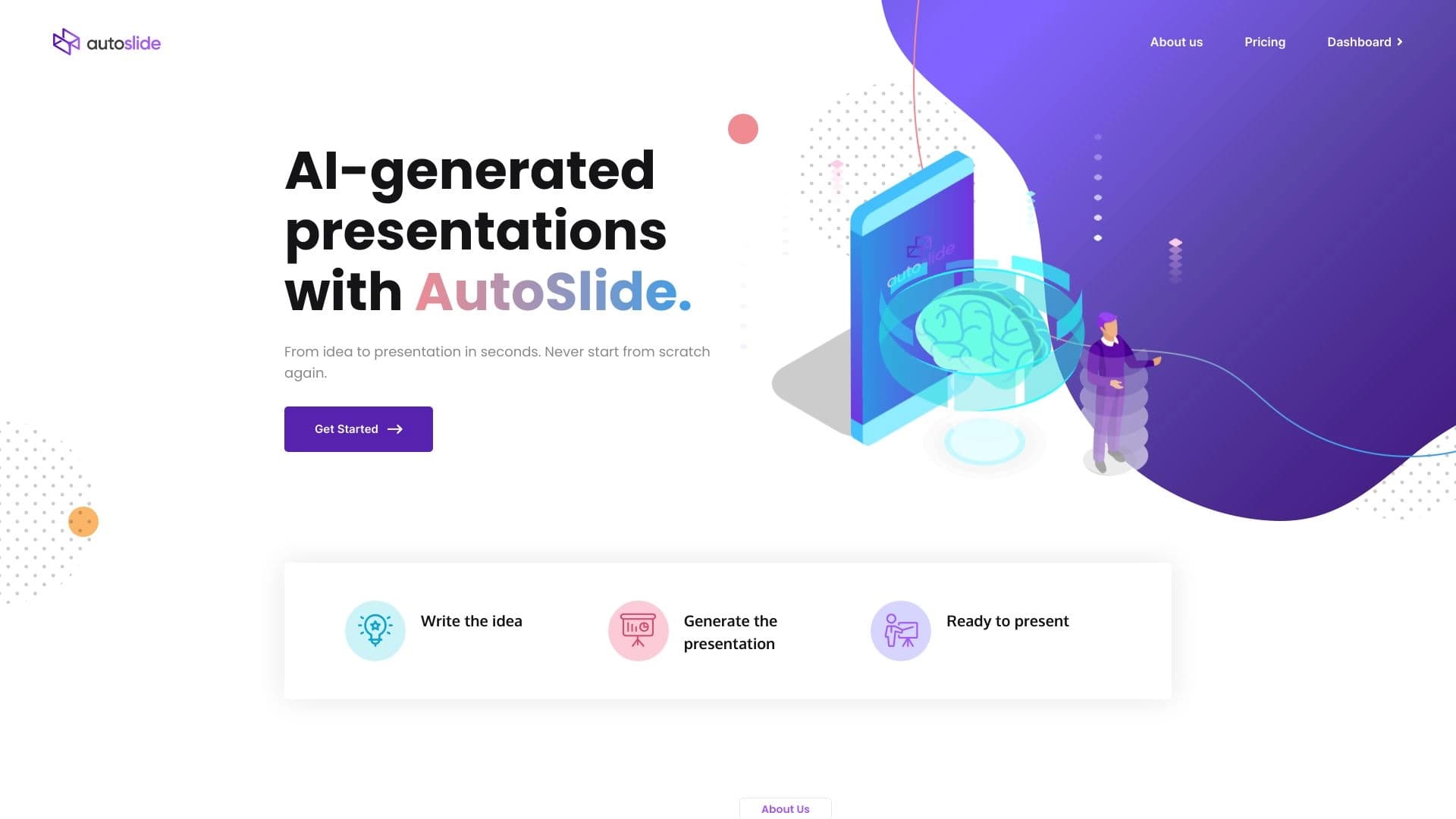
Сервис с ИИ, который по теме или краткому описанию автоматически создаёт слайды презентации с единым стилем оформления.
Обзор
AutoSlide
Описание нейросети AutoSlide
AutoSlide — это онлайн-сервис на базе искусственного интеллекта, который автоматически создаёт слайды презентаций на основе введённой темы или краткого описания. Пользователю достаточно сформулировать свою идею в нескольких предложениях, после чего нейросеть на базе GPT-3 анализирует запрос и собирает структуру и наполнение слайдов, поддерживая при этом единый стиль оформления.
Инструмент избавляет от самого трудоёмкого этапа подготовки выступления — «пустого листа», самостоятельно разбивая материал на главы и подбирая визуальное оформление. Готовый результат можно доработать вручную и экспортировать в привычные форматы, что делает сервис удобным помощником для быстрого создания рабочих черновиков презентаций.
Характеристики AutoSlide
| Характеристика | Значение |
|---|---|
| Тип | Онлайн-сервис для создания презентаций на базе ИИ |
| Разработчик | AutoSlide Labs |
| Технология | GPT-3 |
| Платформы | Web (работает через браузер, установка не требуется) |
| Рейтинг на странице | 4.5 / 5.0 |
| Оценка редакции | 8.8 из 10 |
| Модель распространения | Freemium |
| Ежемесячные посещения | 212.4K |
| Экспорт | Google Slides, PowerPoint, PDF |
| Доступ из России | Только с VPN |
Для кого подходит нейросеть AutoSlide?
Студенты и преподаватели
Сервис отлично подходит для подготовки учебных материалов, докладов и выступлений. Студентам он помогает быстро собрать структурированную основу для презентации, а преподавателям — подготовить материалы для занятий, не тратя много времени на оформление.
Специалисты, работающие с презентациями
AutoSlide пригодится тем, кому регулярно нужно готовить презентации для работы и выступлений, а также людям, которые ценят экономию времени на создании материалов. При этом сервис подходит пользователям любого уровня опыта — от новичков до опытных докладчиков.
Работающие в условиях дефицита времени
Инструмент особенно полезен тем, кому нужно быстро подготовить презентацию при горящих сроках. Он позволяет за секунды получить рабочий черновик, который затем можно доработать и дополнить.
Как использовать нейросеть AutoSlide?
Регистрация и вход
Для начала работы необходимо зарегистрироваться на сайте AutoSlide. Сервис полностью работает через браузер, поэтому установка дополнительного программного обеспечения не требуется.
Создание презентации
После регистрации нужно выбрать тип проекта и ввести тему или краткое описание идеи в несколько предложений. Нейросеть обработает запрос и сгенерирует структуру с содержанием, автоматически разбив материал на главы.
Настройка и экспорт
Полученную презентацию можно настроить: изменить дизайн слайдов, выбрать стиль оформления и скомпоновать элементы прямо в сервисе. Готовый результат экспортируется в Google Slides, PowerPoint или PDF.
Основные функции AutoSlide
Автоматическое создание слайдов
Главная функция сервиса — генерация готовой презентации по теме или тексту. Пользователь вводит краткое описание идеи, после чего нейросеть создаёт структуру с логичным наполнением и автоматически разбивает материал на главы.
Улучшение и кастомизация оформления
AutoSlide позволяет улучшать оформление существующих слайдов с помощью ИИ, выбирать или разрабатывать уникальную тему под бренд. Пользователь может настроить дизайн, выбрать шаблон, количество разделов и форматы экспорта.
Интеграция и экспорт
Сервис интегрируется с Google Slides, PowerPoint и другими сервисами, а также поддерживает экспорт в PDF. Это позволяет легко встроить результат в привычный рабочий процесс.
Преимущества AutoSlide
Быстрое создание презентаций
AutoSlide убирает самый болезненный этап создания презентации — пустой лист, экономя время на планировании и компоновке. Контент получается логичным и хорошо структурированным.
Единый стиль и визуализация данных
Сервис поддерживает единый стиль оформления на всех слайдах, а также упрощает визуализацию данных с помощью диаграмм и графиков. Это позволяет сосредоточиться на содержании, пока ИИ занимается дизайном.
Простота использования
Инструмент подходит пользователям любого уровня опыта: достаточно описать идею парой предложений, а остальное нейросеть сделает сама. Результат легко интегрируется в привычный рабочий процесс.
Недостатки AutoSlide
Шаблонность контента
Сервис выдаёт шаблонные фразы и стандартные структуры, поэтому готовому результату может не хватать оригинальности. Для уникальных и творческих задач потребуется дополнительная доработка.
Необходимость правок и проверки
После генерации часто требуются доработки и правки. Кроме того, на специфические темы возможны фактические ошибки или неточная информация, поэтому материалы важно проверять перед использованием.
Какие задачи решает AutoSlide
Создание контента и структуры
Инструмент ускоряет создание контента для презентаций, помогает структурировать сложные темы для докладов и выступлений. AutoSlide автоматически разбивает материал на главы и разделы.
Улучшение материалов
Сервис помогает улучшить тексты презентации, выровнять элементы и сделать оформление более аккуратным. Он упрощает визуализацию данных с помощью диаграмм и графиков.
Быстрая подготовка при дефиците времени
AutoSlide позволяет быстро создать черновик презентации для учёбы или работы, когда времени на подготовку почти нет. Это отличное решение для стандартных задач, где не требуется высокая оригинальность.
Цены AutoSlide
Бесплатный тариф
AutoSlide работает по модели freemium. Есть бесплатный тариф с базовыми функциями и ограниченным количеством слайдов, который подходит для ознакомления с сервисом.
Платные подписки
Платные тарифы дают доступ к расширенным функциям, большему количеству шаблонов и дополнительным настройкам. Планы доступны как для индивидуальных пользователей, так и для команд: персональный тариф — около 184 рублей в месяц (5 презентаций, до 3 глав), премиум — около 462 рублей в месяц (20 презентаций, до 10 глав и расширенная кастомизация).
Условия использования AutoSlide
Для работы с сервисом требуется регистрация на сайте. Бесплатный тариф доступен с ограниченным функционалом и предназначен для ознакомления с возможностями инструмента. Платные тарифы открывают расширенные возможности.
Доступность AutoSlide
AutoSlide доступен онлайн через веб-сайт (autoslide.ai) и работает в любом браузере без установки. Сервис имеет веб-версию, однако доступ из России возможен только с использованием VPN. Языки и регионы на странице явно не указаны.
Чем отличается AutoSlide от аналогов
AutoSlide выделяется на фоне других генераторов презентаций прежде всего сочетанием технологии GPT-3, которая отвечает за качественную структуру контента, и автоматическим подбором единого стиля оформления для всех слайдов. В отличие от многих аналогов, сервис предлагает гибкую интеграцию с Google Slides и PowerPoint, что позволяет легко встроить результат в повседневную работу.
При этом, как и другие подобные инструменты, AutoSlide имеет ограничения: генерируемый контент может быть шаблонным, а на специфические темы возможны неточности. Среди похожих сервисов на рынке представлены Tome AI, Gamma App, Presentacium и Wepik. Выбор между ними зависит от конкретных задач: если нужно быстро получить черновик со стандартной структурой, AutoSlide справится отлично, тогда как для более оригинальных и творческих презентаций могут лучше подойти другие решения.
Заключение
AutoSlide — это удобный онлайн-генератор презентаций, который экономит время на подготовке материалов, позволяя сосредоточиться на содержании, пока искусственный интеллект занимается структурой и дизайном. Инструмент подходит пользователям любого уровня опыта, особенно студентам, преподавателям и всем, кому нужно быстро получить рабочий черновик при ограниченном времени. Однако стоит учитывать, что результат часто требует доработки и проверки фактов — сервис лучше всего подходит для стандартных задач, где шаблонная структура не является проблемой.
Тарифы
Часто задаваемые вопросы

Смотрите также


ИИ-ассистент для создания текстового контента, изображений и работы с голосом, ориентированный на русскоязычных пользователей.


Платформа для создания корпоративных чат-ботов на основе собственных документов без программирования.

Нейросеть для анализа документов, которая извлекает ключевую информацию, создаёт резюме и отвечает на вопросы по содержимому загруженных файлов.

Каталог AI-инструментов с обучающими материалами и руководствами для подбора нейросетей.


Онлайн-сервис на базе ИИ для быстрого создания презентаций по заданной теме или загруженному документу.


AI-платформа для автоматического планирования рабочего дня, управления задачами и приоритезации дел.

Платформа для создателей контента, объединяющая управление ссылками, email-маркетинг, онлайн-магазин и аналитику в одном визуальном редакторе без программирования.
Платформа на базе ИИ для создания и автоматической проверки экзаменов и тестов.