
AutoRepurpose
Service for automatically turning YouTube videos into social media posts.
Overview
AutoRepurpose AI Description
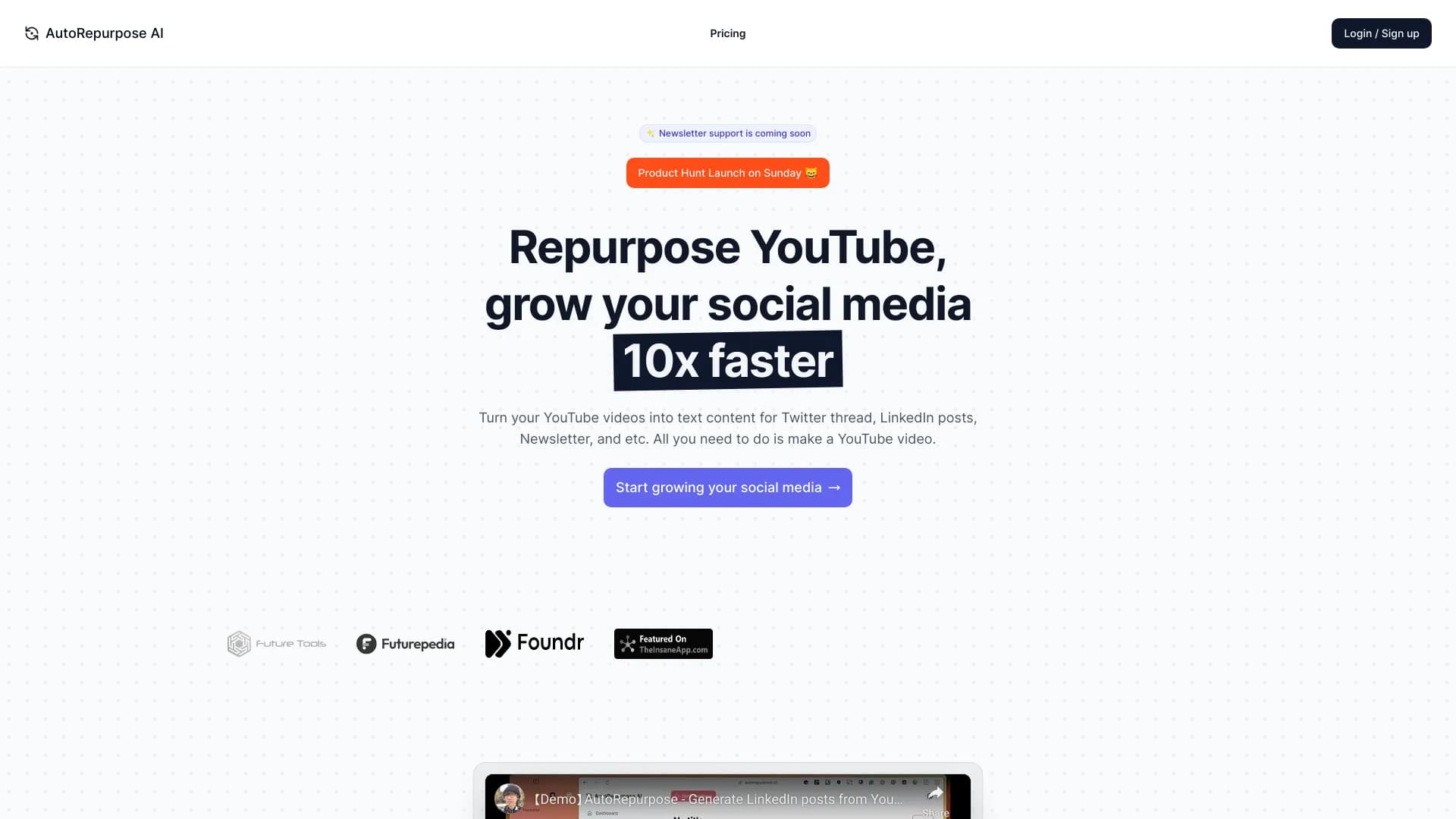
AutoRepurpose is a web service designed to automatically repurpose YouTube videos into ready-made text drafts for social media posts. The tool's main goal is to eliminate the need for users to manually transcribe videos, extract key ideas, and adapt them into text post formats.
The service works on a simple principle: the user copies a link to a YouTube video, pastes it into a dedicated field on the website, and clicks the submit button. The neural network analyzes the video's content, extracts key points, and formulates them into ready-made drafts for Twitter and LinkedIn. After that, the user can edit the generated texts to match their style and publish them.
In essence, AutoRepurpose solves a typical content marketing challenge: creating large amounts of text content based on existing videos. This not only saves time but also helps maintain social media activity without extra effort.
AutoRepurpose Features
| Feature | Value |
|---|---|
| Type | YouTube video repurposing service |
| Categories | YouTube management tools, Content repurposing tools |
| Platform | Web-based |
| Developer | AutoRepurpose AI |
| Free plan | Available (basic) |
| Monthly visits | 38.4K |
| Primary language | English |
| Other language support | Limited |
Who is AutoRepurpose AI for?
Marketers and SMM Specialists
The tool is primarily aimed at professionals who manage brand or personal account promotion. Marketers can distribute video content in text format more quickly. This is especially relevant for companies that regularly publish YouTube videos and want to use them for their Twitter and LinkedIn presence.
Beginner Online Marketers
The service is also suitable for those just starting their journey in online marketing. Thanks to its simple interface and automatic draft creation, beginners can quickly establish a regular content publishing routine without deep copywriting knowledge. The free basic plan allows testing the service's capabilities without any financial investment.
How to Use AutoRepurpose AI?
Step-by-Step Process
Using the service requires no special technical skills. The entire process consists of three simple steps:
- Copying the video link. The user goes to YouTube and copies the URL of the video they want to repurpose.
- Pasting the link into the service. The copied link needs to be pasted into the corresponding field on the AutoRepurpose website.
- Getting ready-made posts. After clicking the submit button, the neural network processes the video and provides ready-made post drafts for Twitter and LinkedIn. The user only needs to edit the texts and publish them.
Usage Recommendations
For the best results, consider the quality of the source video. The clearer and more structured the speech in the video, the more meaningful posts the neural network can generate. It is also recommended to always review and refine drafts before publishing — this helps avoid errors and maintain an individual style. The service does not fully support Russian, so it is better suited for working with English-language content.
Key AutoRepurpose Features
Turning Videos into Twitter Threads
One of the service's key features is creating Twitter threads based on YouTube video content. The neural network breaks the material into logical blocks and formats them as a sequence of connected tweets. This helps reach more followers on Twitter and convey the video's main ideas to them.
Generating LinkedIn Posts
The second important feature is creating text posts for LinkedIn. Unlike Twitter, where the format is short, the service generates more detailed posts for LinkedIn, suitable for a professional audience. This helps strengthen your presence on the business social network without manually rewriting video content.
AutoRepurpose Advantages
Time Savings
The main advantage of the service is significant time savings. Instead of manually listening to videos, writing down key ideas, and adapting them for social media formats, users get ready-made drafts in seconds. This is especially valuable for those managing multiple accounts who need regular content.
Ease of Use
The AutoRepurpose interface is intuitive and suitable even for beginners. The absence of complex settings and additional parameters makes the workflow as simple as possible. Users simply paste a link and get results.
Free Basic Plan
Having a free plan is a significant advantage for those who want to try the service before purchasing a paid subscription. Basic functionality is available at no cost, allowing users to evaluate generation quality and decide whether to upgrade to a paid tier.
AutoRepurpose Disadvantages
Loss of Details and Nuances
Like most AI tools, AutoRepurpose may miss important details and nuances that a human would notice when listening to a video. Generation is based on key points, so some secondary but useful moments may be absent from the final posts. In most cases, manual refinement of the texts is required.
Dependence on Source Video Quality
The service's output quality directly depends on the quality of the source video. If the speaker mumbles, jumps between topics, or uses complex terminology, the quality of generated posts will be lower. Videos with clear structure and understandable speech yield significantly better results.
Limited Language Support Beyond English
The service is primarily focused on English-language content. Support for other languages, including Russian, is limited. This restricts the tool's use for those working with non-English videos, as the quality of repurposing may be insufficient.
What Problems Does AutoRepurpose Solve?
Automatic Video-to-Text Post Repurposing
The service's main task is automatically turning YouTube videos into text posts for social media. This saves users from manually rewriting video content and allows them to quickly get drafts for Twitter and LinkedIn.
Accelerating Content Creation
AutoRepurpose helps speed up content production. Instead of spending hours writing posts based on videos, users get ready-made material in minutes. This allows for more frequent and systematic publishing, which contributes to audience growth and engagement.
AutoRepurpose Pricing
Free Basic Plan
The service provides access to basic functionality at no cost. This allows users to get familiar with the tool and evaluate its capabilities before upgrading to paid plans.
Advanced Plan
The Advanced plan is available at a monthly subscription. It includes repurposing up to 50 YouTube videos per month and priority user support. This option suits active bloggers and small teams.
Professional Plan
The Professional plan is designed for large projects and agencies that need the service's maximum capabilities. The exact list of features for the Professional plan is not disclosed in available sources, but it assumes the maximum video processing volume.
AutoRepurpose Terms of Use
Explicit terms of service are not published in open sources. It is known that users can cancel their subscription at any time — simply disable it in settings, and no further charges will be made. A refund option is also available within 14 days of purchase.
Refund Procedure
To request a refund, contact customer support within 14 days of purchase and describe your order. According to the service, refunds are processed quickly, and money is returned to the card or account used for payment.
Support Contacts
Customer support can be reached via the contact form on the website or by email. Sources note that support responds promptly.
AutoRepurpose Availability
AutoRepurpose is a web service that works online through a browser. No additional software installation is required to use the tool. The primary interface language is English, which limits convenience for non-English-speaking users. Information about the service's availability in specific regions or VPN requirements is not specified in official sources.
How AutoRepurpose Differs from Alternatives
AutoRepurpose stands out among similar tools due to its narrow specialization. Unlike universal AI assistants like ChatGPT or Jasper AI, which can generate texts based on any prompt, AutoRepurpose is specifically tailored for repurposing YouTube videos. This allows for more accurate results for a specific use case — creating posts for Twitter and LinkedIn from videos.
The service also differs from data-focused tools like Julius AI or Powerdrill AI, which are not designed for content creation. AutoRepurpose fills the niche of automatic video-to-text post transformation, while other services offer broader but less specialized capabilities. Thanks to its free basic plan, users can test the service without any costs, which is not always available with competitors.
Conclusion
AutoRepurpose is a niche yet practical service for automatically repurposing YouTube videos into posts for Twitter and LinkedIn. It will be useful for marketers, SMM specialists, and anyone engaged in active content activities, helping save time and increase publishing frequency. The main limitations of the tool are limited language support beyond English and potential loss of details, which requires manual refinement. However, the availability of a free plan and ease of use make AutoRepurpose a tool worth considering for accelerating content processes.
Pricing
Frequently asked questions
See also


A web service that automates job search using artificial intelligence.


Universal AI assistant that analyzes videos and web pages, answers questions, and creates summaries.


Neural network for generating images and short videos from text descriptions.


AI toolkit for video generation and editing, including avatars, lip-sync, and voice cloning.


AI agent for assisting with programming and optimizing the development workflow.


A neural network for generating short videos from text descriptions or images.

Generator of personalized invitation texts and designs for various events.


A platform for automating software development using a visual builder for AI agents.