

AutoFlow
Tool for chatting with a neural network and visually searching for information in a graph knowledge base powered by TiDB.
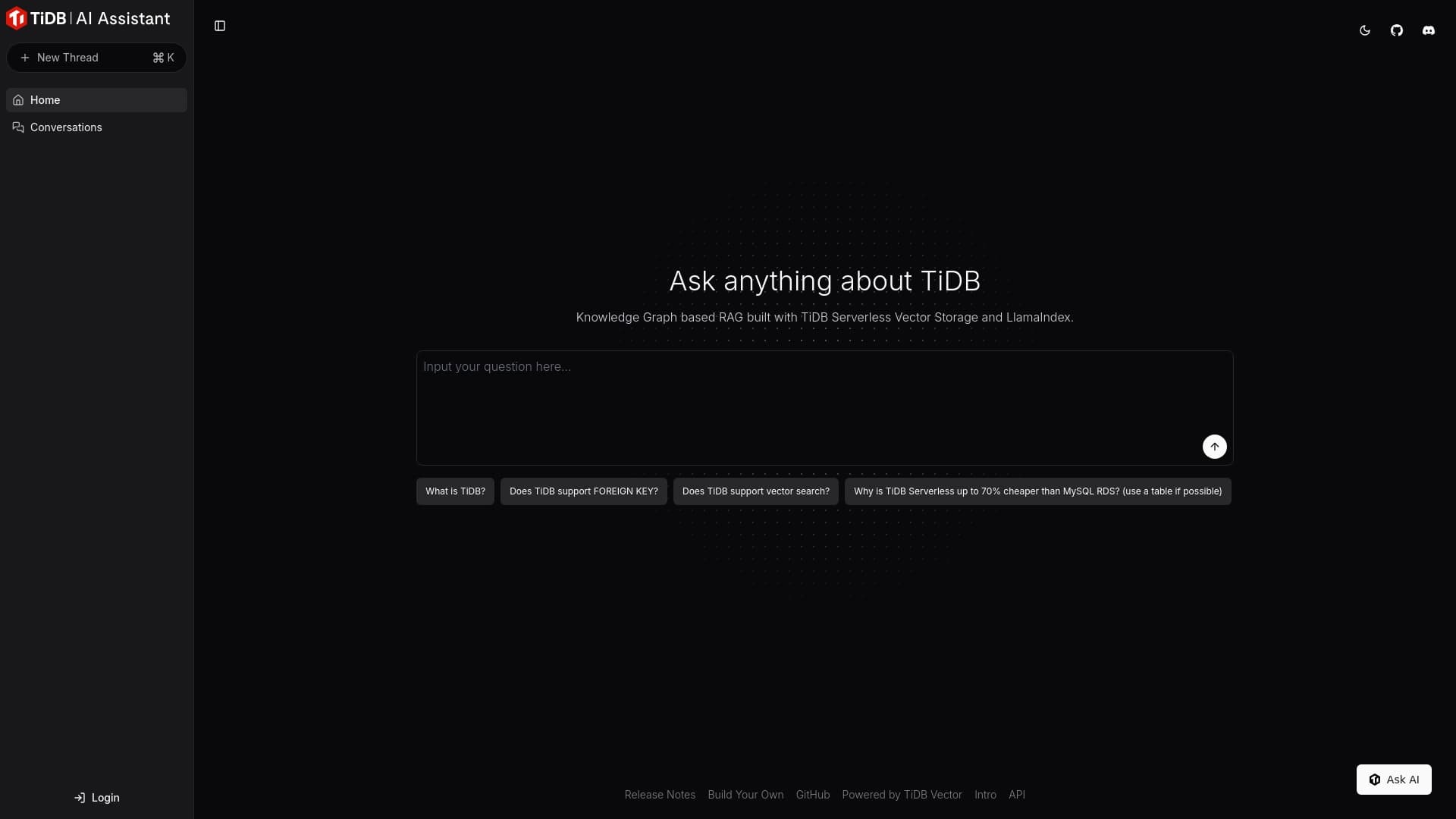
Overview
AutoFlow Neural Network Description
AutoFlow is an online tool that combines a conversational interface with a graph-based knowledge base. Instead of traditional keyword search, users interact with the neural network in a natural chat format, and the system not only returns answers but also visualizes related data as an interactive graph.
The technical foundation of the tool is the serverless TiDB storage, which enables fast processing of large volumes of information. This approach allows working with extensive data arrays without the need to set up your own infrastructure. AutoFlow can be used for learning, user support, documentation research, and information retrieval — anywhere where it's important not just to get an answer, but also to understand the context and relationships between data.
AutoFlow Characteristics
| Characteristic | Value |
|---|---|
| Type | Knowledge management and dialogue tool |
| Categories | Knowledge creation tools, Chatbot creation tools |
| Platform | Website |
| Developer | TiDB AI |
| Monthly visits | 155.0K |
| Free tier availability | Free (basic access) |
Who is AutoFlow suitable for?
Professionals working with large data arrays
AutoFlow will be useful for those who daily face the need to quickly find information in voluminous knowledge bases. The system allows users to skip learning query syntax and simply ask questions in natural language.
Teams using TiDB
Since the tool is created by TiDB developers and directly integrates with this storage, it will be especially convenient for teams already working with TiDB who want a user-friendly interface for interacting with their data.
Training and support specialists
The tool is suitable for creating training materials, onboarding new employees, and organizing user support. Graph visualization helps quickly understand the structure of information and its connections.
How to use AutoFlow?
Getting started
To start using AutoFlow, simply visit the tool's website. The user immediately lands in a chat interface where questions can be entered. No separate configuration or installation is required — everything works through the browser.
Interacting with the knowledge graph
The interface is built around a knowledge graph. After receiving an answer, the system shows related data as nodes and connections between them. By clicking on individual nodes, users can dive deeper into a topic, exploring adjacent blocks of information.
Connecting to TiDB
Connecting to TiDB storage takes just a few minutes. After setup, you can work with data directly, asking questions and receiving structured answers without needing to write SQL queries or learn command-line interfaces.
Key AutoFlow Features
Conversational communication format
AutoFlow supports full dialogue with the system: the neural network remembers the context of the discussion and takes previous questions into account when generating answers. This makes interaction more natural and closer to communicating with a live expert.
Knowledge visualization through graphs
The tool's key feature is the visual representation of data as a graph. Users see not just the answer text, but the structure of relationships between various pieces of information, which speeds up understanding and navigation through the knowledge base.
Serverless TiDB storage
Using TiDB's serverless solution ensures fast work with large data volumes. The tool automatically scales under load, and answers arrive without noticeable delays, even when working with large data arrays.
Vector storage
The built-in vector storage enables fast and accurate answers to questions, relying on semantic similarity of information rather than just keyword matching.
AutoFlow Advantages
Interactive communication with the knowledge base
Unlike classic search engines, AutoFlow allows full dialogue with data. The system remembers the conversation context, clarifies details, and delivers answers that become more accurate with each new question.
Visual data navigation
Graph-based information representation is one of the tool's main strengths. Instead of a long list of results, users see the structure of connections, can click on nodes and explore related topics, significantly saving time when searching for information.
Quick TiDB connection
The process of setting up TiDB integration takes minimal time. After connection, data work is fast and without lag, which is especially important for intensive daily use.
AutoFlow Limitations
Initial setup complexity
Despite the simplicity of basic use, understanding the tool's configuration can be challenging, especially for beginners. Manually building a knowledge graph may require significant time investment at the start.
Limitations with highly specialized data
The tool may lose some details when working with rare or highly specialized topics. In such cases, answers may be too general and fail to reflect the specifics of the user's request.
Dependence on internet connection quality
Since AutoFlow works exclusively online, unstable internet connections cause delays in opening the knowledge base and slow down information retrieval, reducing work productivity.
What tasks does AutoFlow solve
Fast information retrieval in the knowledge base
The tool allows finding needed data in seconds by asking questions in natural language and receiving instant answers with visual display of related information.
Conducting dialogues with the neural network to obtain data
AutoFlow supports an interactive communication format where users can clarify questions, dive into details, and explore topics of interest without switching between different tools.
Learning and researching information
The platform is suitable for studying TiDB features and other technical topics. Graph visualization helps see the full picture and understand relationships between various system components.
Knowledge management on graphs
AutoFlow provides the ability to build custom knowledge graphs, structuring information as needed and creating a convenient navigation system for corporate knowledge bases.
AutoFlow Pricing
AutoFlow offers several pricing plans:
- Free — basic access to the tool's core features.
- Standard — includes advanced features for team collaboration.
- Premium — unlocks the full feature set and provides priority user support.
Exact terms and composition of each plan may vary, so it's recommended to check details on the official website before choosing a plan.
AutoFlow Terms of Use
The tool operates as an online service, which means a constant internet connection is required. To get started, simply create an account and use a browser to access the platform.
For full use of all features, including connecting your own databases, basic setup and integration with TiDB storage will be required. At the initial stage, a free tier is available, allowing users to evaluate the tool's capabilities before moving to paid plans.
AutoFlow Availability
AutoFlow works online through the website. A stable internet connection is required to use the tool, as all data is processed server-side. The absence of mobile or desktop app versions is compensated by a responsive web interface accessible from any device through a browser.
How AutoFlow differs from alternatives
The key difference between AutoFlow and traditional search and knowledge management tools lies in combining two approaches — conversational interaction and graph visualization. Instead of a search results feed that must be manually sifted through, users get an interactive knowledge map where each node is connected to other information elements.
The second important difference is tight integration with TiDB and the use of serverless storage. This allows AutoFlow to work with truly large data volumes without losing performance. While many alternatives are limited to processing small information arrays, AutoFlow is oriented toward enterprise-level use.
Also worth noting is the focus on manually building custom knowledge graphs. This requires some effort at the setup stage but provides the ability to fine-tune the information structure to specific user tasks.
Conclusion
AutoFlow is an online tool for communicating with a neural network and managing knowledge on graphs with support for serverless TiDB storage. It is suitable for fast learning, organizing user support, and searching for information in large data arrays. Thanks to the conversational format and visualization of relationships, the platform makes working with information more intuitive and visual. At the same time, the tool has initial setup complexities and may experience limitations when working with rare or highly specialized topics, which should be considered when choosing a solution for specific tasks.
Frequently asked questions
See also

An online service that lets you chat with PDF documents: ask questions and get concise answers with source attribution.


Online AI speech synthesis platform that allows generating audio with voices of famous characters and celebrities.


AI chatbot for automating customer communication and lead qualification.


AI agent for assisting with programming and optimizing the development workflow.


Service for live AI conversations, including text generation, voice, and speech recognition.


Platform for creating multi-agent AI systems and chatbots to automate customer support and lead generation.


AI marketing assistant that helps create promotion strategies and optimize advertising campaigns.


A tool for generating 3D models based on text descriptions, images, or sketches.