

Apptrop
Apptrop is a cloud suite of over 50 integrated business applications for managing your company.
Overview
Apptrop Neural Network Description
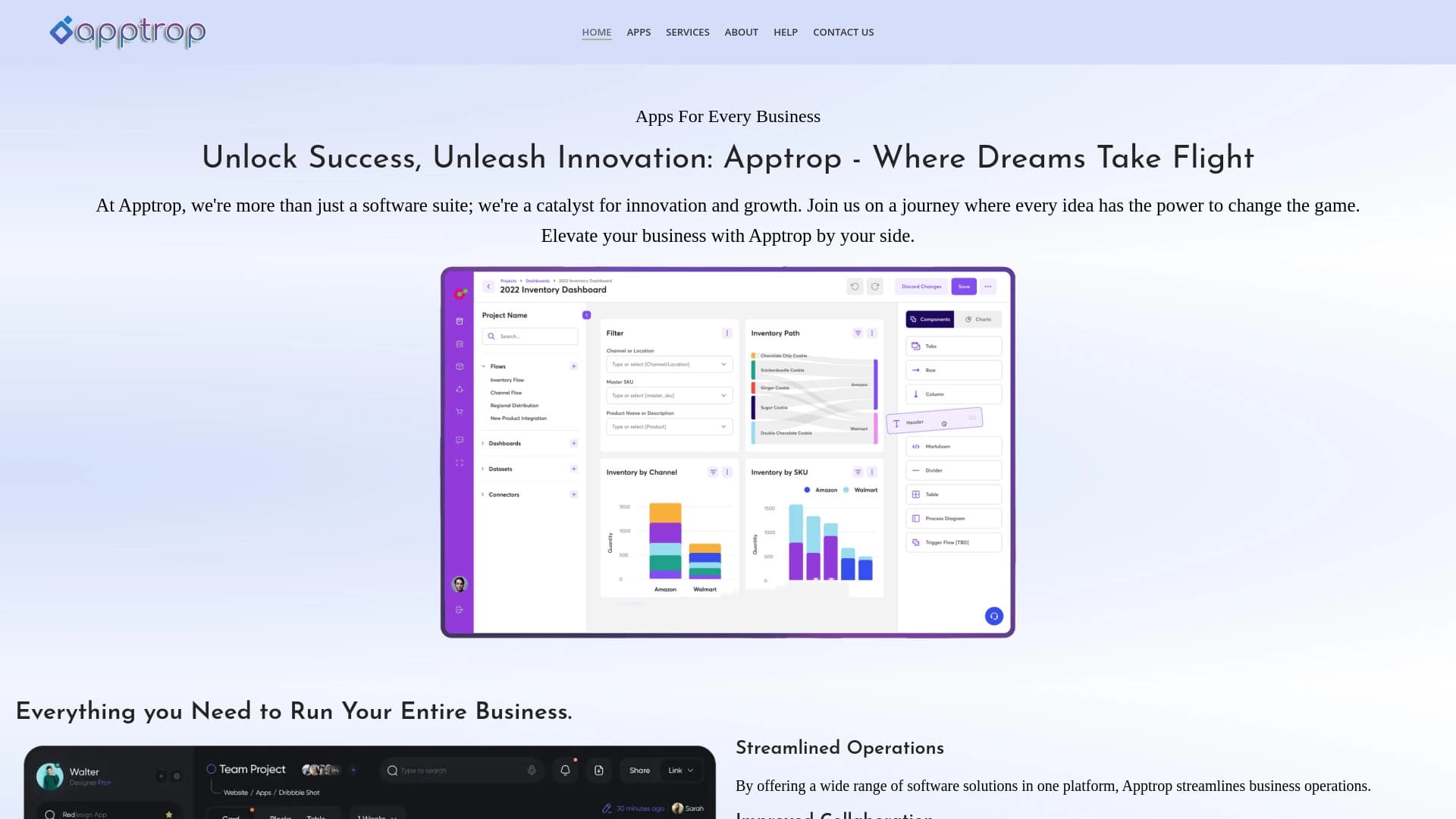
Apptrop is a cloud-based business management platform that brings together more than 50 applications in a single workspace. Instead of purchasing and configuring separate programs for CRM, accounting, project management, and marketing, users get access to a comprehensive set of tools that work together.
The system is designed to cover a company's core operational needs: from managing the customer base and financial tracking to planning advertising campaigns and monitoring task completion. Thanks to its cloud architecture, all data syncs across devices, and the interface can be adapted to specific workflows.
Key Platform Idea
Apptrop's core value lies in integration. Instead of manually transferring data between different services, users work in a unified environment where customer information, orders, invoices, and communications are automatically linked. This reduces time spent on routine operations and lowers the risk of errors caused by data desynchronization.
The platform is positioned as a universal solution that can replace several specialized programs at once. Users choose which modules they need and customize the interface to fit their workflow.
Apptrop Features
| Feature | Value |
|---|---|
| Type | All-in-one business management suite |
| Categories | AI Sales Assistant, AI Analytics Assistant, AI CRM, AI Lead Generation, AI Newsletter Generator |
| Number of applications | More than 50 integrated applications |
| Platforms | Web, Android, iOS, Mac, Windows |
| Date added to catalog | May 26, 2024 |
| Target audience | Small business owners, entrepreneurs, freelancers, non-profit organizations, educational institutions |
| Geographic availability | Available globally |
Who is Apptrop for?
Small Business and Startup Owners
For small companies, purchasing licenses for a dozen different services can be too costly. Apptrop offers an alternative: one set of tools that covers basic needs in customer management, finances, and projects. This allows small teams to work with a full range of features without having to figure out integrations between different systems.
Freelancers and Independent Contractors
Self-employed professionals often juggle multiple roles: sales, accounting, marketing, and administration. Apptrop lets them keep all processes in one place — from invoicing to contact management and task planning. The customizable interface allows users to disable unnecessary modules and keep only the relevant tools.
Non-Profit Organizations and Educational Institutions
For organizations with limited budgets, getting maximum functionality for minimal cost is essential. The platform includes modules for task administration, communication management, and reporting, which can be useful for coordinating volunteers, managing projects, or handling administrative activities for schools and courses.
How to Use Apptrop
Step 1: Create an Account
To get started, go to the official Apptrop website and register. The account creation process is standard: you provide your name, email address, and password. After confirming your registration, you'll be taken to your personal dashboard.
Step 2: Choose Applications and Configure
Once logged in, you'll see a catalog of available applications. Select the modules that match your business needs — for example, CRM, accounting, or project management. Each module can be configured with custom fields, statuses, and access rights to fit your company's specific workflows.
Step 3: Integrate with Existing Tools
If your company already uses working services (such as payment systems or email clients), Apptrop allows you to connect them through integrations. This ensures data isn't duplicated and processes continue running as usual.
Step 4: Launch and Daily Operations
After configuration is complete, you can move to operational activities: managing the customer base, issuing invoices, assigning tasks to employees, and tracking key metrics through dashboards. The system is available on all major platforms, so switching between devices doesn't interrupt your workflow.
Key Apptrop Features
CRM and Customer Relationship Management
The CRM module is designed to store all customer information: contact details, communication history, deal statuses, and financial transactions. Thanks to integration with other applications, opening a customer card shows their invoices, requests, and marketing interactions.
Accounting and Finance
The platform includes tools for tracking expenses, creating and sending invoices, and monitoring accounts receivable. This lets entrepreneurs see their financial picture in real time without maintaining parallel records in separate programs.
Project and Task Management
The project management module allows you to create projects, break them down into tasks, assign responsible team members, and track deadlines. Team collaboration happens in a shared space where the current status of each task is visible.
Marketing and Lead Generation
Marketing tools include features for planning and running campaigns, as well as applications for creating and sending newsletters. Lead data from marketing channels automatically flows into the CRM, simplifying the lead processing workflow.
Real-Time Analytics and Reporting
The platform collects data across all modules and presents it in clear reports. Users can track sales trends, team workload, financial flows, and marketing effectiveness — all metrics update in real time.
Apptrop Advantages
Resource Savings
Combining more than 50 applications into a single subscription reduces the total cost of software ownership. Users don't need to pay for multiple licenses or spend time reconciling data between different services.
Ease of Adoption
The platform's interface is designed so new users can get started quickly without lengthy training. Customizable dashboards and a logical section structure lower the entry barrier for employees without a technical background.
Scalability
The solution works for both individual freelancers and growing companies. As your business expands, you can add more modules and increase the number of users without migrating to a different system.
Analytical Depth
Built-in analytics supports data-driven decision-making. Real-time metrics help you respond faster to changes and optimize workflows.
Apptrop Disadvantages
No explicit disadvantages of the platform are listed in public sources. However, it's worth noting that comprehensive solutions require time to configure for a specific company's needs, and some built-in features may be excessive for simple use cases. Pricing information and free tier limitations are also not publicly available, so you should check the official website for details before purchasing.
What Problems Does Apptrop Solve?
Customer Relationship Management
The platform helps structure customer information: storing contacts, negotiation history, proposals, and completed deal data. This prevents information loss and simplifies sales funnel management.
Financial Accounting and Document Flow
Accounting applications allow you to record expenses, create invoices, and track payments. Business owners always see the current state of their accounts and counterparty debts.
Marketing Campaign Planning
Marketing tools help plan advertising activities, create email newsletters, and track acquired leads. Integration with CRM ensures leads are passed on to managers for follow-up.
Project and Task Control
Managers can assign tasks, set deadlines, and monitor progress. This increases work transparency and reduces the risk of missed deadlines.
Educational Institution Administration
For schools and education centers, the platform provides modules for managing student lists, schedules, grades, and parent communication, automating routine administrative work.
Apptrop Pricing
Information about Apptrop's pricing plans and usage costs is not available in public sources. The distribution model is also unspecified. For current pricing information, free trial availability, or demo access, please contact the official service website or support team.
Apptrop Terms of Use
The platform operates on a cloud model, meaning it's accessible through a web browser or installed applications on various devices. Users can create customizable interfaces and integrate Apptrop with other tools. Exact licensing terms, user limits, and data storage restrictions are not disclosed in public sources — we recommend confirming these parameters directly with service representatives.
Apptrop Availability
Supported Devices
Apptrop is available on all major platforms: via web browser, as well as on Android, iOS, macOS, and Windows devices. This ensures uninterrupted work at the office, at home, and on the go.
Geography
The service is available globally.
How Apptrop Differs from Alternatives
Similar comprehensive solutions exist on the market, such as Zoho Suite, Salesforce, HubSpot, QuickBooks, and Trello. However, Apptrop stands out for its versatility: it includes more than 50 applications in a unified environment, covering the full range of tasks — from CRM and accounting to project management and marketing.
Unlike niche tools that focus only on sales (Salesforce, HubSpot) or only on tasks and projects (Trello), Apptrop positions itself as a "single window" for managing an entire company. For small businesses, this means fewer integrations, lower total cost of ownership, and less time spent administering different systems.
Conclusion
Apptrop is a comprehensive cloud platform for automating business processes, combining CRM, financial accounting, project management, marketing, and analytics in a single suite of more than 50 applications. The solution targets small and medium-sized businesses, freelancers, non-profit organizations, and educational institutions, offering a customizable interface and availability across all key platforms.
The platform's main advantage is data integration between modules, which eliminates manual information transfer and increases operational speed. However, to fully evaluate the solution, you should check the official website for information on pricing, available integrations, and technical support terms.
Frequently asked questions
See also


AI assistant for checking grammar, spelling, and style of English text, available as a browser extension and web editor.

Platform for automated geospatial analysis of satellite imagery and geographic data.


Service for creating music track covers based on audio analysis.


Russian-language GPT-based AI chatbot for information retrieval and text generation.

Catalog of AI tools with educational materials and guides for selecting neural networks.

Service for animating photos and creating videos with digital avatars using artificial intelligence.

AI tool for product image processing and generating professional photos with virtual models.


Online AI-powered service for quickly creating presentations based on a given topic or an uploaded document.