

AnythingLLM
Универсальное приложение для работы с локальными языковыми моделями и взаимодействия с ними.
Обзор
AnythingLLM
Описание нейросети AnythingLLM
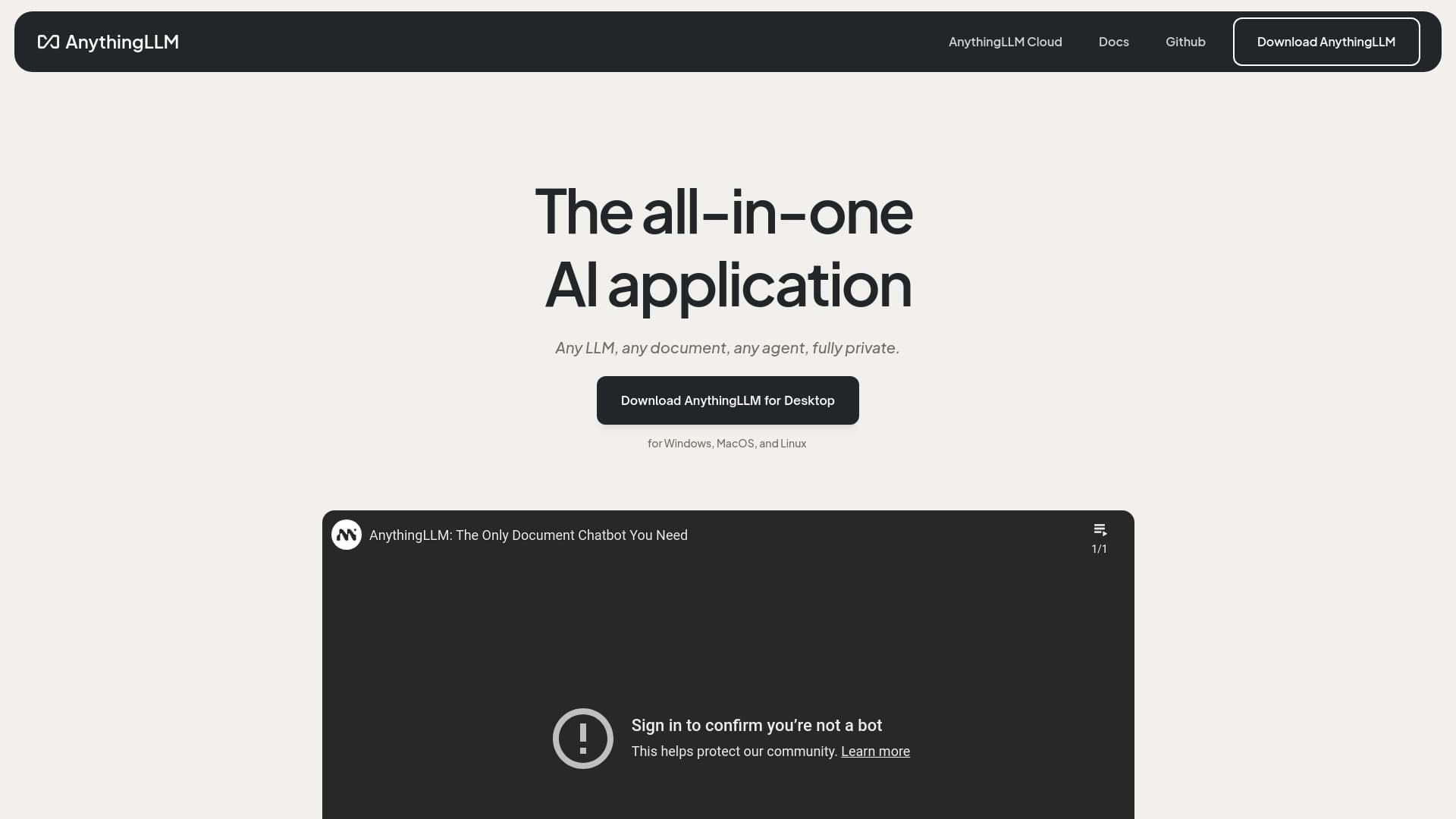
AnythingLLM — это универсальное десктопное приложение, предназначенное для работы с локальными языковыми моделями (LLM). Продукт позиционируется как единая точка входа для взаимодействия с различными AI-моделями, работающими непосредственно на вашем устройстве.
Главная идея AnythingLLM — объединить в одном интерфейсе все операции, связанные с локальными моделями: от загрузки документов и формирования баз знаний до общения с самими моделями. Приложение позволяет организовать рабочие пространства, в которых можно структурировать данные и настраивать взаимодействие с AI под конкретные задачи.
Отличительная особенность решения — работа с данными без их отправки в облако. Весь процесс обработки происходит локально, что делает инструмент привлекательным для пользователей, для которых важна конфиденциальность информации.
Ключевая идея продукта
AnythingLLM решает проблему фрагментации: вместо того чтобы использовать несколько разрозненных инструментов для работы с разными моделями, пользователь получает одно приложение, где можно переключаться между моделями и управлять ими в едином интерфейсе.
Локальный подход к работе с AI
Приложение делает ставку на локальное выполнение задач. Пользователь самостоятельно скачивает и подключает языковые модели, а AnythingLLM берёт на себя организацию рабочего процесса с ними, включая подготовку документов и построение баз знаний.
Характеристики AnythingLLM
| Характеристика | Значение |
|---|---|
| Категория | AI-ассистенты, управление знаниями, чат-боты, open source нейросети |
| Тип продукта | Десктопное приложение |
| Краткое описание | Универсальное приложение для работы с локальными языковыми моделями и взаимодействия с ними |
| Основные возможности | Загрузка документов, создание баз знаний, общение с AI-моделями |
| Обработка данных | Локальная, без отправки данных в облако |
| Поддержка провайдеров | Подключение к различным провайдерам LLM |
| Модель распространения | Freemium |
Для кого подходит нейросеть AnythingLLM?
AnythingLLM ориентирован на широкий круг пользователей, которым требуется удобный способ работы с локальными языковыми моделями. В первую очередь приложение будет полезно тем, кто ценит контроль над своими данными и не хочет передавать их сторонним облачным сервисам.
Для частных пользователей и энтузиастов AI
Люди, интересующиеся языковыми моделями и желающие экспериментировать с ними на своём компьютере, найдут в AnythingLLM удобный инструмент для организации такой работы без необходимости разбираться в сложных технических деталях настройки отдельных моделей.
Для специалистов, работающих с конфиденциальными данными
Сотрудники компаний и независимые эксперты, которые обрабатывают чувствительную информацию — юридические, финансовые, медицинские или корпоративные данные, — получают возможность использовать преимущества AI без риска утечки материалов в облачные системы.
Как использовать нейросеть AnythingLLM?
Использование AnythingLLM построено вокруг нескольких базовых шагов, которые позволяют настроить пространство для работы с моделями и документами.
Установка и подключение модели
Первым делом необходимо установить приложение на свой компьютер и подключить к нему одну или несколько локальных языковых моделей. AnythingLLM поддерживает подключение к различным провайдерам LLM, поэтому пользователь может выбрать модель, которая лучше всего подходит под его задачи.
Создание базы знаний и загрузка документов
После подключения модели в приложение загружаются документы, которые формируют базу знаний. На основе этих материалов приложение будет отвечать на вопросы пользователя, опираясь на загруженное содержимое.
Организация рабочего пространства
AnythingLLM предоставляет инструменты для организации рабочего пространства. Пользователь может структурировать свои материалы и настраивать взаимодействие с AI так, чтобы работа была удобной и соответствовала конкретным задачам.
Основные функции AnythingLLM
Функциональность AnythingLLM строится вокруг объединения локальных моделей и работы с данными в одном интерфейсе.
Работа с локальными языковыми моделями
Приложение выступает в роли единой платформы для запуска и использования локальных LLM. Вместо управления несколькими отдельными инструментами пользователь работает с моделями из единого приложения.
Загрузка документов и построение баз знаний
AnythingLLM позволяет загружать документы и превращать их в структурированные базы знаний. На базе этих материалов AI-модели могут давать ответы, опираясь на предоставленный пользователем контент.
Общение с AI и организация пространства
Встроенный интерфейс общения с моделями сочетается с инструментами организации рабочего пространства. Пользователь может упорядочивать свои проекты и материалы, делая взаимодействие с AI более продуктивным.
Преимущества AnythingLLM
К сильным сторонам AnythingLLM можно отнести ряд практических достоинств.
Приватность и сохранность данных
Поскольку работа с моделями и документами происходит локально, без отправки данных в облако, пользователь сохраняет полный контроль над своей информацией. Это ключевое преимущество для тех, кто работает с конфиденциальными материалами.
Универсальность и единый интерфейс
Приложение объединяет работу с разными языковыми моделями в одном месте. Пользователю не нужно переключаться между несколькими инструментами — всё доступно в едином рабочем пространстве.
Гибкость в выборе моделей
Поддержка подключения к разным провайдерам LLM даёт свободу выбора. Пользователь может менять модели в зависимости от задачи, не покидая приложение.
Недостатки AnythingLLM
Как и у любого инструмента, у AnythingLLM есть ограничения, о которых стоит знать заранее.
Требования к ресурсам устройства
Работа с локальными языковыми моделями предъявляет требования к производительности компьютера. Сложные модели могут быть требовательны к объёму оперативной памяти и вычислительной мощности устройства.
Затраты на настройку
Подключение и настройка различных языковых моделей могут потребовать определённого времени и технических знаний, особенно для пользователей, впервые сталкивающихся с локальным запуском LLM.
Модель распространения freemium
Приложение распространяется по модели freemium: часть функций доступна бесплатно, однако за дополнительные возможности может взиматься плата. Подробности о границах бесплатного и платного функционала зависят от текущих условий продукта.
Какие задачи решает AnythingLLM
AnythingLLM помогает решать задачи, связанные с организацией локальной работы с AI-моделями.
Работа с корпоративными и личными документами
Приложение решает задачу взаимодействия с документами: загруженные материалы превращаются в базы знаний, по которым модель может отвечать на вопросы, что удобно для анализа инструкций, отчётов и справочных материалов.
Конфиденциальное использование AI
Инструмент решает проблему безопасного применения языковых моделей: данные не покидают устройство пользователя, что делает возможным использование AI в сценариях, где важна секретность.
Управление несколькими моделями
Приложение упрощает задачу управления разными языковыми моделями, объединяя их в единый интерфейс и избавляя пользователя от необходимости работать с несколькими отдельными программами.
Цены AnythingLLM
AnythingLLM распространяется по модели freemium. Это означает, что базовая функциональность приложения доступна пользователям бесплатно, а за расширенный набор возможностей предусмотрена плата.
Детальные тарифы, стоимость подписок и точные границы между бесплатным и платным функционалом в предоставленных данных не раскрываются. Для получения актуальной информации о ценах и доступных тарифных планах рекомендуется обращаться к официальному сайту продукта, поскольку условия могут меняться со временем.
Условия использования AnythingLLM
AnythingLLM позиционируется как open source проект, что накладывает определённые условия использования в соответствии с выбранной лицензией с открытым исходным кодом.
Модель распространения freemium предполагает, что часть возможностей остаётся бесплатной, тогда как дополнительные функции могут требовать оплаты. Точные условия лицензирования, ограничения на коммерческое использование и правила распространения в предоставленных исходных данных не детализированы, поэтому для точной информации стоит обращаться к официальной документации и лицензионному соглашению продукта.
Доступность AnythingLLM
AnythingLLM доступен в виде десктопного приложения, то есть устанавливается и запускается непосредственно на устройстве пользователя. Такой формат отличает его от веб-сервисов, работающих через браузер.
Как и в случае других параметров, подробные сведения о поддерживаемых операционных системах и конкретных платформах в предоставленных исходных данных отсутствуют. Для получения актуальной информации о совместимости с вашей системой рекомендуется посетить официальный сайт или страницу загрузки продукта.
Чем отличается AnythingLLM от аналогов
Главное отличие AnythingLLM от многих аналогичных решений — ориентация на локальную работу с языковыми моделями. В то время как значительная часть AI-инструментов работает через облачные сервисы и требует загрузки данных на удалённые серверы, AnythingLLM выполняет все операции на устройстве пользователя.
Дополнительно приложение выделяется своей универсальностью: вместо привязки к одному провайдеру или единственной модели оно поддерживает подключение различных LLM и объединяет их в единый интерфейс. Это даёт пользователю свободу выбора моделей и гибкость при работе с разными задачами.
Таким образом, AnythingLLM занимает нишу инструментов, в которых приоритет отдаётся приватности данных и возможности самостоятельно управлять моделями, не полагаясь на внешние сервисы.
Заключение
AnythingLLM — это удобное десктопное приложение, объединяющее работу с локальными языковыми моделями в едином интерфейсе. Оно решает актуальную задачу организации баз знаний и общения с AI без передачи данных в облако, что особенно ценно для пользователей, заботящихся о конфиденциальности. Продукт привлекателен своей универсальностью и гибкостью в выборе моделей, хотя требует от пользователя определённых ресурсов устройства и готовности разобраться в настройке локального окружения. Распространяясь по модели freemium, AnythingLLM доступен для широкого круга пользователей, а детали тарифов и условия лицензирования стоит уточнять на официальном сайте проекта.
Часто задаваемые вопросы
Похожие нейросети


Смотрите также


Платформа для автоматизации поиска клиентов и персонализированных рассылок с обогащением данных из более чем 150 источников.
Интеллектуальный помощник от Microsoft, встроенный в поисковую систему Bing и браузер Edge на базе GPT-4.
Мультимодальный голосовой ассистент Яндекса на базе нейросети YandexGPT, который отвечает на вопросы, генерирует тексты и изображения, анализирует файлы и управляет умным домом.

AI-платформа для быстрого скрининга резюме, помогающая рекрутерам отбирать подходящих кандидатов.


Многофункциональная платформа для создания и редактирования медиаконтента с помощью искусственного интеллекта.


Платформа для общения с виртуальными ИИ-персонажами с генерацией изображений в процессе диалога.


Платформа-агрегатор, объединяющая различные AI-инструменты и языковые модели с оплатой только за фактическое использование.

ИИ-агент для автоматизации клиентских коммуникаций и поддержки.