

AI Voice Generator
Преобразует текст в речь с помощью ИИ, доступен как Telegram-бот и веб-сервис.
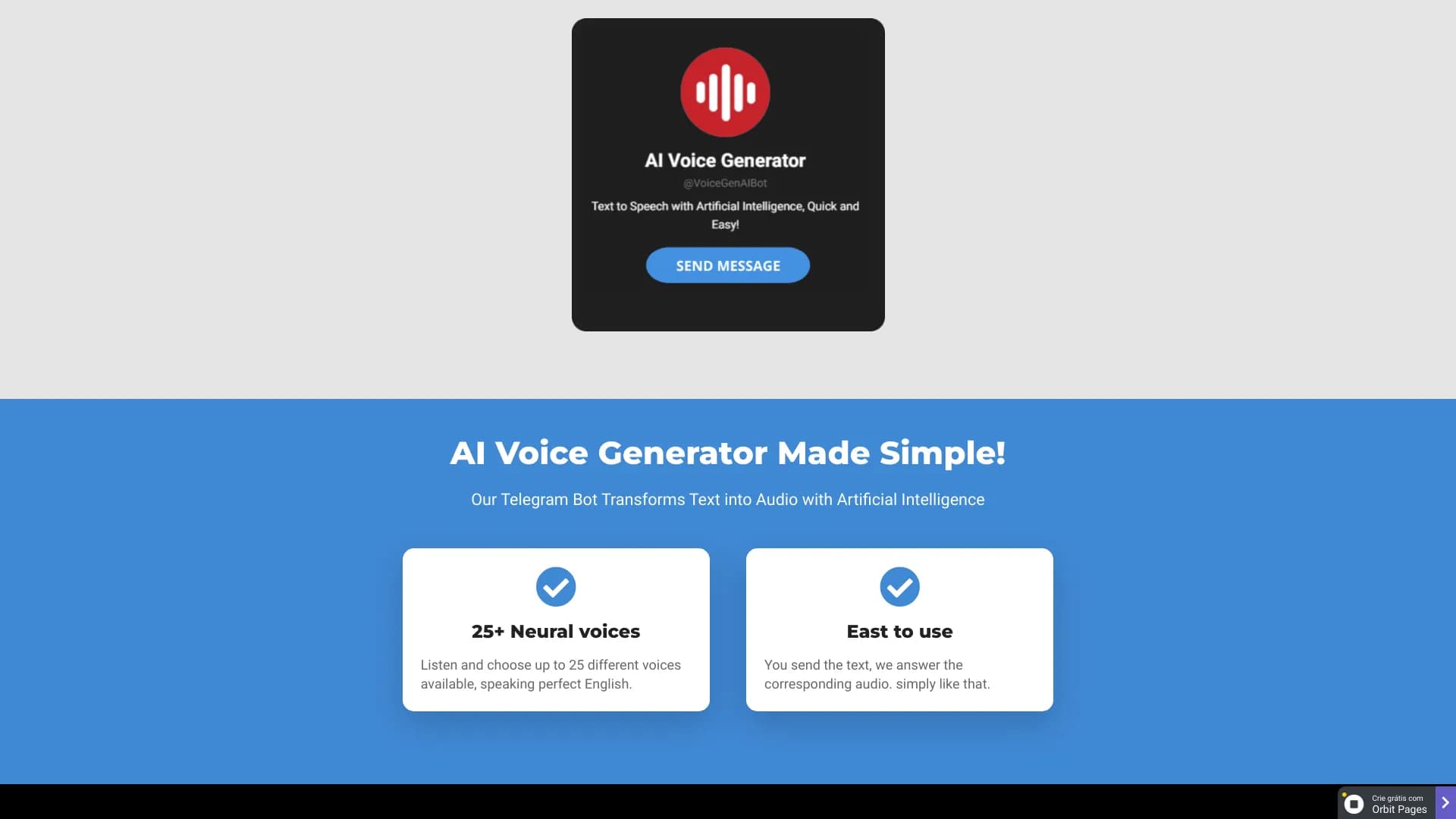
Обзор
Описание нейросети AI Voice Generator
AI Voice Generator — это инструмент, который превращает письменный текст в аудиофайл с помощью искусственного интеллекта. Сервис доступен в двух форматах: Telegram-бот и веб-платформа. Пользователь вводит текст, выбирает голос и язык, а нейросеть за считанные секунды генерирует естественно звучащую речь. Telegram-версия ориентирована на английский язык (с инструкциями для испанского и португальского), тогда как веб-сервис поддерживает сразу несколько языков. В обоих случаях результат можно скачать или прослушать онлайн.
Характеристики AI Voice Generator
| Характеристика | Значение |
|---|---|
| Платформа | Web, Chrome Extensions, Telegram-бот |
| Категория | AI Voice Generator, AI Celebrity Voice Generator, TikTok AI Voice Generator |
| Дата добавления | 09 июня 2024 |
| Разработчик (Telegram-бот) | OrbitPages |
| Формат выходного файла (Telegram) | .ogg |
| Количество голосов | До 25 (в Telegram-боте, английский язык) |
| Языки интерфейса (Telegram) | Английский, инструкции для испанского и португальского |
| Языки веб-версии | Несколько языков |
| Необходимость регистрации | Не требуется |
| Источник | TextToSpeech, OrbitPages |
Для кого подходит нейросеть AI Voice Generator?
Люди с нарушениями зрения
Сервис помогает озвучивать текстовый контент: статьи, книги, PDF-файлы и веб-страницы. Это делает информацию доступной для тех, кому сложно читать с экрана.
Студенты и изучающие языки
Инструмент полезен для прослушивания учебных материалов, а также для тренировки произношения. Можно вставить текст на иностранном языке и услышать, как звучат слова и фразы.
Профессионалы и создатели контента
Озвучка видео, подкастов и аудиороликов без необходимости самостоятельно записывать голос. Подходит блогерам, маркетологам, преподавателям и всем, кто регулярно работает с медиаконтентом.
Как использовать нейросеть AI Voice Generator?
Через веб-сервис
- Перейдите на сайт TextToSpeech.
- Введите или вставьте текст в специальное поле.
- Выберите желаемый язык и голос.
- Нажмите кнопку «Convert» для генерации аудио.
- Прослушайте результат прямо на сайте или скачайте файл на устройство.
Через Telegram-бота
- Откройте бота в Telegram (дополнительное ПО устанавливать не нужно).
- Вставьте текст в чат.
- Запустите генерацию.
- Через несколько секунд бот отправит готовый аудиофайл.
- Под каждым аудио есть кнопка загрузки — с её помощью файл сохраняется на устройство.
Основные функции AI Voice Generator
Преобразование текста в речь
Нейросеть анализирует введённый текст и синтезирует естественно звучащую речь. Процесс занимает считанные секунды.
Выбор голоса и языка
В Telegram-боте доступно до 25 голосов (преимущественно английских). Веб-версия поддерживает несколько языков и предлагает голоса, которые звучат близко к человеческой речи.
Быстрая генерация и скачивание
Сервис работает в реальном времени: результат появляется сразу после нажатия кнопки. Сгенерированные аудиофайлы можно скачать и использовать на любых устройствах.
Преимущества AI Voice Generator
- Мгновенное превращение текста в речь — экономия времени на записи и монтаже.
- Голоса звучат естественно и близко к человеческой речи.
- Простой и интуитивно понятный интерфейс, не требующий обучения.
- Работает онлайн через Telegram — без установки программ.
- Доступен на нескольких устройствах одновременно.
- Не требуется регистрация или вход в аккаунт.
- Поддерживается скачивание и отправка готовых аудиофайлов.
Недостатки AI Voice Generator
- В Telegram-версии поддерживаются только английские голоса (для испанского и португальского есть лишь инструкции).
- Аудио сохраняется в формате .ogg — для использования в некоторых редакторах может потребоваться конвертация.
- Нет выделенных мобильных приложений или отдельного веб-интерфейса для Telegram-версии.
- Требуется стабильное интернет-соединение.
- Нет информации об открытом исходном коде.
- Платёжные условия (кроме тарифов в Telegram-боте) публично не раскрыты.
Какие задачи решает AI Voice Generator
Озвучка контента
Инструмент позволяет создавать голосовое сопровождение для видео, подкастов и аудиороликов без студии и дикторского оборудования.
Чтение текстов вслух
Можно прослушивать PDF-документы, книги и веб-страницы. Это удобно в дороге, во время занятий спортом или при выполнении других дел.
Изучение произношения
Пользователи могут вставлять текст на иностранном языке и слушать, как он произносится. Это полезно для отработки произношения и восприятия речи на слух.
Повышение доступности контента
Сервис делает текстовую информацию доступной для людей с нарушениями зрения, а также для тех, кто предпочитает аудиоформат.
Цены AI Voice Generator
Тарифы для Telegram-бота
| Тариф | Стоимость | Условия |
|---|---|---|
| Базовый | 999 руб./мес. | Доступ ко всем голосам, до 100 аудиофайлов в месяц |
| Профессиональный | 1899 руб./мес. | До 500 аудиофайлов в месяц |
| Корпоративный | 4999 руб./мес. | Безлимитное количество файлов |
Веб-версия
Данные о стоимости веб-сервиса в открытых источниках не указываются. Для уточнения условий необходимо обращаться к разработчику напрямую.
Условия использования AI Voice Generator
Для веб-версии регистрация не требуется — текст можно вставить и преобразовать сразу. Telegram-бот также не требует установки дополнительного ПО. При этом для полноценного доступа ко всем голосам и увеличенному лимиту файлов нужно оформить платную подписку. Бесплатные условия для пользователей веб-версии в источниках не описаны.
Доступность AI Voice Generator
Веб-платформа
Сервис работает через браузер, поддерживается несколько языков. Доступен с любых устройств с интернетом.
Telegram-бот
Работает на всех платформах, где доступен Telegram: Android, iOS, Windows, macOS, Linux. Требуется стабильное подключение к сети. Веб-интерфейс и выделенные мобильные приложения для этой версии не предусмотрены.
Чем отличается AI Voice Generator от аналогов
Ключевые различия
Telegram-бот работает быстро и не требует установки — это главное отличие от таких сервисов, как NaturalReader, SpeechActors или TTSReader, которые доступны только через веб-интерфейс. AI Voice Generator также предлагает мгновенную генерацию в чате и файлы в формате .ogg, удобные для мессенджеров.
Особенности по сравнению с аудиоредакторами
В отличие от Cleanvoice, Audo Studio или AIVA, AI Voice Generator не предназначен для обработки готовых аудиозаписей. Его задача — только синтез речи из текста. Это делает инструмент более простым и узкоспециализированным.
Аудиоформат и языки
Веб-версия поддерживает несколько языков и естественно звучащие голоса, что приближает её к TTSReader и NaturalReader. Telegram-версия ограничена английским языком, но компенсирует это выбором из 25 голосов и скоростью обработки.
Заключение
AI Voice Generator — это практичный инструмент для быстрого преобразования текста в речь, доступный в виде веб-сервиса и Telegram-бота. Он подходит для создания озвучки видео, подкастов, чтения книг и обучения произношению. Веб-версия поддерживает несколько языков и не требует регистрации, а Telegram-бот предлагает до 25 естественных голосов и платные тарифы для расширенных сценариев использования. Главные ограничения — привязка Telegram-версии к английскому языку и формат .ogg, однако для большинства повседневных задач сервис остаётся удобным и доступным решением.
Тарифы
Часто задаваемые вопросы
Смотрите также


Инструмент для генерации 3D-моделей на основе текстового описания, изображений или набросков.


Онлайн-редактор изображений с функциями на базе ИИ для обработки фото, дизайна и генерации контента.


Aimi — это сервис, который автоматически создает музыку и озвучку для видео, анализируя видеоряд.

Веб-платформа для генерации изображений и кинематографичных видео с помощью ИИ, включающая инструменты для студийного редактирования.

Онлайн-сервис для создания реалистичного клона голоса по короткой аудиозаписи и озвучивания текста.


Генеративная платформа для создания реалистичных изображений и коротких видео из текста или изображений с управлением стилем и движением камеры.


Бесплатный веб-инструмент от Google, который с помощью машинного обучения превращает грубые наброски в аккуратные иконки и иллюстрации.


Нейросеть для генерации коротких видео по текстовым описаниям или изображениям.