

AI Talking Baby Podcast Video Generator
Превращает фото младенца в видео с анимированной мимикой и синхронизацией губ под речь или аудио.
Обзор
Описание нейросети AI Talking Baby Podcast Video Generator
AI Talking Baby Podcast Video Generator — это специализированный веб-инструмент, который оживляет статичные фотографии младенцев. Достаточно загрузить один снимок ребенка в формате JPG, PNG или WebP, добавить текст или аудиофайл MP3, и нейросеть создаст короткий видеоролик, в котором малыш реалистично шевелит губами и меняет выражение лица в такт произносимой речи.
Технология работает в автоматическом режиме: пользователю не нужно обладать навыками 3D-моделирования, анимации или монтажа. Алгоритм сам анализирует черты лица на фотографии и накладывает на них правдоподобную артикуляцию, синхронизированную с голосовой дорожкой. На выходе получается готовый к публикации ролик, который можно сразу выкладывать в социальные сети.
Где размещен сервис
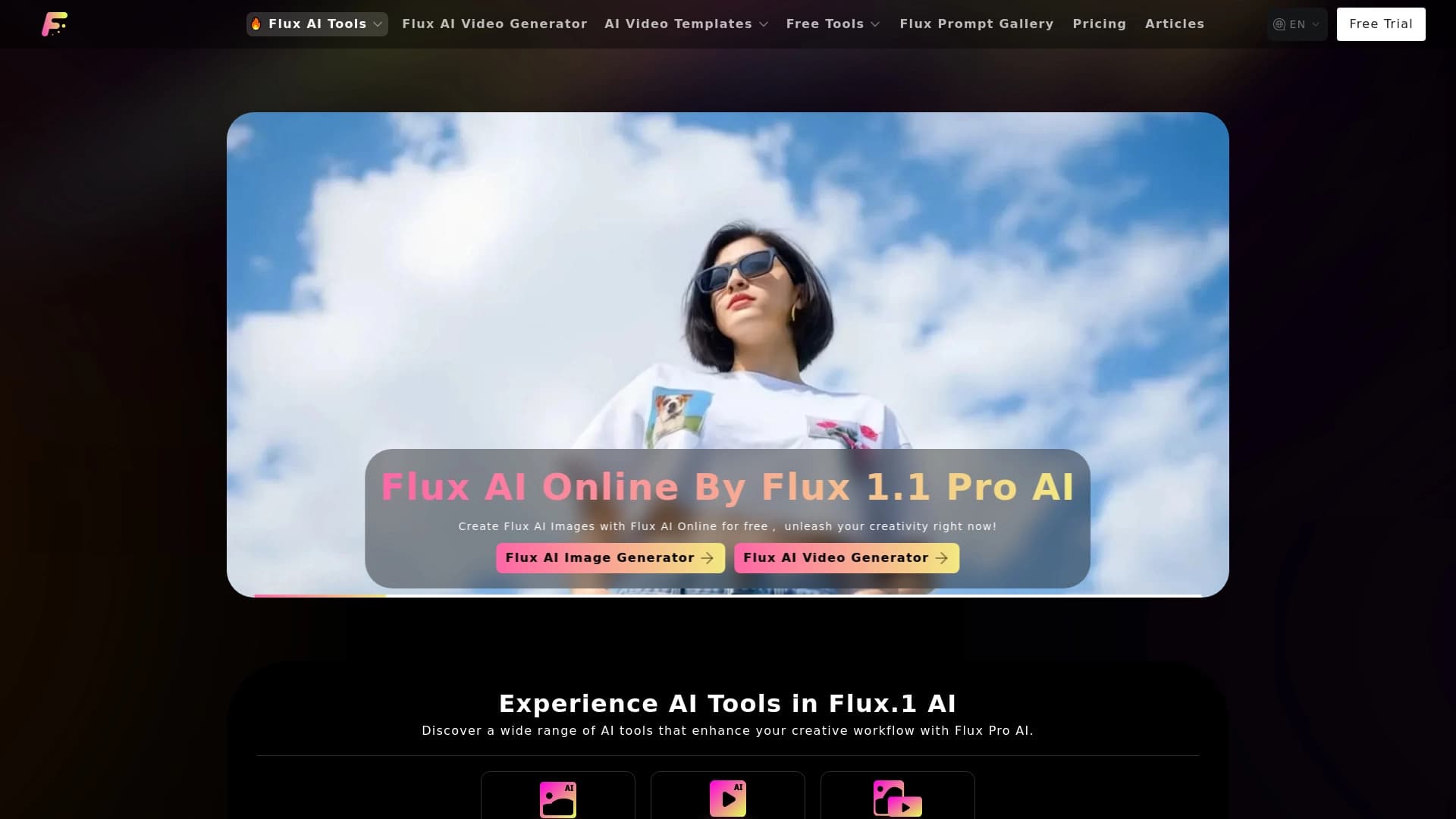
Платформа доступна через веб-браузер на сайте fluxproweb.com. Для работы не требуется установка дополнительного программного обеспечения — все вычисления выполняются на стороне сервера, а пользователь взаимодействует с простым и понятным интерфейсом через браузер.
Характеристики AI Talking Baby Podcast Video Generator
| Характеристика | Значение |
|---|---|
| Тип | Генерация видео из изображения |
| Категория | Анимация и мультфильмы, Генерация видео |
| Платформы | Веб-сайт (fluxproweb.com) |
| Форматы изображений | JPG, PNG, WebP |
| Форматы аудио | MP3 |
| Разрешение видео | 540p, 720p |
| Соотношения сторон | 16:9, 9:16, 1:1 |
Для кого подходит нейросеть AI Talking Baby Podcast Video Generator?
Создатели развлекательного контента
Блогеры, ведущие YouTube-каналов и авторы TikTok-аккаунтов могут использовать инструмент для производства коротких вирусных роликов. Необычная анимация младенца, «озвучивающего» шутки или забавные монологи, привлекает внимание зрителей и увеличивает вовлеченность.
Родители и члены семей
Инструмент позволяет создавать оригинальные семейные поздравления: например, видео, в котором ребенок «поздравляет» родственников с днем рождения или праздником. Такие ролики становятся трогательными сувенирами и вызывают теплые эмоции у получателей.
Маркетологи и SMM-специалисты
Нестандартный контент с говорящими младенцами помогает выделиться в ленте социальных сетей. Специалисты по продвижению могут использовать такие видео для создания юмористических рекламных интеграций, обзоров продуктов или просто для повышения активности в сообществах.
Как использовать нейросеть AI Talking Baby Podcast Video Generator?
Шаг 1: Загрузка фотографии
Первый шаг — загрузить качественное изображение младенца. Подходят популярные форматы JPG, PNG и WebP. Важно, чтобы лицо ребенка было хорошо видно и находилось в кадре без сильных затемнений или посторонних предметов, перекрывающих его.
Шаг 2: Добавление текста или аудио
После загрузки фото нужно выбрать источник речи. Можно ввести текстовую строку — нейросеть сама синтезирует речь и синхронизирует ее с движениями губ. Альтернативный вариант — загрузить готовый аудиофайл в формате MP3 с уже записанным голосом или музыкой.
Шаг 3: Генерация и экспорт видео
На финальном этапе пользователь выбирает разрешение (540p или 720p) и соотношение сторон под конкретную площадку: 16:9 для YouTube, 9:16 для вертикальных роликов в TikTok и Reels, 1:1 для ленты Instagram. Нейросеть обрабатывает запрос и выдает готовый анимированный клип.
Основные функции AI Talking Baby Podcast Video Generator
- Оживление статичного фото: превращает плоское изображение в динамичное видео с движущейся мимикой.
- Синхронизация речи и артикуляции: алгоритм подстраивает движения губ под звуковую дорожку, создавая эффект реального произнесения слов.
- Поддержка двух типов ввода: пользователь может использовать как текстовый синтез речи, так и загрузку собственного MP3-файла.
- Гибкая настройка параметров: выбор разрешения (540p или 720p) и соотношения сторон (16:9, 9:16, 1:1) для различных социальных платформ.
- История созданных видео: в интерфейсе сохраняются все сгенерированные ранее ролики, что позволяет возвращаться к ним для повторного скачивания или переиспользования.
Преимущества AI Talking Baby Podcast Video Generator
- Простота работы с форматами: загрузка изображений JPG, PNG и WebP покрывает подавляющее большинство пользовательских файлов без необходимости предварительной конвертации.
- Минимальный входной набор данных: хватает всего одной фотографии, чтобы запустить процесс анимации — не нужно делать серию снимков или использовать специальное оборудование.
- Реалистичность анимации: нейросеть создает естественные движения губ и достаточно выразительные эмоции на лице, что повышает качество итогового ролика.
- Универсальность использования: инструмент подходит для подготовки контента как для коротких вертикальных видео (TikTok, Reels), так и для классического горизонтального видео на YouTube.
Недостатки AI Talking Baby Podcast Video Generator
Детальные сведения о недостатках сервиса отсутствуют в открытых источниках. К потенциально ограничивающим факторам можно отнести зависимость качества результат от исходного качества фотографии, а также отсутствие информации о возможности редактирования видео после генерации (например, обрезки хвостов или наложения дополнительных эффектов). Полная картина ограничений может быть составлена только после детального тестирования всех функций сервиса.
Какие задачи решает AI Talking Baby Podcast Video Generator
- Создание анимированного контента из статичных снимков: сервис решает главную задачу — превращает обычную фотографию в живой видеоклип.
- Производство семейных поздравлений: пользователи могут генерировать ролики, в которых малыш «произносит» праздничные тосты и пожелания.
- Генерация идей для шуточных подкастов: инструмент позволяет создавать юмористические вставки, где младенцы «рассуждают» на взрослые темы.
- Формирование вирусных роликов: необычный визуальный ряд с говорящим ребенком отлично подходит для распространения в социальных сетях и мессенджерах.
Цены AI Talking Baby Podcast Video Generator
Актуальная информация о тарифных планах и стоимости использования сервиса отсутствует в предоставленных исходных данных. Рекомендуется перейти на официальный сайт площадки или связаться с технической поддержкой для получения свежей информации о ценах на пакеты генерации видео.
Условия использования AI Talking Baby Podcast Video Generator
Развернутые сведения о лицензионном соглашении, правилах использования сгенерированных материалов и ограничениях по загрузке файлов не раскрываются в доступных источниках. Вероятно, стандартные условия включают запрет на создание контента, нарушающего законодательство или права третьих лиц. Для получения полной информации о правилах сервиса необходимо обратиться к официальным документам на сайте fluxproweb.com.
Доступность AI Talking Baby Podcast Video Generator
Сервис представляет собой веб-платформу и доступен через любой современный браузер по адресу fluxproweb.com. Пользователям достаточно иметь подключение к интернету и компьютер или мобильное устройство — установка дополнительного программного обеспечения не требуется. Поддержка основных форматов изображений и аудиофайлов обеспечивает совместимость с большинством пользовательских устройств и операционных систем.
Чем отличается AI Talking Baby Podcast Video Generator от аналогов
Основное отличие инструмента заключается в прицельной специализации именно на создании говорящих видео из детских фотографий. Вместо универсальных платформ для анимации портретов, сервис ориентирован на конкретный сегмент — развлекательный контент с младенцами. Это позволяет упростить пользовательский сценарий: пользователь не настраивает десятки параметров, а загружает фото, добавляет речь и получает готовый вертикальный или горизонтальный ролик.
Дополнительным отличием служит набор гибких настроек под конкретные социальные площадки. Вариативность соотношений сторон (16:9, 9:16, 1:1) и разрешений (540p, 720p) ориентирована на типичные требования современных видеохостингов и социальных сетей. Наличие встроенной истории генераций позволяет эффективно управлять созданными материалами без необходимости скачивать их сразу после обработки.
Заключение
AI Talking Baby Podcast Video Generator — это нишевый веб-сервис, который решает простую, но специфическую задачу: превращает статичное фото младенца в короткое видео с реалистичной артикуляцией и мимикой. Инструмент будет полезен создателям развлекательного контента, родителям и маркетологам, которые хотят разнообразить ленту нестандартными роликами. Простота трехэтапного процесса, поддержка популярных форматов и встроенная история генераций делают сервис удобным для оперативной работы. Отсутствие публичной информации о стоимости и условиях использования требует от заинтересованных пользователей дополнительного изучения официального сайта перед началом работы.
Часто задаваемые вопросы
Смотрите также
Генератор музыки по текстовому описанию с настройкой стиля и настроения, а также экспортом отдельных дорожек.


Сервис на базе ИИ для автоматического создания «безликих» коротких видео для TikTok, YouTube Shorts и других платформ.


Сервис для превращения статичных изображений в видео с пением и синхронизацией губ с помощью ИИ.


Онлайн-сервис на базе ИИ для быстрого создания презентаций по заданной теме или загруженному документу.

Онлайн-инструмент для замены лиц на фото, видео и GIF без регистрации и водяных знаков.

Платформа для создателей контента, объединяющая управление ссылками, email-маркетинг, онлайн-магазин и аналитику в одном визуальном редакторе без программирования.


BannsAi — сервис с использованием ИИ для быстрого создания рекламных баннеров по текстовому описанию или референсу.


Набор инструментов для генерации и редактирования видео с помощью ИИ, включая аватары, липсинк и клонирование голоса.