

AI Ease
Онлайн-платформа на базе ИИ для редактирования фото и видео с функциями удаления фона, улучшения качества и генерации изображений.
Обзор
AI Ease
Описание нейросети AI Ease
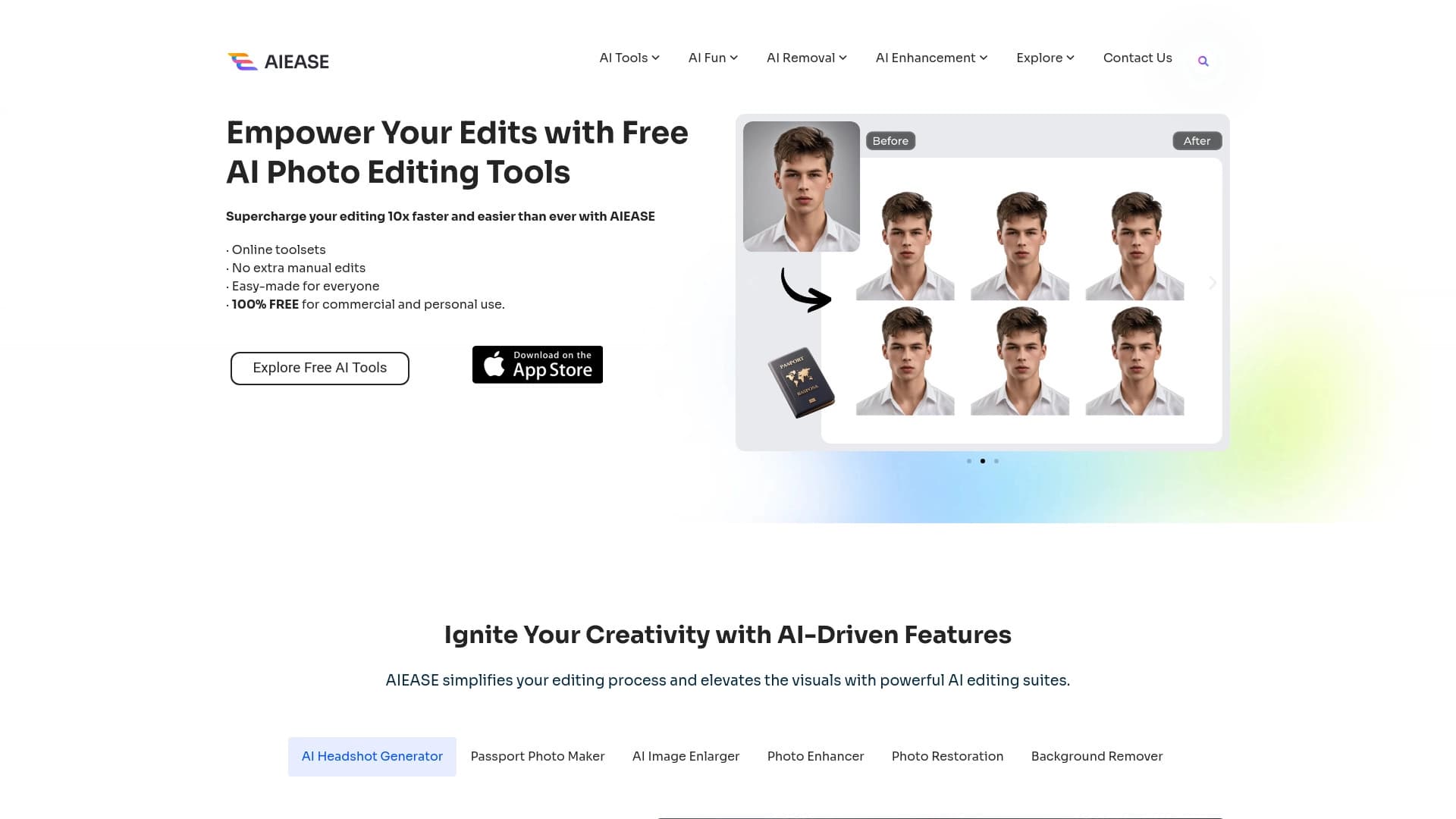
AI Ease — это онлайн-платформа и мобильное приложение для обработки изображений и видео на основе искусственного интеллекта, разработанная компанией CHENGDU Yile Tech Co., Ltd. Сервис объединяет в едином интерфейсе широкий набор инструментов: от удаления фона и объектов до повышения разрешения, ретуширования портретов и восстановления старых снимков.
Платформа позиционируется как простое решение для пользователей, которым не нужен сложный профессиональный софт. Все операции выполняются онлайн в несколько кликов через браузер или мобильное приложение. Помимо работы с изображениями, сервис предлагает функции для видео — улучшение качества и создание анимаций. Базовые возможности доступны бесплатно, а расширенный функционал открывается по подписке.
Характеристики AI Ease
| Характеристика | Значение |
|---|---|
| Тип | Онлайн-платформа для редактирования фото и видео на базе ИИ |
| Категория | Редактирование изображений, удаление фона, улучшение фото, восстановление фотографий, генерация аватаров |
| Разработчик | CHENGDU Yile Tech Co., Ltd. |
| Платформы | Веб-версия, iOS, Android (Google Play и App Store) |
| Язык интерфейса | Английский |
| Русский язык | Нет |
| Нужен VPN | Нет |
| Модель распространения | Freemium |
| Бесплатный тариф | Да (с ограничениями) |
| Необходимость установки ПО | Нет, доступ через браузер |
Для кого подходит нейросеть AI Ease?
Новички без опыта
AI Ease подходит пользователям любого уровня, включая тех, кто никогда не работал с редакторами изображений. Простой интерфейс и автоматизированные инструменты позволяют выполнять редактирование в несколько кликов без изучения сложного софта.
Профессионалы
Опытные пользователи также найдут сервис полезным для быстрых рутинных задач: удаление фона, повышение разрешения, подготовка фото на документы. Инструменты автоматизируют процессы, которые обычно требуют времени и специальных навыков.
Дизайнеры и специалисты по контенту
Платформа подходит тем, кто нуждается в оперативной обработке изображений для резюме, портфолио, соцсетей и коммерческих целей, не желая устанавливать тяжелые программы.
Как использовать нейросеть AI Ease?
Через веб-версию
Посетите сайт aiease.ai, выберите нужный инструмент на главной странице, загрузите изображение, настройте параметры, нажмите кнопку редактирования и сохраните результат. Установка программного обеспечения не требуется.
Через мобильное приложение
Для работы доступны приложения для iOS и Android, которые можно скачать в App Store и Google Play. Они предоставляют те же базовые функции редактирования в мобильном формате.
Основные функции AI Ease
Работа с изображениями
Сервис включает удаление и замену фона, удаление объектов, логотипов, текста и водяных знаков, а также замену объектов и лиц на фото. Доступно повышение резкости и улучшение четкости изображений.
Генерация и стилизация
В арсенале платформы генератор изображений по текстовому описанию с выбором стиля, превращение фото в мультяшный стиль, аниме или стиль студии Гибли, генерация аватаров и деловых портретов из селфи.
Улучшение и восстановление
Функции включают повышение разрешения до 4K без потери качества, ретушь портретов, восстановление старых и поврежденных фотографий, колоризацию черно-белых снимков и смену причесок на фото.
Работа с документами и видео
Доступно создание фото на документы с нужными размерами и фоном, расширение изображений с дорисовкой фона, а также превращение фото в динамичные видеоролики и анимации, улучшение качества видео и генерация тематических видео с эффектами.
Преимущества AI Ease
Бесплатный доступ к широкому набору инструментов
Платформа предоставляет бесплатное использование для личных и коммерческих целей большого числа профессиональных функций, что отличает её от многих аналогов.
Простота и доступность
Сервис отличается простым минималистичным интерфейсом, работает онлайн без установки ПО и доступен без региональных ограничений. Наличие мобильных приложений расширяет возможности использования.
Качество и развитие
Результаты обработки сопоставимы по качеству с платными аналогами, сервис регулярно обновляется и расширяет функционал, а также обеспечивает высокий уровень безопасности и конфиденциальности данных.
Недостатки AI Ease
Ограничения бесплатного использования
Бесплатный доступ имеет лимиты — при исчерпании появляется сообщение "Feature Usage Exceeded". Конкретные цифры лимитов в источниках не указаны.
Технические ограничения
Отсутствует API для интеграции в рабочие процессы, требуется постоянное интернет-соединение, так как офлайн-редактирование недоступно. Обработка задач в 4K может замедляться на слабых устройствах.
Отсутствие локализации и документации
Интерфейс доступен только на английском языке без русской версии, а для продвинутых функций не хватает подробных инструкций.
Какие задачи решает AI Ease
Редактирование изображений
Удаление и замена фона, удаление лишних объектов, логотипов и прохожих с фото, очистка изображений от водяных знаков и текста, замена объектов на снимках.
Улучшение и восстановление качества
Повышение четкости и детализации размытых, темных или зашумленных снимков, увеличение разрешения до 4K для печати или дизайна, восстановление старых и поврежденных фотографий, раскрашивание черно-белых изображений, ретушь портретов.
Генерация и творческая обработка
Создание профессиональных портретов для резюме и портфолио, получение фото на документы, генерация изображений по текстовому описанию, стилизация под мультфильм, аниме и Ghibli, создание аватарок и смена причесок.
Работа с видео
Превращение фото в видео и анимацию, создание анимированных роликов и эффектов, улучшение качества существующих видео.
Цены AI Ease
Модель распространения сервиса — freemium. Базовые функции доступны бесплатно, а расширенные возможности и ресурсы предоставляются по подписке Pro Plan. При этом некоторые источники описывают сервис как полностью бесплатный с возможными лимитами на использование — при исчерпании лимита появляется сообщение "Feature Usage Exceeded". Конкретные цифры стоимости подписки и точные лимиты бесплатного тарифа в исходных данных не указаны.
Условия использования AI Ease
Для работы не требуется установка программного обеспечения — все инструменты доступны через браузер или мобильное приложение. Соединение с интернетом обязательно, офлайн-редактирование недоступно. Требование обязательной регистрации в источниках не указано. Бесплатное использование имеет ограничения, при этом сервис допускает применение для личных и коммерческих целей. Точные лимиты бесплатного доступа и условия коммерческого использования в исходных данных не раскрыты.
Доступность AI Ease
Сервис доступен в виде веб-версии для браузера без региональных ограничений, а также через мобильные приложения для iOS (App Store) и Android (Google Play). VPN для использования не требуется. Интерфейс полностью на английском языке, русская версия и русский интерфейс отсутствуют.
Чем отличается AI Ease от аналогов
Главное отличие AI Ease — объединение большого числа инструментов для работы с изображениями и видео в одном интерфейсе и одном сервисе. Вместо отдельных решений для удаления фона, повышения разрешения, создания аватаров и восстановления фото платформа предлагает всё это в едином продукте с бесплатным доступом к базовым функциям.
В отличие от многих аналогов, требующих установки тяжелого ПО, сервис работает полностью через браузер и доступен без VPN и региональных ограничений. При этом по качеству результатов он сопоставим с платными конкурентами. Слабые стороны по сравнению с некоторыми альтернативами — отсутствие API для интеграции и ограничения бесплатного тарифа.
Заключение
AI Ease — это универсальная онлайн-платформа для редактирования изображений и видео на базе ИИ, объединяющая широкий набор инструментов в одном простом интерфейсе. Сервис подходит как новичкам, так и профессионалам, которым нужно быстрое и качественное редактирование без установки сложного софта. Сильные стороны платформы — обширный бесплатный функционал, простота использования и высокое качество результатов. Слабые стороны — ограничения бесплатного доступа, отсутствие API и русскоязычной версии интерфейса. В целом AI Ease — удобное решение для тех, кто ищет доступный комплексный инструмент для работы с фото и видео.
Часто задаваемые вопросы

Смотрите также
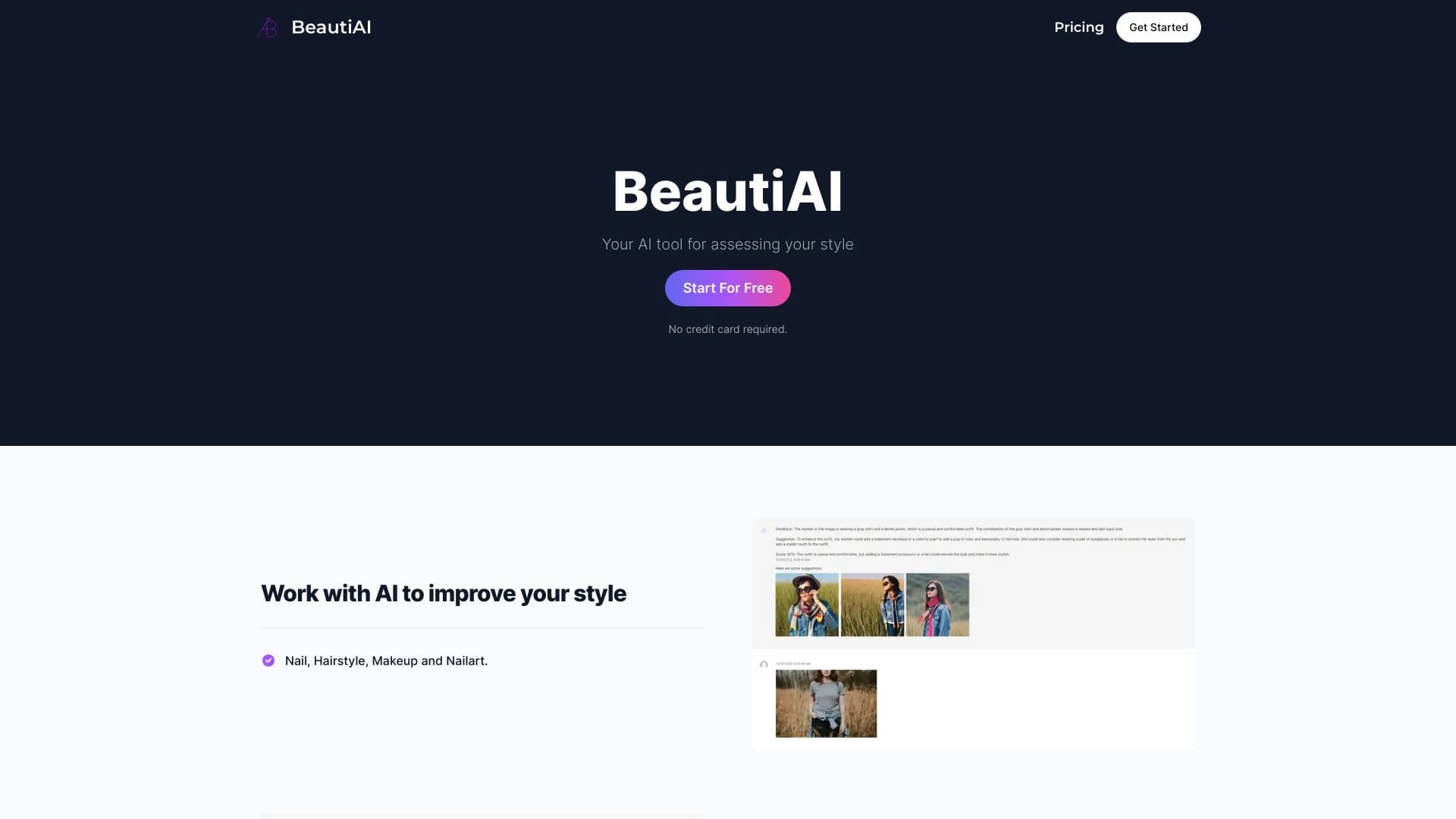
Сервис анализирует фотографии внешности и одежды, давая персонализированные советы по стилю.


AI-платформа для автоматизации видеоредактирования, включая замену лиц, перевод видео и создание аватаров.


Веб-сервис для генерации аниме-изображений по текстовым запросам с помощью ИИ.


AI-помощник для быстрого создания и редактирования текстов в различных форматах.

Веб-сервис для генерации изображений по текстовым запросам и преобразования фото и видео в художественные арты.

AI-генератор названий для бизнеса с проверкой доступности доменов.


Генератор трендовых видео, постов и рекламных креативов на основе идей, изображений и текстовых запросов.

AI-платформа для создания текстового и визуального контента, ориентированная на маркетинговые задачи.