
AI Anywhere
Браузерное расширение, позволяющее отправлять выделенный текст с любой веб-страницы в различные нейросети через контекстное меню.
Обзор
Описание нейросети AI Anywhere
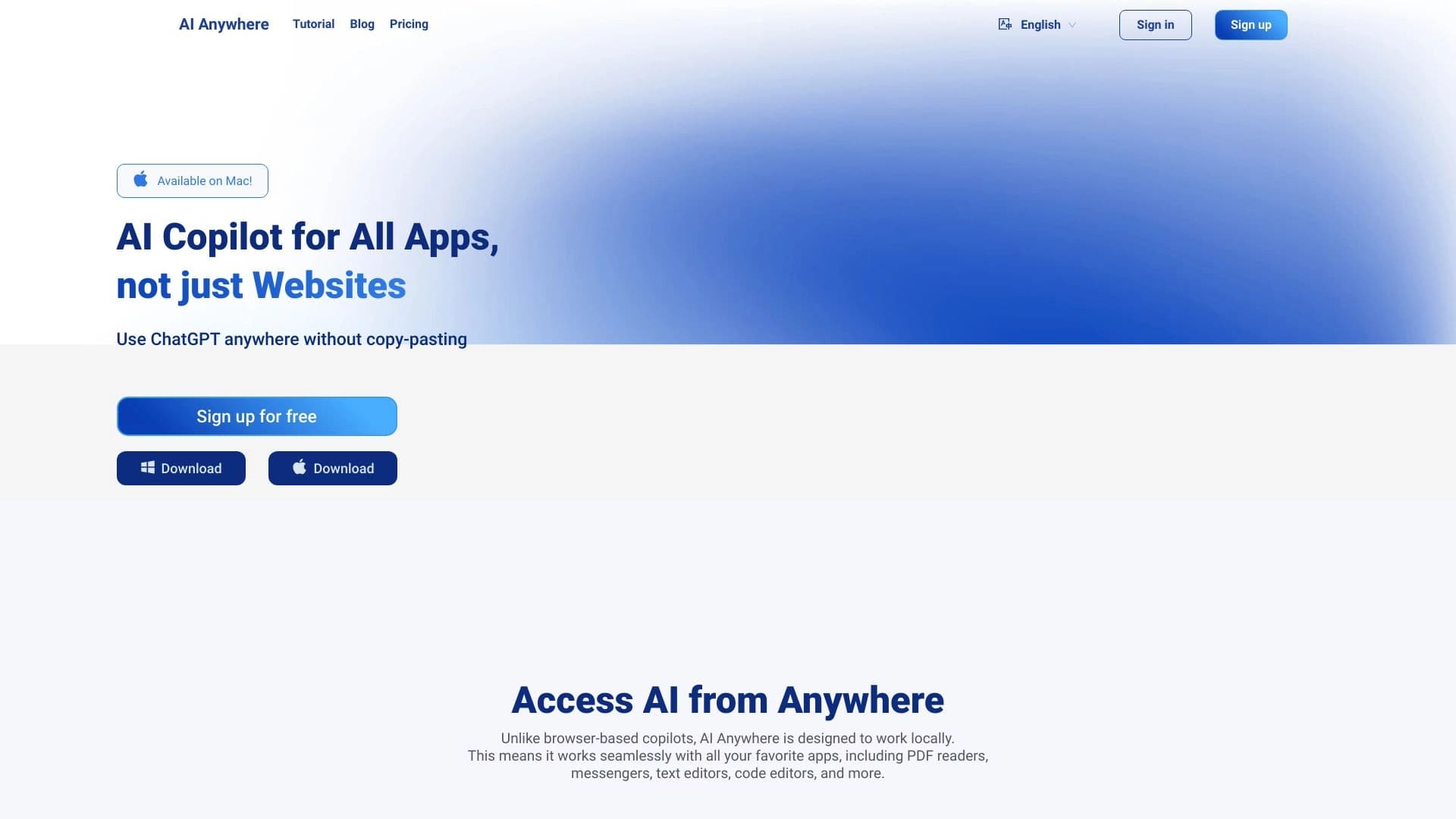
AI Anywhere — это браузерное расширение, которое упрощает взаимодействие с популярными нейросетями. Главная идея инструмента — убрать лишние действия между чтением текста на веб-странице и его обработкой искусственным интеллектом. Вместо того чтобы копировать фрагмент, переключаться на вкладку с ChatGPT или Claude, вставлять текст и ждать результат, пользователь может сделать всё в два клика прямо на исходной странице.
Расширение добавляет в браузер контекстное меню, через которое выделенный текст отправляется в выбранную нейросеть мгновенно. Это превращает любое чтение в браузере в интерактивный процесс: можно переводить незнакомые фразы, проверять факты, просить объяснить сложные абзацы или генерировать идеи на основе прочитанного — не покидая текущую страницу.
Единая точка доступа к нескольким ИИ-сервисам
Ключевая особенность AI Anywhere — агрегация нескольких нейросетей в одном интерфейсе. Пользователю не нужно держать открытыми несколько вкладок с разными чат-ботами и дублировать запросы. Вместо этого он выбирает подходящий сервис прямо из меню: ChatGPT для общих вопросов, Claude для анализа длинных текстов, Grok для оперативных ответов, DeepSeek для специфических задач. Расширение берёт на себя маршрутизацию запроса.
Фокус на скорости и удобстве
Основная ценность AI Anywhere — экономия времени. Разработчики сместили акцент с функциональности самих нейросетей (они работают как обычно) на скорость доступа к ним. Для тех, кто ежедневно работает с большими объёмами текста в браузере, такое расширение сокращает рутинные операции до минимума. Технически это простое решение, которое решает конкретную и часто встречающуюся задачу быстрой передачи текста в ИИ.
Характеристики AI Anywhere
| Характеристика | Значение |
|---|---|
| Бизнес-модель | Бесплатно |
| Категория | Продуктивность |
| Тип | Расширение для браузера |
| Интеграции | ChatGPT, Claude, Grok, DeepSeek и другие чат-боты |
| Доступность | GitHub |
| Язык интерфейса | Не указано |
Для кого подходит нейросеть AI Anywhere?
Пользователи, работающие с текстом в браузере
В первую очередь инструмент рассчитан на тех, кто постоянно сталкивается с необходимостью обработать текст, найденный в интернете. Это могут быть исследователи, читающие научные статьи, журналисты, анализирующие новости, студенты, работающие с материалами лекций, или специалисты, изучающие документацию. Любой, кто часто выделяет текст на странице и хочет быстро получить его перевод, краткое содержание или объяснение, найдёт это расширение полезным.
Специалисты, работающие с большими документами
Особую ценность AI Anywhere представляет при работе с объёмными текстами: длинными статьями, технической документацией, отчётами. В таких случаях ручное копирование ошибок и переключение вкладок отнимает значительное время. Контекстное меню позволяет отправлять крупные фрагменты в нейросеть без потери контекста и с меньшим риском ошибок.
Пользователи нескольких нейросетей
Также расширение подойдёт тем, кто использует разные нейросети для разных задач и устал держать открытыми несколько вкладок. AI Anywhere объединяет их в один интерфейс, позволяя выбирать нужный сервис в зависимости от задачи и сравнивать результаты.
Как использовать нейросеть AI Anywhere?
Установка из открытого кода
Так как расширение распространяется через GitHub, пользователю нужно самостоятельно установить его. Процесс стандартен для браузерных расширений: скачать файлы из репозитория, перейти в раздел управления расширениями в браузере, включить режим разработчика и загрузить распакованное расширение.
Отправка текста в нейросеть
После установки использование сводится к трём шагам:
- Выделите нужный фрагмент текста на любой веб-странице.
- Кликните правой кнопкой мыши, чтобы открыть контекстное меню.
- Выберите нужную нейросеть из списка (ChatGPT, Claude, Grok или другую).
Текст мгновенно отправляется на обработку, а результат отображается в интерфейсе выбранного чат-бота. При этом не нужно покидать текущую страницу или копировать содержимое в буфер обмена.
Повседневное использование
Инструмент не требует настройки под каждый запрос — достаточно один раз выбрать предпочитаемую нейросеть для типовой задачи. После этого рабочий процесс выглядит как чтение страницы с периодическими вызовами ИИ для уточнения информации. Такой подход особенно эффективен при работе с документами, где важна скорость получения ответов.
Основные функции AI Anywhere
Отправка выделенного текста в нейросети двумя кликами
Это ядро функциональности расширения. Любой выделенный фрагмент на любой веб-странице можно мгновенно отправить в выбранную нейросеть через контекстное меню. Отсутствует необходимость копирования и вставки текста в отдельное окно чат-бота.
Интеграция с популярными чат-ботами
AI Anywhere поддерживает работу с несколькими нейросетями одновременно: ChatGPT, Claude, Grok, DeepSeek и другими. Пользователь может выбирать конкретный сервис под каждую задачу, не ограничиваясь одним инструментом.
Контекстное меню как единая точка доступа
Расширение добавляет пункты с названиями нейросетей в стандартное контекстное меню браузера, которое появляется по клику правой кнопкой мыши. Это делает доступ к ИИ-инструментам привычным и интуитивно понятным, не требуя запоминания горячих клавиш или изучения нового интерфейса.
Преимущества AI Anywhere
Существенная экономия времени при работе с текстом
Главный плюс — скорость. Исключается цикл «копирование — переключение вкладки — вставка — отправка». Все действия занимают два клика мышью, что при работе с большим количеством фрагментов текста даёт значительный выигрыш во времени.
Гибкость выбора нейросети под задачу
Возможность выбора между ChatGPT, Claude, Grok, DeepSeek и другими сервисами позволяет экспериментировать и находить оптимальный инструмент для конкретного типа задач. Под каждый запрос можно подобрать нейросеть с лучшей производительностью.
Поддержка работы с большими документами
Расширение особенно эффективно при обработке длинных текстов и документации. Пользователю не нужно разбивать материал на части и вручную переносить их в чат-бот — можно выделить целый раздел и отправить его на анализ одним действием.
Недостатки AI Anywhere
Требуется ручная установка
Поскольку AI Anywhere распространяется через GitHub, пользователю необходимо самостоятельно выполнить установку. Это может отпугнуть тех, кто привык к установке расширений в один клик из официального магазина браузера. Возможно, у расширения нет автоматической публикации в каталогах расширений, что ограничивает его доступность для широкой аудитории.
Зависимость от внешних сервисов
Функциональность расширения полностью зависит от работы сторонних нейросетей. Если один из используемых сервисов недоступен или имеет ограничения, это может повлиять на весь рабочий процесс. Также пользователю необходимо иметь учётные записи в этих сервисах, а их политика может измениться в любой момент.
Какие задачи решает AI Anywhere
Перевод текста на веб-страницах
Мгновенный перевод выделенного фрагмента — одно из самых частых применений. Вместо того чтобы использовать отдельные сервисы перевода, можно отправить текст в ChatGPT или другую нейросеть и получить качественный перевод в контексте страницы. Это удобно при чтении иностранных статей и документации.
Анализ данных и проверка фактов
Выделенный фрагмент можно отправить нейросети для анализа и проверки достоверности информации. Это полезно при работе с новостями, научными статьями или любыми другими материалами, где важно критически оценить содержание.
Генерация идей и комментариев к тексту
AI Anywhere помогает генерировать идеи на основе прочитанного. Например, можно выделить абзац из статьи и попросить нейросеть предложить заголовки, дать комментарий или сформулировать контраргументы. Это превращает инструмент в помощника для мозгового штурма.
Объяснение кода в документации
Разработчики могут использовать расширение для быстрого объяснения фрагментов кода, встреченных в технической документации. Выделив блок кода, можно отправить его нейросети с просьбой объяснить логику работы или найти потенциальные проблемы.
Цены AI Anywhere
AI Anywhere распространяется полностью бесплатно. На данный момент не предусмотрено платных тарифов, подписок или премиум-функций. Пользователи могут скачать и использовать расширение без каких-либо финансовых затрат. При этом стоит учитывать, что сами нейросети, с которыми работает расширение (ChatGPT, Claude, Grok и другие), могут иметь собственные платные тарифы — эти расходы не связаны с данным расширением.
Условия использования AI Anywhere
Подробные условия использования и политика конфиденциальности расширения детально не описаны в доступных источниках. Известно, что расширение является бесплатным и доступно в виде открытого кода. Пользователям перед установкой рекомендуется ознакомиться с материалами репозитория на GitHub, где могут быть опубликованы соответствующие документы. Также необходимо учитывать условия использования тех нейросетей, которые планируется задействовать через это расширение, поскольку каждый сервис имеет собственные правила.
Доступность AI Anywhere
AI Anywhere представлено в виде браузерного расширения, доступного для установки. Основным каналом распространения является GitHub, где опубликован исходный код и файлы для установки. Информация о том, для каких именно браузеров доступно расширение и есть ли версии в официальных каталогах расширений (таких как Chrome Web Store или Firefox Add-ons), в исходных данных не указана.
Чем отличается AI Anywhere от аналогов
Ключевое отличие AI Anywhere — агрегация сразу нескольких нейросетей в одном расширении. Вместо того чтобы устанавливать отдельные расширения для ChatGPT, Claude и Grok, пользователь получает единый интерфейс с доступом ко всем популярным сервисам. Это обеспечивает гибкость и свободу выбора без необходимости настройки нескольких инструментов.
Второе существенное отличие — фокус на контекстном меню как основном способе взаимодействия. В отличие от многих аналогов с собственными панелями и плавающими окнами, AI Anywhere использует привычный механизм правого клика. Это делает инструмент ненавязчивым: он не занимает место на экране и не отвлекает, пока не понадобится.
Наконец, бесплатная модель распространения и открытый исходный код выделяют AI Anywhere среди конкурентов, которые могут предлагать условно бесплатный доступ с ограничениями или платные подписки. Пользователи получают полноценный инструмент без финансовых обязательств и могут изучать или модифицировать его код под свои нужды.
Заключение
AI Anywhere — это бесплатное браузерное расширение, которое решает конкретную и очень распространённую задачу: быструю отправку выделенного текста в нейросети. Оно не пытается заменить ChatGPT или Claude, а выступает удобным мостом между чтением и обработкой информации. Объединяя несколько ИИ-сервисов в одном контекстном меню, расширение экономит время и упрощает работу с текстом в браузере. Для пользователей, которые часто работают с переводами, анализом информации и большими документами, AI Anywhere станет полезным и практичным дополнением к рабочему процессу.
Тарифы
Часто задаваемые вопросы
Смотрите также


Платформа на основе ИИ для создания и редактирования изображений и видео товаров для продавцов в электронной коммерции.

Anakin.ai — это low-code платформа, объединяющая различные AI-модели для создания контента и автоматизации рабочих процессов без программирования.


Онлайн-редактор изображений с функциями на базе ИИ для обработки фото, дизайна и генерации контента.


AI-платформа для автоматизации видеоредактирования, включая замену лиц, перевод видео и создание аватаров.

Cabina AI — это единая платформа для работы с разными генеративными нейросетями, позволяющая создавать тексты, изображения и видео.

Расширение для Chrome, которое помогает выигрывать в учебной игре Blooket, подсказывая ответы и автоматизируя действия.


Нейросеть Google для генерации и редактирования изображений по текстовому описанию на базе моделей Gemini.


ИИ-платформа для быстрого создания сайтов и управления процессами малого бизнеса.