
ADAM
AI-ассистент для автоматизации коммуникаций с клиентами и должниками через звонки, сообщения и письма.
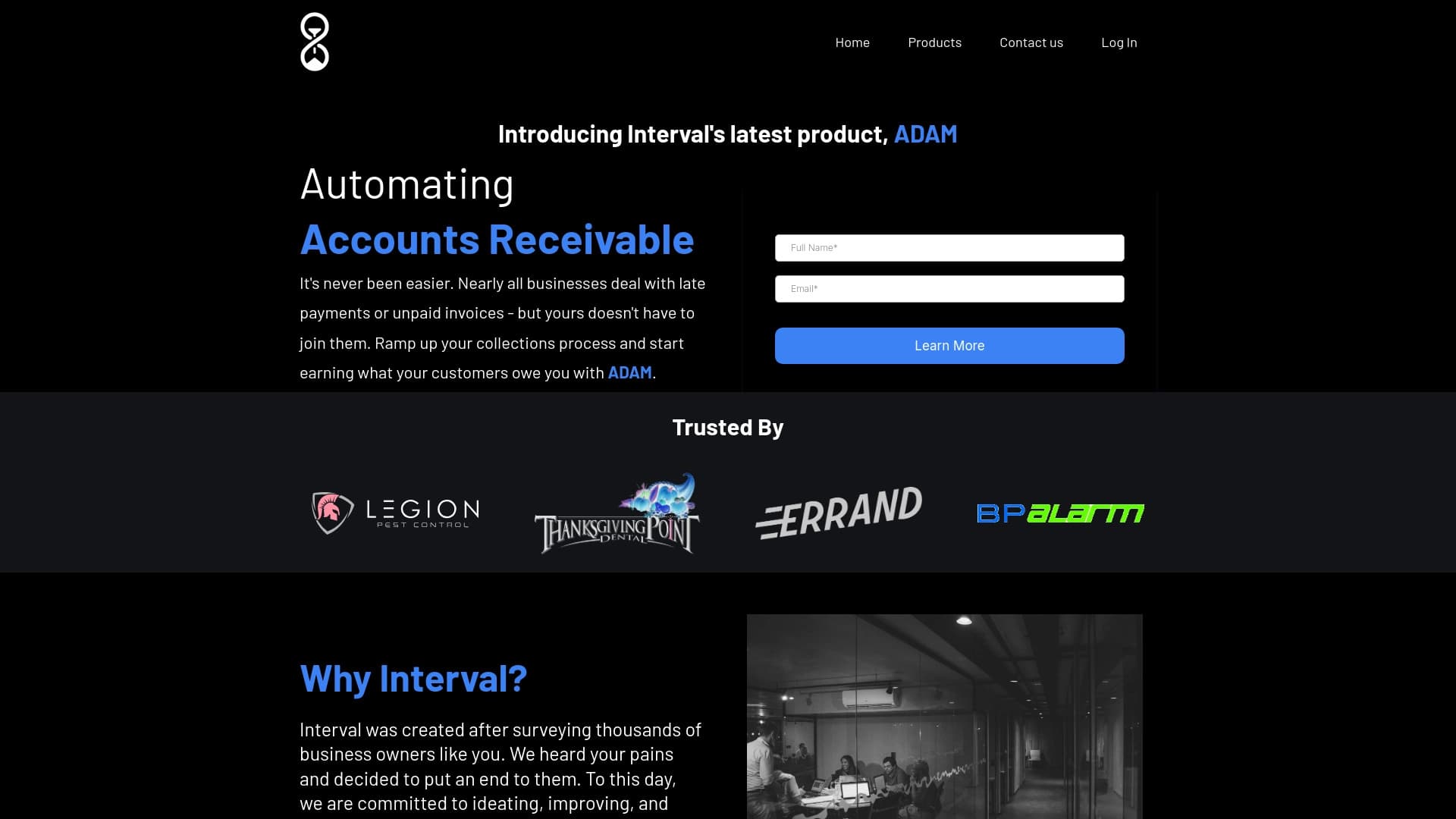
Обзор
Описание нейросети ADAM
ADAM — это AI-ассистент, созданный для автоматизации коммуникаций с клиентами и должниками. Вместо того чтобы вручную обзванивать каждого клиента с напоминанием о просроченном платеже или рассылать письма, бизнес может доверить эту задачу нейросети. Система самостоятельно отслеживает статус счетов, фиксирует просрочки и инициирует контакты по заданным сценариям.
Ключевая особенность ADAM — многоканальность. Ассистент работает через звонки, SMS-сообщения и электронные письма, выбирая наиболее подходящий канал связи для каждой ситуации. Это позволяет охватить клиентов с разными предпочтениями и повысить вероятность своевременной оплаты без вовлечения персонала в рутинный процесс.
Характеристики ADAM
| Характеристика | Значение |
|---|---|
| Тип | Автоматизация долгов |
| Категория | Инструменты для создания чат-ботов, автоматизации CRM, поддержки клиентов |
| Платформы | Сайт |
| Разработчик | Interval LLC |
| Бесплатный тариф | Да |
| Ежемесячные посещения | 244K |
Для кого подходит нейросеть ADAM?
Малый и средний бизнес
Основная целевая аудитория — компании малого и среднего звена, которые сталкиваются с проблемой дебиторской задолженности. Это может быть бизнес с регулярными платежами за услуги — от клиник и фитнес-клубов до образовательных платформ и подписочных сервисов. Чем больше у компании клиентов, тем сложнее вручную отслеживать каждую просрочку.
Компании с существующей биллинг-системой
ADAM особенно полезен тем, кто уже использует какую-либо систему учета платежей или биллинг. Нейросеть подключается к ней напрямую и получает актуальные данные о счетах, не требуя переноса информации в отдельную базу. Это снижает порог входа и ускоряет запуск автоматизации.
Бизнес, нацеленный на снижение операционных расходов
Если компания тратит значительные ресурсы на обзвон должников и ручную рассылку уведомлений, ADAM позволяет перераспределить эти усилия. Сотрудники освобождаются от монотонной работы и могут заниматься более сложными задачами, требующими человеческого участия.
Как использовать нейросеть ADAM?
Подключение к биллинговой системе
Чтобы начать работу, необходимо зарегистрироваться в сервисе и выполнить интеграцию с используемой биллинг-системой. Этот процесс занимает около 15 минут. После подключения ADAM получает доступ к данным о счетах, платежах и просрочках.
Настройка сценариев коммуникации
Далее настраиваются сценарии напоминаний: какие каналы использовать (звонки, сообщения, письма), через какой промежуток времени после просрочки отправлять первое уведомление, а когда — повторное. Можно задать последовательность действий и тексты шаблонов.
Автоматическая работа
После настройки процесс полностью автоматизирован. Нейросеть самостоятельно отслеживает просроченные счета и запускает процесс взыскания: отправляет напоминания, совершает звонки, дублирует информацию через другие каналы. Ручное вмешательство не требуется — все работает онлайн.
Основные функции ADAM
Автоматическая рассылка уведомлений
Система самостоятельно инициирует звонки и отправляет сообщения клиентам с напоминанием о задолженности. Частота и каналы коммуникации определяются настройками, что позволяет выстроить оптимальный цикл напоминаний.
Электронные письма
Помимо прямых звонков и SMS, ADAM отправляет письма на электронную почту с просьбой оплатить счета. Это официальный канал, который фиксирует факт уведомления и может быть использован в дальнейшей коммуникации с клиентом.
Встроенная аналитика и A/B-тесты
Сервис предоставляет аналитические данные по эффективности коммуникаций. Можно запускать A/B-тесты, сравнивая разные формулировки писем и сценарии обзвона, чтобы понять, какие варианты дают лучший результат по оплатам.
Виртуальный помощник EVE
В составе системы работает виртуальный ассистент EVE. Он принимает входящие обращения клиентов, сортирует их и распределяет по категориям. EVE обрабатывает рутинные запросы, а сложные случаи — перенаправляет сотрудникам, не давая ни одному сообщению потеряться.
Преимущества ADAM
Автоматизация процесса взыскания
Главное преимущество — полная автоматизация: нейросеть сама отправляет напоминания и звонит должникам, освобождая сотрудников от однообразной работы. Это экономит время и снижает вероятность ошибок, связанных с человеческим фактором.
Упрощение коммуникации с клиентами
Система «держит» клиента в курсе через разные каналы связи: звонки, сообщения, электронные письма. Это снижает риск того, что клиент просто забудет об оплате, и повышает лояльность за счет регулярного напоминания.
Возможность оптимизации стратегий
Встроенные аналитика и A/B-тесты позволяют сравнивать эффективность разных подходов к напоминаниям. Компания может экспериментировать с текстами и сценариями, выявляя наиболее результативные и улучшая общий процесс взыскания.
Недостатки ADAM
Отсутствие индивидуального подхода
Шаблонные сообщения, которые используются в автоматизированных коммуникациях, могут восприниматься клиентами как безличные. Это может снизить реакцию части аудитории, особенно тех, кто привык к более персонализированному взаимодействию.
Риск автоматических ошибок
При сбоях в работе или неверных настройках возможны ошибки — например, отправка уведомления не тому клиенту. Такие ситуации требуют контроля за работой системы, а их последствия могут негативно сказаться на отношениях с клиентами.
Зависимость от качества данных
Корректная работа ADAM напрямую зависит от актуальности клиентской базы и корректности информации о счетах. Если данные устарели или введены неверно, напоминания будут отправляться с ошибками, что снижает эффективность и может вызвать раздражение у клиентов.
Какие задачи решает ADAM
- Автоматизация сбора дебиторской задолженности.
- Напоминание клиентам о просроченных счетах через звонки, сообщения и письма.
- Снижение количества просрочек и ускорение получения оплаты.
- Освобождение сотрудников от рутинных задач по обзвону и рассылке.
Цены ADAM
Сервис предлагает три тарифных плана:
- Базовый — бесплатный. Предназначен для малого бизнеса, включает базовые функции автоматизации.
- Стандартный — 999 рублей в месяц. Подходит для растущих компаний, расширенный набор функций.
- Премиум — 1999 рублей в месяц. Рассчитан на крупные компании, предоставляет полный спектр возможностей системы.
Условия использования ADAM
Для начала работы необходима регистрация в сервисе и интеграция с используемой биллинг-системой. Также важно иметь актуальную клиентскую базу и корректные данные о счетах — без этого система не сможет выполнять напоминания правильно. Настройка интеграции занимает около 15 минут.
Доступность ADAM
Сервис доступен через веб-сайт, что позволяет работать с ним с любого устройства с выходом в интернет. Информация о языках интерфейса, поддерживаемых регионах и необходимости использования VPN в исходных данных не указана. Судя по ценам в рублях, сервис ориентирован преимущественно на российский рынок.
Чем отличается ADAM от аналогов
Инструмент сочетает в себе функции не просто чат-бота, а полноценной системы автоматизации взыскания. В отличие от многих платформ для создания ботов, ADAM изначально заточен под работу с дебиторской задолженностью и умеет взаимодействовать с биллинговыми системами.
Еще одна отличительная черта — наличие виртуального помощника EVE, который сортирует входящие обращения и автоматизирует рутинные операции. Это выделяет сервис на фоне решений, которые ограничены только исходящими уведомлениями.
При этом по функциональности создания чат-ботов ADAM уступает специализированным конструкторам вроде Botmother, Botpress, Aimylogic или SaleBot. Эти платформы предлагают более гибкий визуальный редактор и более широкие сценарии, но не имеют встроенной логики работы с долгами. Для сравнения, Leadtex и Botsify — ближе по подходу, но также ориентированы на более широкий круг задач, не ограничиваясь взысканием.
Заключение
ADAM — практичный инструмент для автоматизации работы с дебиторской задолженностью, предназначенный для малого и среднего бизнеса. Он берет на себя рутинные задачи по напоминанию клиентам о долгах через различные каналы связи, предоставляет аналитику и возможность A/B-тестирования, при этом цена остается доступной (есть бесплатный тариф). Однако стоит учитывать ограничения: автоматизированные коммуникации могут быть восприняты как безличные, а работа системы напрямую зависит от качества данных в биллинговой системе. Для случаев, требующих индивидуального подхода или сложных сценариев диалога, этот инструмент может не подойти.
Часто задаваемые вопросы
Смотрите также

Веб-платформа для генерации изображений и кинематографичных видео с помощью ИИ, включающая инструменты для студийного редактирования.


Сервис для отслеживания упоминаний бренда в ответах генеративных нейросетей.


Платформа для автоматизированного создания, редактирования и перевода видеоклипов с помощью ИИ.


Сервис для виртуальной примерки одежды с помощью ИИ.


Генеративная платформа для создания реалистичных изображений и коротких видео из текста или изображений с управлением стилем и движением камеры.


Бесплатный веб-инструмент от Google, который с помощью машинного обучения превращает грубые наброски в аккуратные иконки и иллюстрации.


Сервис для быстрой генерации электронных книг по заданной теме.


Генератор трендовых видео, постов и рекламных креативов на основе идей, изображений и текстовых запросов.