
4K AI Upscaler
Бесплатный онлайн-инструмент для увеличения разрешения изображений до 4K с помощью нейросети.
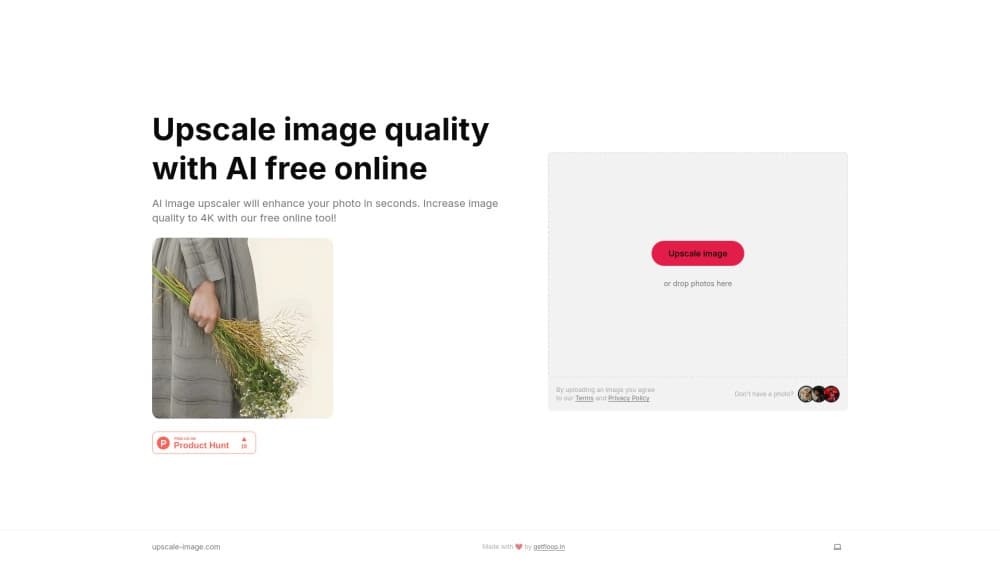
Обзор
Описание нейросети 4K AI Upscaler
4K AI Upscaler — это онлайн-инструмент, предназначенный для автоматического повышения разрешения и улучшения качества изображений. Сервис работает на базе нейросетей, которые анализируют загруженный файл, восстанавливают недостающие детали и увеличивают четкость картинки до разрешения 4K. Процесс обработки полностью автоматизирован: от пользователя требуется только загрузить файл и скачать результат.
Инструмент создан разработчиками из GetFloop и не требует установки дополнительного программного обеспечения. Весь функционал доступен через веб-браузер, что делает сервис удобным для быстрой разовой обработки фотографий или регулярного использования. Ключевая особенность — возможность бесплатно пользоваться основными функциями без создания аккаунта и внесения предоплаты. Подход фримиум позволяет новичкам познакомиться с возможностями апскейлера, а более требовательным пользователям — приобрести расширенную подписку.
Характеристики 4K AI Upscaler
| Характеристика | Значение |
|---|---|
| Тип | Инструмент для улучшения изображений |
| Категория | Инструменты для улучшения фото, Инструменты для улучшения изображений |
| Платформы | Веб (сайт) |
| Наличие бесплатного тарифа | Да |
| Разработчик | GetFloop |
| Языки интерфейса | Не указано |
| Регистрация | Не требуется |
| Ежемесячные посещения | 388.9K |
Для кого подходит нейросеть 4K AI Upscaler?
Новичкам без опыта работы с графикой
Инструмент ориентирован в первую очередь на людей, которым нужно быстро получить качественный результат без изучения профессиональных редакторов. Интерфейс устроен максимально просто: загрузка файла, автоматическая обработка, сохранение. Никаких ручных ползунков, пресетов и технических терминов. Справиться сможет даже пользователь, который впервые сталкивается с задачей улучшения изображения.
Тем, кто готовит изображения для печати и презентаций
Сервис будет полезен офисным сотрудникам, студентам и предпринимателям, которым требуется подготовить фотографии для печати, вставить качественные картинки в деловую презентацию или отчет. Исходные снимки с телефона или скриншоты не всегда имеют достаточное разрешение для вывода на бумагу или большой экран. 4K AI Upscaler помогает оперативно довести такие изображения до приемлемого уровня, не тратя время на сложные конвертации.
Как использовать нейросеть 4K AI Upscaler?
Процесс загрузки и обработки файла
Для начала работы просто перейдите на сайт сервиса и загрузите изображение — регистрация не потребуется. Поддерживается загрузка файлов с устройства. После добавления файла нейросеть автоматически начнет обработку. Как правило, это занимает несколько секунд. Сервис сам определит, какие участки требуют дорисовки, и создаст версию изображения в разрешении 4K.
Получение и проверка результата
Когда обработка завершится, вы увидите итоговое изображение. Для контроля качества предусмотрена функция сравнения «до и после» в реальном времени. Используя слайдер, можно быстро переключаться между исходником и улучшенной версией, чтобы оценить прирост детализации. Также доступно интерактивное увеличение отдельных фрагментов — это удобно, если нужно проверить четкость мелких элементов. После проверки готовое изображение можно скачать.
Основные функции 4K AI Upscaler
Улучшение четкости и детализации
Главная функция сервиса — автоматическое повышение разрешения загруженных изображений до стандарта 4K. Нейросеть достраивает недостающие пиксели, делая картинку более четкой. Мелкие элементы, такие как текстуры и контуры, прорисовываются более детально даже при скромном исходном качестве.
Инструменты для оценки результата
- Слайдер для сравнения: позволяет в режиме реального времени сопоставлять исходное изображение с результатом обработки. Это наглядный способ оценить работу алгоритма.
- Интерактивное увеличение фрагментов: пользователь может приблизить любой участок изображения, чтобы детально рассмотреть, как нейросеть отработала сложные зоны, например, фон или мелкие объекты.
Дополнительные возможности тарифов
В зависимости от выбранного тарифного плана пользователям становятся доступны расширенные функции. Точный перечень опций платной версии зависит от типа подписки — подробности публикуются на сайте разработчика. Бесплатный тариф включает основные возможности, но может ограничивать количество обрабатываемых файлов или добавлять водяные знаки на результаты.
Преимущества 4K AI Upscaler
Скорость и простота работы
Инструмент не требует ручной настройки параметров — не нужно подбирать алгоритмы, задавать степень шумоподавления или выставлять пороги резкости. Пользователь просто загружает изображение и получает результат через несколько секунд. Это молниеносное решение для тех случаев, когда один или несколько снимков нужно улучшить срочно.
Качество обработки исходников с низким разрешением
Алгоритмы сервиса хорошо справляются с изображениями, исходное качество которых невысокое. Детали и четкость в значительной степени сохраняются, а благодаря дорисовке текстуры картинка выглядит естественнее и не распадается на видимые пиксели при масштабировании.
Доступность для широкой аудитории
Онлайн-инструмент работает без регистрации, а на бесплатном тарифе позволяет обрабатывать изображения без каких-либо финансовых вложений. Интуитивно понятный интерфейс подходит новичкам — сложные технические аспекты полностью скрыты от пользователя.
Недостатки 4K AI Upscaler
Трудности со сложными участками изображения
На проблемных зонах — тонкие волосы, сложные узоры, мелкая сетка — нейросеть может терять или искажать мелкие детали. Вместо точного восстановления алгоритм иногда «дорисовывает» похожие по текстуре элементы, что в некоторых случаях приводит к заметной на глаз погрешности.
Зависимость от интернет-соединения
Поскольку сервис полностью работает через сайт, для его использования необходимо стабильное подключение к сети. При слабом сигнале или нестабильном соединении могут возникать задержки при загрузке файлов и получении результатов. Вне доступа к интернету инструмент бесполезен.
Ограничения бесплатной версии
Бесплатный тариф имеет существенные лимиты. Во-первых, накладывается ограничение на количество обработок. Во-вторых, на итоговые изображения может наноситься водяной знак. Для снятия ограничений и получения доступа к расширенному функционалу придется оформлять платную подписку.
Какие задачи решает 4K AI Upscaler
Улучшение качества изображений до разрешения 4K
Базовая задача сервиса — увеличение разрешения исходного файла до 4K (3840×2160 пикселей). Это делает картинку пригодной для просмотра на больших экранах без потери резкости.
Подготовка фотографий для печати
Цифровые снимки, сделанные на смартфон, имеют плотность пикселей, недостаточную для качественной печати в большом формате. При увеличении такие изображения становятся размытыми. 4K AI Upscaler позволяет получить версию с нужным разрешением, подходящую для печати на бумаге носителей различного размера.
Повышение четкости изображений для рабочих задач
Сервис помогает подготовить изображения для использования в деловых документах, слайд-шоу и презентациях. Улучшенная четкость и детализация делают визуальную информацию более профессиональной и читаемой для аудитории.
Цены 4K AI Upscaler
Бесплатный тариф
Сервис работает по модели freemium. Базовый функционал (улучшение изображений до 4K) доступен бесплатно. Пользователям не требуется вносить предоплату или регистрироваться. При этом в бесплатной версии действуют ограничения: лимит на количество обрабатываемых изображений и возможно нанесение водяных знаков на готовые файлы.
Платные подписки
Для снятия ограничений предусмотрены два платных тарифа:
- Базовый — стоимость составляет 299 рублей в месяц. Подходит для пользователей, которым нужно обрабатывать изображения регулярно, но без избыточного функционала.
- Премиум — стоимость составляет 599 рублей в месяц. Полный набор функций и максимальные лимиты на обработку.
Актуальные условия, точное наполнение тарифов и доступные способы оплаты лучше уточнять на официальном сайте сервиса, так как они могут меняться.
Условия использования 4K AI Upscaler
Главное условие использования — отсутствие обязательной регистрации. Вы можете загрузить изображение и приступить к обработке сразу же, без создания аккаунта, ввода электронной почты или пароля. Это снимает барьер для разового использования.
Вместе с тем, бесплатная версия накладывает ограничения. Пользователи сталкиваются с лимитом на количество обработок за определенный период времени, а также с возможным добавлением водяных знаков на итоговые изображения. Если требуется обойти эти ограничения или получить дополнительные функции, необходимо перейти на платную подписку.
Доступность 4K AI Upscaler
Сервис работает в формате веб-приложения и доступен через браузер на любом современном устройстве — персональном компьютере, ноутбуке или планшете. Для начала работы не требуется установка дополнительного программного обеспечения или наличие мощного «железа»: все вычисления выполняются на стороне сервера. Сведений о региональных ограничениях доступа в открытых источниках нет, что позволяет предполагать возможность использования сервиса из большинства стран мира, включая Россию.
Чем отличается 4K AI Upscaler от аналогов
В официальных материалах сервиса нет прямых сравнений 4K AI Upscaler с конкурирующими инструментами, такими как Leonardo.ai, Kandinsky или Midjourney. По функциональному назначению 4K AI Upscaler близок к утилитарным апскейлерам, которые не генерируют изображения с нуля, а только улучшают уже существующие файлы — в отличие от генеративных нейросетей.
Ключевое отличие от многих аналогов — полное отсутствие порога входа: не нужно разбираться в настройках, создавать аккаунт или изучать документацию. Простота и скорость обработки, а также наличие честного бесплатного тарифа делают этот инструмент привлекательным для пользователей, которым важен быстрый результат без изучения технических деталей.
Заключение
4K AI Upscaler — это простой и доступный онлайн-инструмент для быстрого улучшения качества изображений до разрешения 4K. Сервис подойдет новичкам и всем, кому нужно оперативно подготовить фотографии для печати, презентаций или личного архива без сложных настроек. Основные преимущества — скорость работы, интуитивный интерфейс и бесплатный доступ к базовым функциям. Однако потенциальным пользователям стоит учитывать ограничения бесплатной версии и вероятность потери мелких деталей на сложных изображениях, а также полную зависимость работы инструмента от стабильного интернет-соединения.
Тарифы
Часто задаваемые вопросы
Смотрите также


Бесплатный веб-инструмент от Google, который с помощью машинного обучения превращает грубые наброски в аккуратные иконки и иллюстрации.


AI-генератор аниме-изображений по текстовому описанию с выбором шаблона.


Русскоязычный ИИ-чат-бот на основе GPT для поиска информации и генерации текстов.
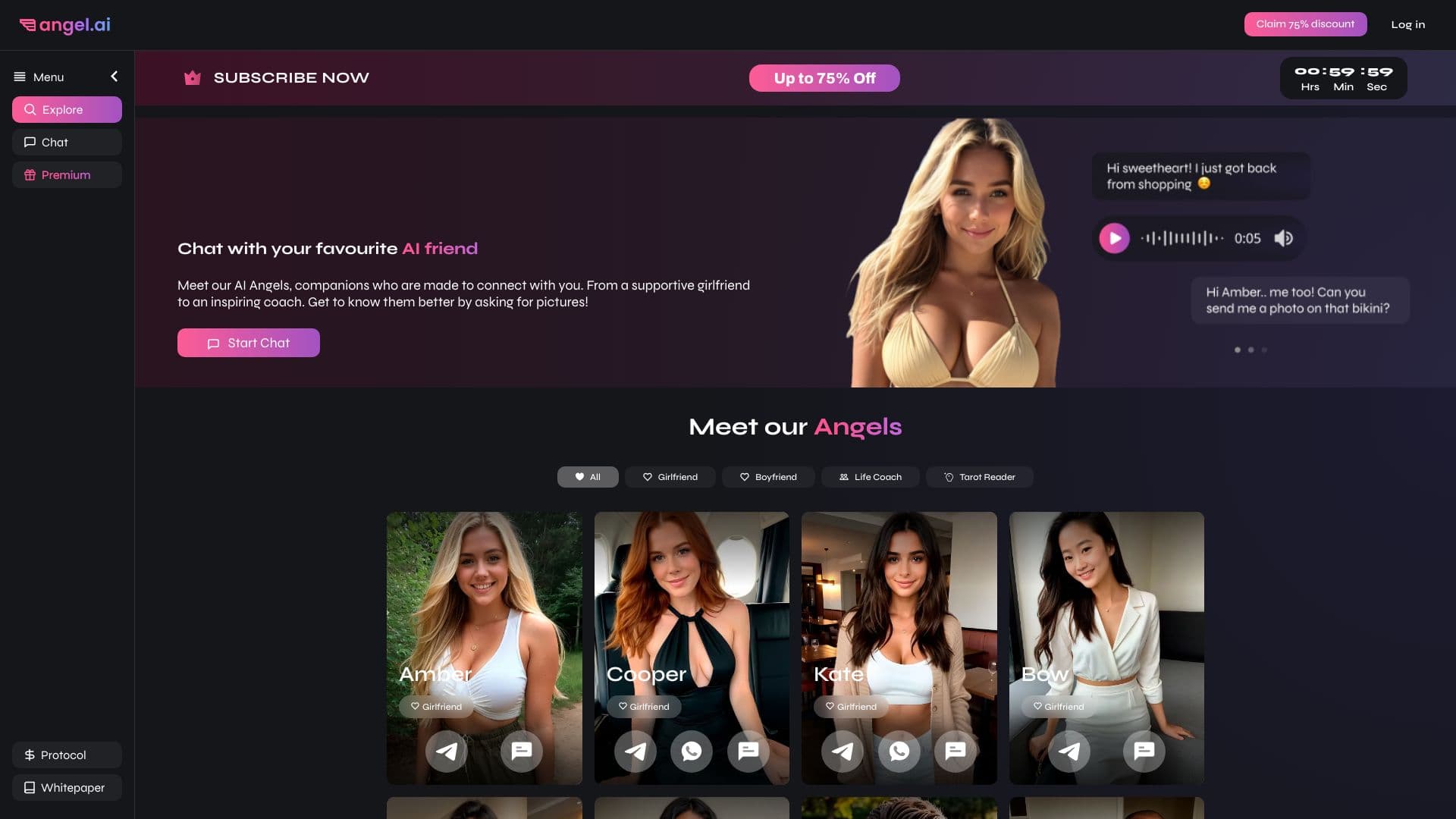
Приложение для создания и настройки виртуальных ИИ-компаньонов с разными характерами и стилями общения.
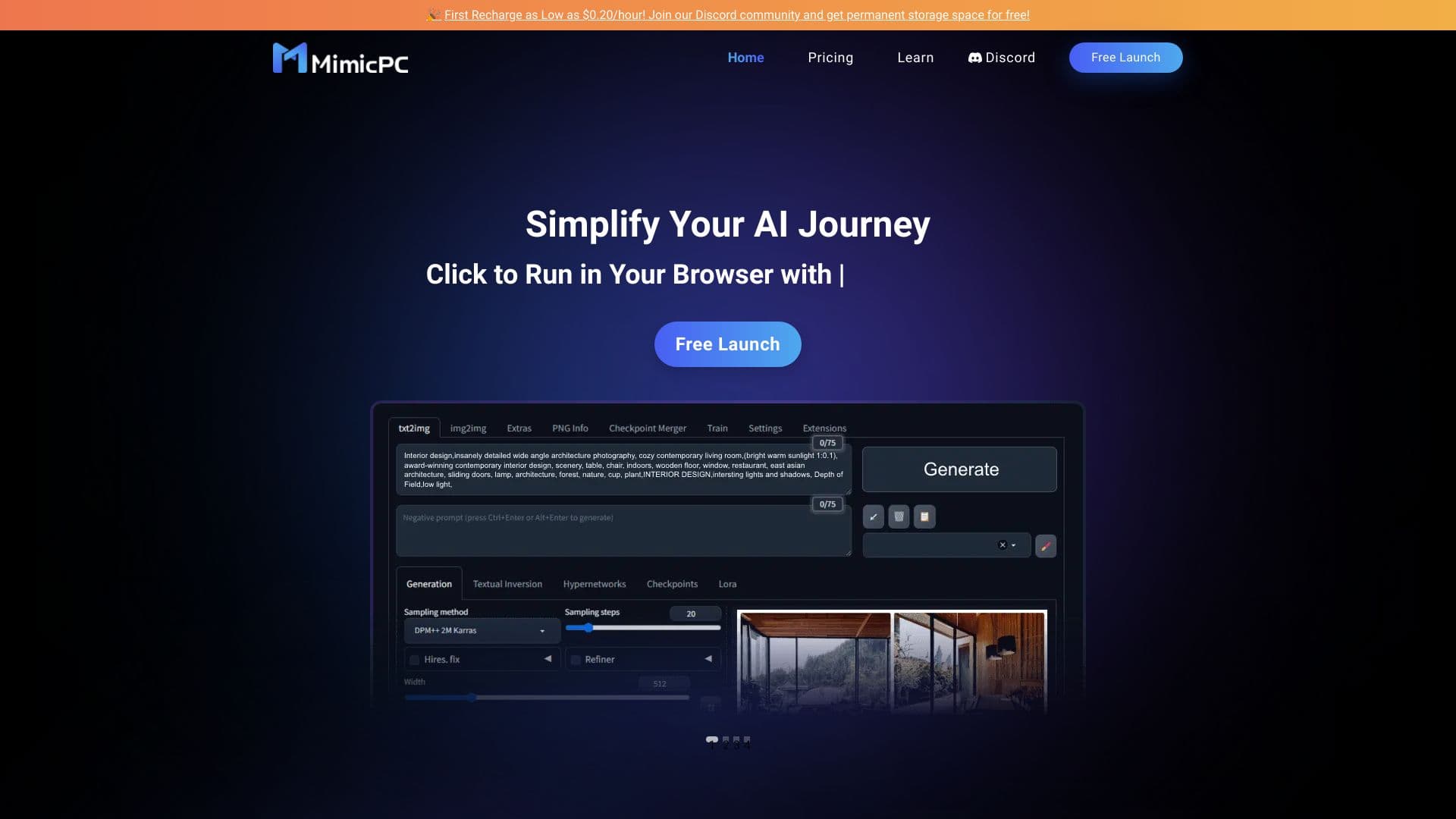
Облачная платформа для запуска ИИ-приложений прямо в браузере без установки.


Онлайн-редактор изображений с функциями на базе ИИ для обработки фото, дизайна и генерации контента.


Нейросеть для генерации SEO-оптимизированных статей и автоматизации ведения блогов.

Сервис для создания персонализированных аватаров и фотосессий с помощью ИИ на основе загруженных селфи.