

Slidesgo
A platform for creating presentations with a library of templates for Google Slides and PowerPoint and a set of AI tools.
Overview
Slidesgo
Slidesgo AI Description
Slidesgo is an online presentation creation platform that combines an extensive library of ready-made templates for Google Slides and PowerPoint with a set of AI-powered tools.
What is Slidesgo
The service offers users a collection of professionally designed templates that can be used in Google Slides and Microsoft PowerPoint. In addition to ready-made materials, the platform is equipped with AI tools that automate presentation creation: from generating the structure to selecting suitable graphics.
The core idea of the service
The main value of Slidesgo is to free users from the routine of preparing presentations. Instead of manually thinking through the structure, arranging text blocks, and choosing the design, the user sets the topic, style, and tone, while the algorithm takes on most of the work.
Tool ecosystem
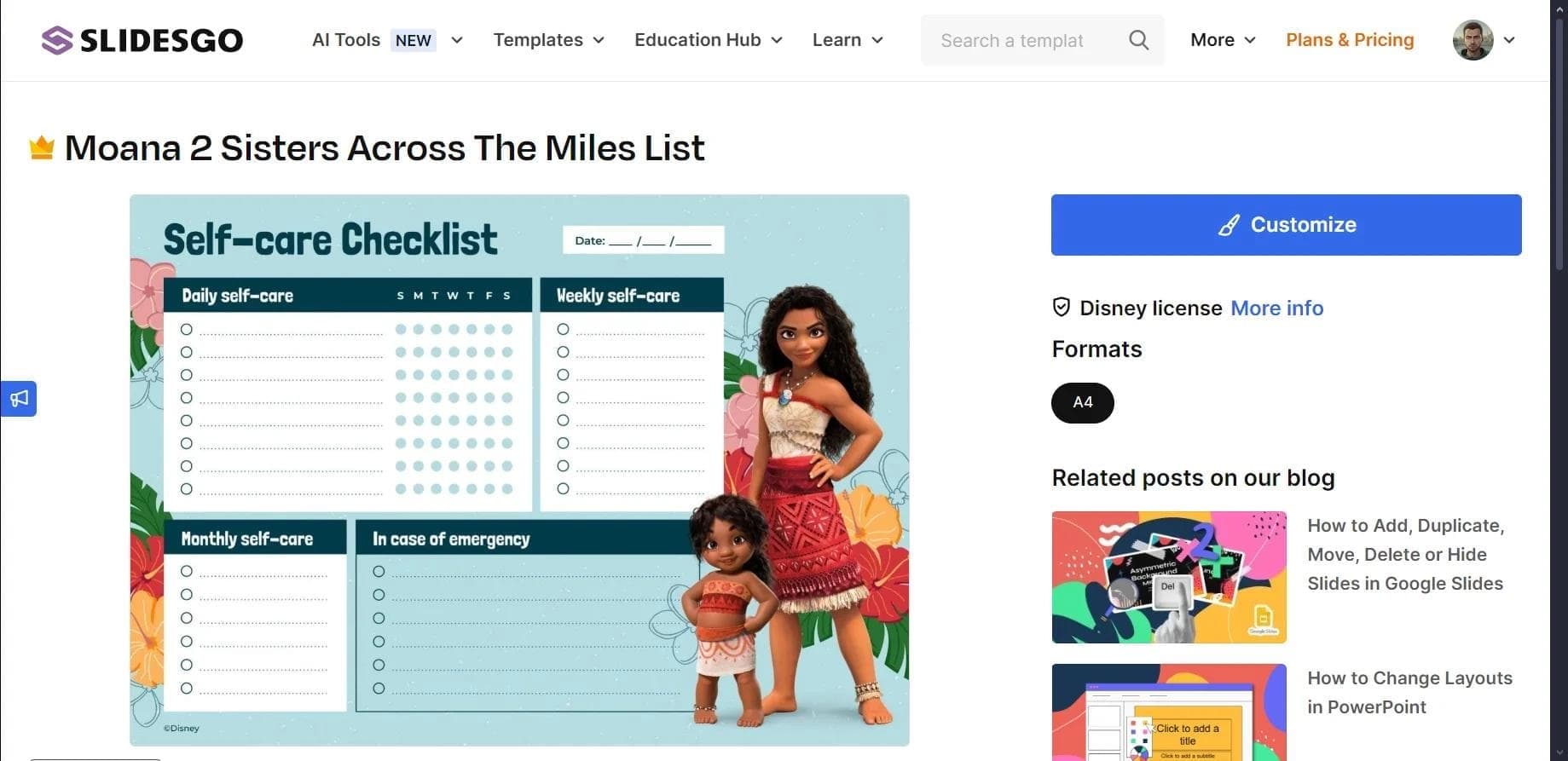
The platform is not limited to just a slide generator. It also includes a PDF to PPT converter, a quiz builder, a lesson plan generator, an online slide editor, and a Google Slides add-on. A unique feature is its themed collections, including Slidesclass educational materials and templates inspired by Disney and Pixar.
Slidesgo Characteristics
| Characteristic | Value |
|---|---|
| Type | Presentation generator / online template creation platform |
| Business model | Freemium |
| Category | Presentations, pitch decks, education |
| Platforms | Web, Google Slides add-on, PowerPoint |
| Integrations | Google Slides, Microsoft PowerPoint |
| Export formats | PDF, PowerPoint |
| Graphics access | Freepik, Flaticon |
| Free tier available | Yes |
| Interface language | English |
Who is Slidesgo AI suitable for?
Slidesgo is aimed at a broad audience, but it is especially useful for those who regularly create presentations and educational materials.
For teachers and educators
The education segment is one of the platform's key focuses. The service offers a lesson plan generator, a quiz builder, and tools for creating exit tickets and icebreaker activities. Thanks to Slidesclass materials, teachers get ready-made slides for lessons across various subjects and education levels.
For students
Students have access to specialized templates for thesis defenses, coloring pages, workshops, and other educational materials. The ability to quickly assemble structured presentations on a given topic helps prepare reports and projects with minimal time investment.
For business and technology professionals
Professionals who need business presentations and pitch decks will find template collections for business and technology. The online editor and PDF to PPT converter make it possible to adapt existing materials to the desired format and style.
How to use Slidesgo AI?
Working with the platform follows a clear workflow that can be learned in a couple of minutes.
Step 1. Create an account
To get started, you need to register on slidesgo.com. Once your account is created, you gain access to the template library and all platform tools.
Step 2. Launch the AI generator
In the AI Presentation Maker section, you just specify the topic of your presentation, choose a design style, and set the tone. Based on these parameters, the algorithm automatically selects the slide structure, text blocks, and graphics.
Step 3. Refine and export
After generation, you can edit the result: change colors, fonts, graphics, and texts. The finished presentation can then be exported to PDF or PowerPoint, or synced with Google Slides or Microsoft PowerPoint.
Key features of Slidesgo
The platform includes a wide range of tools covering both classic presentation editing and AI material generation.
AI presentation generator
Based on a given topic, style, and tone, the neural network automatically builds the presentation structure, fills it with text blocks, and selects suitable graphics. This allows you to get a ready-made slide framework in minimal time.
Education tools
The service includes a lesson plan generator, a quiz and assessment builder, an exit ticket creation tool, and an icebreaker activity generator. Slidesclass materials stand out separately — ready-made slides for lessons across different subjects and learning levels.
Converter and editor
The PDF to PPT converter turns PDF documents into editable presentations. The online slide editor and Google Slides add-on allow you to work with materials directly in the browser or in the familiar Google environment.
Template library
The collection includes themed sets for business, technology, and education, infographic templates, and specialized options inspired by Disney and Pixar. Users also have access to thesis defense materials, coloring pages, and various workshops.
Slidesgo advantages
Wide selection of templates
The platform provides an extensive library of ready-made templates covering business, technology, education, and entertainment topics. This makes it easy to find the right design for almost any task.
Presentation creation speed
The AI generator dramatically reduces the time needed to prepare materials. By setting just a few parameters, users get a structured presentation that only needs final refinements.
Integration flexibility
The service syncs with Google Slides and Microsoft PowerPoint, and the finished result can be exported to PDF or PowerPoint. Users also get access to Freepik and Flaticon resources for graphics and icons.
Feature accessibility
Most of the functionality is available on the free tier, which makes the platform attractive for students and educators on a limited budget.
Slidesgo disadvantages
Despite all its advantages, the service has some limitations worth knowing about in advance.
Limited interface language
The platform interface is available only in English, which can be a barrier for users who are not confident enough in the language.
Freemium model
Part of the advanced functionality and premium templates likely requires a paid subscription. The exact terms and limits of free access depend on the service's current rules, so they should be checked on the official website.
What tasks does Slidesgo solve
The service addresses several typical tasks related to creating and adapting presentations.
AI-powered presentation creation
The platform's main task is to quickly produce structured, visually appealing presentations on a given topic with minimal time investment. The user only sets the topic, style, and tone, while the generator builds most of the slides.
Converting and adapting materials
The PDF to PPT converter helps turn PDF documents into editable presentations. This is convenient when you need to rework an existing report or article into a slideshow format.
Preparing educational materials
For the education sector, the service solves tasks such as lesson planning, generating quizzes and assessments, visualizing data with infographics, and creating a variety of learning activities — from exit tickets to icebreaker tasks.
Customizing ready-made templates
Users can take ready-made templates and refine them to fit their needs: change colors, fonts, and graphics, creating unique presentations based on standard materials.
Slidesgo pricing
Slidesgo operates on a freemium model. Most of the functionality is available without payment, allowing users to explore the platform's capabilities and create presentations for free.
The exact terms of the paid tier, the list of premium features, and the subscription price are not specified in the source data. For up-to-date information on pricing and available options, we recommend checking the service's official website.
Terms of use for Slidesgo
To use the platform, you need to create an account on slidesgo.com. After registration, you get access to the template library and the service's tools.
The freemium distribution model implies both free and paid features. Detailed usage rules, free tier limitations, and conditions for accessing premium materials are not disclosed in the source data, so they should be checked in the service's official documentation.
Slidesgo availability
The service is available as a web platform, as well as a Google Slides add-on and a PowerPoint extension. This allows users to work with materials either through the browser or in the familiar office application environment.
Ready-made presentations can be exported to PDF and PowerPoint formats, and can also be synced with Google Slides and Microsoft PowerPoint. The service interface is available in English. The presence of a free tier makes the platform accessible to a wide range of users.
How Slidesgo differs from alternatives
Slidesgo stands out primarily through its combination of an extensive ready-made template library with a set of specialized AI tools. Unlike many competitors focused mainly on business presentations, the service places a strong emphasis on education.
The platform's strength is its education segment: a lesson plan generator, a quiz builder, tools for exit tickets and icebreaker activities, and unique Slidesclass materials. Among alternatives such as Beautiful.ai, Wepik, Oria, or Deliverables AI, a comparable set of educational tools is much less common.
The themed template collections inspired by Disney and Pixar are also worth noting, as they set the service apart from competitors. At the same time, the platform's weak point is its English-only interface, while some competitors offer localized versions. The freemium business model with limits on free access may also be less flexible than services with more open free functionality.
Conclusion
Slidesgo is a versatile presentation creation platform that successfully combines an extensive template library for Google Slides and PowerPoint with a set of practical AI tools. The service is especially valuable for the education sector thanks to its lesson plan generator, quiz builder, and ready-made Slidesclass materials, while remaining useful for business users as well. The freemium model, with most core functionality available without payment, lowers the barrier to entry, and integrations with popular office applications, along with PDF and PowerPoint export, make the workflow convenient. For those who regularly prepare presentations and educational materials, Slidesgo is worth considering as a practical tool for streamlining routine tasks.
Frequently asked questions

See also

App for converting voice recordings into structured text using AI.


A service for detecting texts created by artificial intelligence, with the ability to check for plagiarism and grammar.

Mobile app and citizen science project for identifying plants from photos using machine learning.
Free five-day intensive from Kaggle and Google on building AI agents using the vibe coding technique.

An online detector that determines whether text was created by a human or generated by neural networks.


Free online platform with over 150 AI tools for working with PDFs, images, videos, and text.

AI tool for solving problems in mathematics, physics, chemistry, and accounting with step-by-step explanations.

AI career assistant that analyzes your skills and helps with career choice, resume, and job search.