

SheetMagic
A Google Sheets extension that adds ChatGPT and web scraping capabilities directly into cells.
Overview
SheetMagic
What is SheetMagic?
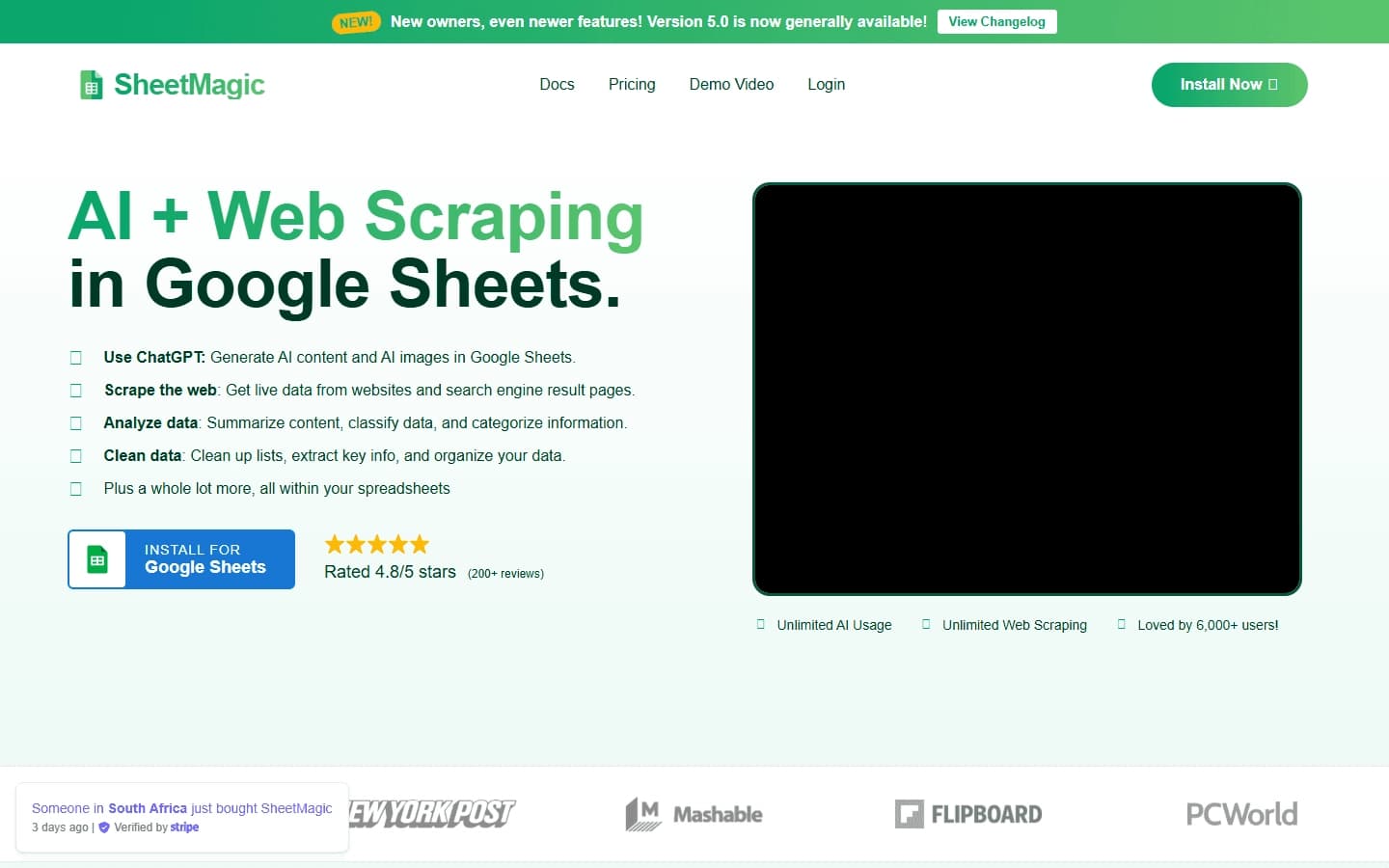
SheetMagic is an extension for Google Sheets that combines ChatGPT capabilities with web scraping and data analysis tools. The tool lets you run AI prompts, collect information from web pages and search engines, and then structure the resulting data directly in spreadsheet cells.
This means users don't need to switch between separate services: parsing, text generation, and data processing are all performed in the familiar Google Sheets interface. SheetMagic is designed for bulk data processing, automation of routine tasks, and content analysis, making it a useful tool for anyone who regularly works with large volumes of data.
SheetMagic features
| Feature | Value |
|---|---|
| Type | Extension (add-on) for Google Sheets |
| Categories | Spreadsheets, web scraping and parsing, automation, AI assistants, browser extensions |
| Distribution model | Freemium |
| Website | sheetmagic.ai |
| Integrations | ChatGPT, Google Sheets |
| Key capabilities | Text and image generation, web scraping, data analysis and structuring |
Who is SheetMagic for?
SheetMagic is aimed at professionals who regularly work with large volumes of data, text content, and web pages and prefer to stay within the Google interface.
Marketers and SEO specialists
For promotion specialists, the tool is useful for competitor analysis, collecting search results with metadata, monitoring prices, and preparing analytical reports.
Analysts and researchers
Analysts can use SheetMagic to parse data from websites, clean it, categorize it, and then process it with artificial intelligence without leaving the spreadsheet.
Small business owners
Business owners can automate competitor research, creation of product descriptions, and personalized mailings, saving time on routine operations.
How to use SheetMagic?
Working with SheetMagic revolves around special formulas that are called inside Google Sheets cells.
Installing the extension
First, you need to install the SheetMagic add-on in Google Sheets. After installation, the tool becomes available in the spreadsheet interface, and its functions can be called through standard formulas for working with cells.
Calling AI and parsing with formulas
Inside a cell, the user enters a formula that sets a prompt for ChatGPT — for example, to generate text, a description, or a headline. For web scraping, the URL of a page or a search query is specified, and the resulting data is returned to the spreadsheet in a structured form.
Setting up automatic collection
SheetMagic supports scheduled data collection. For example, you can set up automatic export of competitor prices every morning, after which the data lands in the spreadsheet without manual launch.
Key features of SheetMagic
Content generation via ChatGPT
SheetMagic embeds ChatGPT capabilities directly into Google Sheets cells. Users can create texts, descriptions, headlines, summaries, and even images without leaving the spreadsheet interface. Bulk operations allow you to process hundreds of rows with a single prompt.
Web scraping and parsing
The tool performs unlimited data collection from web pages and search engines. The retrieved information is returned in a structured form, ready for further analysis: you can collect contacts, monitor prices, analyze competitors, and get news digests.
Data cleaning and analysis
In addition to generation and collection, SheetMagic can process accumulated data: summarize, classify, assign categories and labels, extract key points, and remove duplicates and errors, preparing the information for further work.
Advantages of SheetMagic
ChatGPT right in your spreadsheets
The tool's main advantage is the integration of the language model directly into Google Sheets. This eliminates the need to copy data between services or perform the same operation manually for each row.
Unlimited web scraping
SheetMagic provides unlimited data collection from websites and search engines. Parsing, text generation, data analysis, and processing are combined in one place, streamlining the workflow.
Automation of routine operations
Tasks that previously took hours of manual work — data collection, content creation, spreadsheet cleaning — are now solved with a few formulas. This significantly speeds up daily work with information and reduces the likelihood of errors.
Disadvantages of SheetMagic
Like any tool, SheetMagic has certain limitations. The tool requires installation in Google Sheets, so it is not suitable for everyone — those who work in Excel or other spreadsheet editors will have to switch to Google Sheets.
The available data does not specify the details of the free tier's limitations or the exact terms for working with large volumes of data, so it is difficult to assess the scale of the restrictions in advance. In addition, the tool is tied to the Google ecosystem and is not a fully autonomous solution.
What tasks does SheetMagic solve?
Content and communications
With SheetMagic, you can create texts, product descriptions, headlines, and images right in spreadsheets, as well as mass-produce personalized email campaigns based on customer data.
Market and competitor analysis
The tool handles tasks such as monitoring competitor prices, collecting top search results with metadata, analyzing competitor content, and generating unique text based on that analysis.
Data preparation and reporting
SheetMagic helps collect contact data, build news digests, categorize information, clean it of duplicates and errors, and prepare reports and analytics for decision-making.
SheetMagic pricing
SheetMagic is distributed under a freemium model. This means there is a free tier with a basic set of features, as well as paid tiers that unlock additional tool capabilities. Detailed information about specific prices and the composition of paid plans is not disclosed in public data, so for up-to-date pricing information you should visit the official website sheetmagic.ai.
SheetMagic terms of use
To use the tool, you need to install the add-on in Google Sheets. This is a mandatory requirement — since SheetMagic functions as an extension of the spreadsheet editor, it cannot be used separately from Google Sheets.
No additional documented restrictions, for example related to the volume of data processed or the number of requests, are specified in the available sources. For complete information about the terms of use, we recommend reviewing the documentation on the official website.
SheetMagic availability
SheetMagic is available as an extension for Google Sheets and runs through the browser as part of Google's spreadsheet editor. A separate desktop or mobile version of the tool is not mentioned in the sources.
Information about regional restrictions, supported languages, or the need to use a VPN is absent from the available data. Given that the tool is built on Google Sheets and ChatGPT, its operation depends on the availability of these services in the user's region.
How is SheetMagic different from alternatives?
The main difference between SheetMagic and many similar solutions is its deep integration with Google Sheets. While a number of competitors offer separate tools for web scraping or text generation, SheetMagic combines both functions in one place — right inside spreadsheets.
Against this background, the following features stand out:
A comprehensive approach in a single interface
Parsing, content generation, and data analysis are performed without switching between services. Users stay in the spreadsheet interface, which simplifies bulk data processing and reduces time spent on manual data transfer.
Working with large volumes of data
One prompt processes hundreds of rows at once, which is fundamentally different from tools that handle records one at a time. This makes SheetMagic an effective solution specifically for large volumes of data.
Scheduled automation
The ability to set up automatic scheduled data collection (for example, daily price monitoring) sets the tool apart from simple extensions that require every operation to be launched manually.
Conclusion
SheetMagic is a Google Sheets extension that combines ChatGPT capabilities and unlimited web scraping in a single spreadsheet interface. The tool lets you generate content, collect and structure data, and automate routine operations without switching between services. It will be useful for marketers, analysts, SEO specialists, and small business owners who work with large volumes of information and want to speed up data processing. Distributed under a freemium model, SheetMagic lets you start free and pay for extended features as needed.
Frequently asked questions
See also
AI editor for creating, editing, and publishing content with templates and prompts.

Financial platform with an AI assistant for managing accounting, taxes, and budgets.

Platform for interview preparation with AI mock interviews and real-time support.
Enterprise language model platform focused on privacy and on-premise deployment.


AI assistant for creating short summaries of videos, PDF documents, and web pages.


AI email assistant that helps quickly draft messages, adapting to the user's style.


Marketplace where users buy and sell ready-made prompts for popular AI models.
A sales automation platform that combines customer prospecting, deal management, and AI-powered forecasting.