

Reflect
AI note-taking app that helps you capture thoughts, link them together, and turn your notes into a structured knowledge base.
Overview
Reflect
About Reflect
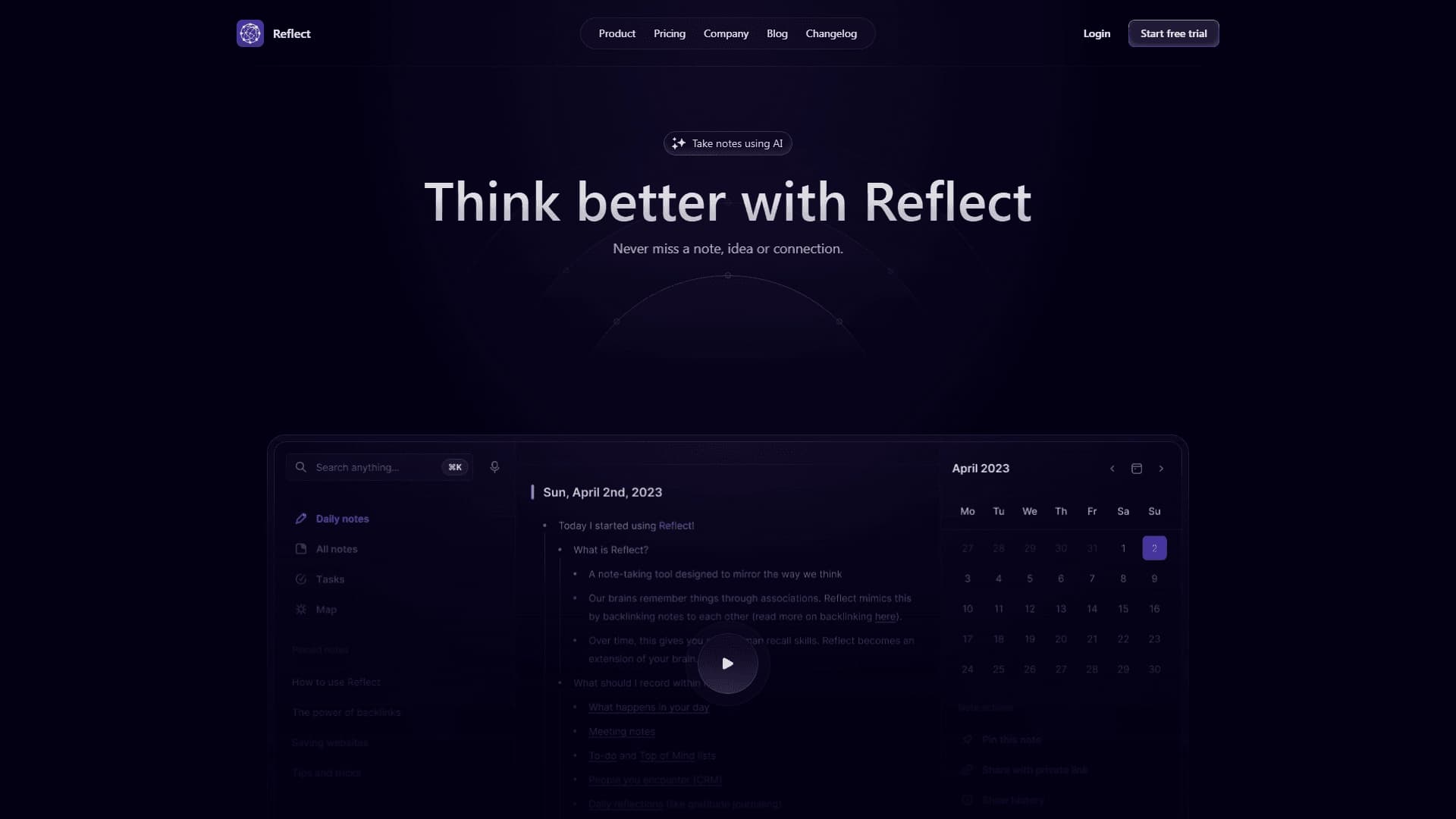
Reflect is an AI-powered note-taking app that goes beyond simple text storage. Its core idea is not just to capture thoughts but to help find connections between disparate notes, gradually turning them into a unified, structured knowledge base.
The tool combines the functions of a note-taker, a personal assistant, and a knowledge map. You can quickly record ideas, notes, meetings, and voice messages, while the built-in AI handles search, summarization, and text transformation. The interface is deliberately minimalist so that nothing distracts from the thinking process itself.
The app places special emphasis on privacy and convenience: notes are protected with end-to-end encryption, and access is synced across devices. Overall, Reflect is positioned as a tool for those who don't want to lose a single idea and aim to build a flexible, constantly evolving knowledge map from their notes.
Reflect specifications
| Characteristic | Value |
|---|---|
| Type | AI-powered note-taking app |
| Categories | Productivity, Personal assistant, Notes, Knowledge maps, AI assistants |
| Platforms | Web |
| Primary use cases | Note-taking, building a personal knowledge base, boosting productivity |
| Key features | AI integration, finding connections between notes, calendar integration, end-to-end encryption, device sync |
| Editorial rating | 8.2 out of 10 |
| User rating | 4.7 |
| Website | reflect.app |
Who is Reflect for?
For those who take notes and build a personal knowledge base
Reflect is primarily designed for people who regularly write down their thoughts and want to turn them into an organized system. If you keep notes, collect ideas for projects, or do personal research, the app helps you never lose a piece of information and, over time, connect those pieces together.
For work, study, and personal projects
The tool is universal in its application: it works equally well for work tasks, study, and personal endeavors. Thanks to the ability to return to notes and develop them, Reflect becomes a convenient platform for continuous work with ideas across a wide range of areas.
For those who value a clean interface
The app is deliberately free of extra elements and clutter. The minimalist interface is focused on the thinking process, which users who find the overloaded interfaces of other note-taking apps distracting will especially appreciate.
How to use Reflect?
Quickly capture ideas
The main use case is instantly capturing thoughts. You can record notes, meetings, and voice messages without extra steps, and the app neatly organizes everything in a single space.
Expand notes with AI
The built-in AI helps not only store text but also work with it. The AI can find the right notes, summarize their content, and transform text — for example, reformatting a note or extracting key points from it.
Build connections and a knowledge map
One of Reflect's main capabilities is suggesting associations and finding connections between disparate pieces of information. Thanks to smart links and a well-thought-out note structure, scattered notes gradually come together into a single knowledge map that you can always return to and keep developing.
Key features of Reflect
Working with notes and an AI assistant
The app offers native AI integration for capturing and expanding notes. The AI helps record ideas, summarize them, and transform text, taking over the routine work of processing information.
Finding connections between notes
Reflect's key feature is its ability to find associations between pieces of data. The app analyzes scattered notes and suggests connections between them, helping you discover new insights that might otherwise go unnoticed.
Integration and security
The app includes calendar integration, end-to-end encryption to protect data, and synchronization between devices. Note organization and sharing features round out the core functionality, making work with the knowledge base more convenient.
Advantages of Reflect
Building connections, not just taking notes
The app's main strength is that it doesn't stop at saving thoughts — it helps build connections between them. This allows you to find new insights and turn individual notes into a cohesive knowledge system.
Clean, uncluttered interface
Reflect stands out for its minimalist design focused on thinking. The absence of extra elements helps you concentrate on working with ideas without being distracted by interface details.
Privacy and sync
End-to-end encryption protects your notes from unauthorized access, while synchronization between devices lets you access your knowledge base anywhere. Calendar integration additionally links notes to your schedule.
Disadvantages of Reflect
Like any tool, Reflect has its limitations. First of all, the app is only available on the Web platform, which can be inconvenient for users who are used to working with notes offline. It's also worth keeping in mind that the tool's full potential is only realized with regular note-taking and building connections between notes — this requires a certain amount of discipline on the user's part.
What tasks does Reflect solve?
Quickly capturing and saving ideas
The app solves the core task of a note-taking tool: it lets you instantly capture a thought before it gets lost. Notes, meetings, and voice messages are stored in one place, accessible at any time.
Expanding notes and finding connections
With AI, users can expand their notes and find connections between disparate pieces of information. This turns simple notes into a source of new ideas and solutions.
Building a personal knowledge base
Ultimately, Reflect solves the task of organizing information: scattered notes come together into a structured knowledge map that can be constantly added to and developed. The tool also works as a personal assistant, improving overall productivity by bringing order to the thinking process.
Reflect pricing
Exact pricing and costs of using Reflect are not specified in the source data. Information about pricing on the service's official website, including any free tiers and paid subscriptions, needs to be confirmed with the developer.
Reflect terms of use
Detailed terms of use for the service are not disclosed in the provided data. The app operates as a cloud web service, which implies the need to create an account to work with notes. More detailed information about usage rules, privacy policy, and user requirements is available on the platform's official website.
Reflect availability
Reflect is only available on the Web platform as a cloud service running through reflect.app. This means that an internet connection is required to use the app.
How is Reflect different from alternatives?
The main difference between Reflect and its competitors is the emphasis on building connections between notes rather than just storing them. The app deliberately structures notes into a knowledge map, helping users find associations and new insights, whereas many alternatives limit themselves to organizing text.
Reflect also stands out with its minimalist interface focused on the thinking process itself, as well as a combination of features such as end-to-end encryption, calendar integration, and device sync. At the same time, it's worth noting the competitive landscape: among the alternatives there are both universal AI tools (ChatGPT) and specialized platforms for working with notes and transcriptions (Mem, Microsoft IQ, Tactiq, Transkriptor, Notta), which may serve as alternatives depending on the user's specific tasks.
Conclusion
Reflect is a minimalist AI-powered note-taking app that helps you not only capture thoughts but also build connections between them, turning scattered notes into a flexible knowledge map. Thanks to a combination of AI features for searching, summarizing, and transforming text, end-to-end encryption, calendar integration, and device sync, the service suits both work, study, and personal projects. Despite the limitation of being available only on the Web, Reflect remains a well-thought-out tool for those who don't want to lose ideas and want to turn them into a structured knowledge base.
Frequently asked questions

See also
A sales automation platform that combines customer prospecting, deal management, and AI-powered forecasting.
AI editor for creating, editing, and publishing content with templates and prompts.

Financial platform with an AI assistant for managing accounting, taxes, and budgets.

Platform for interview preparation with AI mock interviews and real-time support.
Enterprise language model platform focused on privacy and on-premise deployment.


AI assistant for creating short summaries of videos, PDF documents, and web pages.


AI email assistant that helps quickly draft messages, adapting to the user's style.


Free online platform with over 150 AI tools for working with PDFs, images, videos, and text.