
OpenHuman
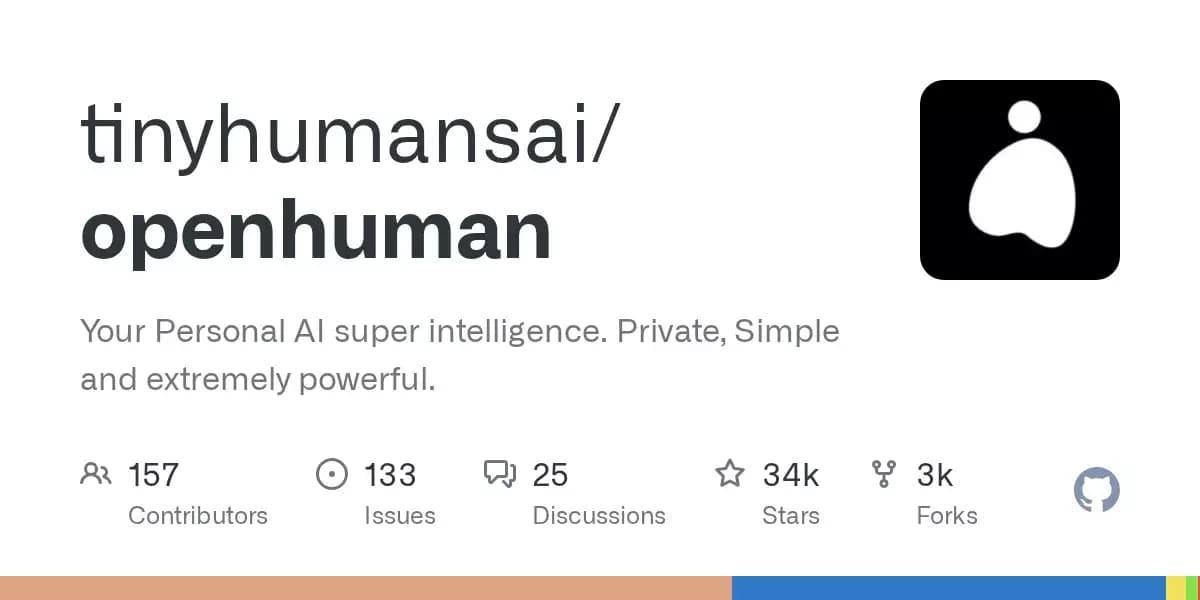
An open-source desktop AI agent that stores conversation history in a local knowledge base and automatically pulls relevant context into new discussions.
Overview
OpenHuman
Description of the OpenHuman AI
OpenHuman is a desktop AI agent with open source code, designed to work as a personal assistant. The tool's main difference from ordinary chatbots is its long-term memory: all dialogues and interactions are saved to a local knowledge base built on the hierarchical tree principle (Memory Tree). When a new conversation begins, the agent automatically retrieves relevant context from this base, allowing it to "remember" the user over weeks, rather than within a single session.
OpenHuman supports integration with external services via OAuth, connection of additional skills and MCP servers, as well as automatic data updates from connected sources. The application is at an early beta stage but is already available for installation on all major platforms.
OpenHuman characteristics
| Characteristic | Value |
|---|---|
| Type | Personal AI assistant (AI agent) |
| Category | Open Source, AI agent, Assistants |
| License | Open Source |
| Popularity | Over 34 thousand stars on GitHub |
| Date of first publication | 02-07-2026 |
| Distribution model | Free |
| Platforms | macOS, Linux, Windows |
| Installation method | Homebrew, .deb, AUR, .msi |
Who is the OpenHuman AI suitable for?
Developers and technical specialists
OpenHuman will be useful to developers who value open source code and want full control over their AI assistant. The ability to connect MCP servers, work with GitHub, and set up integrations via OAuth makes the tool convenient for those who are used to customization and automation of workflows.
Privacy-focused users
Since all data is stored locally on the user's computer (in SQLite) rather than on third-party servers, OpenHuman suits those who do not want to share dialogue history and personal information with cloud services. The open source code allows you to additionally verify exactly how data is processed.
Productivity specialists
People who work with a large number of tasks, notes, and external services (Gmail, Notion, Calendar, Jira) can use OpenHuman as a single entry point. The long-term goals function (GOALS.md) and automatic context updates reduce the need for manual administration of workflows.
How to use the OpenHuman AI?
Installation on different platforms
OpenHuman is installed using standard package managers depending on the operating system. On macOS, Homebrew is used; on Linux — .deb packages or AUR; on Windows — a signed .msi installer. The tool is at an early beta stage, but is already functional and suitable for everyday use.
Initial setup and integrations
After installation, the user can connect external services via OAuth — Gmail, Notion, GitHub, Slack, Stripe, Calendar, Google Drive, Linear, Jira, and others (over a hundred integrations in total). There is also a catalog of thousands of MCP servers and over 90 thousand skills that can be installed "on the fly" as needed.
Using Memory Tree and SuperContext
All interaction history is automatically saved to the local Memory Tree knowledge base (a hierarchical tree of Markdown chunks stored in SQLite). If desired, it can be synchronized with an Obsidian vault. The SuperContext feature allows a background agent to automatically gather context from memory and files when a new chat starts — the user does not need to manually remind the assistant about previous discussions.
Main features of OpenHuman
Memory Tree — local knowledge base
At the core of OpenHuman lies Memory Tree — a hierarchical tree organized as Markdown chunks. All data is stored in SQLite on the user's computer. The tree can be synchronized with an Obsidian vault, giving the ability to work with notes directly from a familiar tool.
SuperContext — automatic context gathering
The SuperContext feature launches a background agent that automatically collects relevant information from Memory Tree and connected files when a new dialogue starts. The agent remembers the user for weeks, not just within one dialogue, which significantly distinguishes it from ordinary chat interfaces.
Integrations, MCP servers, and skills
OpenHuman supports connection to more than 100 services via OAuth. In addition, there is a catalog of thousands of MCP servers and over 90 thousand skills that can be installed and connected without restarting the application. The autofetch feature updates data every 20 minutes without manual polling.
Long-term goals and desktop mascot
The user can record long-term goals in the editable GOALS.md file — this file constantly remains in the agent's context. In addition, the application includes a desktop mascot with a voice that reacts to its surroundings and can participate in Google Meet.
Advantages of OpenHuman
Full transparency and local operation
OpenHuman has open source code and runs locally on the user's computer. This means that all dialogue history, files, and connected data never leave the device. The user can independently verify the code, make changes, or adapt the tool to their needs.
Long-term memory based on Memory Tree
Thanks to the hierarchical memory structure, the agent does not forget previous discussions. Context is retrieved automatically, making interaction more natural — there is no need to repeat the initial information with every new dialogue.
Broad extension possibilities
More than 100 integrations via OAuth, access to thousands of MCP servers, and a catalog of 90 thousand skills — all this allows adapting OpenHuman to specific use cases. Additional capabilities are connected on the fly, without lengthy setup.
Available on all major platforms
The application can be installed on macOS, Linux, and Windows. The presence of signed installers for Windows and support for Homebrew, .deb, and AUR ensure a simple installation process on any system.
Disadvantages of OpenHuman
Early development stage
OpenHuman is at an early beta stage. This means possible unstable operation, the absence of some features, and changes to the API or interface as the project develops. Users who need a fully polished and predictable solution should take this factor into account.
What tasks does OpenHuman solve?
Personal AI assistance with memory
OpenHuman acts as a personal assistant that remembers the history of interactions. The user does not need to explain the context every time — the agent automatically loads relevant data from Memory Tree and connected services.
Automatic context collection and updates
A background agent (SuperContext) gathers information from files, notes, and external integrations. The autofetch feature updates data every 20 minutes, saving the user from having to manually poll services.
Task and long-term goal management
Through the GOALS.md file, the user can record long-term goals that the agent constantly keeps in context. Combined with integrations with calendar, task trackers (Jira, Linear), and email (Gmail), this makes it possible to build a unified workflow management system.
OpenHuman pricing
The tool is distributed free of charge. The project page contains no information about paid plans or subscriptions. Since OpenHuman has open source code, the user can download, install, and use the application without any payments.
OpenHuman terms of use
OpenHuman is an open source tool. The application is installed directly on the user's computer. As of the time of publication, no information about the need for registration or account creation has been specified. The user gets full access to the code and can use, modify, and distribute it under the terms of the open license.
OpenHuman availability
The application is available on three major platforms:
- macOS — installation via Homebrew.
- Linux — installation via .deb packages or AUR.
- Windows — installation via a signed .msi package.
Interface languages are not specified on the project page.
How OpenHuman differs from alternatives
Local data storage and open code
Unlike many cloud AI assistants, OpenHuman stores all data locally on the user's device. Memory Tree and SQLite provide full control over dialogue history, and the open source code allows you to verify exactly how the system works.
Automatic context without manual input
The SuperContext feature is fundamentally different from ordinary chat interfaces, where the user starts a dialogue from scratch every time. OpenHuman automatically pulls relevant information from long-term memory and connected services, making interaction more continuous.
Customization through skills and MCP servers
The ability to connect tens of thousands of ready-made skills and servers sets OpenHuman apart from assistants with rigidly fixed functionality. The user can expand the agent's capabilities for specific tasks without having to write code from scratch.
Conclusion
OpenHuman is a promising desktop AI agent with open source code that solves the problem of the lack of long-term memory in most modern assistants. Local data storage, automatic context gathering via SuperContext, a wide range of integrations, and the ability to customize through skills and MCP servers make it an interesting tool for developers, productivity specialists, and anyone who values privacy. The project is at an early stage of development, but already has more than 34 thousand stars on GitHub and is available for installation on macOS, Linux, and Windows.
Frequently asked questions

See also
A sales automation platform that combines customer prospecting, deal management, and AI-powered forecasting.
AI editor for creating, editing, and publishing content with templates and prompts.

Financial platform with an AI assistant for managing accounting, taxes, and budgets.

Platform for interview preparation with AI mock interviews and real-time support.
Enterprise language model platform focused on privacy and on-premise deployment.


AI assistant for creating short summaries of videos, PDF documents, and web pages.


AI email assistant that helps quickly draft messages, adapting to the user's style.


Free online platform with over 150 AI tools for working with PDFs, images, videos, and text.