

Napkin AI
A service that automatically turns entered text into visual diagrams, flowcharts, and infographics.
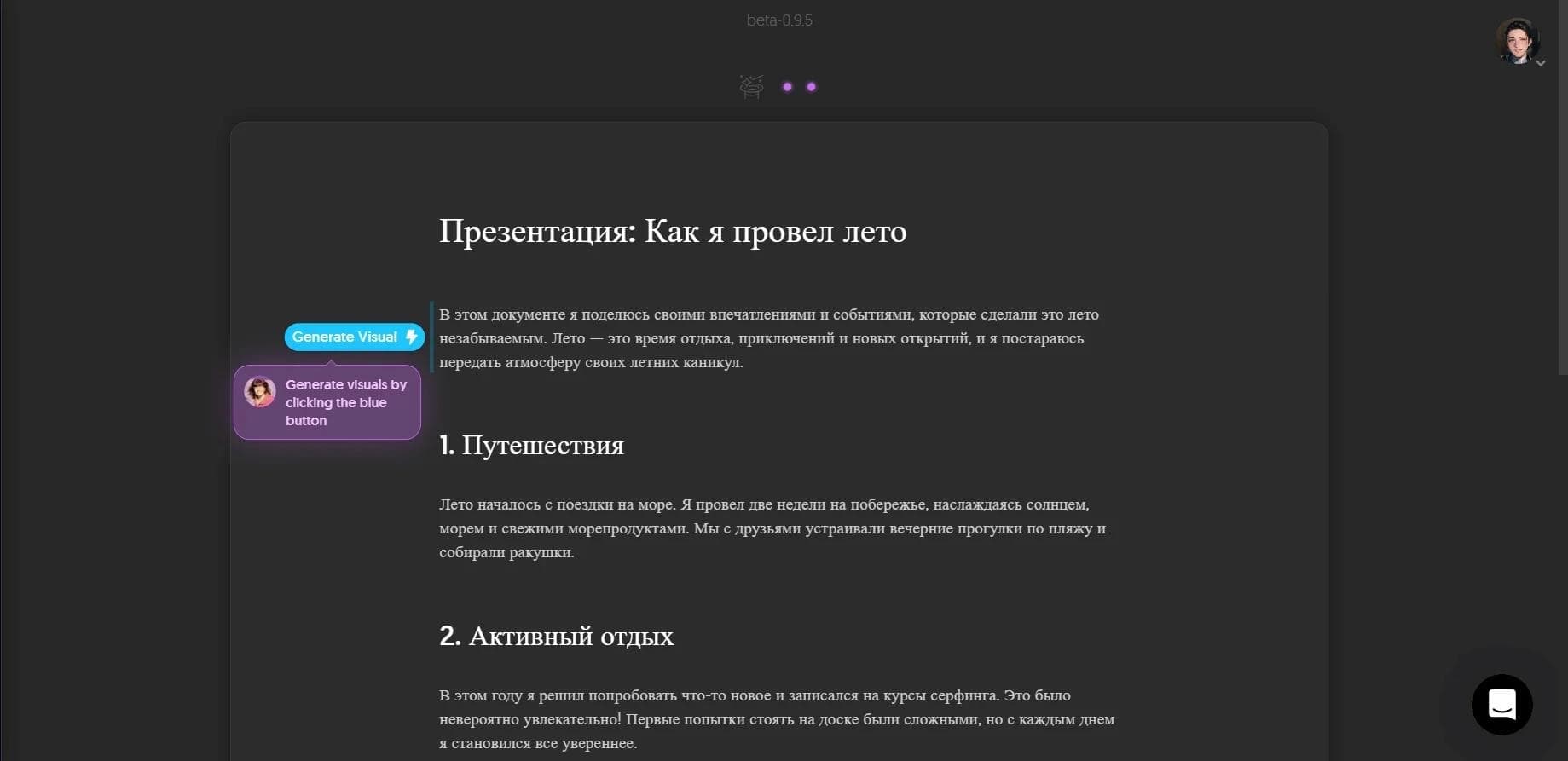
Overview
Napkin AI
Napkin AI Overview
Napkin AI is an online service that automatically turns entered text into clear visual elements: schemes, flowcharts, diagrams, and infographics. Users don’t need to understand design or write complex prompts — just paste ready-made text, and the neural network will select a suitable visual on its own.
The resulting images can be edited: you can change colors, fonts, icons, and styles, as well as adjust the connector lines between elements. Finished works can be exported in PPT, PNG, PDF, and SVG formats, making them easy to use in presentations, articles, educational materials, blogs, and social media content.
The tool works as a web service and is aimed at those who value speed and simplicity: instead of drawing by hand or spending a long time in design editors, users get a finished visual in seconds.
Napkin AI Features
| Characteristic | Value |
|---|---|
| Type | Visual AI service, online platform |
| Platform | Web (via browser) |
| Categories | Diagrams and schemes, illustration, presentation generation, design generation, text visuals |
| Website | www.napkin.ai |
| Export formats | PPT, PNG, PDF, SVG |
| Conversion | Text to image, text to graphic material |
| Languages | Support for more than 60 languages |
| Distribution model | Freemium (free plan and paid tiers) |
| Teamwork | Real-time editing, shared workspaces, commenting |
Who Is Napkin AI For?
Business owners and marketers
Napkin suits entrepreneurs and marketers who need to quickly prepare presentations, pitch decks, reports, or social media posts. The service lets you turn commercial texts into clear visuals without hiring a designer and saves time on manual layout.
Teachers and students
Napkin AI is also useful for educational purposes: teachers can quickly create diagrams and infographics for lectures, while students can format reports, projects, and study materials. The simple interface makes the service accessible even to beginners with no design experience.
Content creators and designers
Content creators use the service to prepare images for articles, blogs, and social media posts, while designers use it as a quick tool for draft visuals that can be refined later. The tool is also suitable for project managers and consultants who need clear diagrams to communicate ideas.
How to Use Napkin AI?
Step 1 — Paste your text
Open the service and paste ready-made text — this can be document content, notes, or manually entered data. No complex prompting is required: the service analyzes the content itself and suggests suitable visual formats.
Step 2 — Generate the visual
Click the generation button, and the neural network will automatically create a suitable visual in seconds. All you have to do is choose the option you like from the suggestions.
Step 3 — Customize the design
The finished visual can be edited: you can change icons, decorative elements, connectors, color schemes, and fonts, adapting the design to a specific task or brand style.
Step 4 — Export the result
After customization, you can export the work in one of the supported formats — PPT, PNG, PDF, or SVG — and use it in presentations, articles, documentation, or social media.
Key Features of Napkin AI
Text-to-visual conversion
The service’s main function is automatically generating clear elements from text: schemes, diagrams, infographics, flowcharts, and other visual blocks. The neural network analyzes the content itself and selects the most suitable presentation format.
Visual editing
All generated materials are fully editable: users can change icons, decorators, connector lines, colors, and fonts. This allows flexible customization of images for specific tasks without design skills.
Export and teamwork
Finished works can be exported in PPT, PNG, PDF, and SVG formats. The service also supports collaboration features: real-time editing, shared workspaces, and commenting, which is convenient for team work.
Napkin AI Advantages
- Time savings — visuals are created instantly and automatically, without manual work or lengthy editing.
- Ease of use — an intuitive interface suits beginners, with no need for design skills or complex prompting.
- Full editability — icons, colors, fonts, and connectors can be changed to fit a specific task.
- Flexible export formats — support for PPT, PNG, PDF, and SVG lets you use the results across different channels.
- Wide language support — more than 60 languages, making the service accessible to an international audience.
- Free plan — the beta version includes a free tier with Pro features, which is convenient for testing.
Napkin AI Disadvantages
- Device limitations — creating and editing visuals is only available on desktop; mobile editing is not supported yet.
- Not suitable for strict diagrams — the service is not designed for creating strict algorithmic flowcharts, such as those following formal standardized specifications, because it focuses on attractive visual blocks.
- No mobile apps — there are currently no apps in Google Play or the Apple App Store.
- Free plan limitations — the free tier has limits on the number of AI credits, and some features are only available in paid versions.
What Tasks Does Napkin AI Solve?
Text visualization
The service’s main purpose is turning text-based information into clear schemes, diagrams, and infographics. This helps simplify communicating ideas without drawing skills and makes complex content more understandable.
Presentation preparation
Napkin AI lets you quickly create visual blocks for presentations and pitch decks, as well as export them to PPT format for further work in familiar tools.
Content and educational materials creation
The service is suitable for preparing images for articles, blogs, social media posts, as well as for formatting educational materials and documentation. Finished visuals can be used in reports and educational projects.
Napkin AI Pricing
Free plan
The free tier ($0) includes 500 AI credits per week, unlimited visual editing, file import (PPT, DOC, PDF, HTML, MD), export to PNG and PDF, built-in styles and fonts, standard icons, and Napkin branding. No credit card is required.
Plus plan
The Plus plan costs $9 per month and includes 10,000 AI credits per month, export to PPT and SVG, 3 custom styles, bold icons, no branding, and team management.
Pro plan
The Pro plan costs $22 per month and includes 30,000 AI credits per month, exclusive designs, unlimited custom styles, the ability to upload your own fonts, team management, and additional credit purchases. An annual subscription gives a 25% discount.
Napkin AI Terms of Use
To use the service, you need access to the napkin.ai website through a browser. Napkin AI is currently in beta, and the Pro plan is provided for free — a great opportunity to test the platform. After beta testing ends, a paid subscription with expanded capabilities is expected, though the exact price has not yet been announced. Creating and editing visuals is only available on desktop, while registration details and account requirements are not specified in the available sources.
Napkin AI Availability
Napkin AI is a web platform accessible through a browser without the need to install additional software. The service supports more than 60 languages, making it available to a broad international audience. Mobile editing is currently not supported, and information about VPN requirements and regional restrictions is absent from the sources.
How Napkin AI Differs from Alternatives
Difference from Canva and Lucidchart
Unlike Canva, which requires more time for manual design, and Lucidchart, which specializes in complex technical diagrams, Napkin AI is faster and simpler thanks to automatic visual generation from text. Users don’t need to assemble elements manually — just paste the text and choose a suitable format.
Difference from SmartBuddy and Mermaid Chart
Compared with SmartBuddy or Mermaid Chart, which are focused on creating strict algorithmic flowcharts, Napkin AI aims to create attractive visual blocks for presentations, articles, and marketing materials. This makes it more versatile for tasks where clarity and aesthetics matter more than strict technical precision.
Conclusion
Napkin AI is a practical tool for quickly turning text into clear visual materials: presentations, diagrams, infographics, and social media content. Thanks to its ease of use and automatic visual generation, the service suits business owners, teachers, students, marketers, and content creators, without requiring design skills. The free beta plan with Pro features provides a good opportunity to test the platform, while the main limitation at the moment is the lack of mobile editing.