

MyMind
A service for storing and organizing digital information with automatic neural network-based sorting.
Overview
MyMind
Description of the MyMind neural network
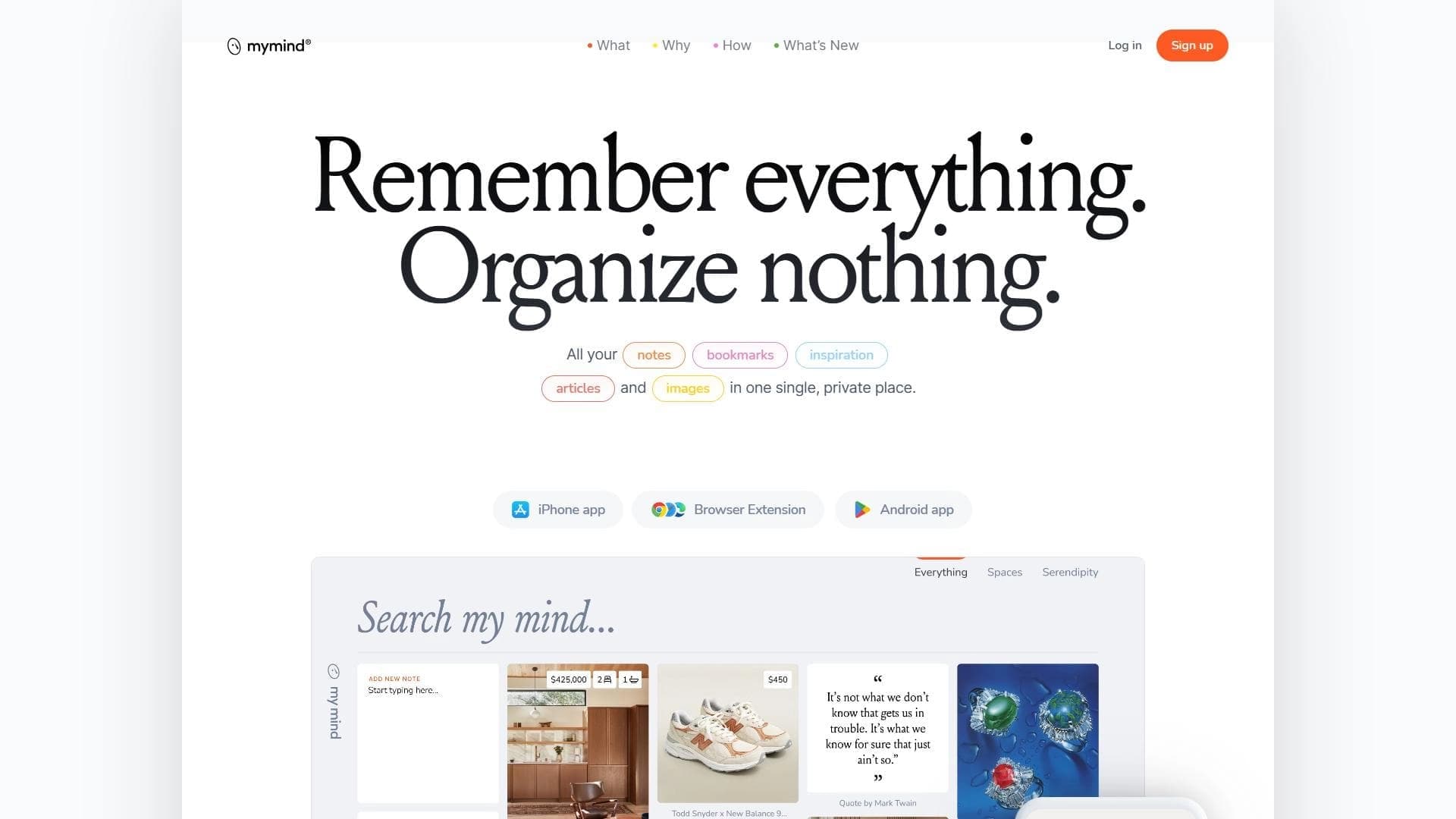
MyMind is a service for storing and organizing digital information, powered by a neural network. Its main idea is to help users save and systematize data without having to manually create folders, tags, and structures.
The service lets you save notes, images, articles, and other materials, while the neural network automatically analyzes the content, links saved data together, and provides fast intelligent search. In essence, MyMind works as a personal knowledge base that organizes everything on its own.
The tool's interface is minimalist and speed-oriented. Many users rely on it as an AI assistant and personal companion that helps them never forget anything: all you need to do is save the content, and the neural network takes care of the rest.
MyMind characteristics
| Characteristic | Value |
|---|---|
| Type | Tool for storing and organizing digital information |
| Categories | Knowledge management, Notes and protocols, Search and analysis, AI assistant, Personal assistant, Memory |
| Pricing model | Subscription (paid) |
| Platforms | Web |
| Rating | 4.9 (star rating) |
| Editor's rating | 9.2 out of 10 |
| Date verified | 06.10.2024 |
Who is the MyMind neural network suitable for?
For those who accumulate a lot of information
MyMind suits people who regularly save large numbers of notes, articles, and images and are tired of manually sorting them into folders. Automatic organization removes that burden.
For those who forget important things
The tool is designed for users who don't want to miss anything. With automatic saving and intelligent search, finding the right material at any moment becomes much easier.
For those who value speed and minimalism
For people who don't want to deal with complex interfaces and set up structures, MyMind offers simplicity: the service is focused on quick saving and instant retrieval of information.
How to use the MyMind neural network?
Import existing data
To get started, you need to import your existing data into the service. This is the first step to take so that all important information is in one place.
Learn the instructions and algorithms
After importing, it's worth spending time studying the instructions and getting used to how the search and sorting algorithms work. Understanding the logic of the neural network helps you use the service more effectively.
Move to regular use
Once the initial setup is complete, all that remains is to save new content and rely on automatic sorting and intelligent search. The initial setup takes some time, but after that the work goes faster.
Key features of MyMind
Automatic saving of materials
The service saves notes, images, articles, and other materials automatically, without requiring manual classification.
Automatic sorting without folders
The neural network organizes data on its own — users don't need to create folders, tags, or structures. Content is systematized and linked automatically.
AI search for information
Intelligent search lets you instantly retrieve the data you need. Just enter a query, and the neural network finds the relevant material.
Minimalist interface
The interface is simple and speed-oriented, making work with the service as fast and convenient as possible.
Advantages of MyMind
Fast data organization
The service quickly organizes all saved content, saving users time spent on manual structuring.
Automatic categorization
The neural network independently analyzes and classifies data, eliminating the need to add tags and sort materials into folders.
Privacy and encryption
The service provides a high level of privacy and data encryption, which is important for those who store personal and confidential information.
Simple content management
Managing materials is extremely simple — you can save and find the information you need without unnecessary steps.
Drawbacks of MyMind
Paid model
The service works exclusively on a paid subscription, which may be a barrier for some users.
Need to get used to the interface
Although the interface is minimalist, its logic and specifics take some getting used to, especially for those accustomed to classic folders and tags.
Time for initial setup
Getting started takes time: you need to import data and study the instructions before the service works at full capacity.
What tasks does MyMind solve
Storing and organizing digital information
The service solves the problem of storing and organizing notes, images, articles, and other digital materials in one place.
Automatic sorting without manual classification
MyMind handles data sorting, so users don't need to manually distribute materials into categories.
Fast search and data retrieval
Thanks to AI search, the needed information is found and retrieved quickly, which is especially important with large amounts of saved content.
Organizing and remembering important information
The tool acts as a personal memory: it helps you never forget anything by collecting and organizing important data from different sources.
MyMind pricing
MyMind follows a paid subscription model — no free access is provided. Specific plans and pricing are not mentioned in the available sources, so for current prices you should check the service's official website.
MyMind terms of use
MyMind is a personal AI-powered digital assistant that helps you organize and remember important information. Access to the service is provided through a paid subscription.
MyMind availability
MyMind is available only as a web version — no dedicated apps are mentioned in the available data. A browser is enough to use the service.
It is also worth noting the service's high ratings: user rating is 4.9 out of 5, and the editor's rating is 9.2 out of 10.
How MyMind differs from alternatives
The main difference between MyMind and alternatives such as Notion, Evernote, and Mem is the absence of manual structure. In those services, users create folders, databases, and tags themselves, whereas MyMind fully automates this process.
Instead of manually managing data organization, MyMind focuses on automating search and sorting. The neural network itself analyzes content, links materials together, and quickly finds what you need — users don't have to design their knowledge base structure.
Conclusion
MyMind is a well-thought-out personal AI-powered digital assistant that takes over organizing and remembering important information. Its main value lies in the full automation of sorting and intelligent search, which frees users from manually structuring data. Despite the paid subscription and the need to get used to the interface, the service has received high ratings from users (4.9) and editors (9.2 out of 10). For those who accumulate a lot of content and value speed, minimalism, and privacy, MyMind will become a convenient and reliable tool for a personal knowledge base.
Frequently asked questions
Similar AI tools
See also
A sales automation platform that combines customer prospecting, deal management, and AI-powered forecasting.
AI editor for creating, editing, and publishing content with templates and prompts.

Financial platform with an AI assistant for managing accounting, taxes, and budgets.

Platform for interview preparation with AI mock interviews and real-time support.
Enterprise language model platform focused on privacy and on-premise deployment.


AI assistant for creating short summaries of videos, PDF documents, and web pages.


AI email assistant that helps quickly draft messages, adapting to the user's style.


Free online platform with over 150 AI tools for working with PDFs, images, videos, and text.