

Linear
Project management platform with an integrated AI assistant for task automation and data analysis.
Overview
Linear
Linear AI Description
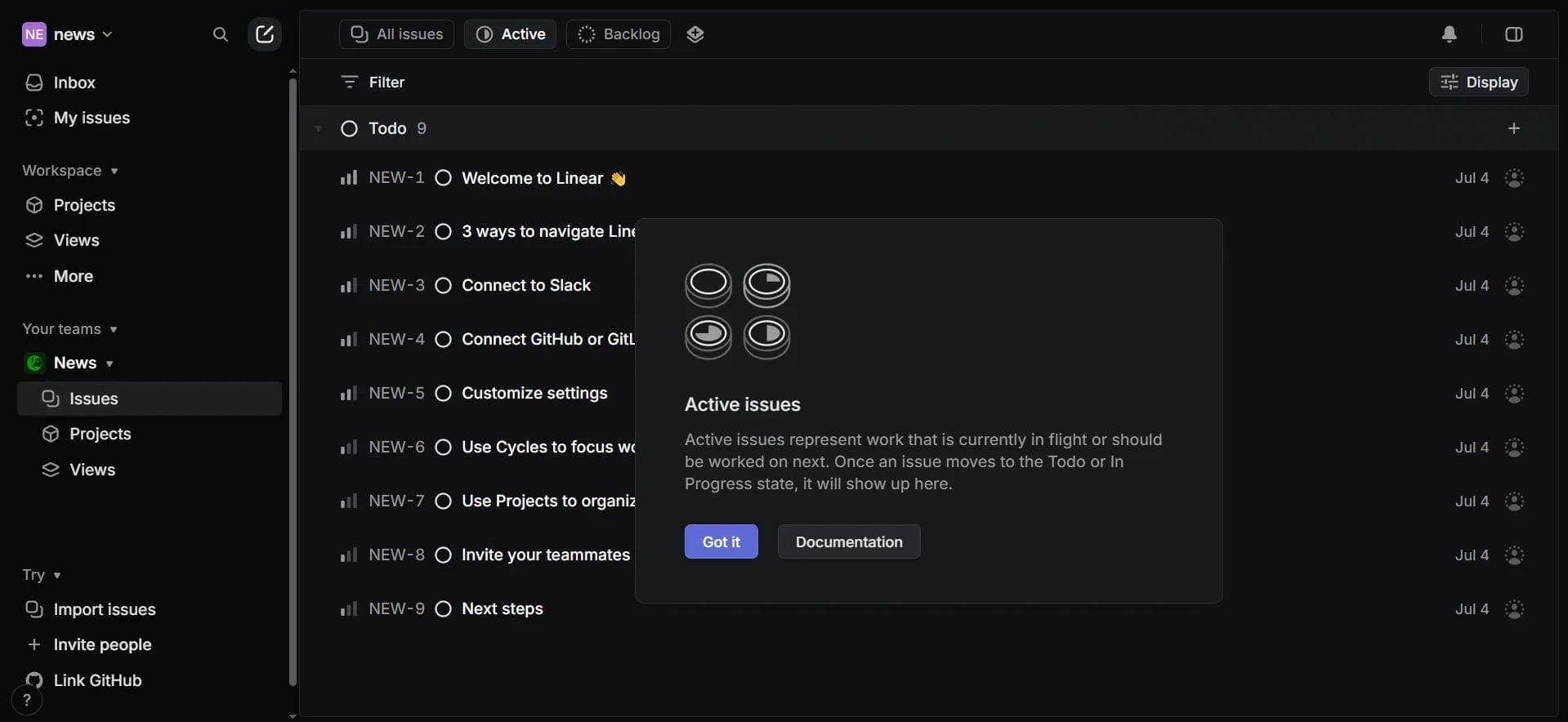
Linear is a project management platform with built-in artificial intelligence that automates routine operations and analyzes workflow data. Unlike traditional task trackers, Linear AI uses language models to process discussions, create tasks based on them, find similar issues, and prioritize work. The system is designed for development teams, designers, and managers who value process transparency and efficient workload distribution.
The tool is available on the web platform and mobile devices running iOS (version 18.0 and later) and Android, with the interface in English. Linear supports integrations with GitHub, Slack, and Figma, allowing it to be embedded into existing workflows without the need to radically change the team's toolkit.
Linear Characteristics
| Characteristic | Value |
|---|---|
| Type | AI-based project management tool |
| Categories | Project management, Code generation, Product assistants |
| Platforms | Web app, iOS (18.0+), Android |
| Interface language | English |
| Free plan | Yes (limited functionality) |
| Paid plan cost | $12 per user per month (Business plan) |
| Integrations | GitHub, Slack, Figma |
| Standards compliance | GDPR, SOC 2 |
| Review rating | 0 reviews (at the time of data collection, website traffic — 8.6 million per month) |
Who is Linear AI suitable for?
Developers and technical specialists
Linear AI allows programmers to automatically create tasks from discussions in Slack or GitHub, generate technical specifications and code, and quickly find similar bugs. The tool is suitable for teams working with Agile methodology and helps reduce time spent on maintaining project documentation.
Project and product managers
Managers get real-time analytics, automatic reports, and task prioritization suggestions based on deadlines. This simplifies workload distribution and progress tracking without manually collecting data from different sources.
Designers and remote teams
Design specialists can sync their work with Figma, and remote teams can maintain process transparency. The tool is suitable for startups and freelancers looking for a way to centralize project management without complex administration.
How to use Linear AI?
Registration and workspace setup
To get started, you need to register at linear.app and create a workspace for your team. Then, in settings, enable Linear AI — from that point on, the assistant will be available in the interface.
Using AI commands
Tasks are assigned to the agent through commands entered in the input field: for example, /code for code generation, guideme for getting technical solutions. The AI also automatically processes discussions in connected integrations (Slack, GitHub) and suggests creating a task or finding a similar issue.
Tracking progress and analytics
After setting up the team and assigning tasks, progress is tracked in the Insights section, where real-time analytics is available. It is also recommended to set up integrations with GitHub, Slack, and Figma so that data flows into a single system.
Core functions of Linear
Automatic task creation from discussions
The AI analyzes texts of conversations in Slack or comments on GitHub commits and suggests creating a corresponding task. The system uses semantic analysis to avoid duplicating existing entries.
Code and technical specification generation
Using the /code command, the AI can generate code snippets and technical documentation. According to the developers, this helps automate up to 60% of routine operations related to writing specifications.
Semantic search and prioritization
The tool finds similar tasks not by keywords but by meaning, which is important for large projects with many bugs. Task priorities are automatically adjusted according to deadlines, and reports are created in seconds.
Advantages of Linear
Reduced time on routine operations
According to the developers, the AI automates up to 60% of routine tasks, and report generation takes about three seconds. The system can handle simultaneous processing of up to 10 million tasks, which is relevant for large projects.
Integration with popular tools
The platform supports integration with 15 development tools, including GitHub, Slack, and Figma. All AI actions are logged, ensuring transparency: the team always sees what solutions the assistant proposed and what data they were based on.
Mobile accessibility
Apps for iOS and Android allow managing tasks and receiving notifications anywhere. Note: iOS requires version 18.0 and later.
Disadvantages of Linear
Limited localization
The interface and all commands are available only in English. This creates a barrier for teams that do not have a sufficient command of the language and rules out working with Russian-language task texts directly.
No public reviews or verified cases
At the time of data collection, the review rating was 0, meaning there are no third-party ratings in open sources. Given the website traffic of 8.6 million per month, this looks unusual, and potential users should consider the lack of verified evidence.
Free plan limitations
The basic capabilities of the free version are significantly reduced: full functionality, including unlimited teams and advanced integrations, is only available via a paid subscription at $12 per user per month.
What tasks does Linear solve?
Project management and routine process automation
The system handles task creation, grouping, and prioritization, freeing the team from having to manually process every discussion or comment. This is especially useful for Agile management and remote work.
Code and technical documentation generation
The AI helps not only describe requirements but also create code prototypes, speeding up the technical design stage. Bug solutions are also suggested automatically based on analysis of similar incidents.
Analytics and reporting
The tool provides real-time analytics: who is working on what, which tasks are overdue, and where bottlenecks are. Reports are created without human involvement, saving managers time.
Linear Pricing
Free plan
Available for testing basic capabilities: a limited number of teams, basic integrations, and standard task management functionality. Suitable for getting familiar with the interface and AI features.
Paid Business plan
Cost — $12 per user per month. Includes unlimited teams, advanced integrations (GitHub, Slack, Figma), full access to the AI assistant, code generation, and analytics. Payment is made for each active member.
Linear Terms of Use
To get started, registration at linear.app is required. The free plan has limited functionality — full access is provided via the Business subscription. Commands and the interface are available only in English, which should be considered when planning implementation. The platform complies with GDPR and SOC 2 standards, which is important for teams working with confidential data.
Linear Availability
Platforms and devices
The tool is available via a web application (any modern browser), as well as mobile apps for iOS (requires version 18.0 and later) and Android. Mac and Windows users can work through the web version; no dedicated desktop apps are specified.
Geography and regions
The largest share of traffic comes from the United States (about 36%); the service is also popular in India, the UK, Germany, and France. No need for VPN access from other regions is mentioned — the service is likely available globally.
How Linear differs from alternatives
AI embedded into the platform core
Unlike Asana, Trello, or Jira, where AI is implemented as add-ons or bots, Linear AI is a built-in system component. This means semantic search, task generation, and analytics work without the need to connect third-party modules.
Focus on development and code automation
Most competitors focus on general task management, while Linear offers code and technical specification generation directly within the platform. This makes the tool more specialized for developers than universal planners.
Pricing model
A subscription of $12 per user per month for full functionality, compared to Jira's competitive price (from $7.75, but with limitations) or Trello (from $10), is a mid-range option; however, Linear does not offer intermediate tiers between Free and Business, which may deter small teams.
Conclusion
Linear is a specialized project management platform with integrated AI, designed for development teams, managers, and designers. The tool's main advantages are automation of up to 60% of routine operations, code and technical specification generation, and real-time analytics. The service is available on the web platform, iOS, and Android, supports integrations with GitHub, Slack, and Figma, and complies with GDPR and SOC 2 standards. The main limitations are related to the English-only interface, the lack of public reviews, and paid access to full functionality ($12 per user per month). Linear is most effective in software development environments and Agile projects where speed of change processing and workflow transparency matter.
Pricing
Frequently asked questions
See also
AI editor for creating, editing, and publishing content with templates and prompts.

Financial platform with an AI assistant for managing accounting, taxes, and budgets.

Platform for interview preparation with AI mock interviews and real-time support.
Enterprise language model platform focused on privacy and on-premise deployment.


AI assistant for creating short summaries of videos, PDF documents, and web pages.


AI email assistant that helps quickly draft messages, adapting to the user's style.

Marketplace where users buy and sell ready-made prompts for popular AI models.
A sales automation platform that combines customer prospecting, deal management, and AI-powered forecasting.