Jetpack
A WordPress plugin with an AI assistant for creating and editing content.
Overview
Jetpack
Jetpack AI Assistant Overview
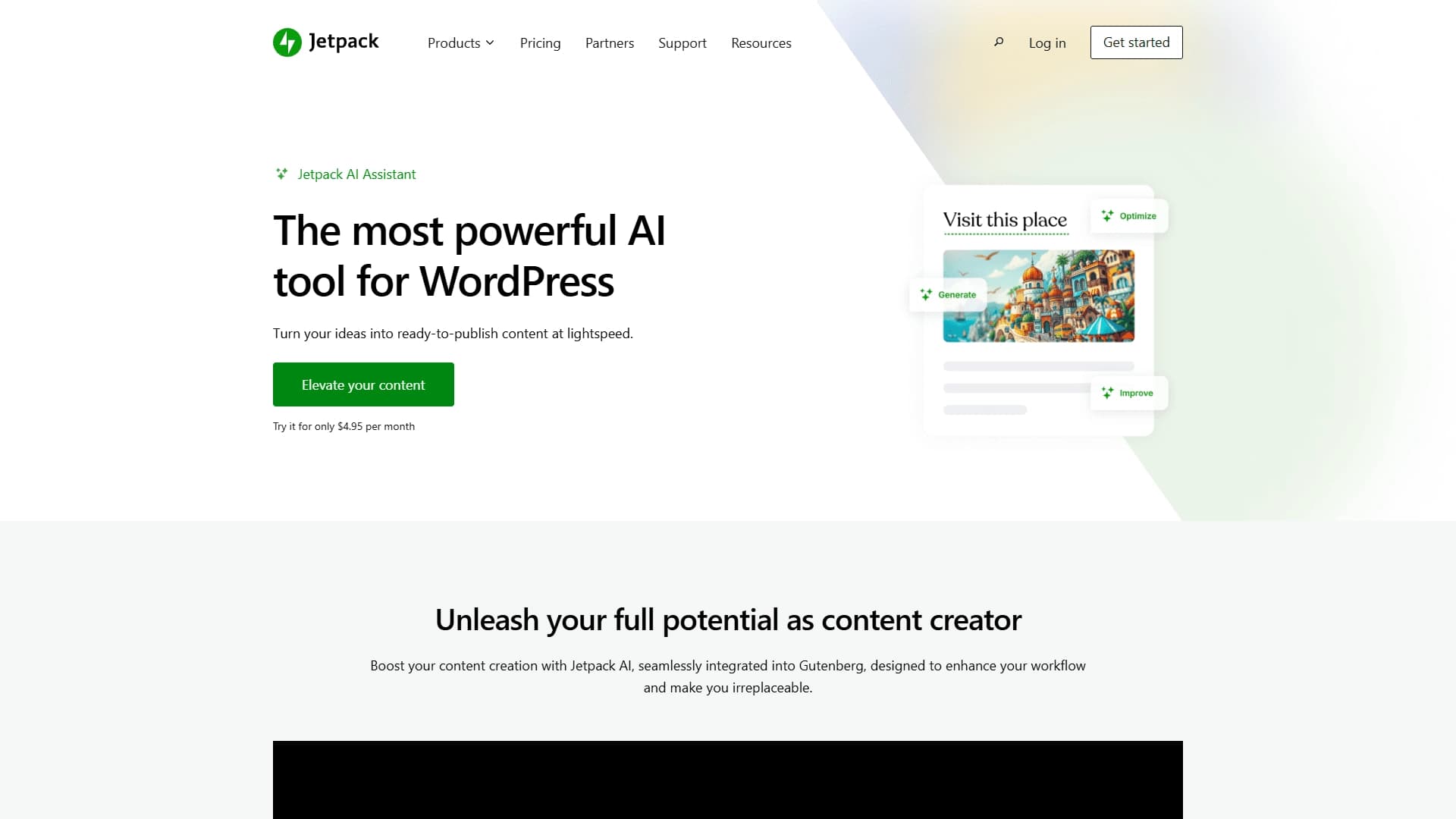
Jetpack AI Assistant is a WordPress plugin that integrates directly into the site editor and helps create, edit, and improve text content. The tool uses artificial intelligence technologies to automate writing and content processing workflows. You can complete unfinished sentences, rephrase existing passages, fix grammar and spelling errors, and adjust the tone of the text depending on the task. Jetpack is suitable for preparing blog posts, product pages, landing pages, and other content types, speeding up content production right inside the familiar WordPress environment.
Jetpack Characteristics
| Characteristic | Value |
|---|---|
| Type | WordPress plugin |
| Integration | WordPress |
| Editor's rating | 8.5 out of 10 |
| User rating | 4.5 |
| Platforms | Web |
| Categories | Copywriting, website and landing page builders |
| Distribution model | Freemium |
| Website | jetpack.com |
Who is Jetpack AI Assistant suitable for?
Blog authors and content marketers
The tool is designed for blog authors who regularly publish content on WordPress. Jetpack helps write articles faster, choose the right wording, and maintain a consistent text style without having to switch between different services.
Business website owners
Site owners involved in content marketing can use the assistant to create product descriptions, landing pages, and FAQs. The plugin suits both small projects and large commercial websites.
Freelancers and bloggers
Bloggers running their own online projects can speed up content preparation and improve text quality without hiring additional editors or copywriters.
How to use Jetpack AI Assistant?
Working in the WordPress editor
The tool is built directly into the WordPress editor. The user writes a draft and then turns to the AI assistant, which can complete, rephrase, or expand the text while preserving the page structure. To get started, simply install and activate the Jetpack plugin.
Setting content parameters
When using the assistant, you can set the tone, style, and language of the text. After entering the parameters, the AI processes the source material and suggests options. This lets you adapt content to the target audience without manually editing every paragraph.
Workflow
The process usually involves writing a draft, choosing the desired tone and style, and then running generation. Jetpack processes the request and returns a result that you can accept, edit, or discard right away.
Key features of Jetpack
Content generation
The assistant can create texts directly in the WordPress editor, including articles, product descriptions, landing pages, and FAQs. The AI analyzes the input data and produces quality content according to the specified parameters.
Adaptive tone adjustment
You can change the tone of the text based on the purpose of the material, from formal to conversational. This feature helps choose wording that fits the target audience and maintain a consistent style across the entire site.
Spelling and grammar tools
Jetpack automatically checks texts for grammar and spelling errors. This improves readability without additional manual proofreading.
Headline and summary generation
This feature generates attention-grabbing headlines and short summaries for articles, saving time when formatting materials and preparing announcements.
AI-based translations
The tool supports translating texts into different languages, which is useful for multilingual sites or when preparing content for international audiences.
Advantages of Jetpack
Deep WordPress integration
The plugin works directly inside the WordPress editor, so users do not need to switch between services or copy text from third-party applications. This speeds up the workflow and reduces the number of technical steps.
Faster content production
Jetpack helps create and edit materials faster without losing quality. Automating routine tasks—grammar checking, wording suggestions, and headline generation—allows users to focus on the substance of the text.
Suitable for projects of different sizes
The tool works for both small personal blogs and large commercial websites. The ability to adjust tone and style makes it versatile for different content types.
Drawbacks of Jetpack
Platform dependence
The plugin is tied exclusively to WordPress. Users of other content management systems will not be able to use the tool. The AI assistant's features are unavailable outside the WordPress ecosystem.
Free version limitations
The freemium model means that some features are available only with a subscription. The free plan may have limits on the volume of generated content or the number of requests.
What tasks does Jetpack solve?
Generating high-quality content in WordPress
The plugin automates text creation for websites. Users can quickly get finished material for a blog, product page, or landing page without hiring professional copywriters.
Creating and editing texts
Jetpack helps write new articles, rephrase existing ones, and fix errors. This is useful for keeping content up to date and meeting modern standards.
Grammar and spelling checking
The tool detects errors in texts and suggests corrections, reducing the likelihood of publishing content with typos and grammar issues.
Maintaining a consistent style across the site
The ability to set the tone and style of texts helps maintain a uniform writing style on all pages of the site, increasing brand recognition and improving the user experience.
Jetpack Pricing
The plugin is distributed under a freemium model. This means there is both a free version with basic features and a paid subscription with advanced capabilities. The subscription has a low entry price, making the tool accessible to owners of small websites. Specific plan prices are not disclosed based on the data provided.
Jetpack Terms of Use
To use Jetpack AI Assistant, you need to install the plugin on a WordPress website. The tool is available through the official Jetpack website. Like other plugins, it must be activated and configured before use. Detailed license agreement terms and service usage rules are published on the developer's official website.
Jetpack Availability
Jetpack AI Assistant is available as a WordPress plugin. Users can download and install it from the official Jetpack website. The tool runs on the web platform (Web).
How Jetpack differs from alternatives
Deep integration with WordPress
Unlike many other AI copywriting tools, Jetpack AI Assistant is fully embedded in the WordPress editor. This eliminates the need to copy text from external services and paste it back into the site.
Focus on website content
Jetpack focuses specifically on content management tasks in WordPress. Alternatives include 10Web, ChatWP, CodeWP AI, and AIKit, which also work with this platform but may offer different feature sets or terms of use.
Combination of editorial and marketing features
The plugin combines AI-assisted writing, grammar checking, and tone adjustment, making it a more versatile solution than narrowly focused tools.
Conclusion
Jetpack AI Assistant is a convenient built-in AI helper for WordPress that helps authors and site owners quickly create and improve content, saving time and maintaining a consistent style. The tool is suitable for blogs, product pages, and landing pages, offering text generation, spelling checks, tone adjustment, and translations. Its main advantages are tight WordPress integration and a wide range of features in a single plugin. However, its use is limited to the WordPress ecosystem.